
The Lowdown
If you live in an area with many, many hummingbirds of different types coming and going all day, definitely consider the Birdfy Hum Feeder Duo!
Overall
Pros
- Dual 2K cameras
- Simple assembly
- Solar panel keeps the battery going
Cons
- No sensitivity adjustment results in many empty video clips when the wind blows
A friend of mine has a pretty backyard with one of those Wi-Fi-enabled bird feeders. “It’s a lot of fun,” he said, “You should get one!” Well, I certainly do NOT have a pretty backyard, but I’ve often toyed with the idea of putting up a hummingbird feeder. What if I could attract hummingbirds AND get them on video? Enter the Birdfy Hum Feeder Duo, which boasts dual 2K cameras.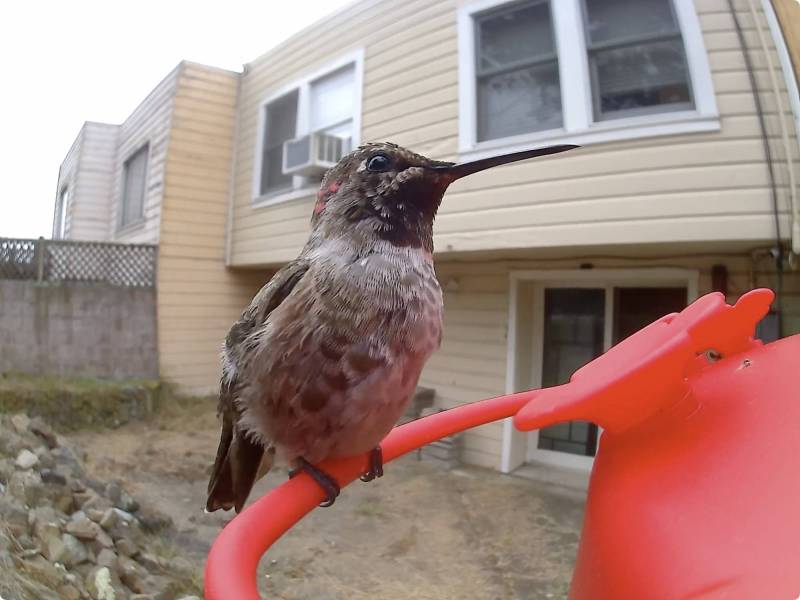
The Birdfy Hum Feeder Duo came in an expertly packaged box. I was impressed by how the different items were packaged in accordance with their function.
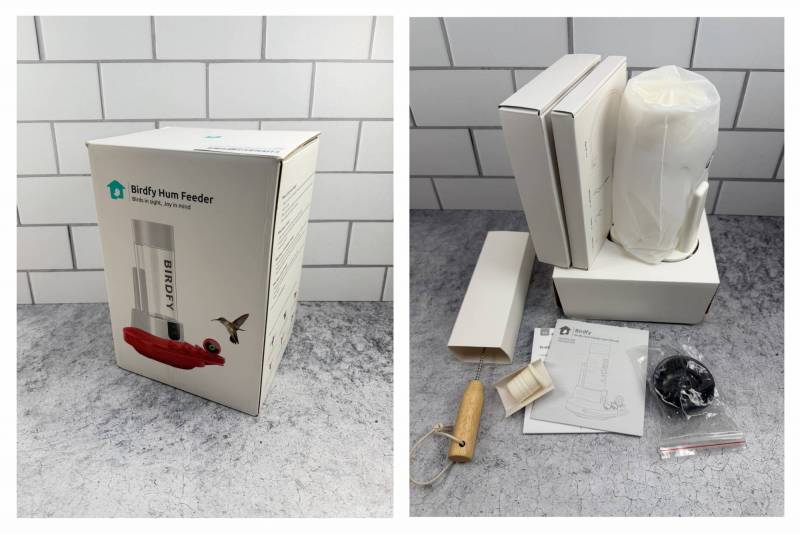
One of my favorite bits is that it comes with a solar panel, so you don’t have to recharge the feeder.
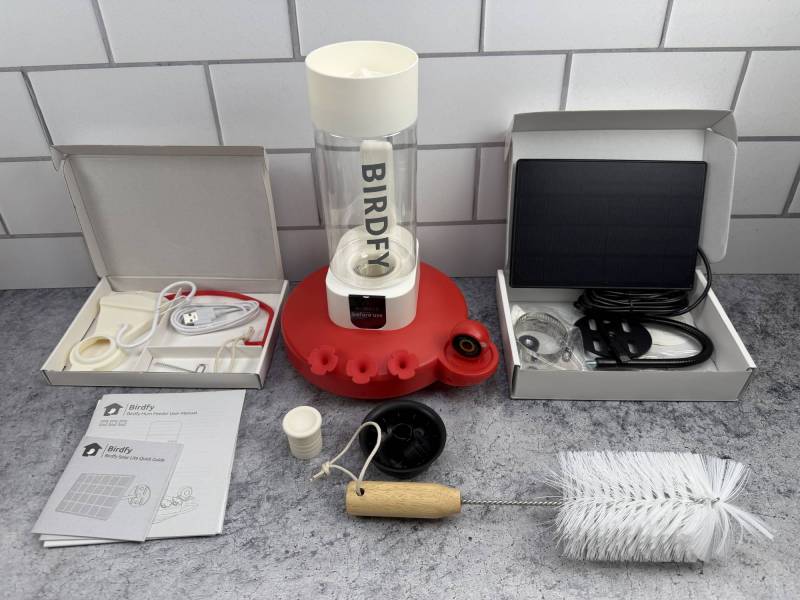
The packaged instructions were very clear and easy to understand.
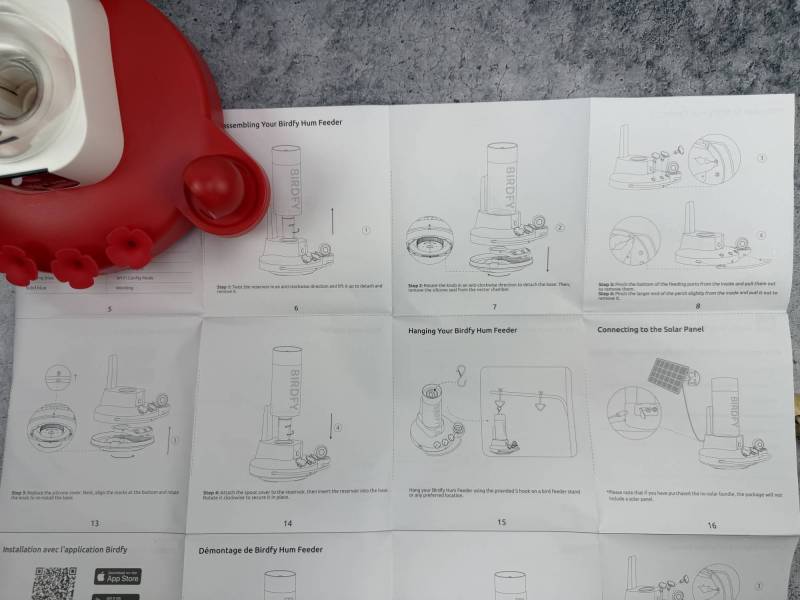
As you can imagine, there are a handful of parts that snap together. Here I’m attaching the perch. There are three “flowers” that push in place.
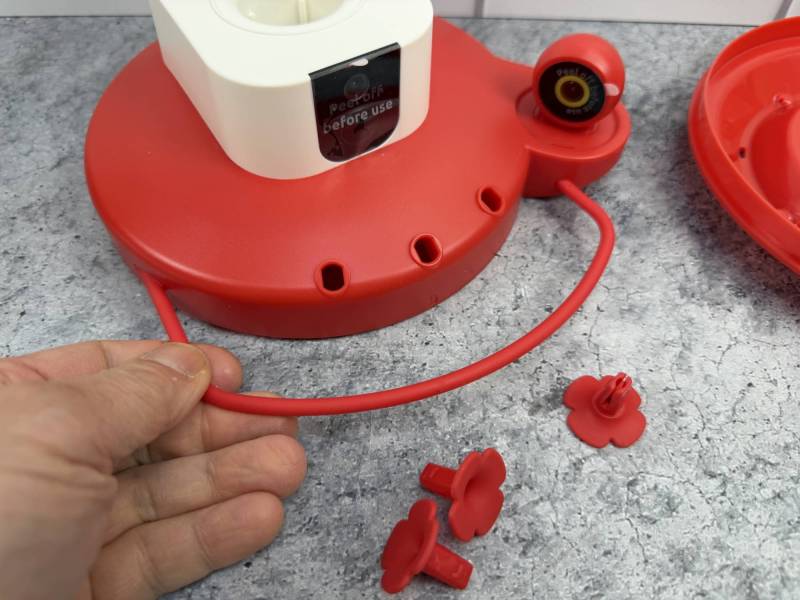
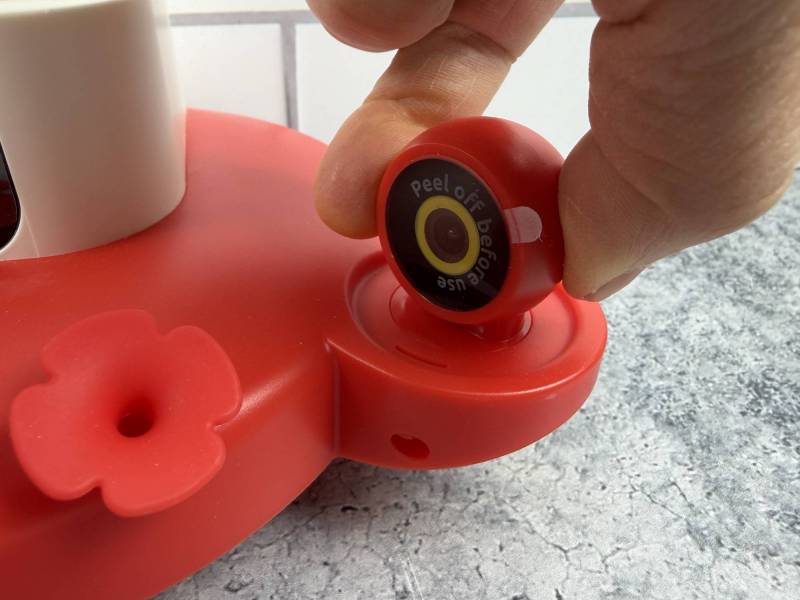
One of the unusual features of the Birdfy Hum Feeder Duo is the second 2K “side view” camera. You can rotate the camera left and right to your liking.
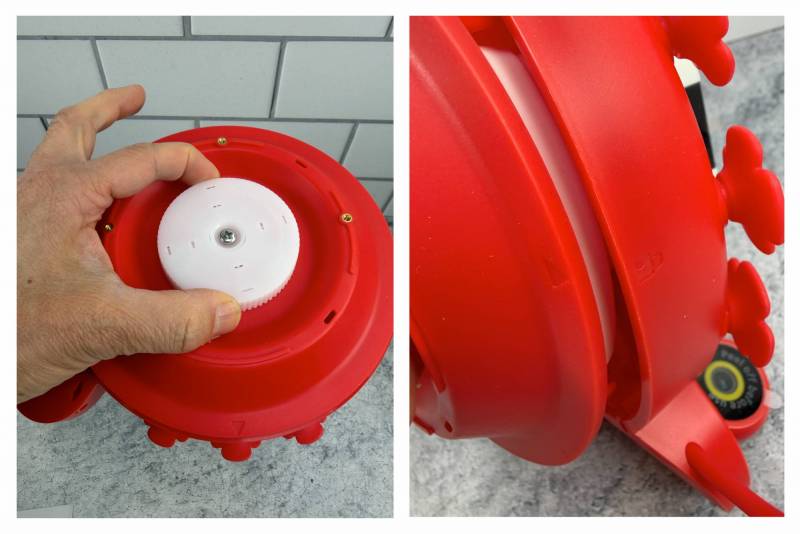
The bottom half of the feeder locks into place with this white knob. It’s hard to photograph, but there are alignment arrows on both halves.
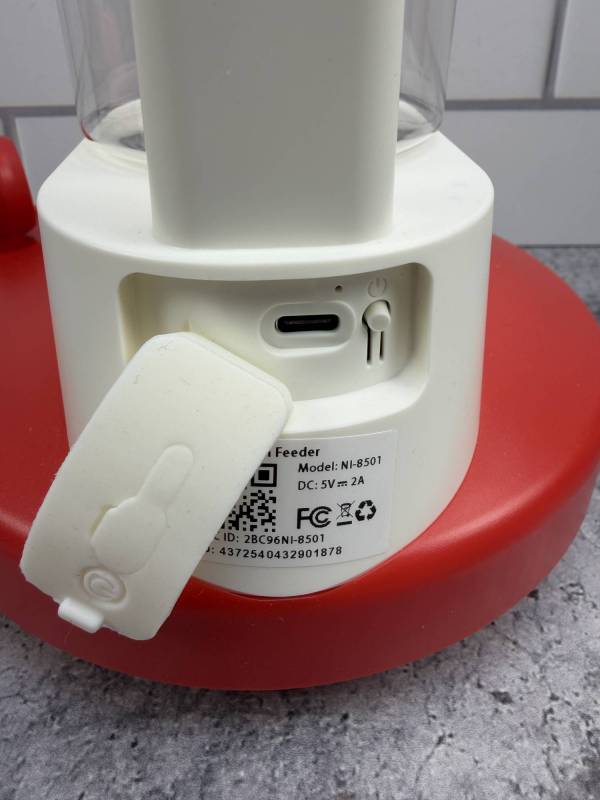
The charging port (USB-C) and power button are stowed behind a flexible plug.
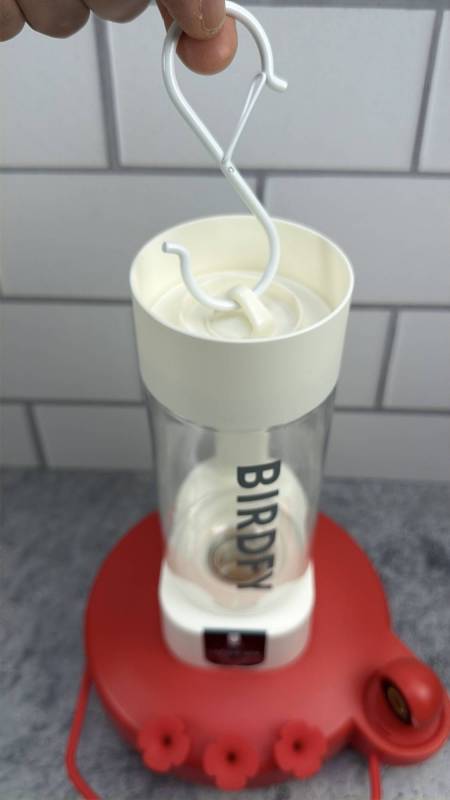
The Birdfy Hum Feeder Duo’s nectar bottle locks into place in the main body. The feeder can be hung with the supplied S-hook.
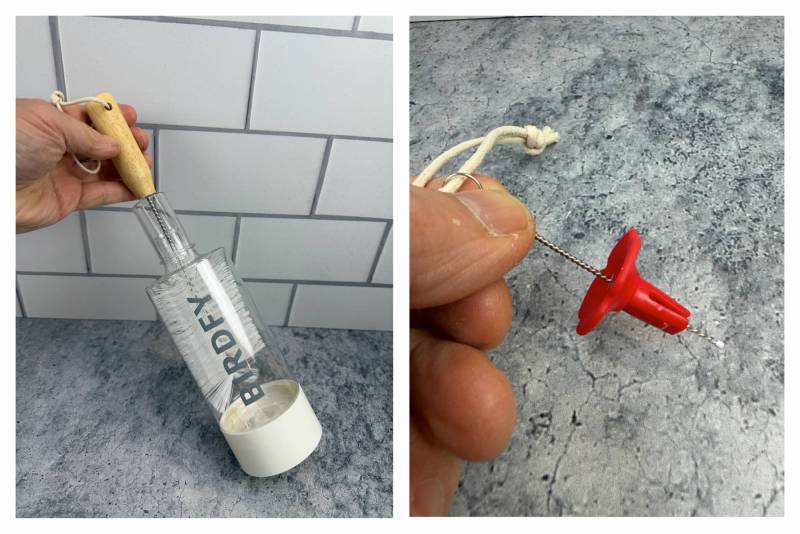
I’ve read that you must clean these out periodically. Fortunately, the kit comes with a large bottle brush (left) and a tiny brush (right) for the plastic flowers.
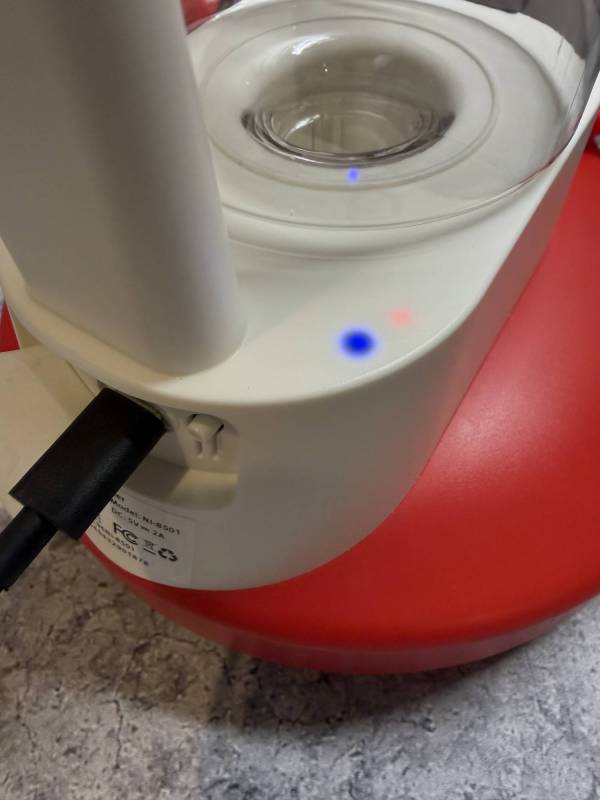
Here, the base is charging and connected to Wi-Fi. Note the blue and red LEDs glowing beneath the white plastic.
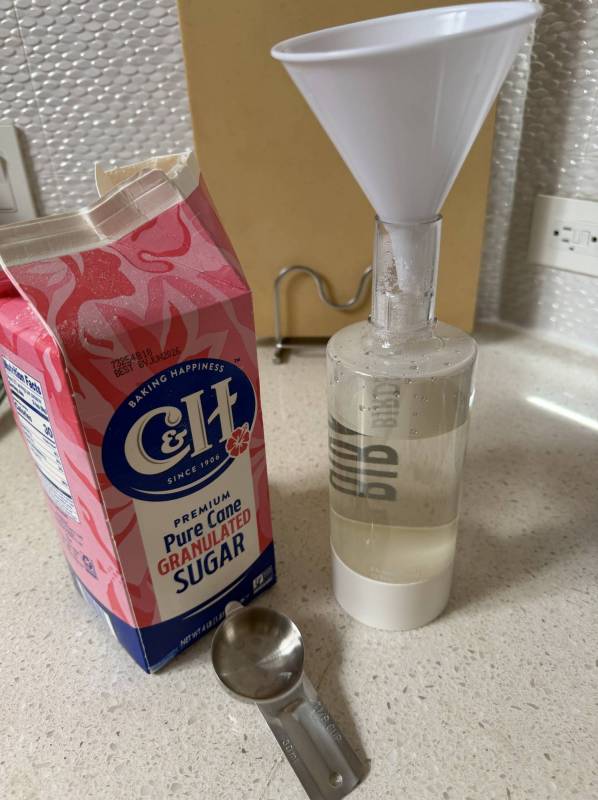
Here, I’m mixing my own nectar at a 4:1 water-to-plain white sugar ratio. Note that if you do this indoors and you drop even a tiny bit of the nectar, it will leave a gross sticky spot on the floor that will either stick to your feet or attract ants. I’ve resorted to transporting the feeder assembly by holding a bowl underneath to catch any sticky drippings.
I hung the feeder outside, with the solar panel (left).
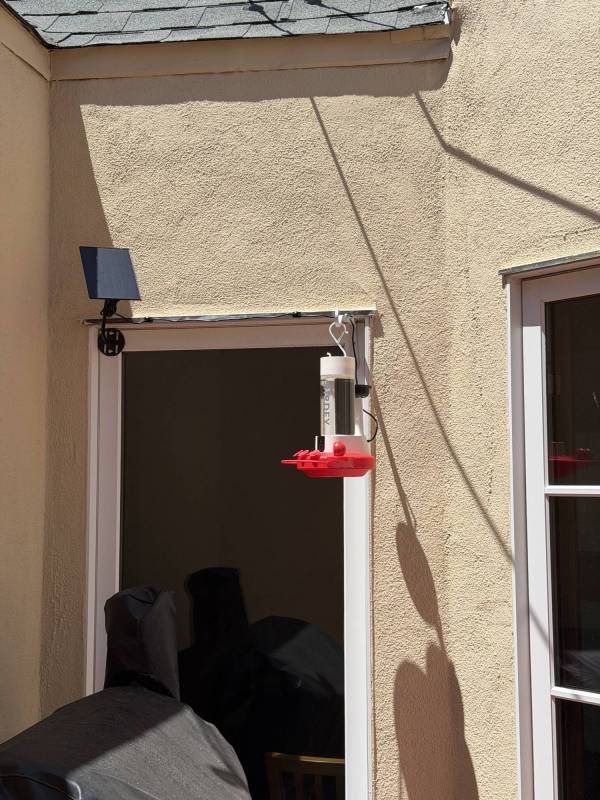
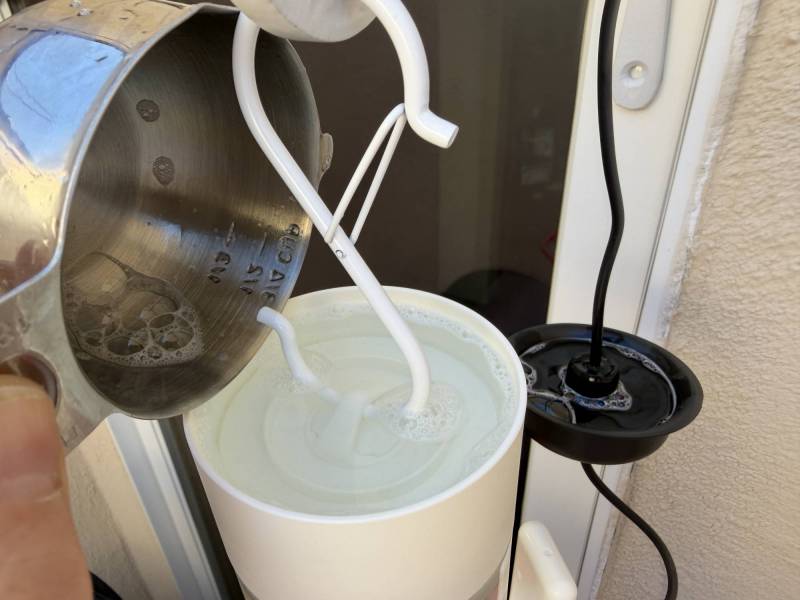
Because critters like ants just love the sweet sugar water, the Birdfy Hum Feeder Duo has an ant “moat” at the top and a black dish that can be fitted along the power cord. I added some soapy water for good measure.
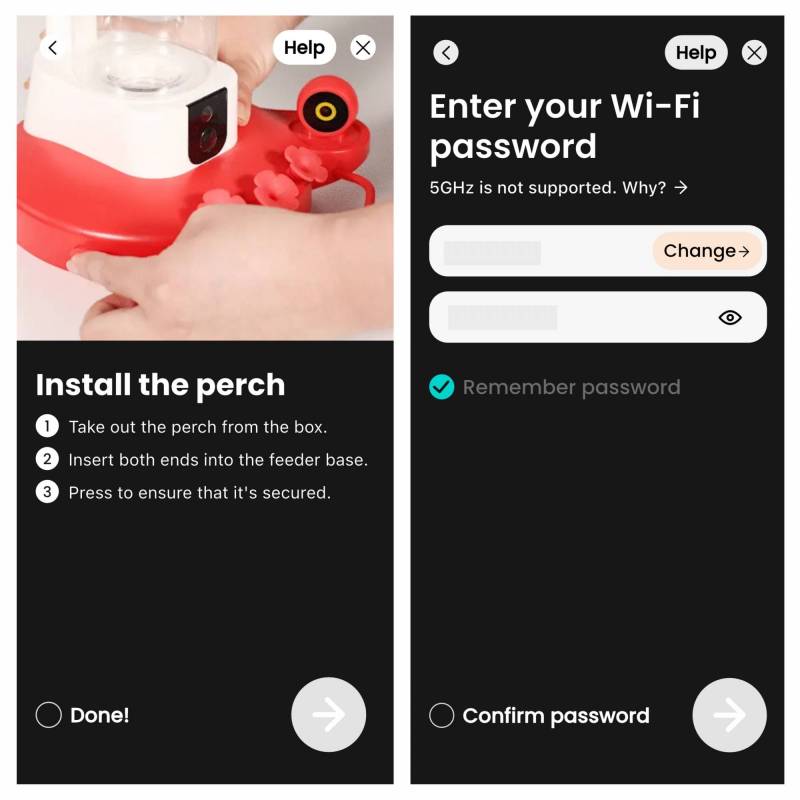
As I’m prone to doing, I installed the app AFTER I put everything together. Turns out the app has visual instructions on assembly! If you want to view videos, you’ll have to assign a Wi-Fi access point and password- otherwise, you have an expensive “dumb” feeder.
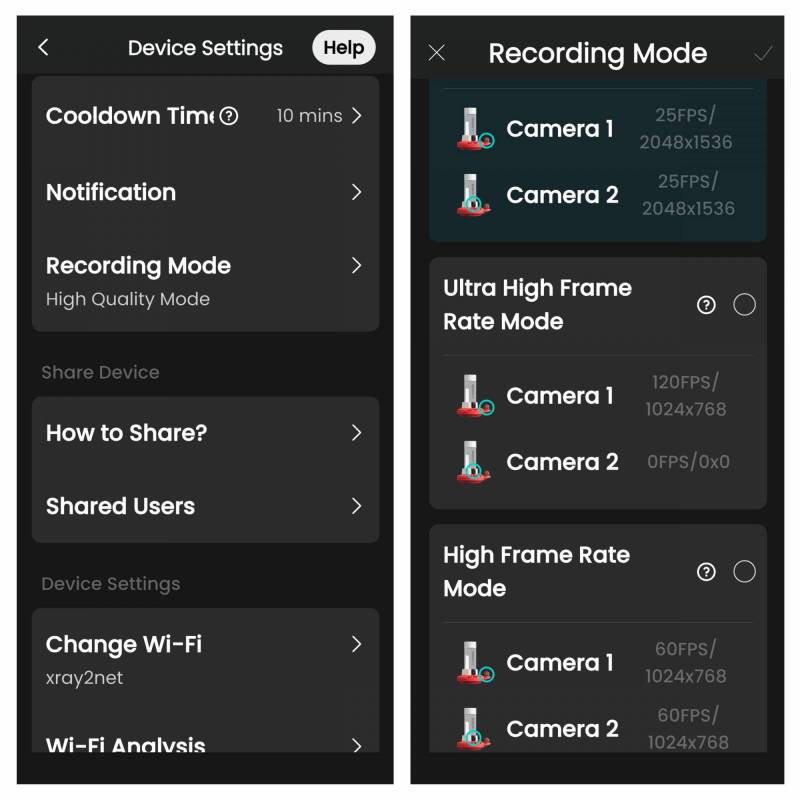
I noticed some interesting feeder settings in the app. The cooldown time lets you set how long the feeder will wait before notifying you again, if you’re getting too many alerts. You can also set camera quality as well, such as frames per second. Going to a higher setting (60 frames per second) is at the cost of resolution, but if you’re trying to capture fast-moving hummingbirds, it may be worth it. There’s also a 120 FPS setting, but that only works for the side camera.
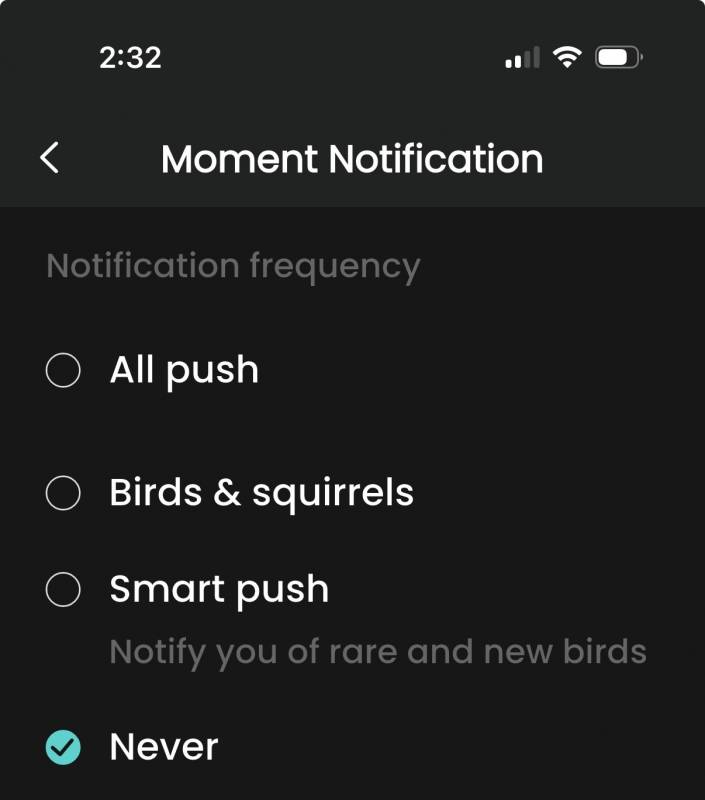
You can choose when you receive push notifications (iOS shown). Yes, one of the choices is “Birds and squirrels”. However, unlike other Birdfy feeders, there’s no sensitivity setting. I contacted Birdfy, and I was told it was because hummingbirds move so quickly. I guess that kind of makes sense? Just be prepared for a lot of empty video clips.
After a week, I got… nothing! So, I chose a new location farther from the house, in a seldom-used part of the yard. Within a day, I had a visitor! An Anna’s Hummingbird came over and over. I don’t know if it’s the same one every time. The feeder records both camera angles at the same time and can play back both views from the app simultaneously!
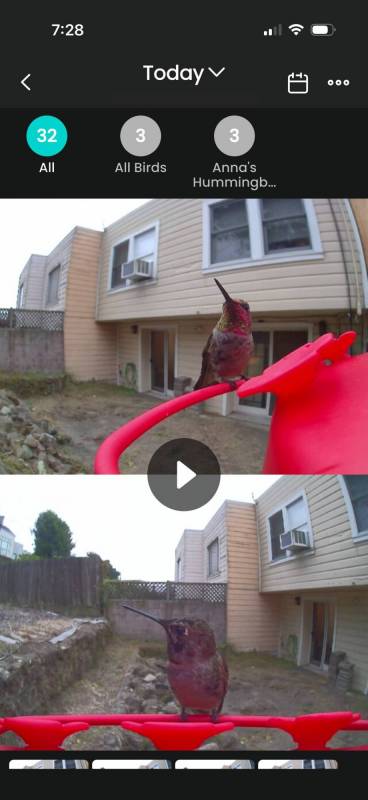
From the app, I was able to download video clips.
How did the app know it’s an Anna’s Hummingbird? Well, like everything nowadays, it features bird identification (yes, they call it AI). How Birdfy charges for this can be a little confusing, since many of their feeders come with a short, free trial, and others come with “lifetime AI”. Otherwise, a subscription can cost anywhere from $4.99 a month to $49.99 a year, and they even offer a $69.99 lifetime tier.
Without a plan, you do get basic motion alerts, but no species ID or a daily “highlight” summary.
It’s been over a month, and so far, and I’ve enjoyed “catching” hummingbirds, even if it’s (maybe) just one hummingbird. I don’t know if it’s the same individual bird, or if Anna’s Hummingbird is the only species in my area. I would have been more disappointed if I lived in an area expecting them, and none live nearby! Given that the dual-camera Duo model is twice the price of the standard single camera variant, I probably would have started with the cheaper one next time. But, if you live in an area with many, many hummingbirds of different types coming and going all day, definitely consider the Birdfy Hum Feeder Duo!
The Birdfy Hum Feeder Duo retails for $269.99; it is available directly from the manufacturer and other retailers, including Amazon.
Source: Personal purchase
What I Like: Dual 2K cameras; Simple assembly; Solar panel keeps the battery going
What Needs Improvement: No sensitivity adjustment results in many empty video clips when the wind blows; 2x the cost of the single camera version




Be the first to comment on "Birdfy Hum Feeder Duo Smart Hummingbird Feeder Review: Watch Nature’s Acrobats in Action!"