
The Lowdown
The Insta360 Link 2 Pro is for users who want the highest-quality webcam, and yes, it comes with a flagship price of $249.99 (for the standard bundle). For that price, you get excellent video quality, superb light sensitivity, true focus, natural bokeh, AI tracking, directional and omnidirectional mics with noise canceling, four distinct pickup modes, and useful software features like the teleprompter and custom overlays. It delivers. If you live on Zoom, Teams, and the like, I recommend it without reservations.
Overall
Pros
- Excellent video and audio quality
- Attractive and purposeful design
- AI tracking
- Useful software features including teleprompter
Cons
- High end of the webcam market in terms of price
- Overlays not available in 4K mode
Founded in 2015, Insta360 may be best known for its lines of action cameras, 360 cameras and drones, but they also produce gimbals, microphones and videoconferencing equipment. In this review, we look at the Insta360 Link 2 Pro AI 4K Webcam. The Link 2 Pro is Insta360’s flagship AI 4K webcam and comes equipped with a 1/1.3” sensor, dual native ISO and four audio pickup modes. The webcam now features freshly updated software that enables many advanced features such as a built-in teleprompter, custom overlays and an AI meeting assistant.
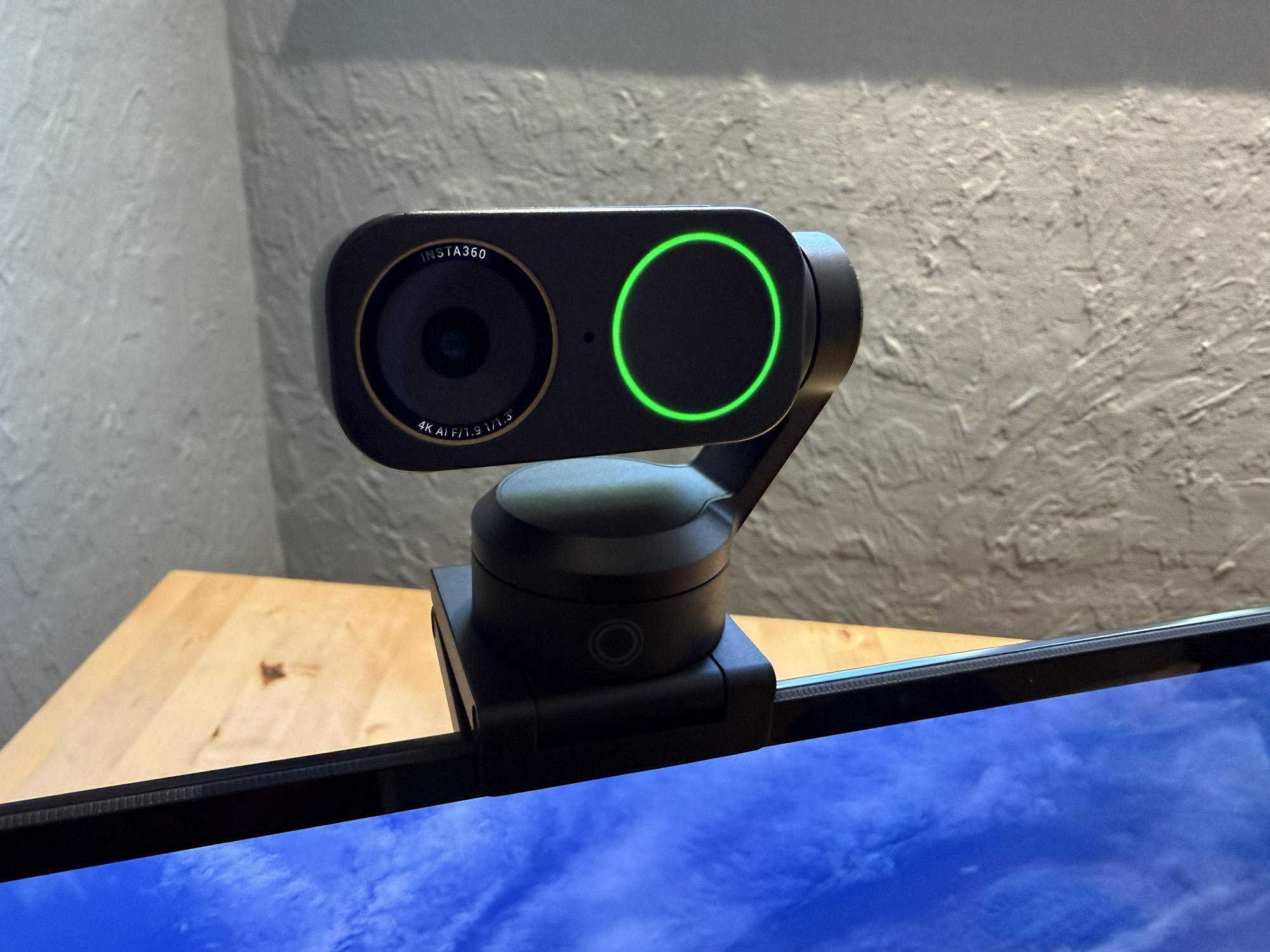
The Insta360 Link 2 Pro has a sister product, the 2C Pro; the main difference between the two is that the Link 2 Pro features AI tracking and a 2-axis gimbal, and the 2C Pro does not. There are also less expensive non-pro versions of both the Link 2 and Link 2C. These models have smaller ½” sensors, a smaller 79.5-degree max field of view, a single native ISO, and single omnidirectional mics.
What’s in the Box
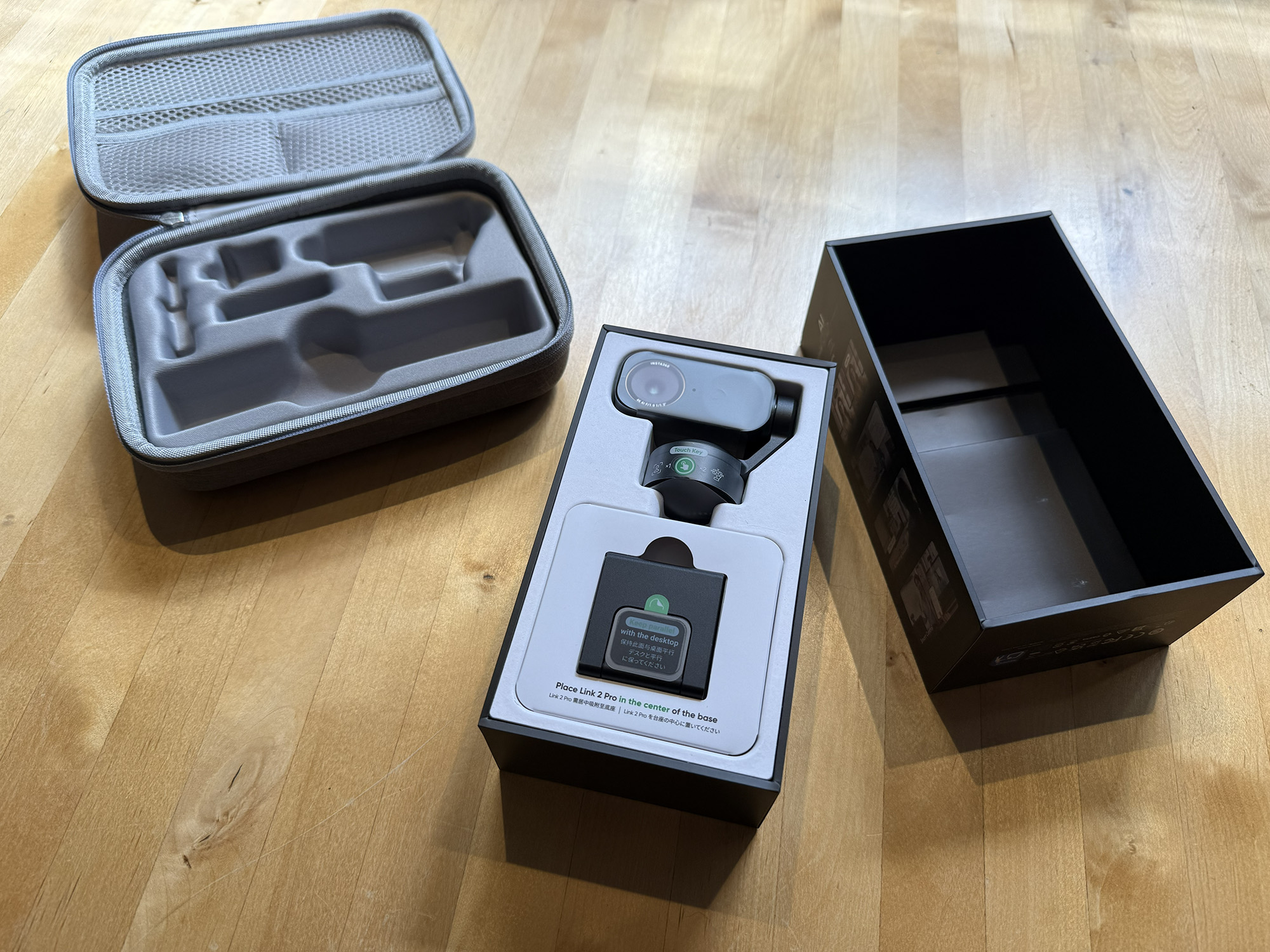
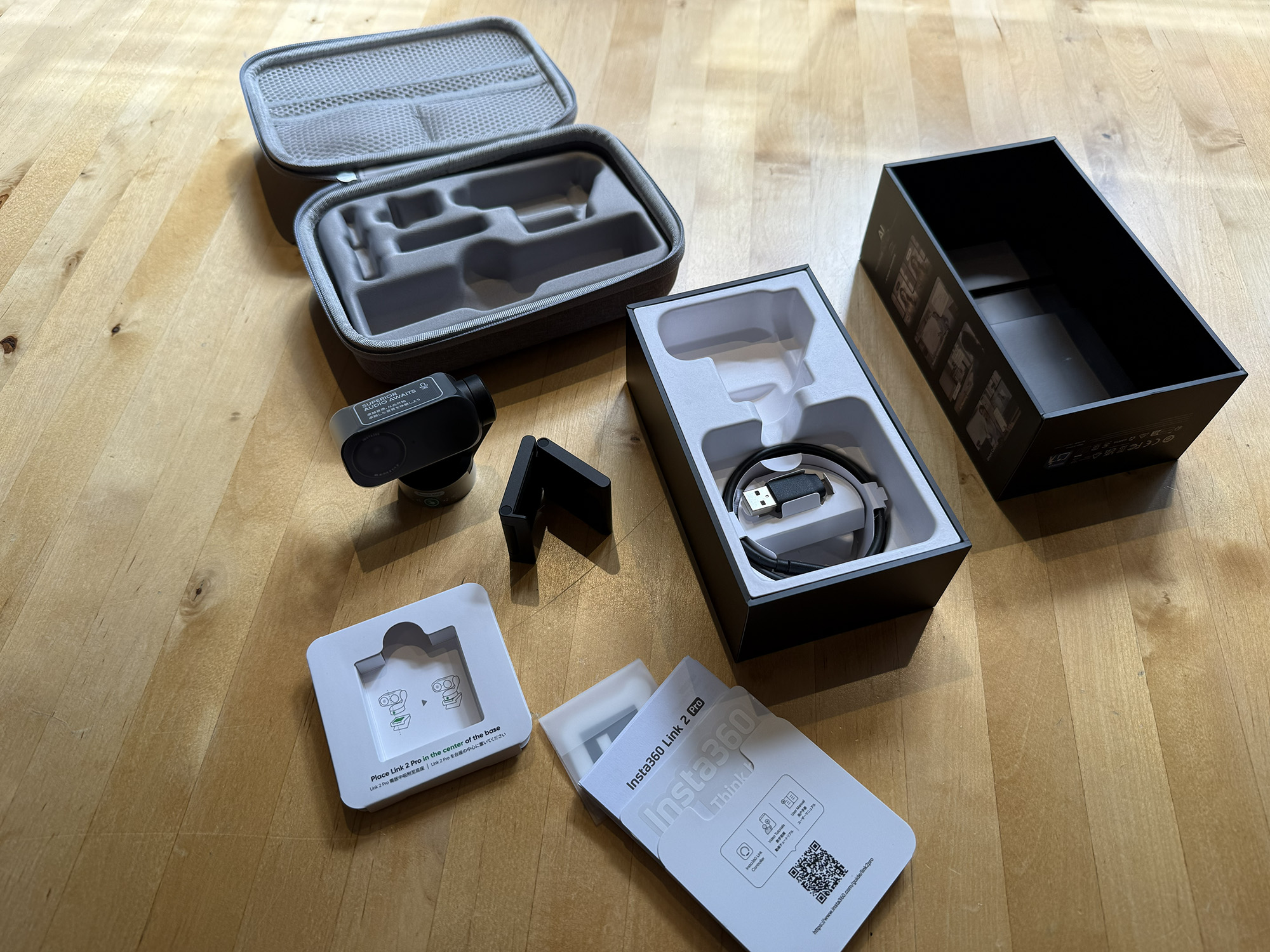
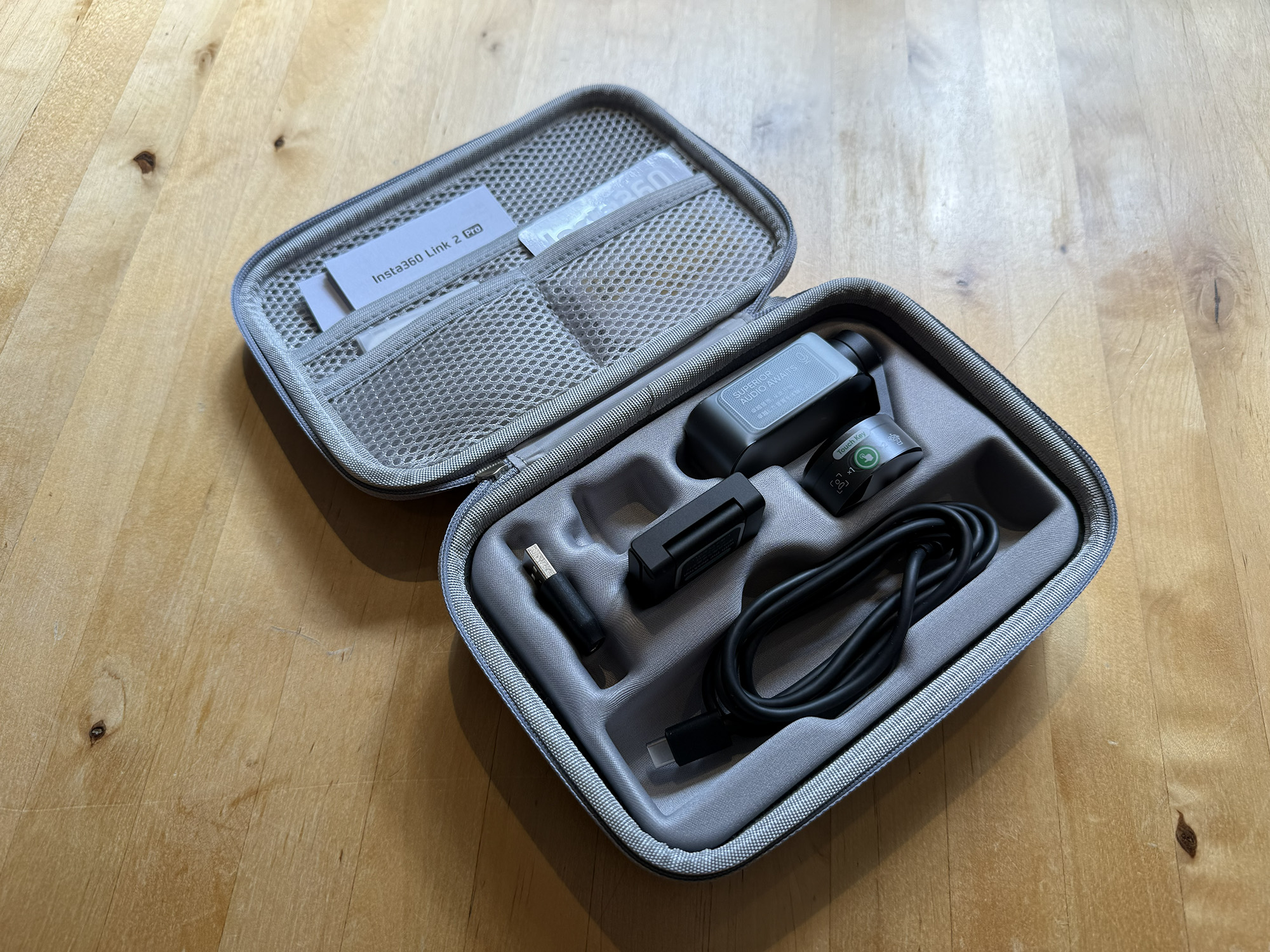
- Insta360 Link 2 Pro AI 4K Webcam
- Magnetic Mount
- USB-C Cable
- USB-C to USB-A Adapter
- Recognition Marker
- QuickStart Guide
- Warranty Card
Design and Build Quality
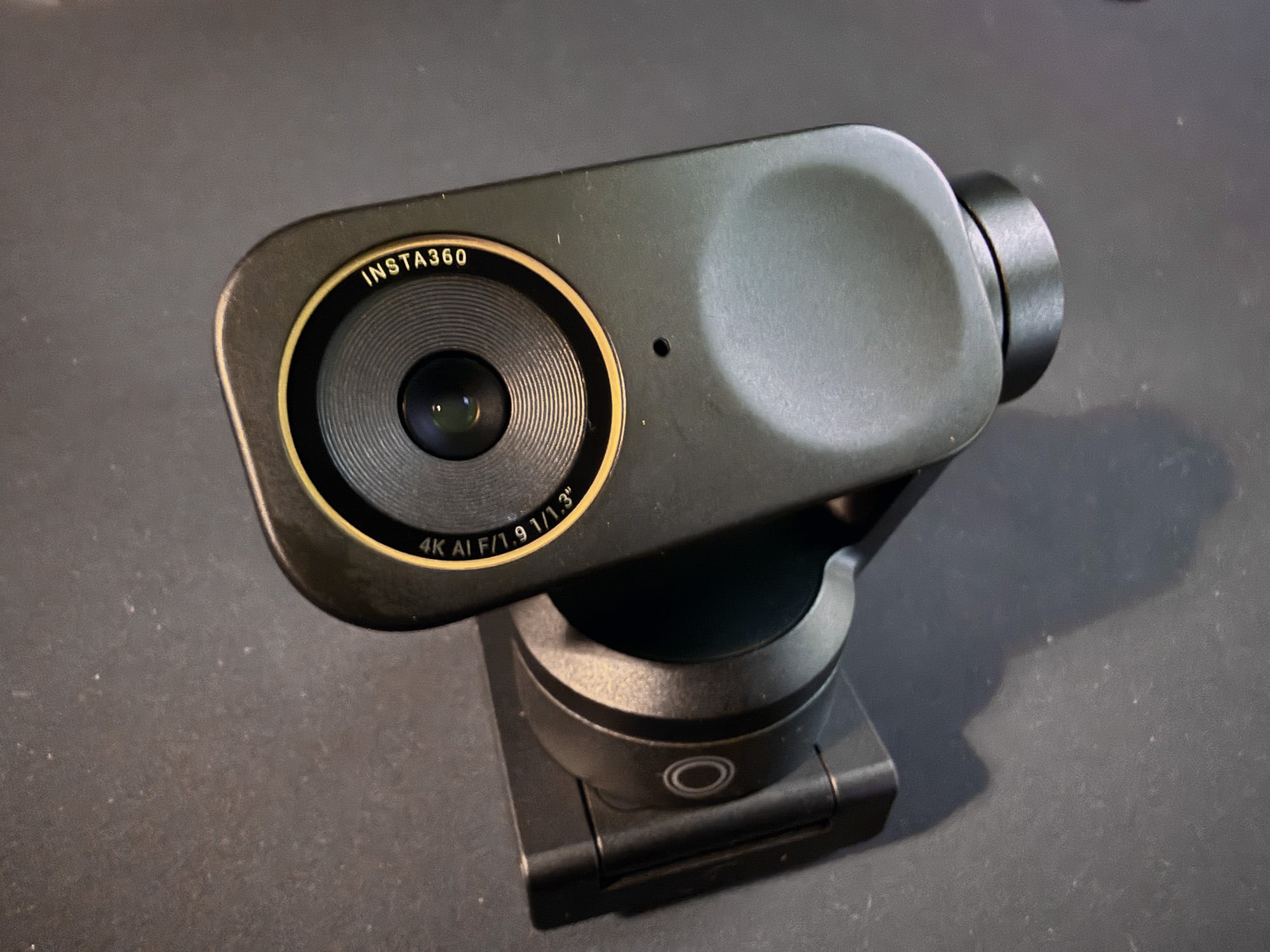
The Insta360 Link 2 Pro is very attractive and has a premium look and feel. It is elegantly designed with no unnecessary elements, giving it a professional, all-business aesthetic. The Link 2 Pro comes in Graphite Black with a new Arctic White model launching this month. The finish hides fingerprints well.
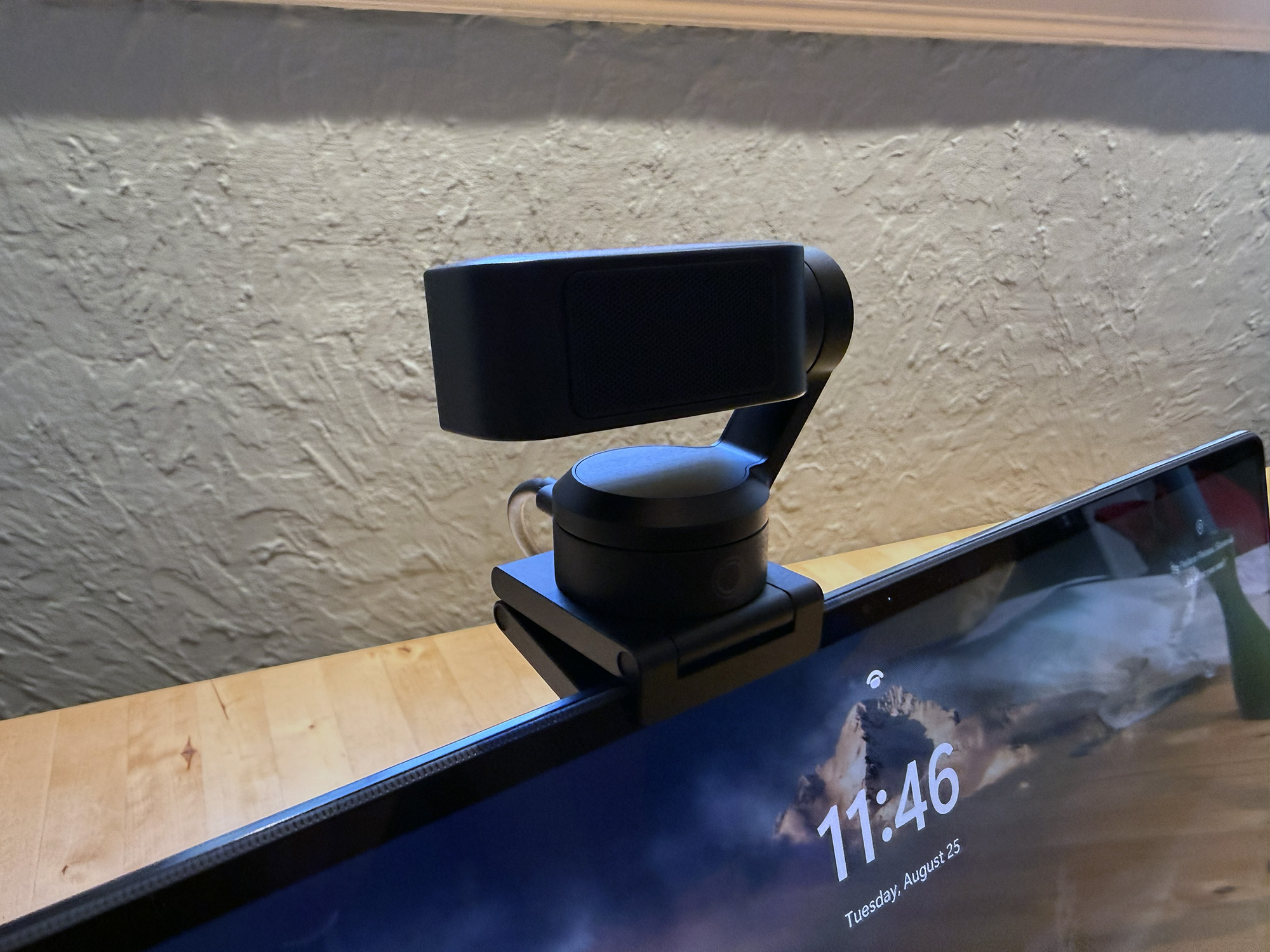
The webcam features a rectangular body with rounded corners, suspended by an articulating arm on the right side when facing the camera. The front face of the body features the camera lens on the left with the Indicator Light on the right. Depending on the camera’s status, the indicator changes colors. Typically, it is green.
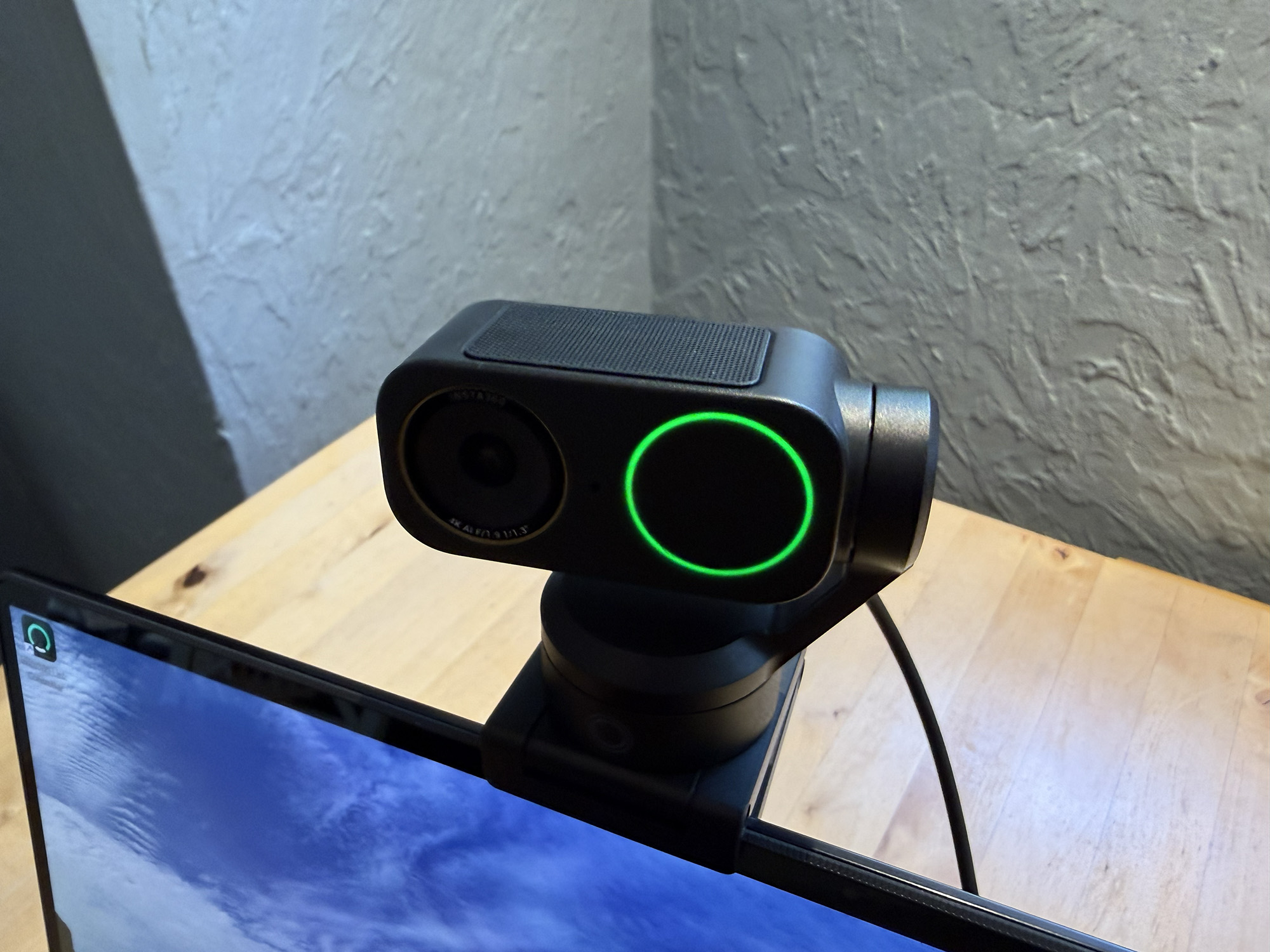
The top of the camera body has a screen behind which the microphones are housed.
The arm rotates the camera body up and down, including facing down when in privacy mode. The arm is connected to the round camera base, which rotates the assembly. This base connects to the metal screen mount magnetically. It is easy to position and requires no tools. The base also features a standard ¼” 20 thread for use with tripods.
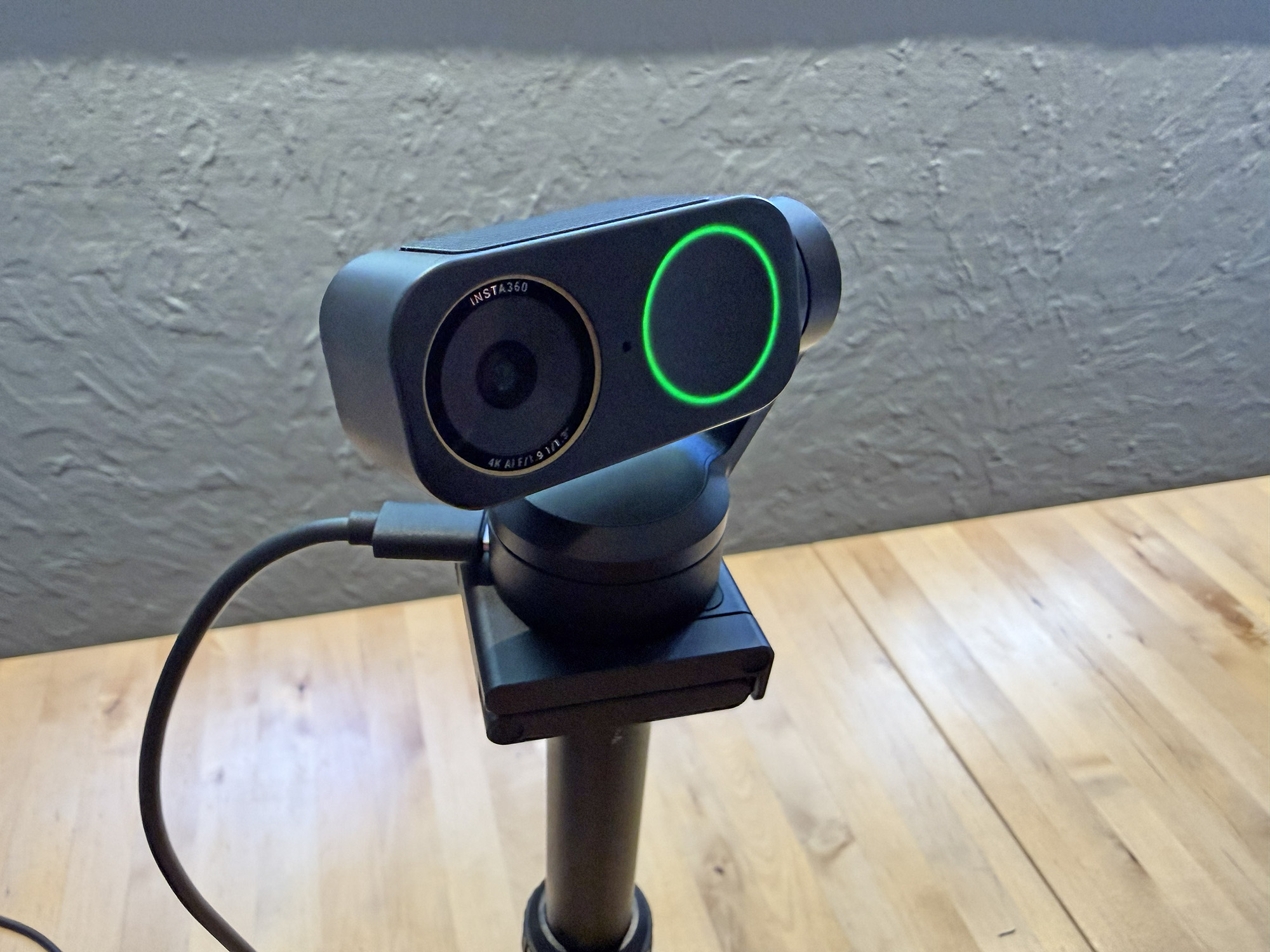
The camera base has a USB-C port on the back for the cable that connects it to the computer. The Touch Key is on the front of the base. Tapping this key once starts and stops the AI tracking.
Double-tapping the Touch Key recenters the camera and resets the webcam to its original state. Triple-tapping or long-pressing the key will enter U-Disk Mode. U-Disk mode is a USB connection setting that makes the camera act like a removable storage drive when plugged into a computer, so you can directly access and copy your recorded files without special software or app connections.
Setup
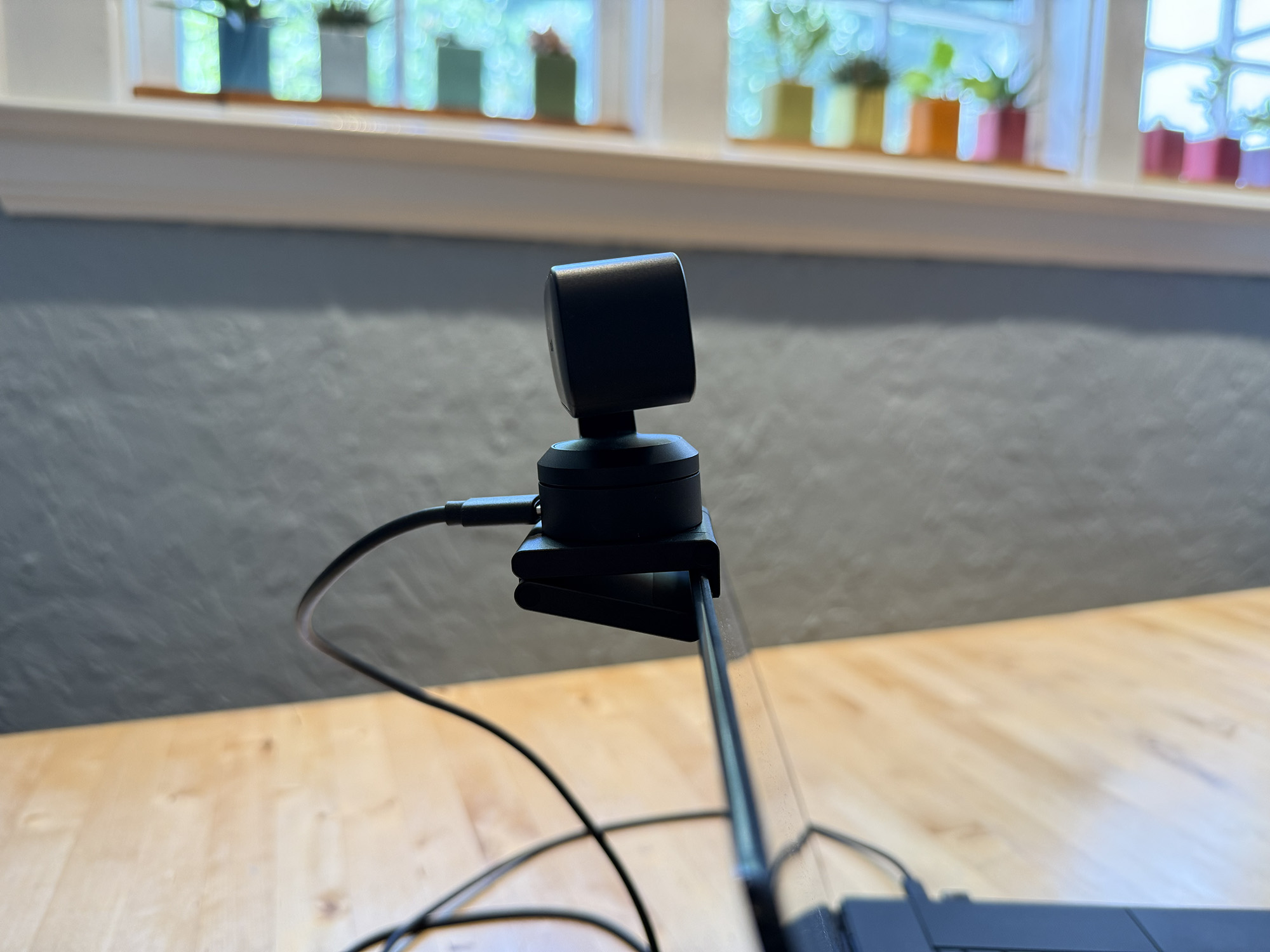
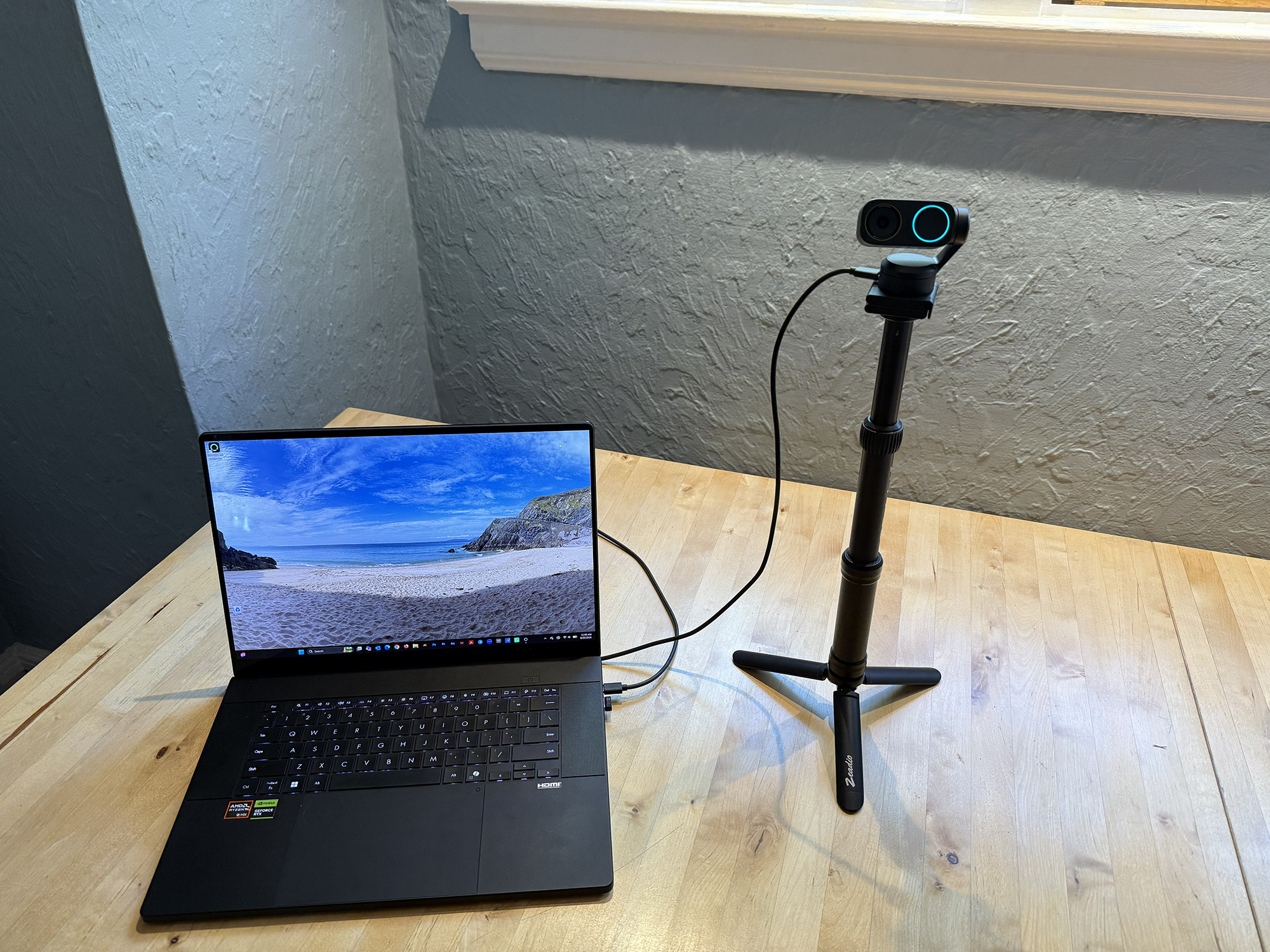
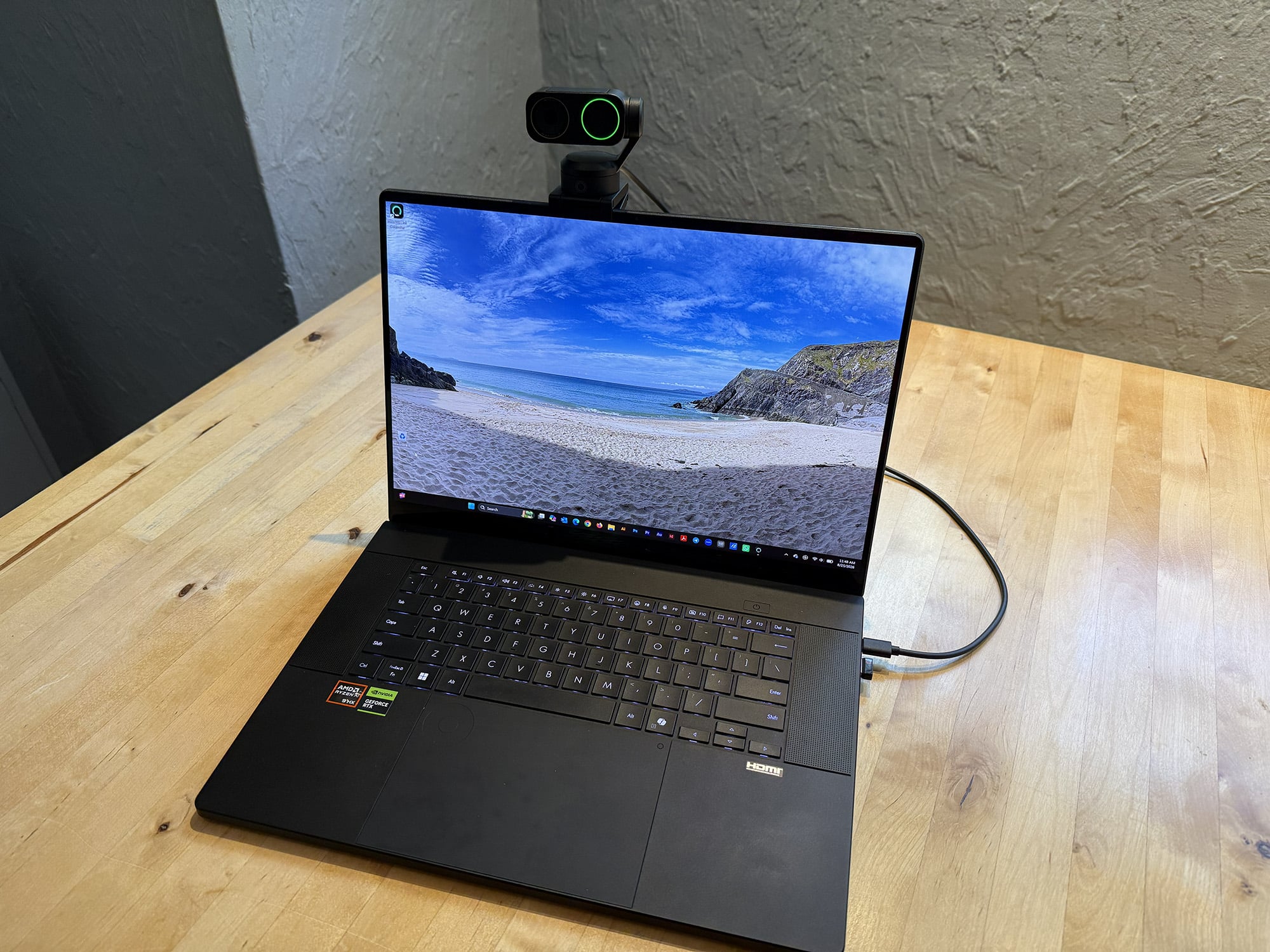
The Insta360 Link 2 Pro can be mounted to the top of laptops in seconds using the included Magnetic Mount: place the mount where you want and set the camera on top. Then connect the USB-C cable to the back of the camera base and the computer, and you are ready to go.
If preferred, users can opt for tripod mounting instead. This may be desirable for product and cooking demonstrations, for example. The Link2 Pro is compatible with Windows and iOS and all industry-standard web conferencing apps. The Insta 360 Link Controller app is also available for free on both operating systems.
Performance
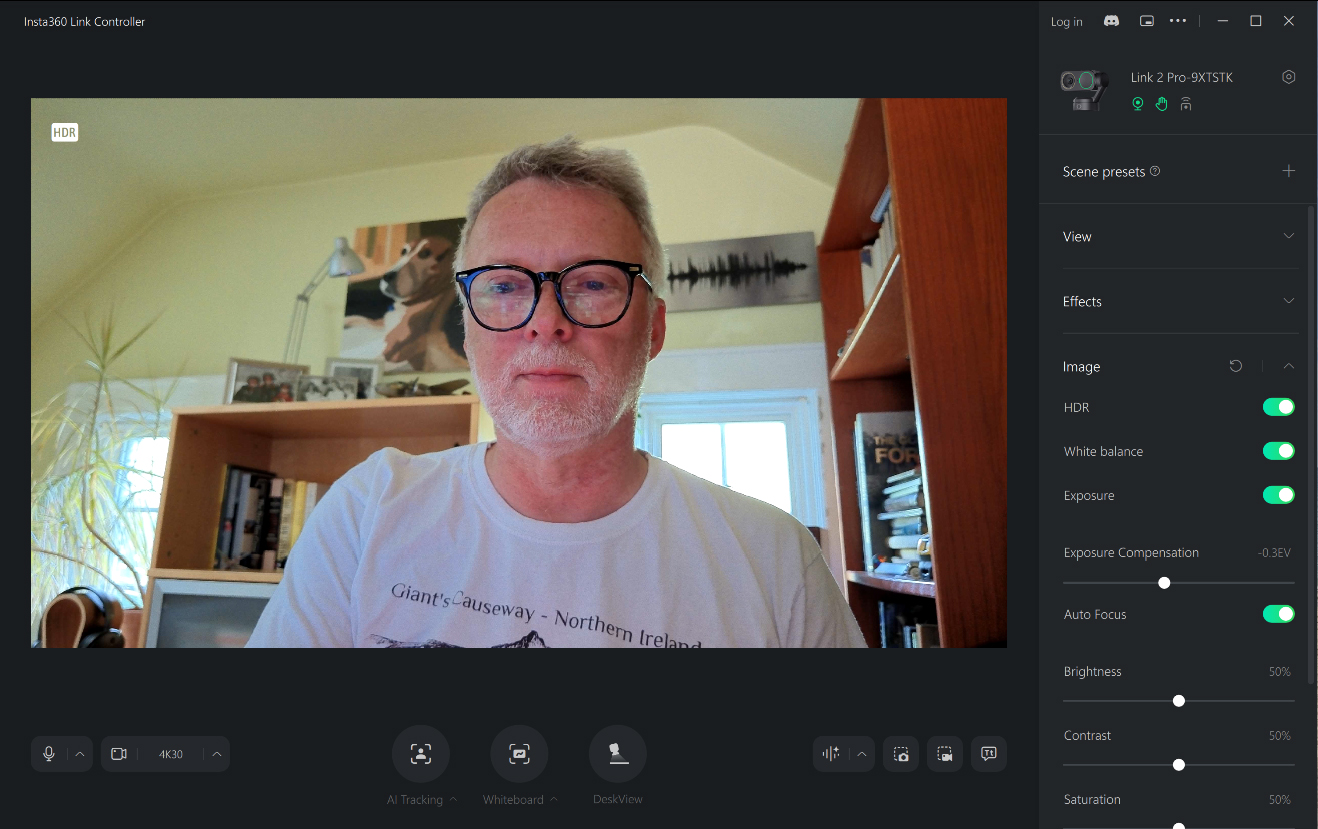
As one might expect from a flagship webcam, the video quality is superb with excellent detail and impressive dynamic range. This is primarily due to the generous 1/1.3” sensor with 2.4 micrometer equivalent pixel size offering more than twice the photosensitive area of Link 2.
Insta360 claims “DSLR quality in a Webcam”. I do a fair amount of web conferencing and have replaced the built-in webcam on my new ASUS ProArt laptop with a tripod-mounted action camera for its improved lens and sensor capabilities. The Link 2 Pro is noticeably better in every way.
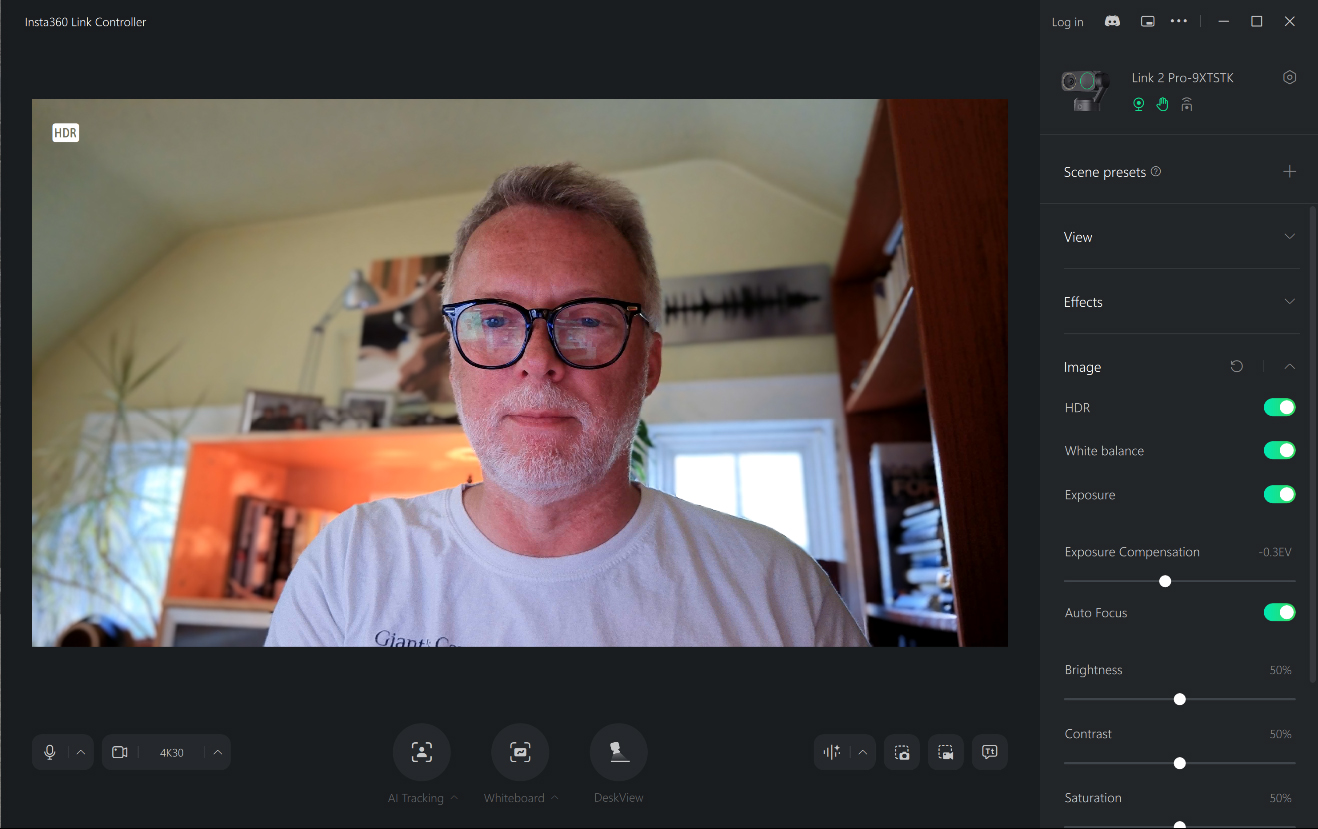
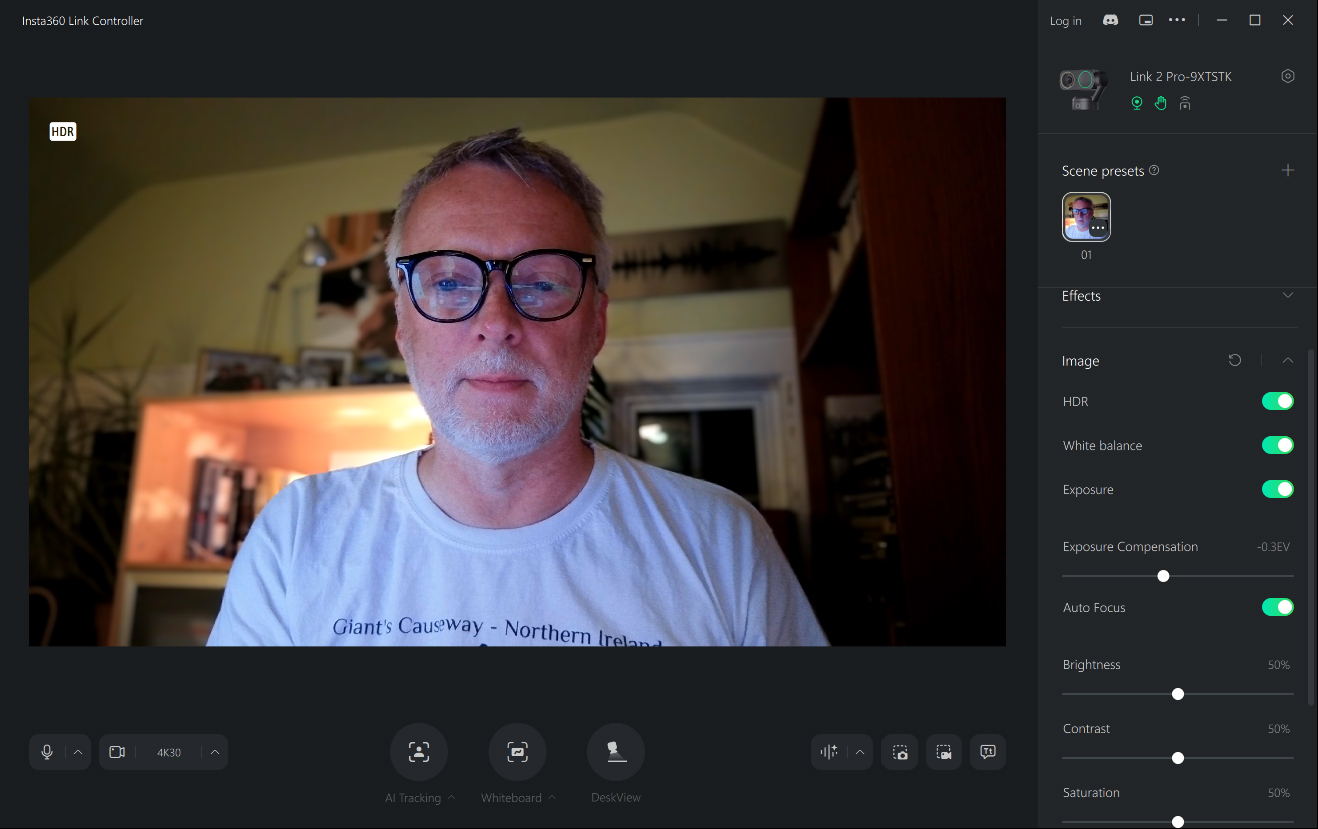
The Insta360 Link 2 Pro’s HDR capabilities are very good. By combining Dual Native ISO and HDR, the camera retains detail in highlights and shadows at the same time for a natural, balanced look.
The camera features Phase Detection Auto Focus (PDAF), which locks on quickly and precisely. It’s fast and reliable even when tracking the user using AI. The camera also delivers strong low-light performance, something rarely found in webcams.
Insta360 also claims “Best in Class Audio” and has taken several steps to back it up. The Link2 Pro’s dual mic system features both a directional and omnidirectional mic for more detailed, professional-quality sound.
Add to this the four Smart Pickup Modes (Standard, Wide, Focus and Original) and AI Noise Reduction, and you can start to appreciate the unique flexibility that the Link2 Pro provides.
Capabilities
-

- Background Blur
-
- Natural Bokeh
-
- Low Light – Afternoon
-
- Low Light – Night
Beyond excellent video and audio quality, the Insta360 Link 2 Pro offers several additional features that extend its capabilities. Two of my favorites are AI Tracking and Auto Framing, and Natural Bokeh. In AI tracking, the webcam detects faces and automatically tracks subjects so that they stay in the frame. Users can adjust the position, tracking speed, and frame size in the tracking software.
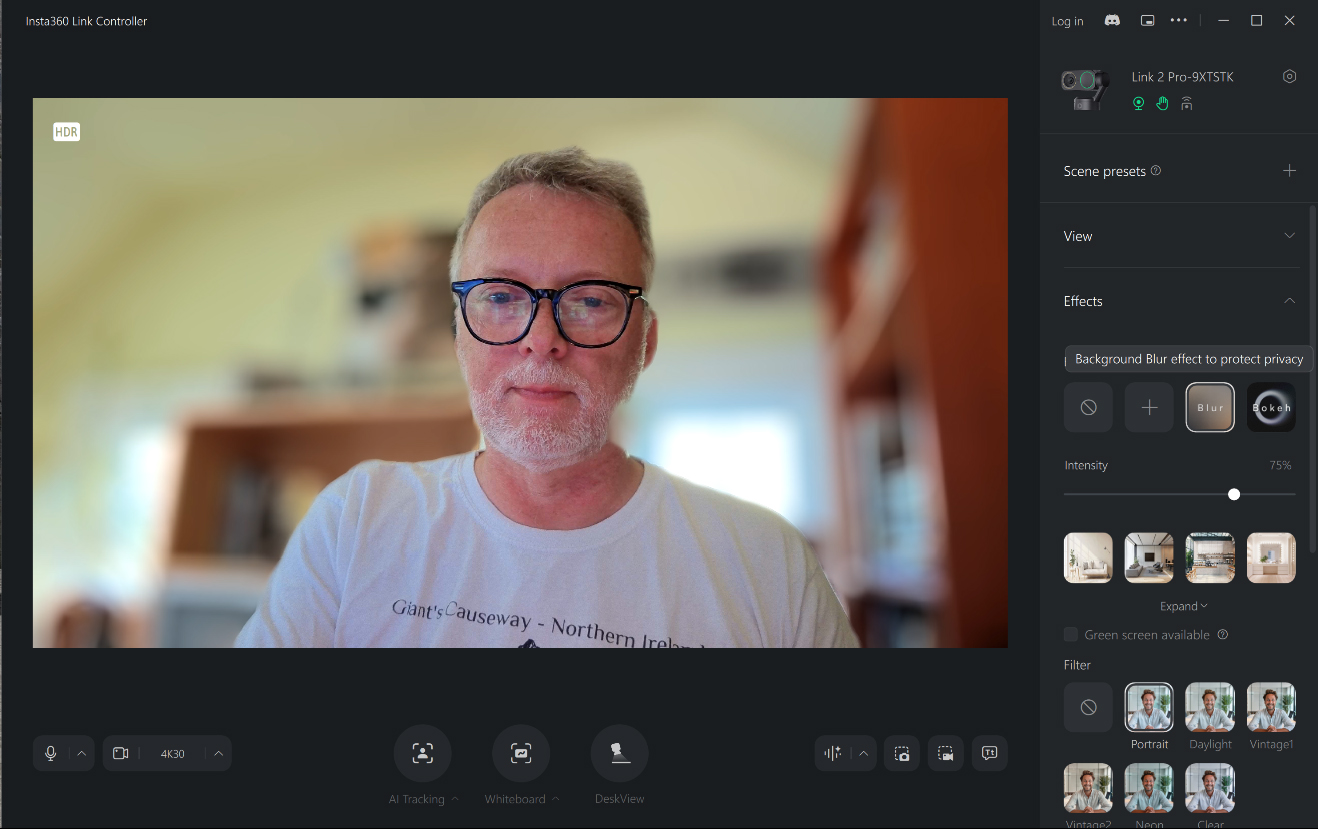
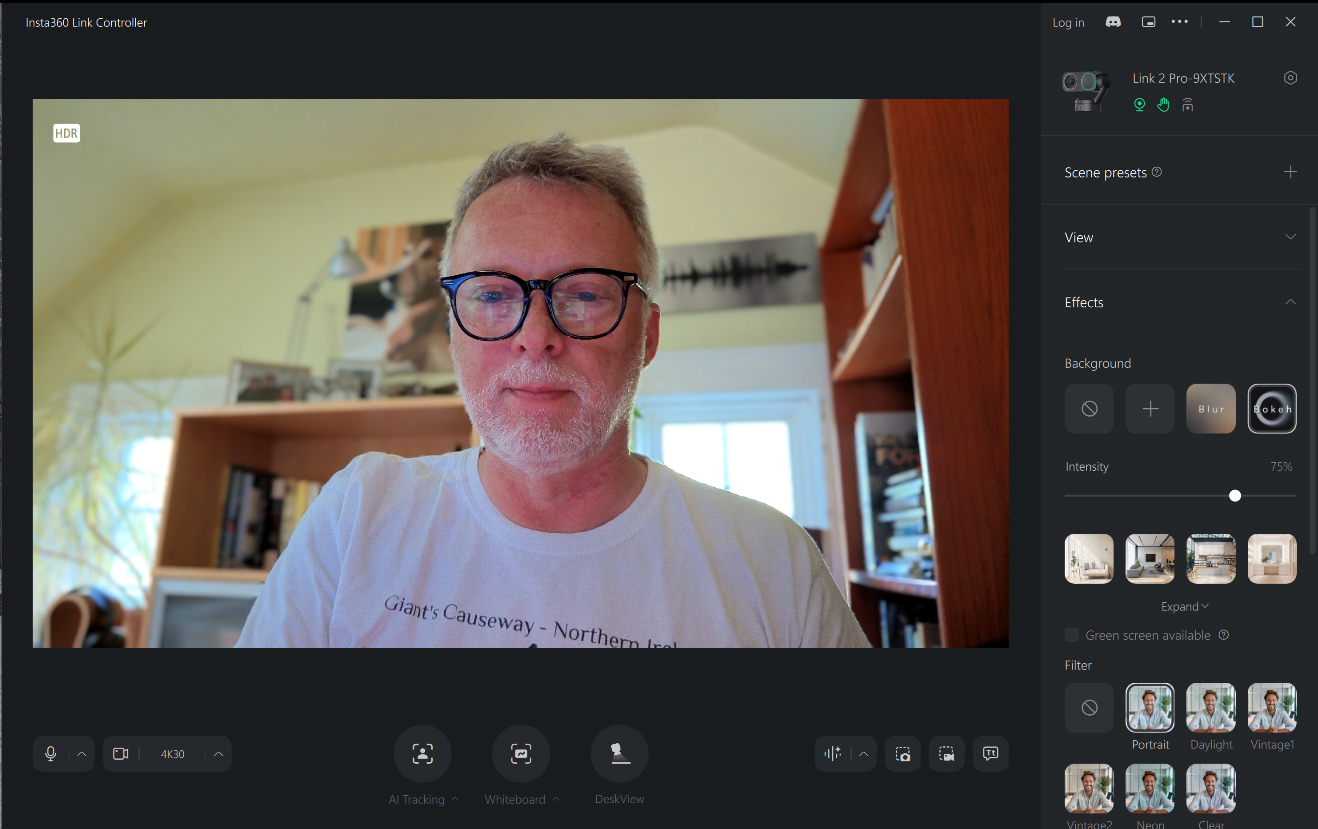
Many webcams can blur the background while keeping the subject in focus. The Link 2 Pro has this ability as well, but often the effect is too strong, and the edges of the person’s face and hair are cut too obviously from the background. Imitating the short depth of field of professional cameras, the natural Bokeh feature offers a much more subtle and natural effect.
The software also offers several handy extended capabilities, including a built-in teleprompter and custom overlays. The teleprompter makes it easy to import any script as a text file and place it wherever you prefer, eliminating the awkward situation where the presenter’s eyes aren’t facing the camera.
The overlay function lets users customize meetings by adding text and images anywhere on the screen. It’s a great and easy way to make your presentation look more professional. One caveat, though: overlays aren’t available when the camera is in 4K mode.
Privacy Mode
With a simple wave of your hand, the camera’s AI can detect and enhance your whiteboard, bringing it forward in a distortion-free view, which you can toggle on and off using the controller.
Similarly, you can use Deskview Mode to have the camera tilt down and show sketches, documents, or demos with a click.
The Insta360 Link 2 Pro’s controls are simple and flexible, letting users use gesture controls to switch modes, track, and zoom in or out so presenters can stay focused on what they are showing.
The Link 2 Pro also offers other features, including native 4K 9:16, for capturing flawless vertical video. It’s as simple as rotating your camera, and you are social media ready.
Other features include optional backgrounds, masks, makeup, and adding facial hair (really).
The Link2 Pro also works seamlessly with the Wave Speakerphone and the Stream Deck.
Specifications
Video
| Sensor Size | 1/1.3″ |
| Video Resolution | Landscape: 4K@30/25/24fps 1080p@60/50/30/25/24fps 720p@60/50/30/25/24fps 360p@30/25/24fps Portrait: 4K@30/25/24fps 1080p@60/50/30/25/24fps 720p@60/50/30/25/24fps |
| Video Coding Format | H.264, MJPEG (4K and 1080p60fps Portrait mode do not support H.264) |
| Exposure Compensation | ±3 EV |
| ISO | Dual Native ISO 100~3200 |
| Shutter Speed | 1/8000~1/30s |
| White Balance | 2000~10000K |
| Aperture | F/1.9 |
| 35mm Equivalent Focal Length | 24 mm |
| Fixed FOV | 83.9º DFOV, 71.4º HFOV |
| Digital Zoom | Up to 4× |
| Autofocus | Supported (Focus distance: 12cm–?) |
| HDR | Supported |
| Microphones | 2 |
| Noise Reduction | AI Noise-Canceling |
| Audio Modes | Standard, Wide, Focus, Original |
| Modes | AI Tracking, Smart Whiteboard, DeskView, Virtual Background |
| Gimbal | 2-Axis |
Hardware
| Button | 1× Touch Key |
| Connectivity | USB-C Cable (USB 2.0) or USB-C to USB-A adapter |
| Power Consumption | 5V/1A |
| Mounting Options | Magnetic Mount with 1/4″ mounting point for external tripod |
| Dimensions (W × H × D) | 71.3×58.9×38mm (2.8×2.3×1.5in) |
| Weight | Without Magnetic Mount: 102.5g (3.6oz) With Magnetic Mount: 167.5g (5.9oz) |
| Operating Temperature | 32°F to 104°F (0°C to 40?) *Tested in a lab environment. |
| Color | Graphite Black |
The Insta360 Link 2 Pro is for users who want the highest-quality webcam, and yes, it comes with a flagship price of $249.99 (for the standard bundle). For that price, you get excellent video quality, superb light sensitivity, true focus, natural bokeh, AI tracking, directional and omnidirectional mics with noise canceling, four distinct pickup modes, and useful software features like the teleprompter and custom overlays. It delivers. If you live on Zoom, Teams, and the like, I recommend it without reservations.
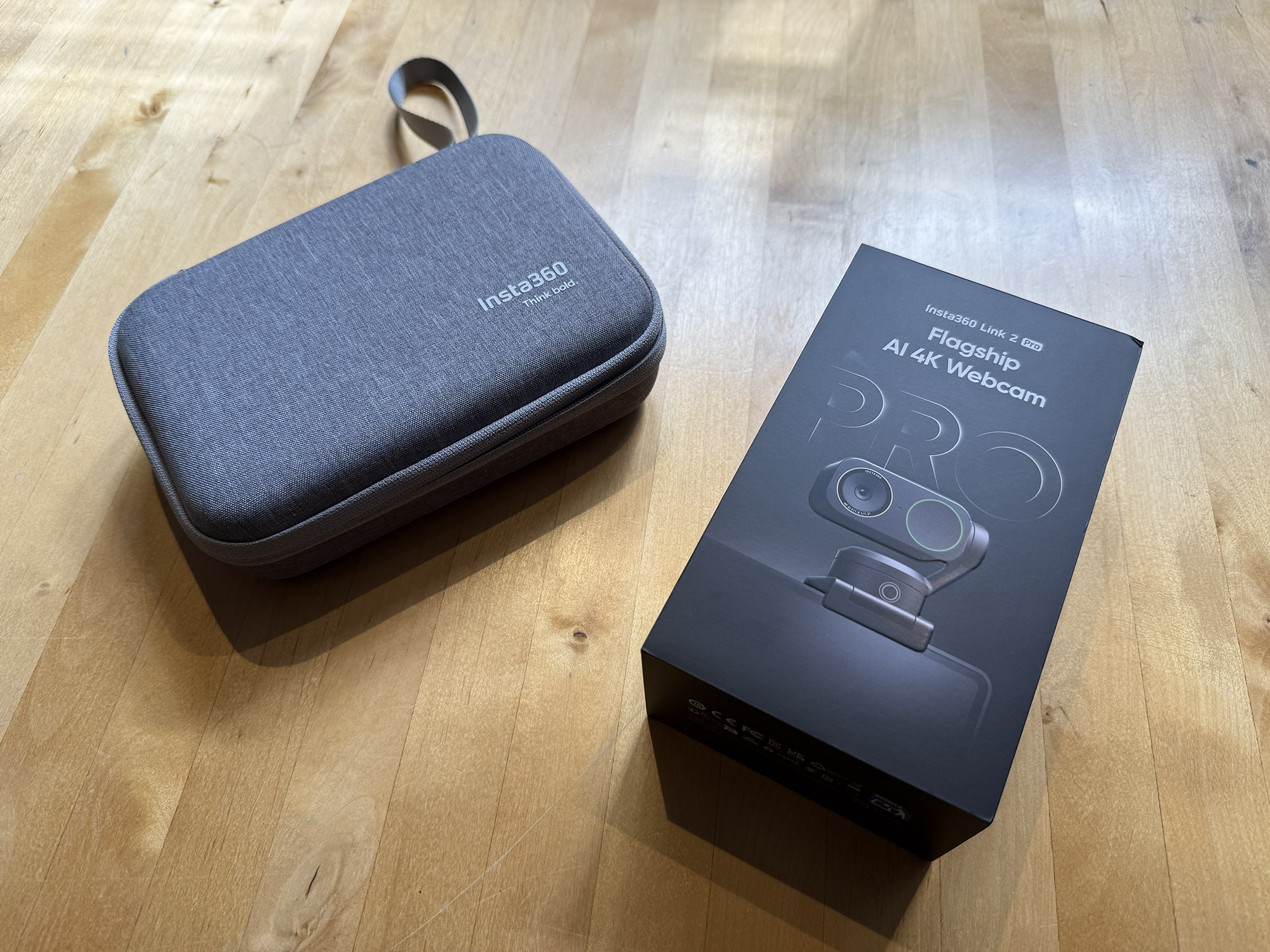
If you do not feel that you need all that the Link2 Pro provides, Insta360 offers the Link 2C Pro ($199.99 for the standard bundle) as well as the Link 2 ($199.99 for the standard bundle) and Link 2C ($149.99 for the standard bundle). All versions are also available in bundles with tripods for an additional $30. My review camera shipped with a very attractive carrying case, which is available in the ‘Get-Set Bundle’, which also includes the tripod for $299.99.
The Insta360 Link2 Pro sells for $249.99 and is available directly from the manufacturer as well as other retailers including Amazon and B&H Photo.
Source: Manufacturer supplied review sample
What I Like: Excellent video and audio quality; Attractive and purposeful design; AI tracking; Useful software features including teleprompter
What Needs Improvement: High end of the webcam market in terms of price; Overlays not available in 4K mode

Be the first to comment on "Insta360 Link 2 Pro AI 4K Webcam Review: Flagship Video and Audio Quality with Many Enhanced Features"