Lenovo is expanding its tablet lineup with two new models designed to do more than just stream your favorite shows. The Lenovo Yoga Tab and Idea Tab Plus are arriving this fall with a focus on creativity, productivity, and yes, plenty of entertainment. Both tablets bring artificial intelligence features, sharp displays, and lightweight builds, but they’re aimed at slightly different crowds. One leans toward creators who want a portable studio in their bag, while the other caters to learners and multitaskers who don’t want to lug around a laptop.

Lenovo Yoga Tab
The Lenovo Yoga Tab: Creativity Gets a Power Boost
The Yoga Tab is Lenovo’s statement piece for anyone who likes to draw, design, or otherwise turn a tablet into their canvas. Its 11.1-inch display is more than just sharp; it’s a 3.2K PureSight Pro panel that reaches 800 nits of brightness, which means your sketches and designs will still look vibrant even if you’re sitting outside on a sunny day. With a refresh rate that can hit 144Hz, scrolling feels smooth, and animations pop without the blur you’d expect from slower screens. To put it simply, whether you’re sketching, editing, or just streaming, the visuals won’t disappoint.
Lenovo Yoga Tab
Sound hasn’t been ignored either. The Yoga Tab packs a four-speaker system tuned with Dolby Atmos. That’s two tweeters and two woofers, which gives you enough range to catch the subtle details in a movie soundtrack or get fully immersed in the beat of your playlist. Pair that with the wide display, and it’s the sort of tablet that makes you think twice about bothering with a laptop when you’re just trying to relax.
Built-In Brains: Snapdragon 8 Gen 3 and AI Power
The Yoga Tab isn’t just flexing its screen and speakers. It runs on Qualcomm’s Snapdragon 8 Gen 3 Mobile Platform, which means it can handle demanding apps without stuttering. This processor also has an NPU, or neural processing unit, capable of 20 trillion operations per second. That’s the part that makes the tablet’s AI features actually useful rather than just a buzzword.

Lenovo Yoga Tab
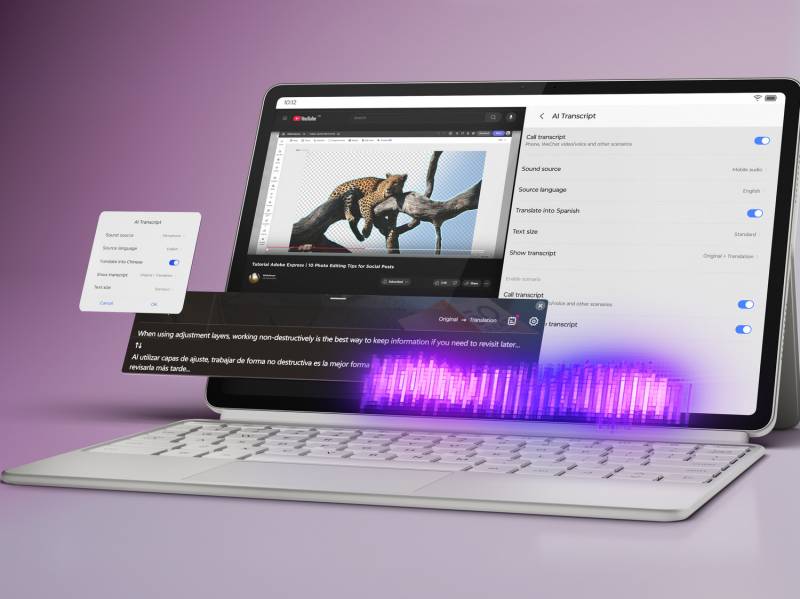
What does that look like in practice? Lenovo has loaded the Yoga Tab with a handful of AI tools to help with everything from idea generation to real-time transcription. Lenovo Smart AI Input can generate text, polish drafts, or translate snippets of information. If you’re in a meeting or lecture, AI Live Transcript turns speech into instant transcripts and summaries. That could be a lifesaver if you’ve ever been stuck scribbling notes only to realize you missed half the lecture.
Lenovo Yoga Tab
There’s also support for Google Gemini, Google’s generative AI system, and Circle to Search, which lets you circle something on the screen and get more information about it instantly. It’s the kind of software that makes multitasking feel less like a chore and more like the tablet is actually helping you get things done.
Pen Meets Paper (Well, Glass): The Lenovo Tab Pen Pro
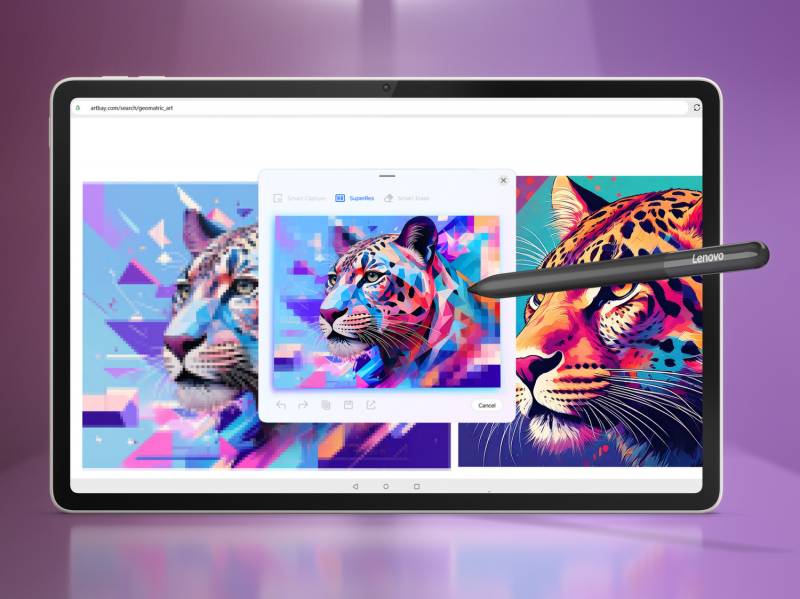
For creatives, the optional Lenovo Tab Pen Pro is where the Yoga Tab really comes into its own. With 8,192 levels of pressure sensitivity, the pen can pick up the difference between a light sketch and a bold stroke. It also adds haptic feedback, so drawing feels more like working with an actual pen rather than a stylus sliding across glass.

Lenovo Yoga Tab
AI features make the pen even more powerful. Lenovo Smart Capture lets you snap elements with precision, while Sketch-to-Image takes doodles and turns them into polished digital artwork. If you’ve ever drawn something that looked more like a potato than the dog it was supposed to be, this feature might become your new best friend.
Design, Battery, and Portability
A tablet aimed at creatives can’t just look good; it has to survive being carried everywhere. Lenovo built the Yoga Tab with an all-metal unibody that feels premium and sturdy. Despite that, it weighs only about a pound, making it lighter than some hardback books. Inside, it carries a silicon-carbon battery that can last up to 12 hours of streaming video. That’s enough to get you through a long flight, a day of work, and maybe even some evening downtime without scrambling for an outlet.

Lenovo Yoga Tab
To sweeten the deal, Lenovo is preloading the Yoga Tab with a couple of extras. You’ll find Adobe Creative Suite and a trial of Perplexity Pro waiting for you, giving you tools to jump right into creative projects and research without needing to download much else.
The Lenovo Yoga Tab will be available starting September 2025 with a starting price of $549.99.
The Lenovo Idea Tab Plus: Lightweight, Affordable, and Study-Friendly
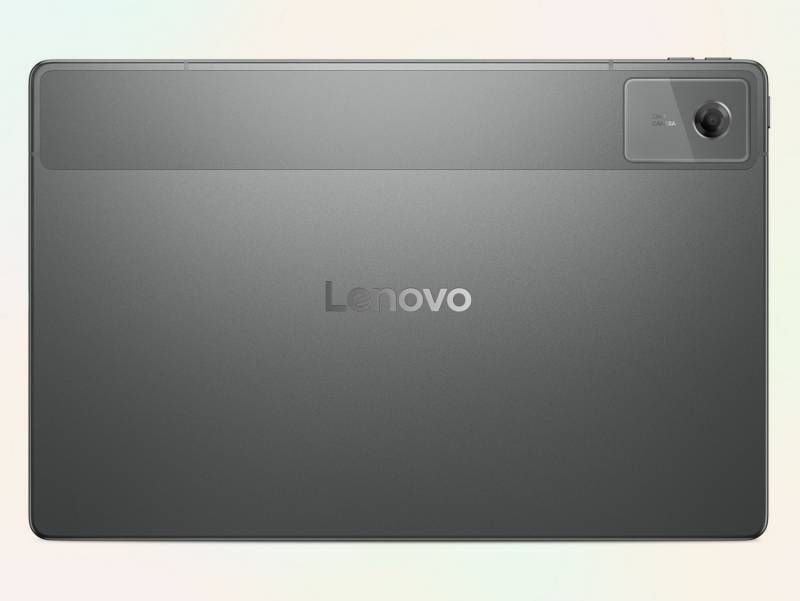
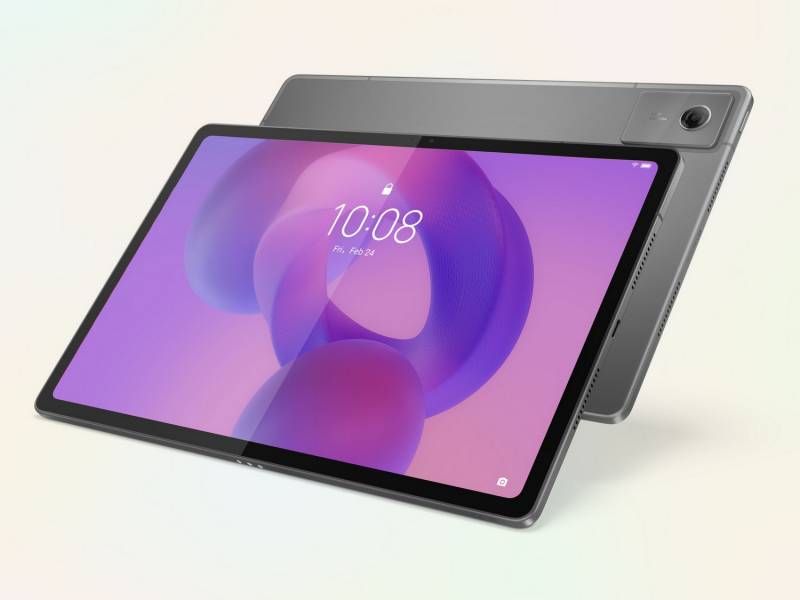
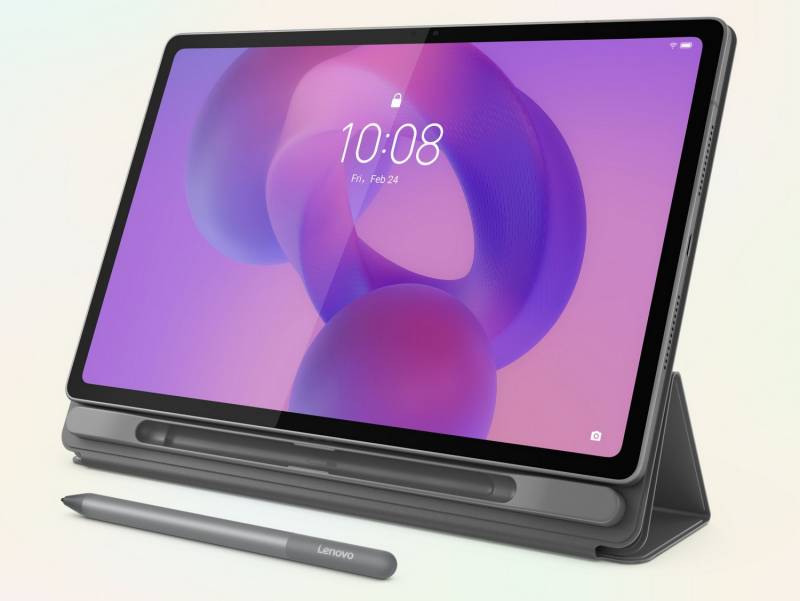
If the Yoga Tab is the portable studio, the Idea Tab Plus is the classroom companion. This one is built for people who want a tablet that’s slim, light, and ready to handle everything from note-taking to binge-watching. At 6.29 millimeters thick, it’s thinner than most notebooks. It also weighs just over a pound, so you could toss it in your bag and barely notice.

Idea Tab Plus
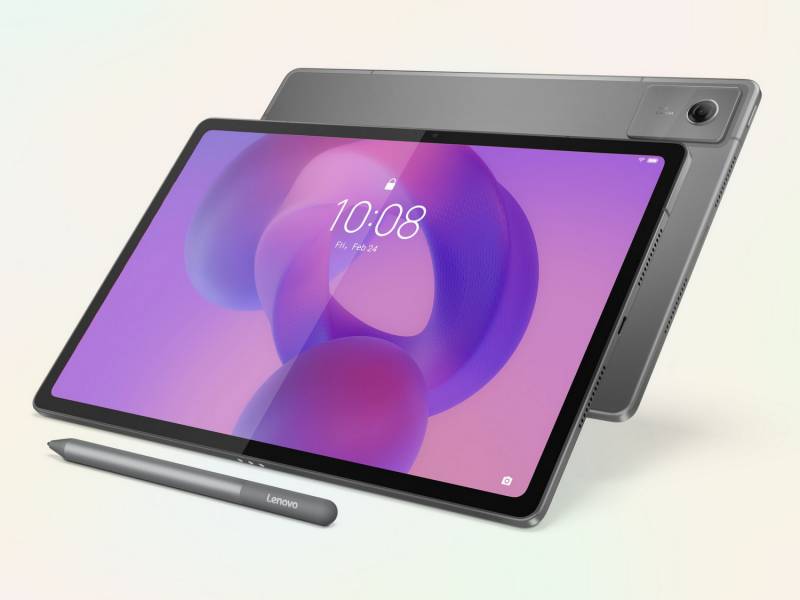
Lenovo even makes it available in three colors — Luna Grey, Cloud Grey, and Sand Rose — so you can pick one that doesn’t feel so… standard.
Idea Tab Plus
Its 12.1″ screen offers a 2.5K resolution, which translates to crisp visuals, and it covers 96 percent of the DCI-P3 color space, a rating usually reserved for more professional-grade displays. The 800 nits of brightness mean you won’t have to duck into the shade to see what’s on your screen when you’re outside.
Idea Tab Plus
To round things out, Lenovo included four speakers tuned with Dolby Atmos, so you don’t have to strain to hear dialogue during study breaks.
A Tablet That Can Keep Up
Under the hood, the Idea Tab Plus runs on a MediaTek Dimensity 6400 processor. That’s an eight-core chip, meaning it can juggle apps without slowing down. You’ll also get up to 12 gigabytes of memory and 256 gigabytes of storage, which is plenty for notes, downloaded lectures, and a good library of streaming shows.
Idea Tab Plus
Battery life is rated at up to 13 hours of video playback thanks to its 10,200 mAh cell. That’s basically enough to power through an entire weekend of streaming if you don’t plan on leaving the couch. It supports 45-watt charging too, so when it does need juice, you won’t be stuck waiting for long.
Idea Tab Plus
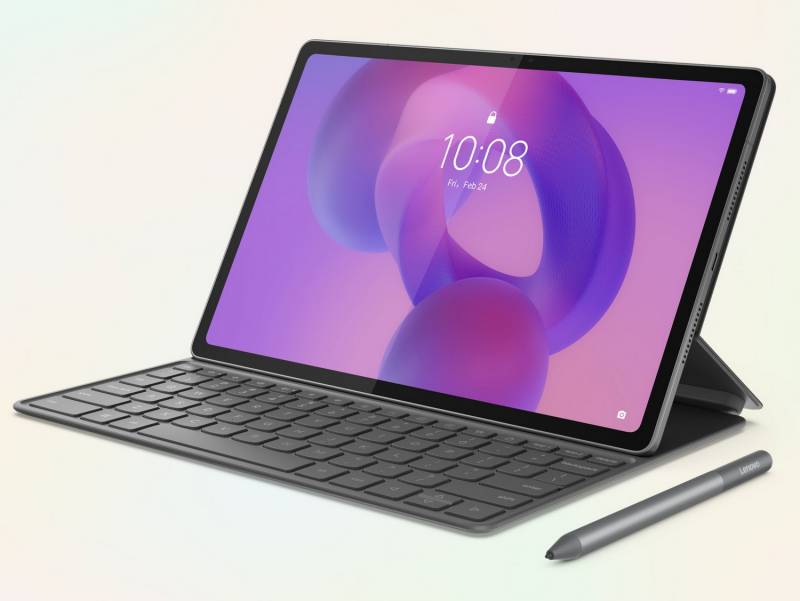
Like the Yoga Tab, the Idea Tab Plus gets smarter with Lenovo’s AI tools. Lenovo AI Notes can tidy up your writing, summarize content, and help organize your thoughts. Paired with Google Gemini, it adds an extra layer of cloud-based AI support. If you grab a Lenovo Tab Pen or keyboard, Circle to Search becomes even easier to use, turning what would normally be a rabbit hole of Googling into something much quicker.
The Lenovo Idea Tab Plus launches in October 2025 with a starting price of $269.99, which makes it less than half the price of the Yoga Tab.
Extra Help: Lenovo FlickLift
Alongside the tablets, Lenovo is introducing a new app called FlickLift. It’s designed for anyone who spends time editing images, whether for work or fun. Running quietly in the background, FlickLift pops up whenever you hover over an image in many Windows 11 apps. It can sharpen an image, clean up faces, enlarge details, or automatically remove backgrounds with just a circle and a flick. The result can be copied straight to your clipboard and used wherever you need it.
If you’ve ever spent too long bouncing between apps just to crop or clean up an image, this is one of those little quality-of-life tools that could save time. FlickLift will come preloaded on Lenovo’s 10th-generation Yoga devices, along with select Legion and IdeaPad models.
Choosing Between the Two
The Yoga Tab and Idea Tab Plus are different answers to the same question: how do you make a tablet more than just a screen for scrolling? The Yoga Tab leans into creativity, pairing a powerful display, stylus support, and AI-driven features to give you a portable studio for both serious projects and spontaneous inspiration. The Idea Tab Plus, on the other hand, is the thinner, lighter, more affordable option that still packs in AI features, strong battery life, and a display that feels premium without the higher price tag.
Idea Tab Plus
Both share the benefit of Lenovo’s global support network, which means you aren’t left in the lurch if something goes wrong. That includes warranty coverage and repair options tailored to people who live with their tech on the move.
Final Thoughts
Tablets have always walked the line between entertainment device and productivity tool, and Lenovo’s new additions seem intent on proving they can do both. The Yoga Tab is built for those who want creativity at their fingertips, while the Idea Tab Plus is designed to be the practical, everyday companion that doesn’t skimp on features.
Whether you’re sketching, studying, streaming, or just searching, Lenovo is positioning these tablets as devices that don’t just keep up with you but actually help you get ahead.