
The Lowdown
After spending time with both the Wyze Duo Cam Pan and the Wyze Cam Pan v4, I’m reminded why Wyze made such a splash in the first place. These cameras deliver a surprising amount of functionality for the price, with features like pan/tilt tracking, color night vision, fast notifications, and local 24/7 recording on a microSD card. Setup is quick, the app is easy to navigate, and overall performance is solid whether you’re keeping an eye on deliveries or wildlife wandering through your yard.
Overall
Pros
- Budget-friendly pricing
- Many advanced features like Pan Scan that will continuously move the camera to different waypoints
- Can record 24/7 to a microSD card
- Quick notifications to phone
Cons
- Since the cameras are advertised as indoor/outdoor, the included AC adapter should be rated for outdoor usage
- A black housing option would be nice
- Duo Cam Pan does not support 5GHz WiFi
- Special features are locked behind a subscription plan
I may have an unhealthy fascination with security cameras. I currently have 5 PoE cameras and 4 cellular trail cams on my property. Even though I work from home these days, I still like receiving notifications when the UPS or FedEx driver pulls up with my latest review sample or when a 5-point buck walks into our meadow. When offers for new security cameras come up for review, I’m always interested, so the latest cameras that I’ve set up and tested are the Wyze Duo Cam Pan and Wyze Cam Pan v4 indoor/outdoor cameras. Let’s take a closer look at both of them.
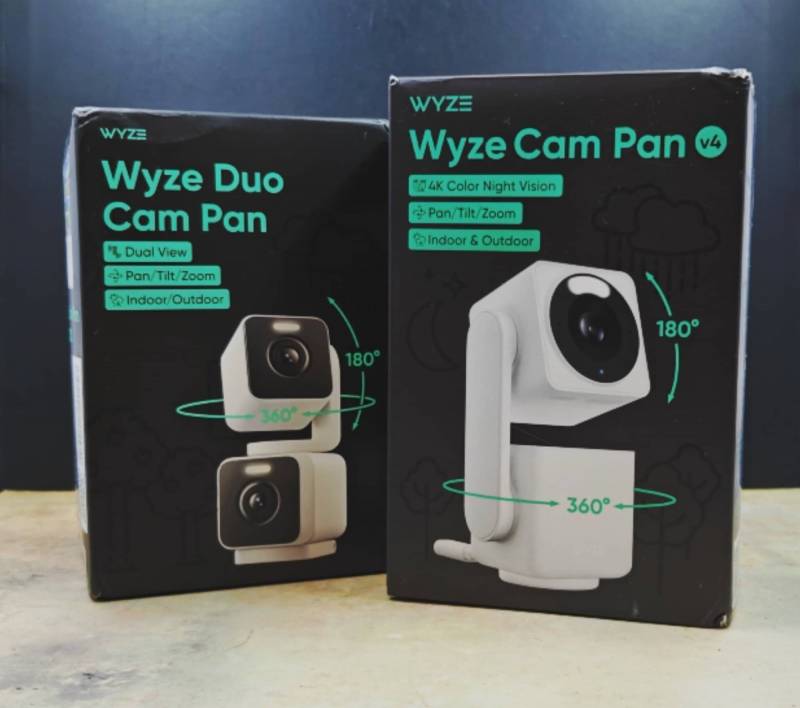
I reviewed the original Wyze Cam back in 2017 and ended up purchasing 5 or 6 of them for around my home. I used them for years until I switched over to PoE cameras. I always appreciated the value for my money. That’s why I decided to try these new Wyze cameras – I am curious to see if they still are a great way to keep an eye on your home and property without going broke buying them.
What Is It?
The Wyze Duo Cam Pan and Wyze Cam Pan v4 are indoor/outdoor WiFi security cameras.
What’s Included?
Wyze Duo Cam Pan
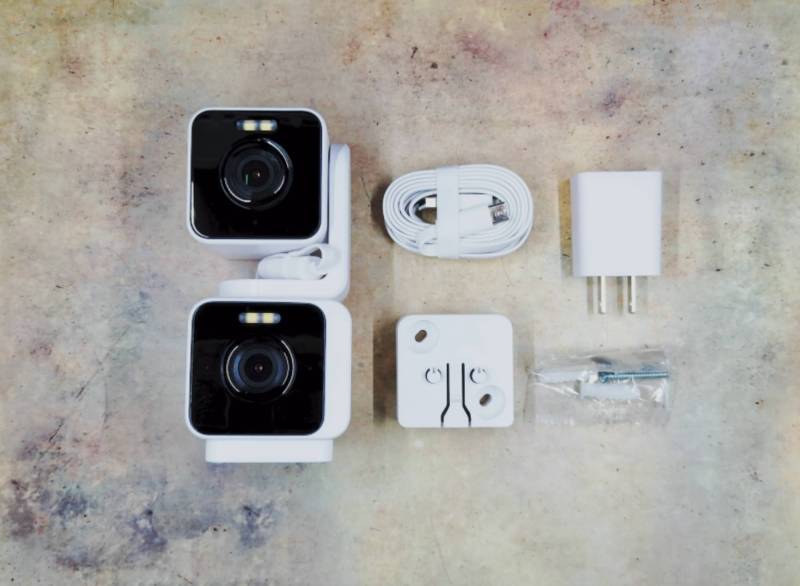
- Wyze Duo Cam Pan
- USB-C 6ft cable
- USB power adapter (For indoor use)
- Mounting bracket
- Mounting hardware
- Quick start guide
Wyze Cam Pan v4
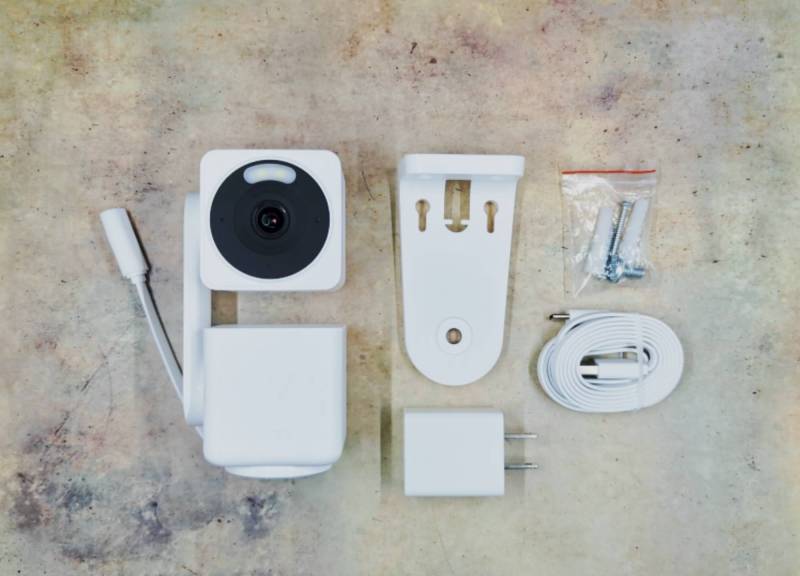
- Wyze Cam Pan v4
- USB-C 6ft cable
- USB power adapter (For indoor use)
- Mounting bracket
- Mounting hardware
- Quick start guide
Tech Specs
Wyze Duo Cam Pan
Resolution – 2K
Color Night Vision
360º x 180º Pan-Tilt Range
Integrated Spotlights (one on each camera)
Two-way Audio
24/7 Recording with microSD card (not included)
1P65 Weather Resistant
Wyze Cam Pan v4
Resolution – 4K
Color Night Vision
360º x 180º Pan-Tilt Range with AI-Powered Motion Tracking
Integrated Spotlights (one on each camera)
Two-way Audio
24/7 Recording with microSD card (not included)
1P65 Weather Resistant
Design and Features
Wyze Duo Cam Pan
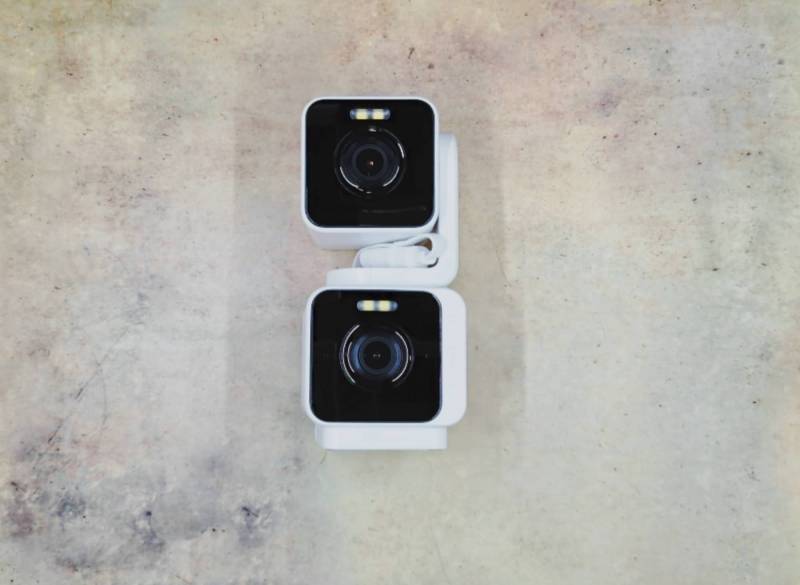
The Wyze Duo Cam Pan is a security camera with two cube-shaped cameras stacked on top of each other. Note that it is only available with a white housing. The whole setup is pretty compact with a 2.36 in x 2.16 in x 5.26 in (64mm x 54.9mm x 133.5mm) footprint.
The front of each camera has the lens with a 4 LED 80 lumens spotlight above it. The bottom camera is designed to remain stationary, while the top camera can rotate horizontally and can also pivot up and down for a 360º x 180º pan-tilt range.
There is a small status light on the top camera, and the bottom camera has a microphone.
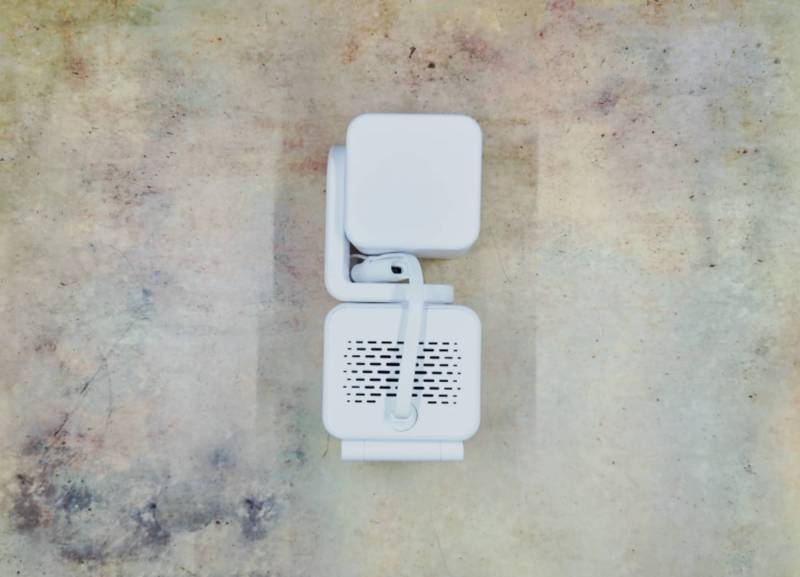
The back of the Wyze Duo Cam Pan has a speaker grill and a short weather-protected USB-C cable. It’s important to understand that both of the Wyze cameras that I’m reviewing today are NOT battery powered. Both require a power cable.
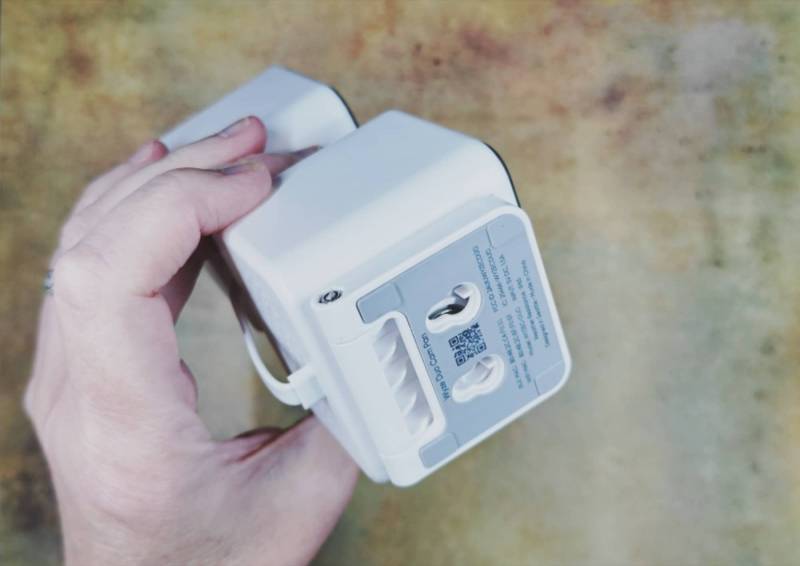
If you look at the bottom of the camera, you’ll find the built-in mounting bracket. You can loosen the screw to rotate it.
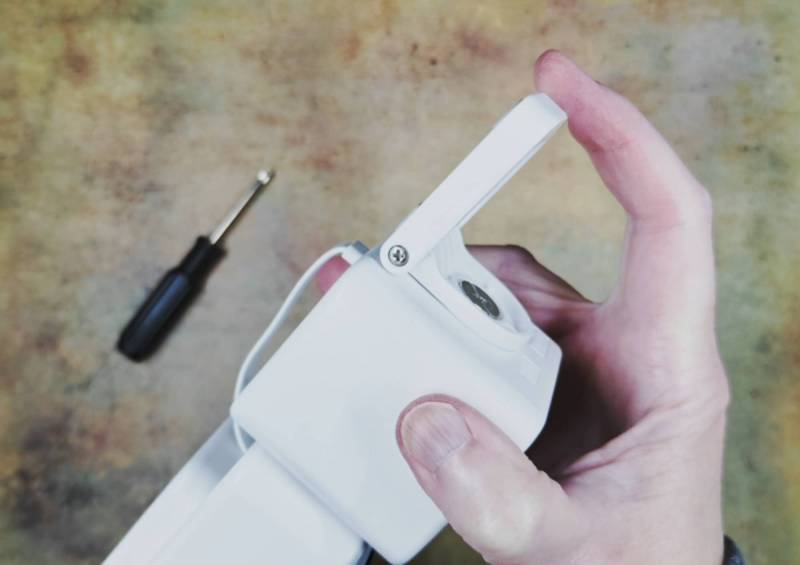
You can use this bracket to mount that camera to a wall or upside down on a ceiling/eaves.
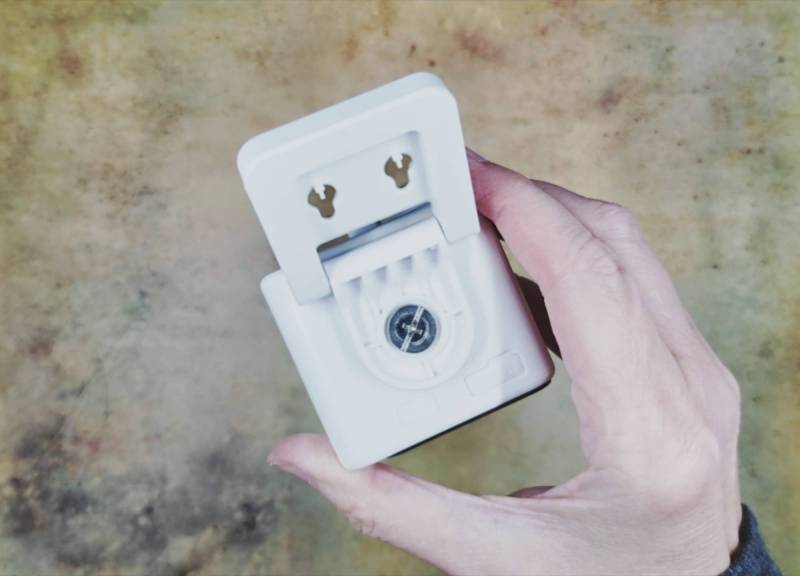
With the bracket rotated out of the way, access to the microSD card slot is available. Wyze doesn’t include a microSD card with the camera, but if you add one, it will let you record 24/7 footage to that card.
Wyze Cam Pan v4
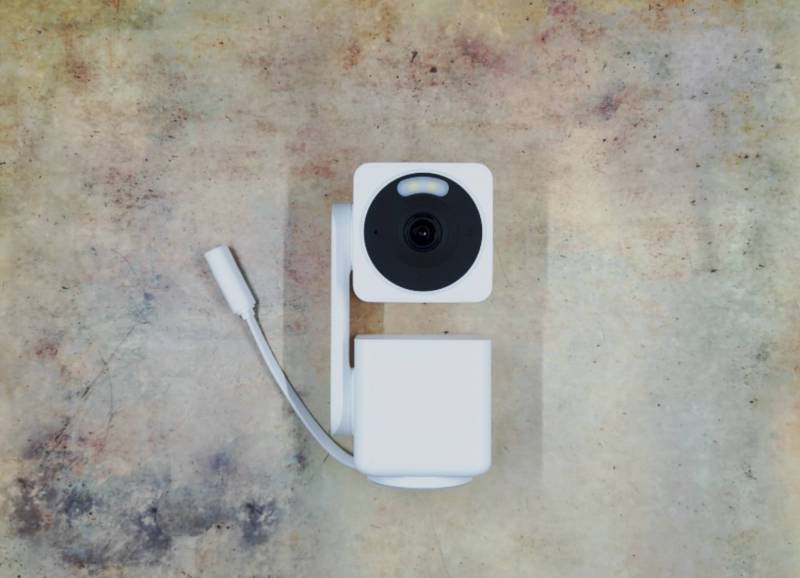
The Wyze Cam Pan v4 has a similar design with the camera stacked over the base. This time, we have a single camera, but it’s 4K instead of 2K. Also, this time, the base rotates and the camera tilts for a 360º x 180º pan-tilt range. You’ll also notice that the camera has a spotlight LED above the lens.
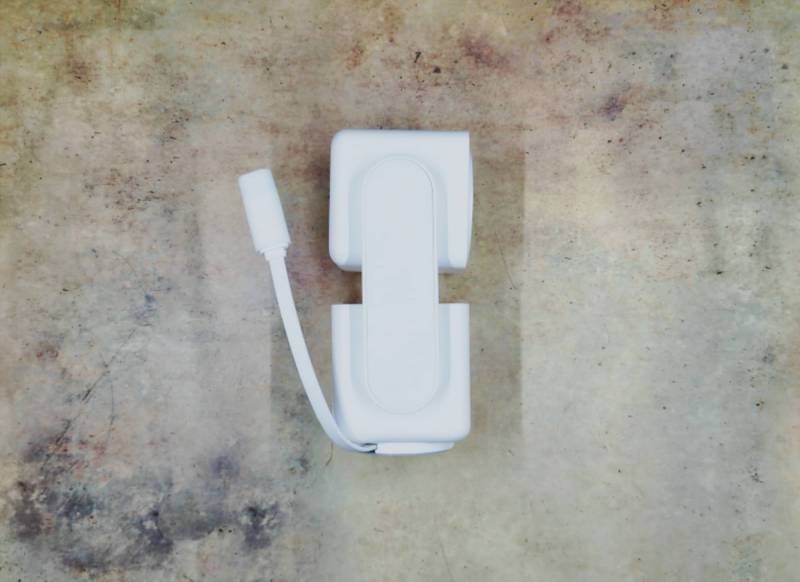
Like the Duo Cam Pan, the Pan v4 can be used indoors or outdoors. The USB-C pigtail is weather-protected. But just like the Duo, this camera doesn’t come with an outdoor-rated USB power adapter. Wyze sells one for about $20.
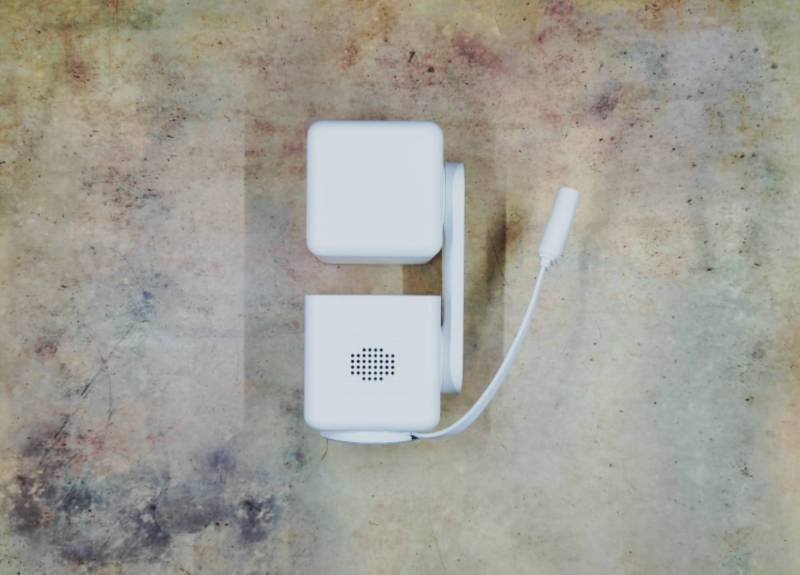
The back of the camera has a speaker.
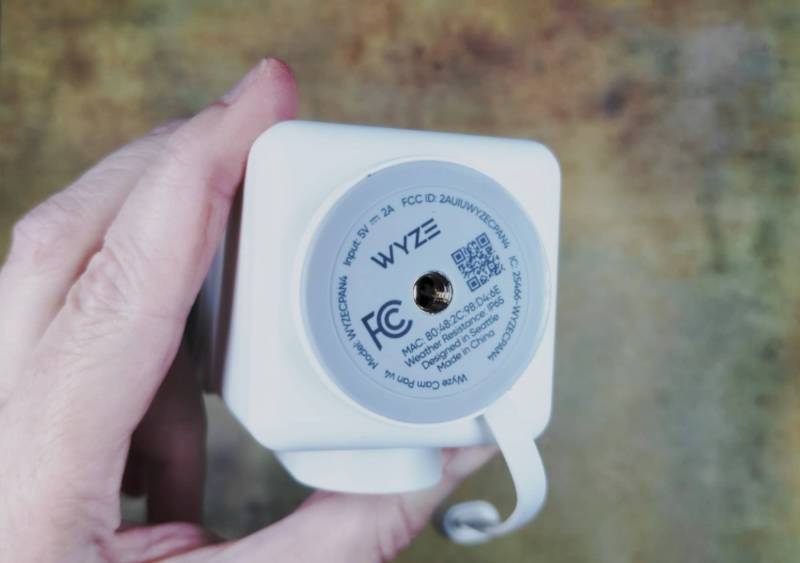
The base has a threaded socket for the included mounting bracket. The base has a rubber non-slip surface, so you can just set the camera on a table or shelf and it will stay put even when the camera rotates.
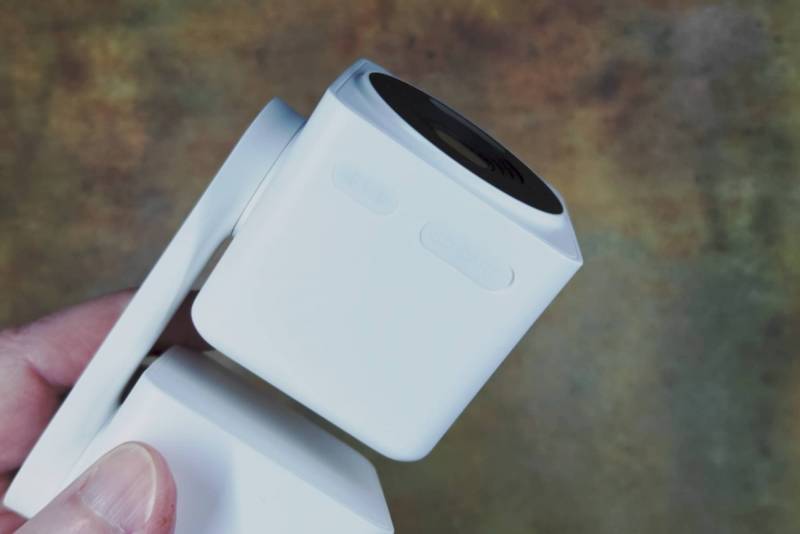
Built into the camera is a microSD card slot. Wyze does not include a microSD card, so if you want to add one, it’s up to you to purchase one.
Installation
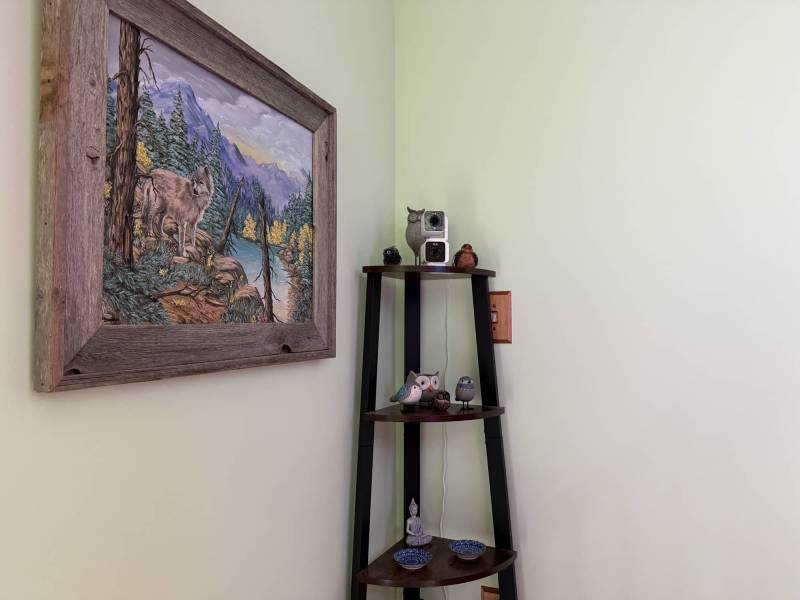
I decided to test one camera indoors and one outdoors. I put the Duo inside on a shelf, and I put the Pan v4 outdoors near the only outdoor power socket that I had available.
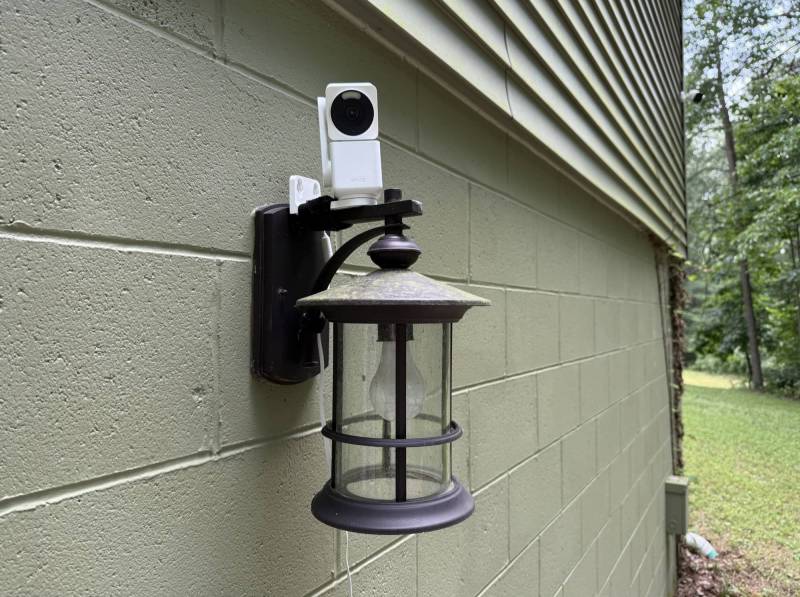
I temporarily attached the Pan v4 to a light fixture using Velcro straps. I went ahead and used the included AC adapter. Yes, I know it’s not rated for outdoor use because it’s not weather sealed, but my outdoor power socket is weatherized with a plastic cover with rubber slots for the cables.
The Wyze App
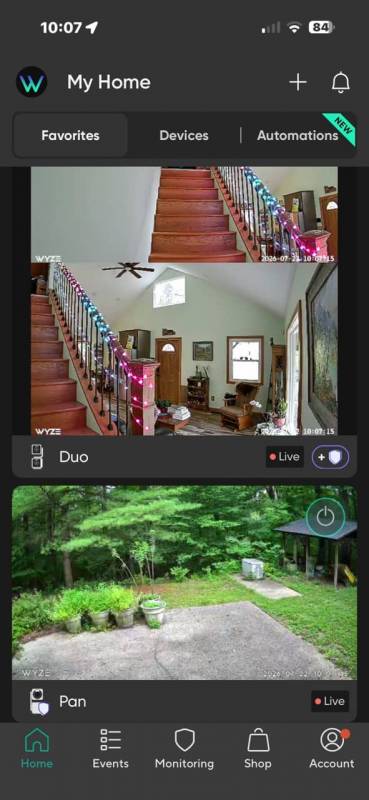
The Wyze app is easy to use and navigate, and it offers many features. I’m not going to cover every single setting and feature because the review would be 10,000 words long 😉 Suffice it to say that you can do pretty much anything with the app and your cameras, though some features are locked behind a paywall. More about that in the next section.
The Home tab in the app gives you a vertical scrolling live view of all your cameras. From this view, you can turn cameras on/off if you need to stop them for some reason.
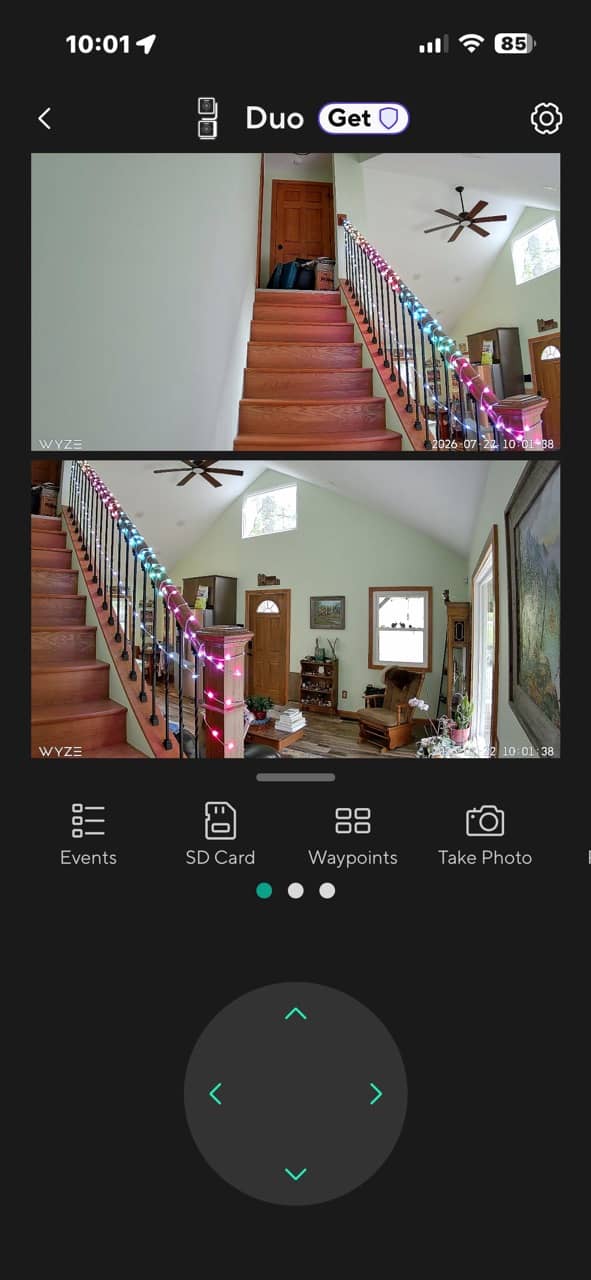
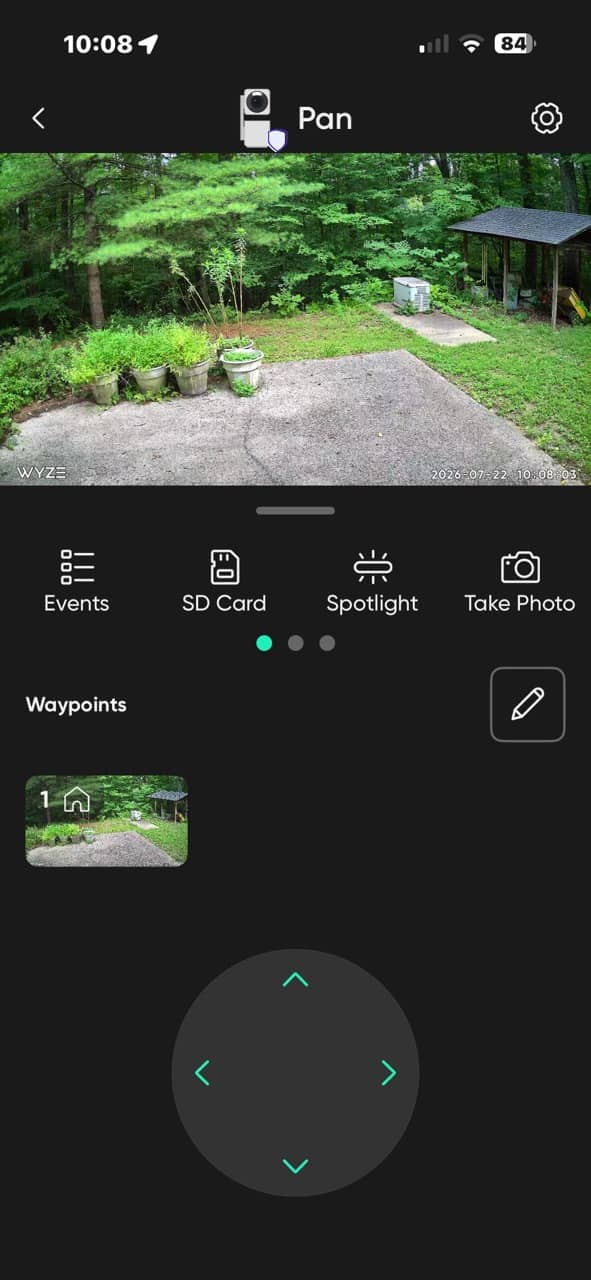
When you click the live view of a camera, you’re taken to that camera’s page where you can see the past motion events, pan the camera, and adjust settings.
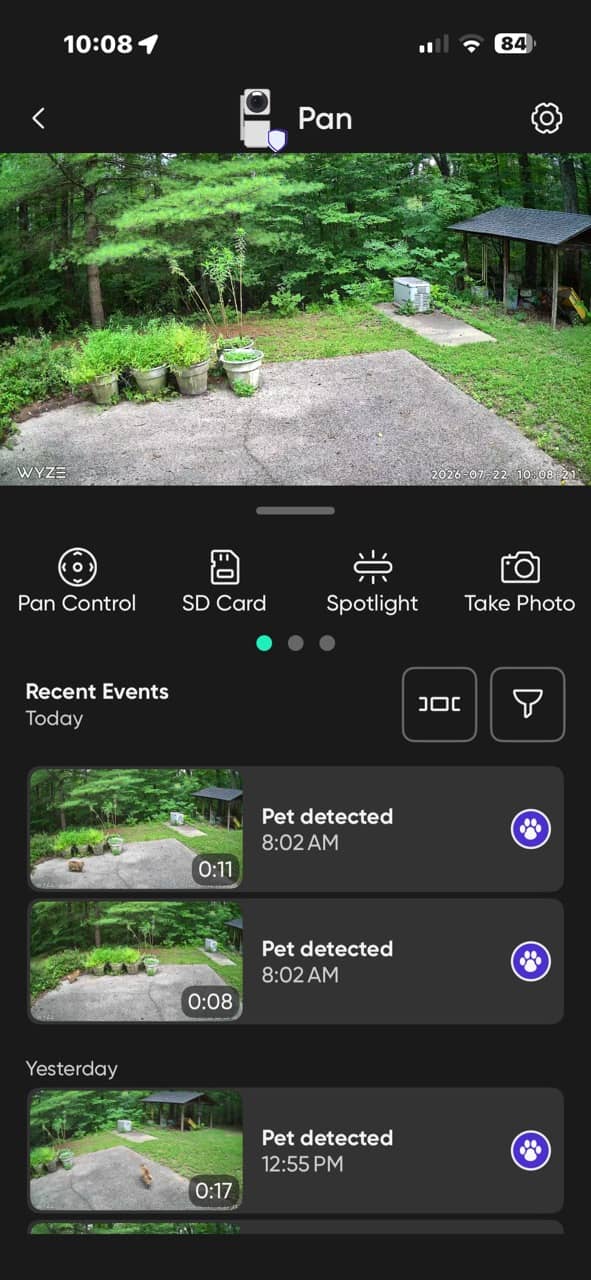
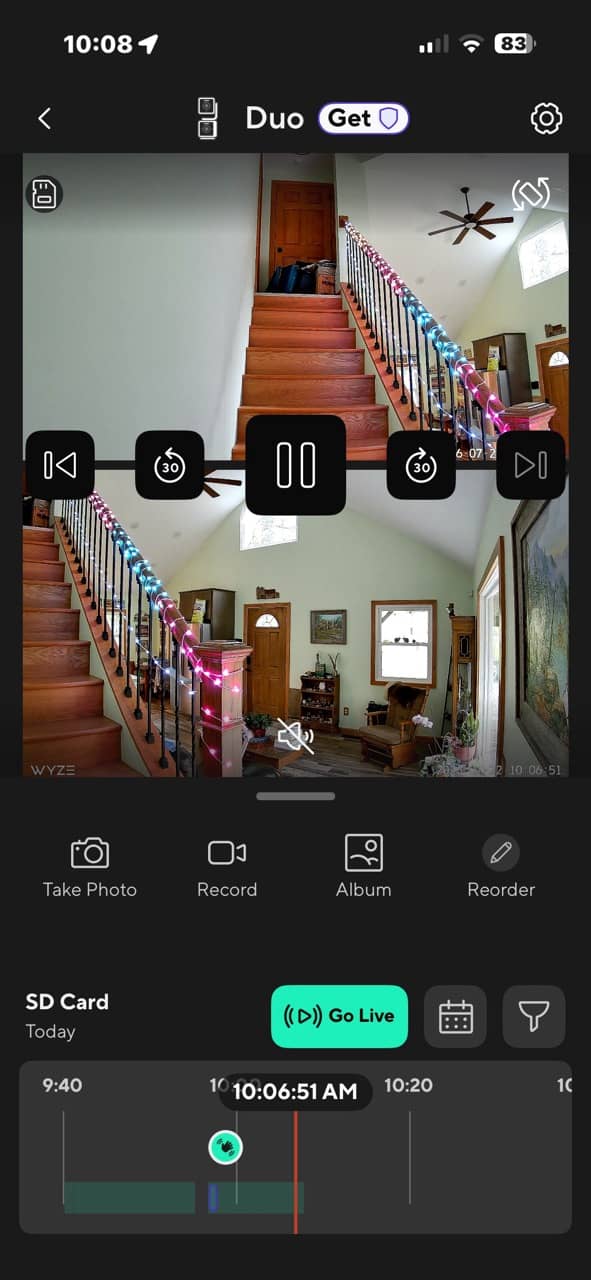
If you insert a microSD card into the camera, you can scrub through past footage. This is a nice feature to have if you don’t opt for an optional subscription plan. Without a plan, you can’t watch the motion detection video clips, as it will only show an image instead of the video clip. But with an SD card, you can watch them.
Night Vision, Motion Tracking, Detection Range, Notifications, Etc.
Night Vision
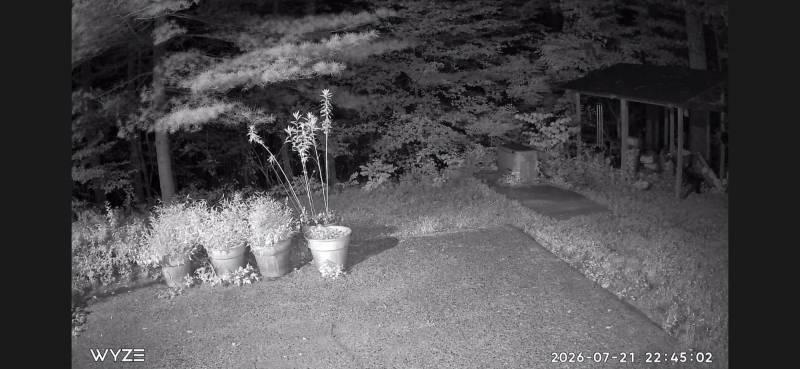
I think the night vision quality of the Wyze cams is very good. You can see individual leaves on the plants (weeds).
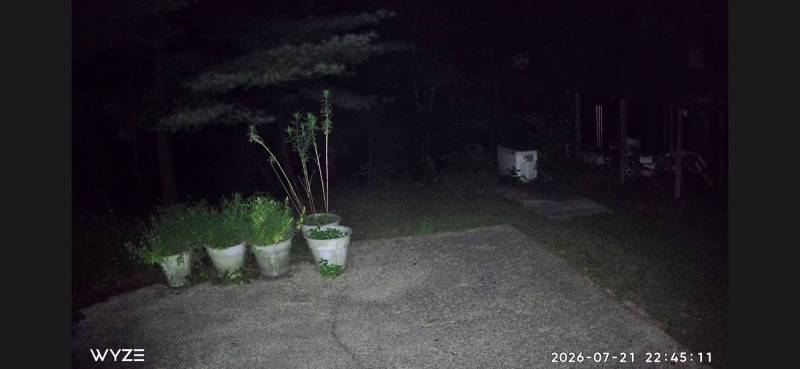
With the spotlight on, you can even see colors at night.
Motion Tracking
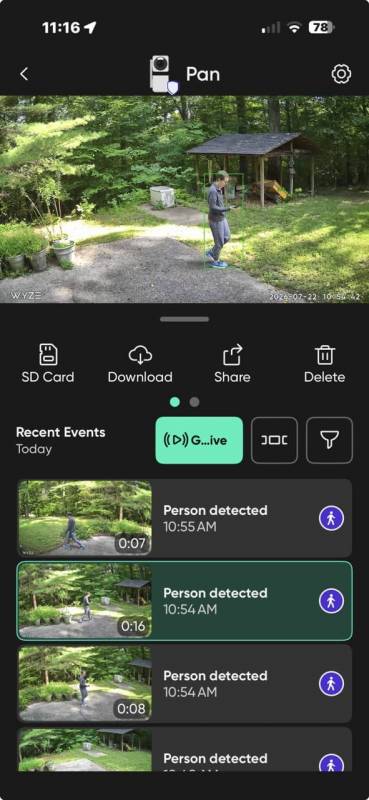
Since both of these cameras have pan and tilt features, they also have good motion tracking. As you walk in front of the cameras, they will detect the subject (me, a pet, car, etc.) and will pan to follow the action as it happens. In the recorded motion event, the app even puts a green box around the subject to show what it tracked.
Detection Range
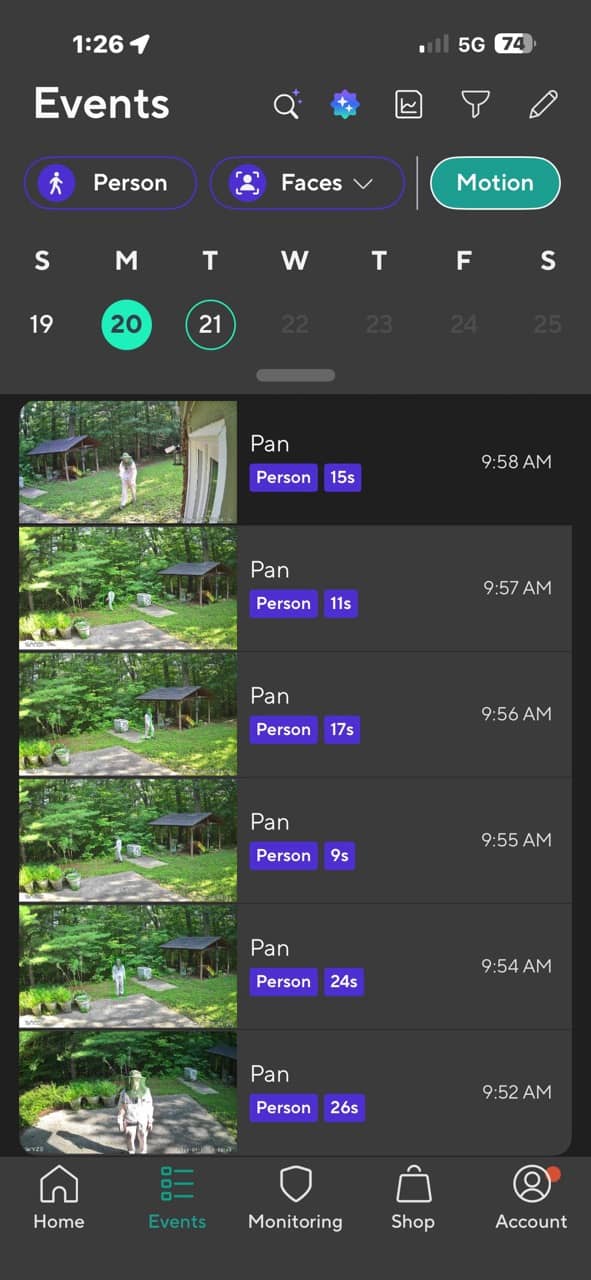
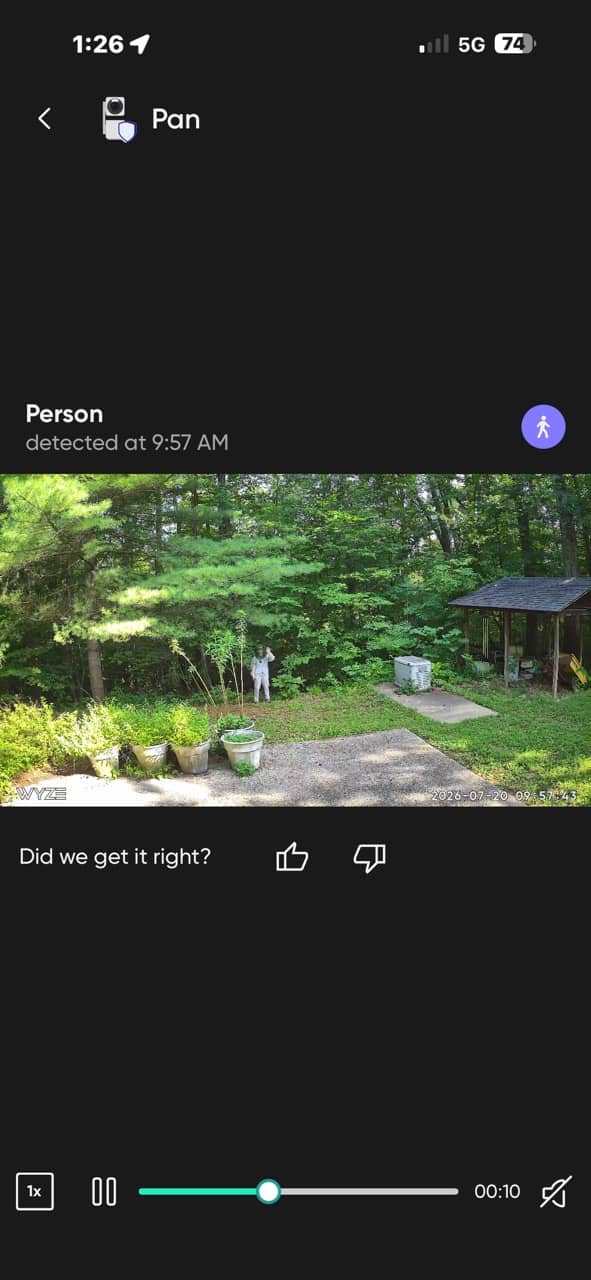
The detection range for the cameras is very good. The Pan v4 detected me about 25 feet away and probably would do even better, but I didn’t want to step into the woods. 🙂
Notifications
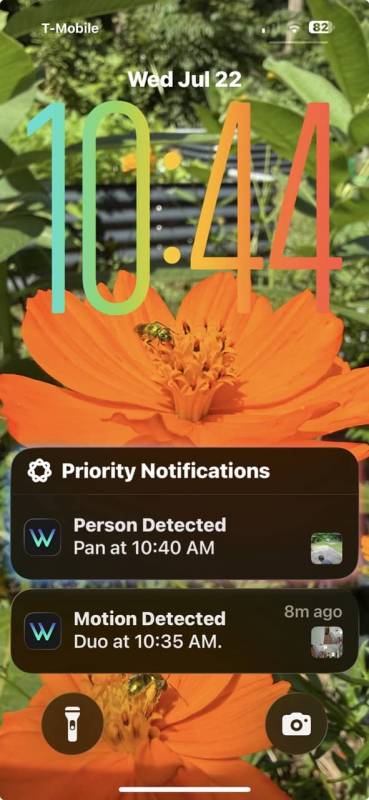
Notifications from motion events appear on my phone within 10-15 seconds, which is pretty impressive. I’ve found the cool-off time to be really short on the Duo Cam Pan, which has the Cam Plus plan. I can step into frame, step out of frame, wait 5-10 seconds, and step back in frame, and I’ll receive notifications for both events. With the Pan v4 camera, I’ll get the first notification but not subsequent ones. However, all the events appear in the microSD card’s timeline. So I’m not sure if it’s a camera limitation or a limitation of the optional paid plan.
Surprising Feature
Most cameras of this type can not detect motion through a window. These cameras do, which surprised me. I pointed the Duo Cam Pan out of my large picture window, and it notified me when I walked past it outside. This was during the daytime. At night, it might not work well due to reflections.
Optional Subscription Plans
You can use the Wyze cameras without any subscription, but if you want all the extra bells and whistles, you can opt in for two different plans. There’s the Cam Plus and the Cam Unlimited. The Cam Plus plan is $29.99 per camera per year; the Cam Unlimited is $129.99 per year; and the Cam Unlimited Pro is $259.99 per year. It’s more expensive if you pay per month. The images below give you more info on what each plan provides as far as features.
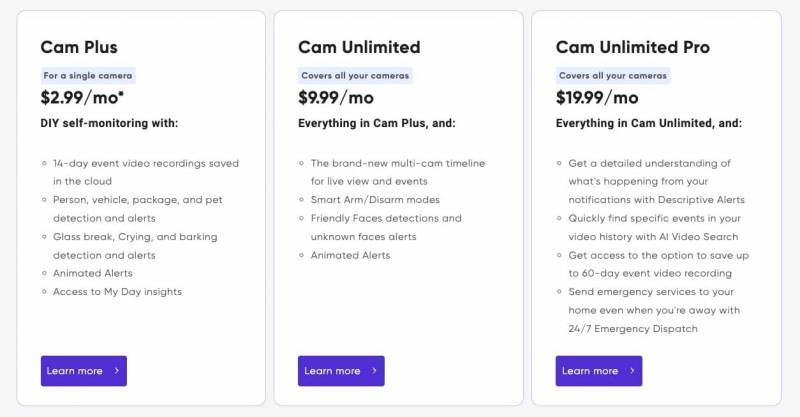
Note that when you buy a camera, you get a 30-day free trial of the Cam Plus plan so that you can try before you buy. And also note that if you don’t pay for a year in advance, you can unsubscribe any time as there are no contracts.
Final Thoughts
After spending time with both the Wyze Duo Cam Pan and the Wyze Cam Pan v4, I’m reminded why Wyze made such a splash in the first place. These cameras deliver a surprising amount of functionality for the price, with features like pan/tilt tracking, color night vision, fast notifications, and local 24/7 recording on a microSD card. Setup is quick, the app is easy to navigate, and overall performance is solid whether you’re keeping an eye on deliveries or wildlife wandering through your yard.
The biggest caveat is the subscription model. You can absolutely use these cameras without paying a dime beyond the initial purchase, but some of the more advanced features, like full-motion video playback from notifications and enhanced detection, are locked behind a plan. It feels a bit like a “gotcha” at first, but the cameras still provide plenty of value without it, especially if you add a microSD card for continuous recording.
For me, even with my mix of PoE and cellular cameras already in place, these Wyze cams fit in nicely as flexible, affordable additions. They’re not perfect, but if you’re looking for an easy way to expand your home monitoring setup without spending a fortune, both of these cameras are easy to recommend.
The Wyze Duo Cam Pan retails for $69.98; it is available directly from the manufacturer and other retailers, including Amazon.
The Wyze Cam Pan v4 retails for $59.98; it is available directly from the manufacturer and other retailers, including Amazon.
Source: Manufacturer-supplied review samples.
What I Like: Budget-friendly pricing; Many advanced features like Pan Scan that will continuously move the camera to different waypoints; Can record 24/7 to a microSD card; Quick notifications to phone
What Needs Improvement: Since the cameras are advertised as indoor/outdoor, the included AC adapter should be rated for outdoor usage; A black housing option would be nice; Duo Cam Pan does not support 5GHz WiFi; Special features are locked behind a subscription plan



These seem like good security cameras, and it’s nice to have the option of local storage on microSD cards, so you should always be able to make use of these without a subscription.
These look great. I’ve been wanting to get some cameras for a while. I would love if they were solar powered though – that way I wouldn’t have to worry about how to run the power cables.