
The Lowdown
The Baseus S2 4K Security Camera turned out to be a very likable outdoor camera. The image quality is good, the app is fast, the wildlife and person detection features are genuinely useful, and the rotating solar panel is more than just a gimmick. It solves a real problem.
The biggest selling point, though, may still be the simplest one: no monthly subscription. For anyone tired of buying hardware only to discover that the best features are hidden behind a paywall, that alone makes the Baseus S2 worth a serious look.
Overall
Pros
- No monthly subscription required
- Built-in solar panel automatically rotates to find sunlight
- Animal and person detection, including faces
- MicroSD support
Cons
If you like the idea of an outdoor security camera but don’t want to pay ongoing fees just to use it, the Baseus S2 4K Security Camera is an especially interesting option. It’s a wireless outdoor camera with local storage support, app access, motion events, person and animal detection, and one feature that immediately stands out: a built-in solar panel on top that rotates to follow sunlight for better charging.
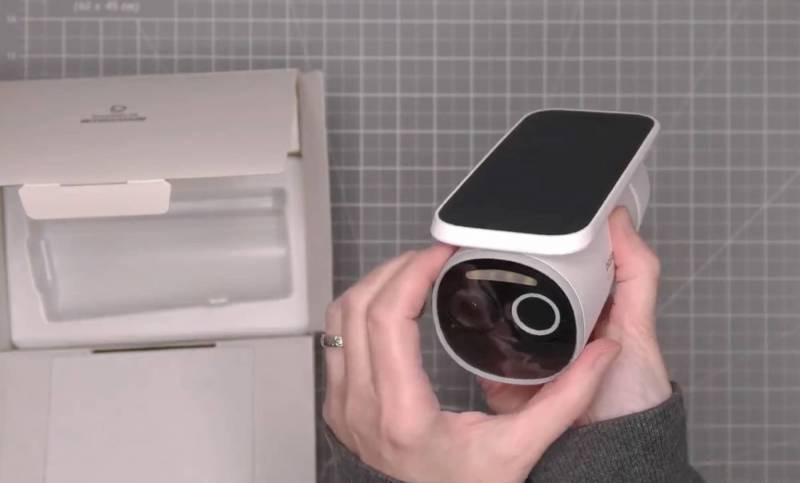
After spending a few weeks with it mounted outside, I came away impressed not just by the no-subscription setup but also by how easy it was to use and how well it captured wildlife, people, and nighttime activity.
What Is It?
The Baseus S2 is a wireless 4K outdoor security camera with a built-in rechargeable battery, app-based monitoring, microSD card support for local storage, and an integrated solar panel that rotates to seek sunlight automatically.
Why This Camera Stands Out
There are a lot of outdoor security cameras on the market, but many of them lose some appeal once you factor in mandatory cloud plans or feature-gating behind monthly subscriptions. One of the biggest reasons the Baseus S2 is appealing is that it’s designed to work without extra fees. You set it up, use the app, store footage on a microSD card (not included), and you’re not immediately pushed into another recurring bill.
But my favorite feature is the solar panel. Instead of requiring you to choose the exact angle and location for the panel carefully, the top-mounted panel rotates as the sun moves so that the camera can stay charged more effectively. For an outdoor camera, that’s a genuinely useful feature and one that takes some of the guesswork out of placement.
What’s Included?
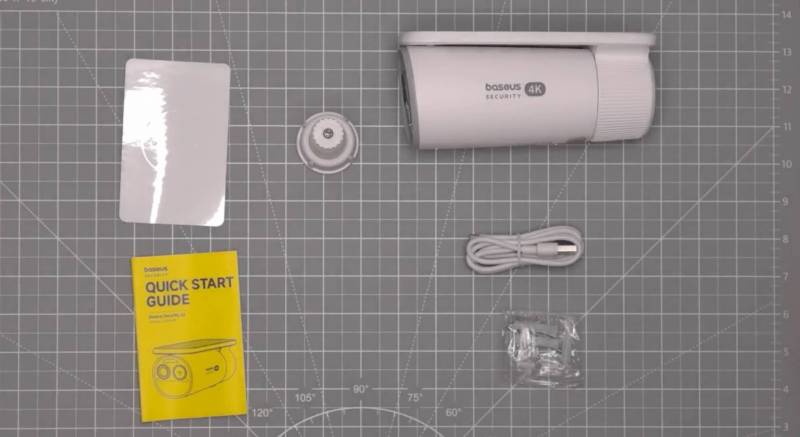
- Baseus S2 4K security camera
- USB-A to USB-C cable
- Metal mounting bracket
- Mounting hardware
- Mounting template sticker
- Quick start guide
- User manual
Design and Hardware
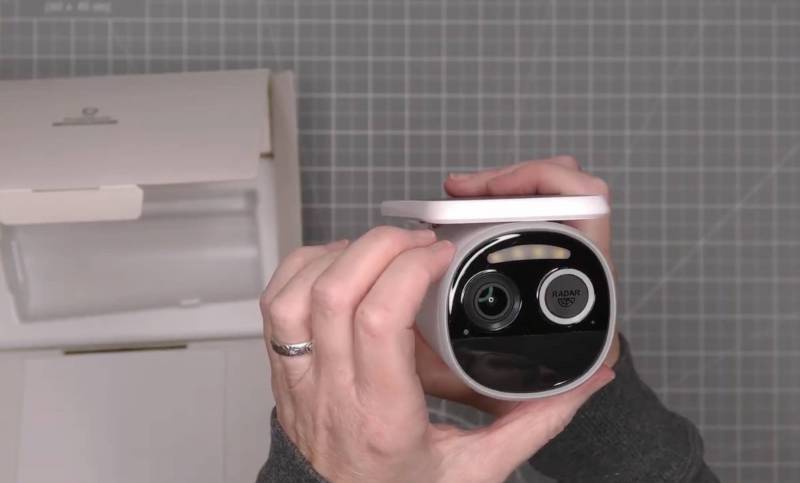
The Baseus S2 has a compact, clean design that looks modern without being bulky. The camera body houses the lens on the front, and a built-in light for motion-triggered illumination. There’s also built-in audio hardware, with a speaker or microphone port on the body.
A few practical details are worth noting:
- A threaded socket is built into the camera for mounting.
- There’s a sync button for setup.
- A covered USB-C port allows for initial wired charging.
- A microSD card slot gives you expandable local storage (microSD card not included with purchase).
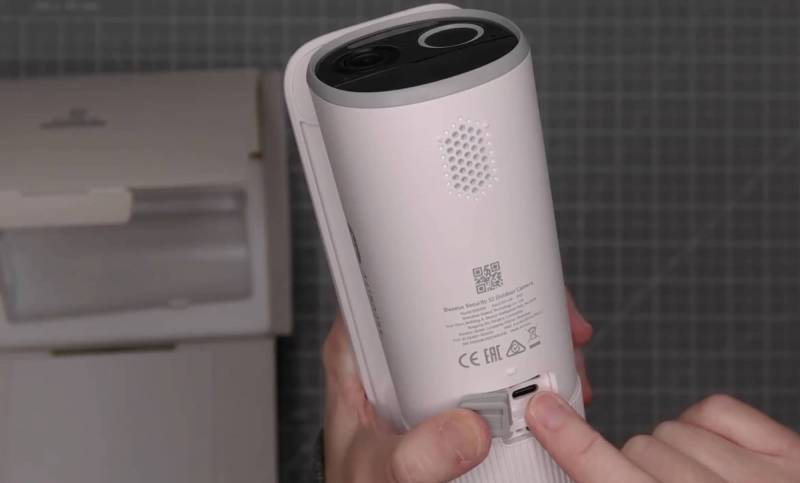
The inclusion of microSD support matters because it adds flexibility by allowing footage to be stored directly on the camera rather than paying for a cloud service. Note that only motion clips are recorded. This camera does not record footage 24/7.
Another nice touch is the mounting hardware. The included bracket is metal instead of plastic, and that’s a smart choice for outdoor gear. Plastic brackets can become brittle over time in the sun, rain, and seasonal temperature swings, so a metal mount inspires more confidence for long-term use.
Setup and Temporary Installation
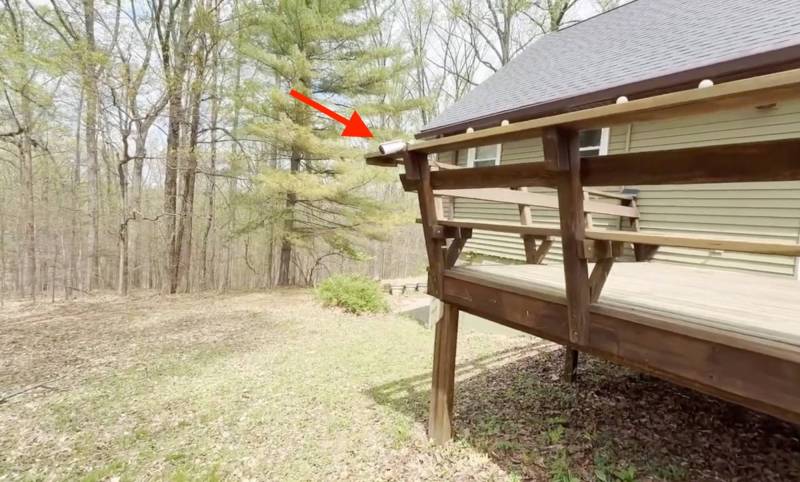
For testing, the Baseus S2 was temporarily mounted on a deck railing using Velcro strapping rather than a permanent screw-down installation. It wasn’t fancy, but it was a practical way to evaluate performance before choosing a final location.
The test area was a good one for an outdoor camera because it regularly sees deer, coyotes, turkeys, cats, and other wildlife moving through the yard. That meant the camera wasn’t just being tested as a front-door security device, but also as a motion-triggered wildlife camera.
That’s actually one of the more interesting things about this product. Cameras like this don’t have to be limited to package-watch duty. If you have a yard, wooded property, or a spot where animals regularly pass through, it can do double duty as both a home security camera and a wildlife monitor.
Using the Baseus Security App
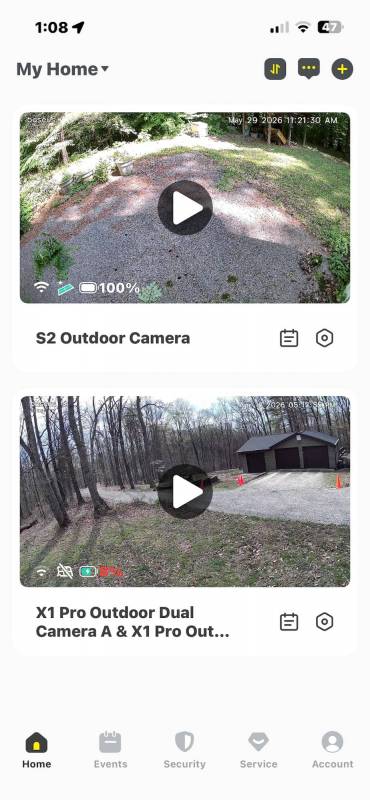
After a few weeks of use, the app experience turned out to be one of the stronger parts of the package. The Baseus Security app loads quickly and presents connected cameras in a simple, easy-to-understand layout.
In this setup, two Baseus cameras were listed in the app, and the S2 appeared at the top. A small moving icon indicated when the solar panel was actively trying to find sunlight. On a rainy day, that icon was active, which is a helpful little visual cue that the camera is managing solar charging in the background.
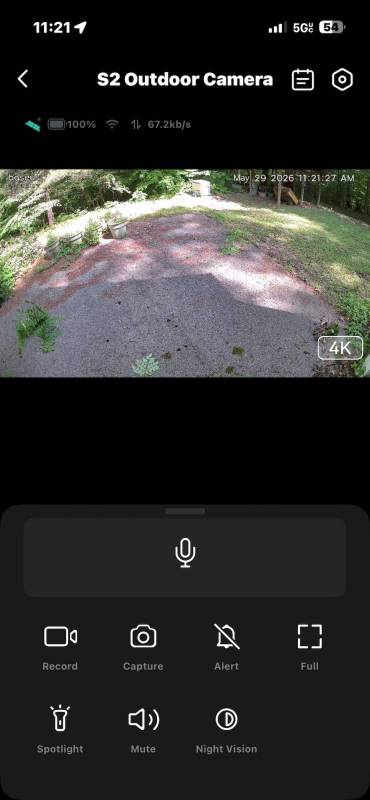
Tapping into the live view opens the camera feed quickly. Even with the camera mounted a little off-kilter, the live image still looked good. Battery status is clearly shown in the app as well, and during testing, it stayed at 100% and hasn’t budged in weeks, confirming that the automatic solar charging is working great.
Basic live-view controls are available, including options such as muting audio and switching to full-screen mode.
Event Timeline and Motion Detection
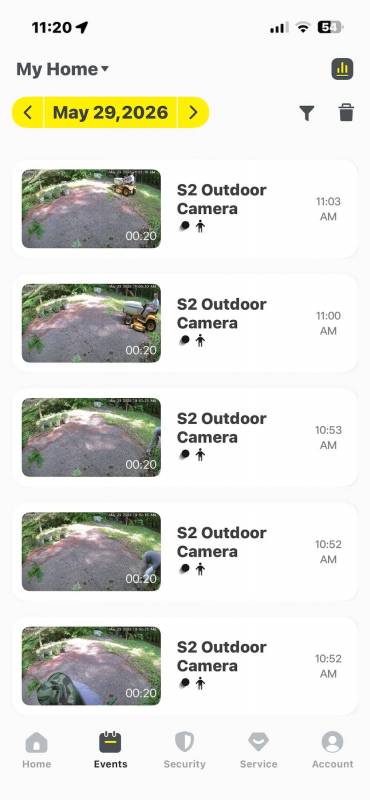
Below the live view, the app organizes captured events by date. This makes it easy to jump back through the day’s motion clips and see what triggered the camera.
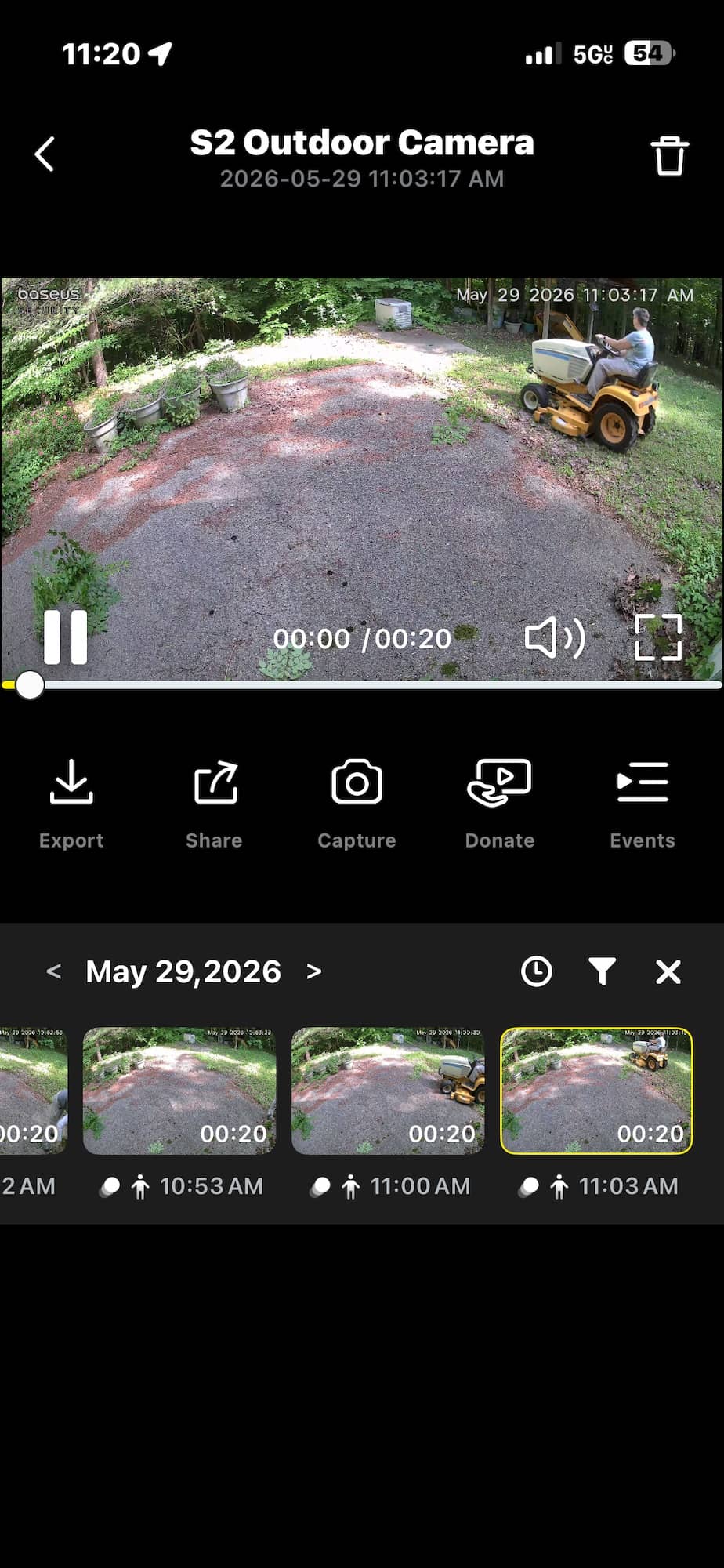
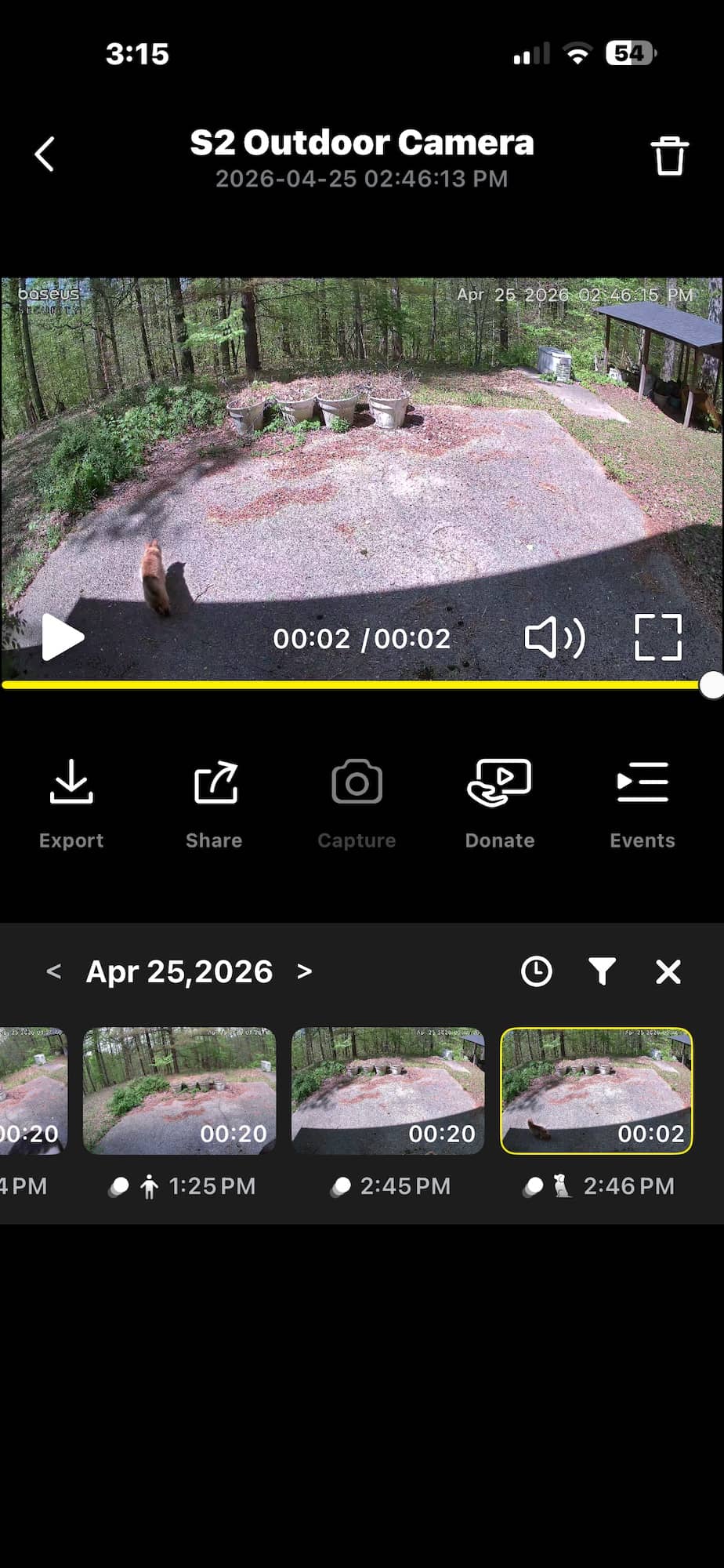
That event history is where the camera gets especially fun if you live in an area with regular wildlife traffic. In testing, the camera picked up:
- A cat walking through the yard
- A skunk passing by
- A turkey crossing the patio
- A person doing work around the house
The app labels certain events with icons, such as an animal indicator when the camera identifies wildlife. That kind of categorization makes browsing footage much faster than digging through a generic pile of motion alerts.
Instead of just knowing that “something moved,” you get a more useful clue about what probably triggered the event.
Video and Audio Quality
The clips looked very good overall, and there weren’t any major complaints about image quality. The Baseus S2 does a nice job capturing enough detail to make event clips genuinely useful rather than just technically recorded.
Audio capture is another plus. Ambient outdoor sounds like birds could be heard in the clips, and in the turkey footage, even the birds and turkey sounds came through. That adds a surprising amount to recorded footage. For security purposes, sound can provide additional context, and for wildlife footage, it just makes the clips more enjoyable.
The ability to hear what was happening around the time of the event makes the camera feel more complete than a silent motion recorder.
Person Detection and Face Recognition Features
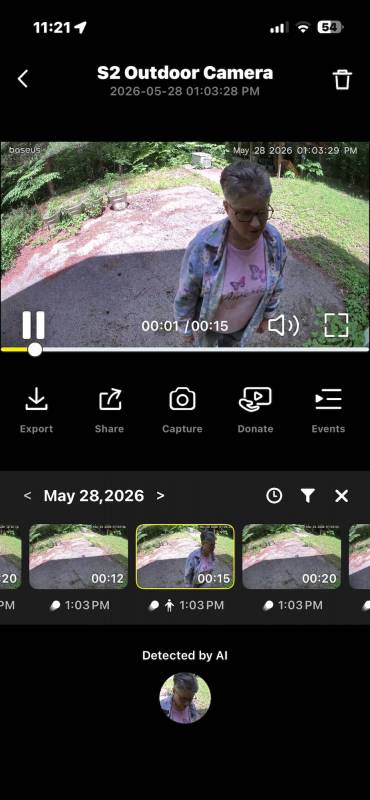
When the Baseus S2 captured a person working around the house, the app didn’t just log it as a generic motion event. It also offered face-related features, including a way to remember faces that have been saved in the app.
That means the system can build a small gallery of recognized faces and identify familiar people over time. In testing, the app recognized a previously saved face and associated event images with that person.
This is a neat feature because it can add another layer of convenience when reviewing footage. Instead of just seeing that a person appeared on camera, you can determine whether they were known to the system.
It’s not just about security; it’s also about faster event review. If you regularly have family members, workers, or frequent visitors around, face recognition can make browsing clips more efficient.
Remote Access Worked Well, Even While Traveling
One of the better real-world tests for any security camera app is how it performs when you’re far away from home. During a trip to Ireland, notifications from the Baseus S2 still came through, and clips could be pulled up remotely from my home in Southern Indiana without issue.
That kind of long-distance access is exactly what you want from a security setup. It doesn’t matter much if a camera works only when you’re on the same local network. The real value is being able to check in from anywhere, and in this case, the app handled that well.
The experience was quick and reliable, with no major issues opening the app or accessing footage remotely.
Downloading Clips to Your Phone
Another useful feature is the ability to download recorded clips directly to your phone. Once they’re saved there, you can move them to a desktop computer to view them on a larger screen or archive them elsewhere.
That may sound like a small thing, but it’s actually very practical. If a clip matters, whether it’s a security incident, a contractor visit, or just a funny wildlife moment, you don’t want it trapped inside an app. The ability to export footage makes the camera more flexible and more useful over time.
Night Vision Performance
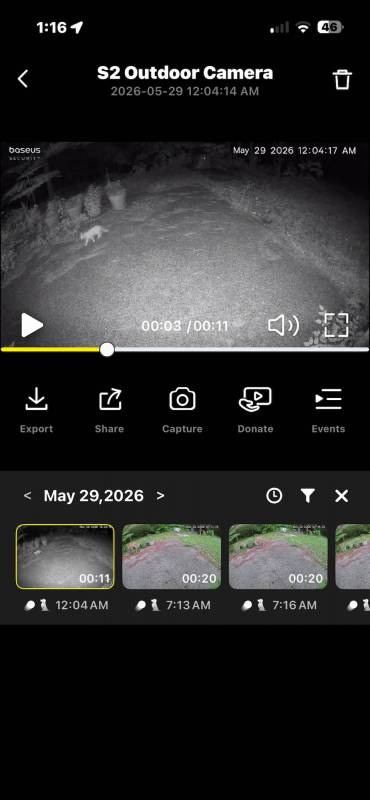
The Baseus S2 also did a solid job at night. A nighttime clip of a cat moving through the yard showed that the camera remained useful after dark, and its night vision provided a clear enough view to identify movement and general scene details.
There were some visible streaks in one nighttime scene that may have been rain or gnats, which is less a fault of the camera and more a reality of outdoor night recording. Even so, the footage still looked good enough to be useful, and motion remained easy to follow.
Battery and Solar Charging
The Baseus S2’s battery life has been strong during testing, with the app showing the camera at 100%. The rotating solar panel is likely a big reason for that. Instead of relying on a fixed-position panel that may only receive ideal sunlight for part of the day, this design actively improves charging conditions.
That feature reduces one of the usual headaches of battery-powered outdoor cameras: figuring out the perfect install angle and hoping your chosen spot gets enough sun.
If you have a location that receives at least some regular daylight but not necessarily perfect fixed-angle exposure, the S2’s self-adjusting panel may give it an advantage over more traditional solar camera designs.
See It in Action
Final Thoughts
The Baseus S2 4K Security Camera turned out to be a very likable outdoor camera. The image quality is good, the app is fast, the wildlife and person detection features are genuinely useful, and the rotating solar panel is more than just a gimmick. It solves a real problem.
The biggest selling point, though, may still be the simplest one: no monthly subscription. For anyone tired of buying hardware only to discover that the best features are hidden behind a paywall, that alone makes the Baseus S2 worth a serious look.
It works well as a home security camera, but it’s also a lot of fun if you want to keep an eye on backyard wildlife. That mix of practicality and low-maintenance convenience makes it easy to recommend.
The Baseus S2 Security Camera retails for $199.99; it is available directly from the manufacturer and other retailers, including Amazon.
Source: Manufacturer-supplied review sample
What I Like: No monthly subscription required; Built-in solar panel automatically rotates to find sunlight; Animal and person detection, including faces; MicroSD support
What Needs Improvement: No complaints during testing



No monthly fees and solar charging? The Baseus S2 4K sounds like a winner. Thanks for the great overview!
No monthly fee is a game changer!
It’s great not to have to pay for a subscription, where they can change the price or make some features extra at will.