
The Lowdown
If you’re someone who values style, portability, and a more playful smartphone experience, and you’re willing to accept a few compromises, the Motorola Razr Ultra 2026 is a flip phone that stands out in a sea of boring slabs. But if camera performance (especially video) is high on your checklist, you may want to think twice before flipping open your wallet for this one.
Overall
Pros
- Awesome battery life
- Ability to access/use apps on external display while closed
- Fingerprint sensor works great
- Pocketable when folded
Cons
- Face unlock doesn’t work in total darkness
- Video quality isn’t great – especially zoom
- At this price, a power adapter should be included in the box
I’ve reviewed dozens of phones over the years, and a folding phone – the OnePlus Open (check out Judie’s review), but this will be my first flip phone review, and as a bonus, it’s my first official review for Gear Diary! Today, we’re taking a look at the Motorola Razr Ultra 2026 model. Let’s find out if I prefer a phone that easily fits in my front pocket vs my iPhone 16 Pro Max, which I’ve been rocking as my daily driver since it dropped in 2024.
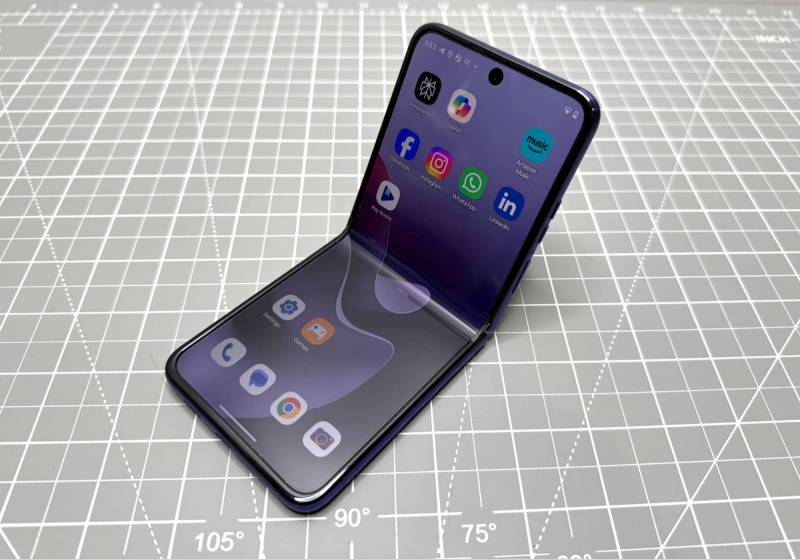
What Is It?
The Motorola Razr Ultra 2026 is the brand’s latest folding flip phone powered by Android 16. Since this is my first experience with a Razr Ultra, I won’t be making any comparisons to previous models. However, feel free to check out Judie’s review of last year’s (2025) model.
What’s Included?
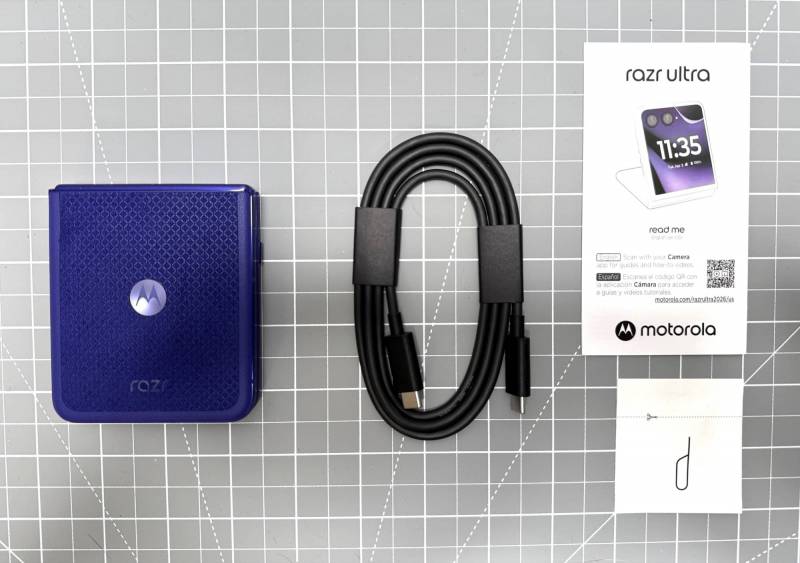
- Motorola Razr Ultra 2026 flip phone
- USB-C – USB-C charging/data cable
- Pre-installed screen protector
- eSIM tray removal tool
Technical Specifications
Operating System: Android 16
Platform: Snapdragon 8 Elite Mobile
GPU: Qualcomm Adreno 830
RAM: 16GB + RAM Boost
Storage: 512GB LPDDR5X
Battery: 5000 mAh
Display Size: 7.0 inches (open), 4.0 inches (cover display)
Display Resolution: 1224 x 2992 (main display), 1272 x 1080 (cover display) Both are AMOLED
Display Aspect Ratio: 22:9
Wi-Fi: Wi-Fi 7, 6E, 6, 5, 802.11
Bluetooth
NFC: NFC enabled
Main Camera: 50-megapixel
Aperture: ƒ/1.8
Field of View: 85°
Water Protection: IP48
Size: Closed: 88.12 × 73.99 × 15.69 mm (3.5 × 2.9 × 0.6 in), Open: 171.48 × 73.99 × 7.19 mm (6.8 × 2.9 × 0.3 in)
Weight: 199g
Design and Features
Right out of the box, I was surprised by the color of the Motorola Razr Ultra 2026 that I received for review. Motorola calls it Pantone Orient Blue. I call it purple. It’s not a color that I would pick for myself, but I’m not hating it at all.
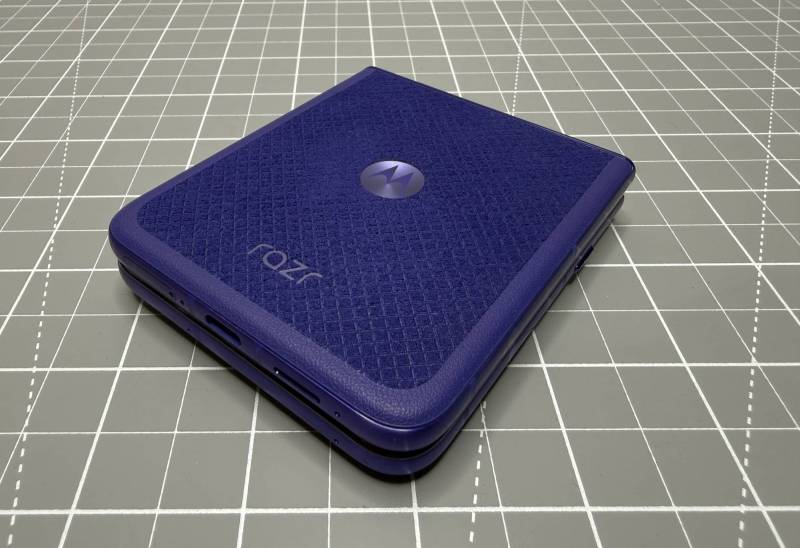
I’m also not hating the soft fabric cover on the back half of the razr. The material is called Alcantara, and it’s a premium synthetic microfibre fabric usually found in luxury cars. The soft-touch cover (it feels like suede) on the back and the lattice pattern provide a nice grip on this phone. I tend to want some kind of case on my phone to prevent it from slipping out of my hand, but I don’t think you really need one with the Motorola Razr Ultra 2026. I haven’t dropped it…yet. I hope I didn’t just jinx myself by saying that. 😉
Purple not your thing? Don’t worry, you can also buy this phone in Pantone Cocoa, which has a natural wood veneer finish. I have to hand it to Motorola when it comes to style. If you want a flip that doesn’t look boring (I’m looking at you, Samsung), then the razr definitely earns some extra pizzazz points here.
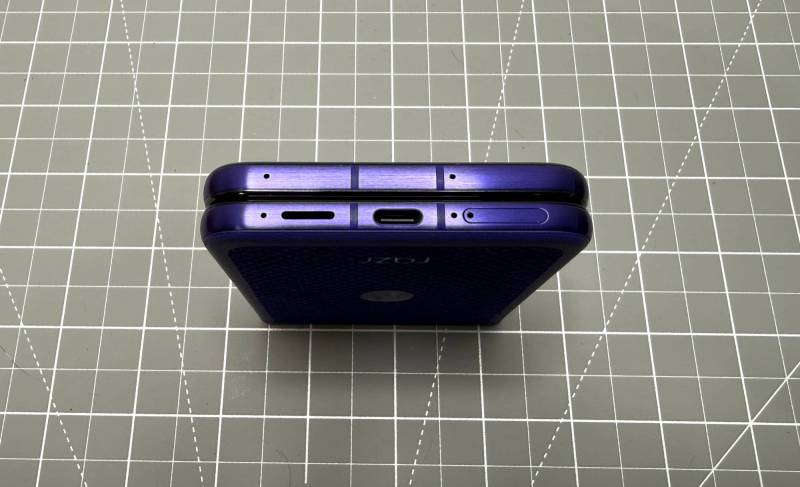
Let’s talk ports and buttons. The bottom edge of the Motorola Razr Ultra 2026 has a USB-C port for charging and data. It’s flanked by a speaker on the left (see image above) and the physical SIM tray on the right. There are also microphones on the bottom and top edges.
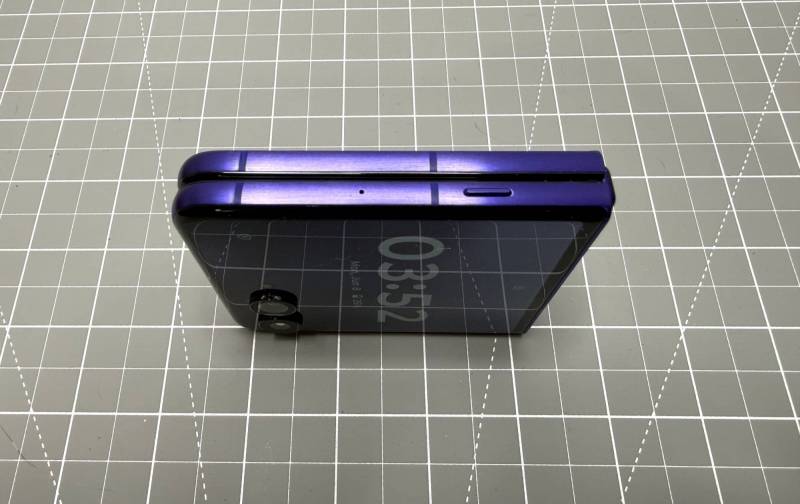
When holding the phone with the display facing up, you’ll find the AI button. More about that feature later.
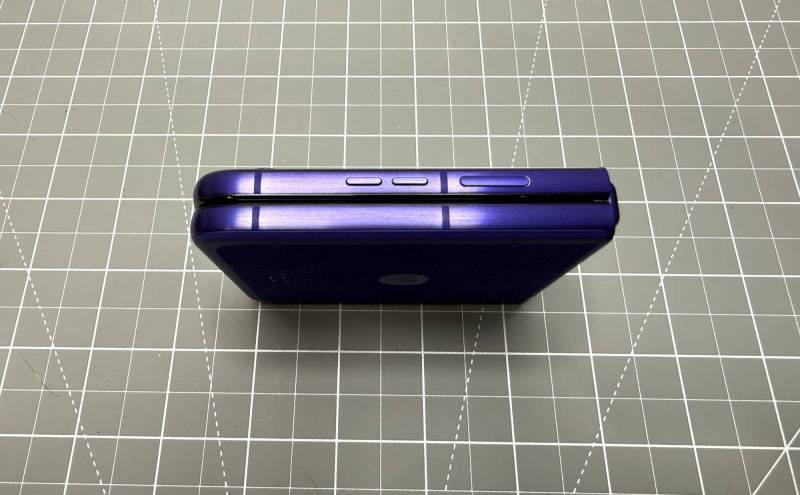
On the opposite edge, you’ll find the power button and the separate up/down volume buttons below it. Note that the power button doubles as a fingerprint reader. I’ll talk more about that in a bit. Spoiler… it really surprised me – in a good way.
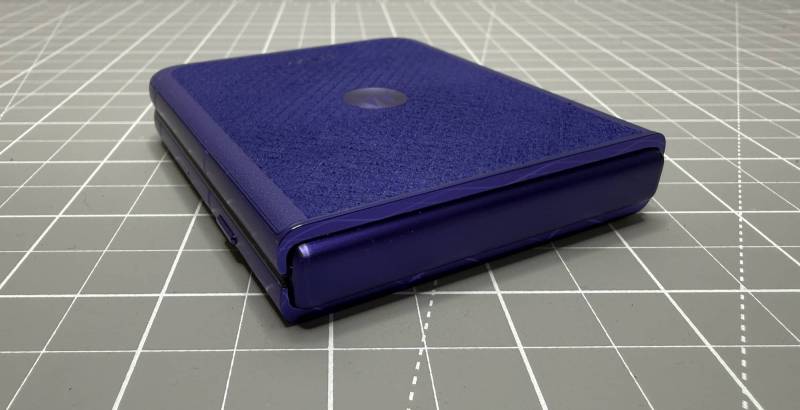
The hinge is reinforced with titanium, which means it shouldn’t get loose with repeated openings and closings over the course of owning this phone. In my experience so far, I’ve found the opening/folding mechanism to feel smooth but firm. I like the audible clunk sound when closing it.
I will say that the sides of the phone (uncased) are a bit on the slippery side, so opening the phone requires both hands and a firm grip. Unfortunately, you won’t be doing a Captain Kirk tricorder flip open gesture with the Motorola Razr Ultra 2026. Yeah, I’m disappointed too.
In hand, I found the Motorola Razr Ultra 2026 to be a solid phone with no creaking or flexing when I gave it a squeeze. However, when giving it a shake, there is a tiny bit of rattling. But it’s just the buttons, so no biggie. Note that if you give this phone a firm shake, the flash turns on so you can use it as a flashlight. Shaking it again turns the light off. I discovered this by accident.
Main Display
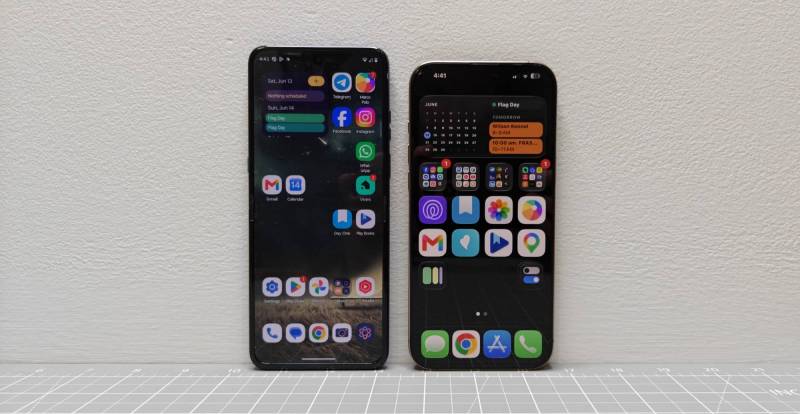
When you unfold the Motorola Razr Ultra 2026, you are greeted with a slab form that makes my iPhone 16 Pro Max feel small/short.
When it comes to TV displays, I think that bigger will always be better. But with the ultra’s 7-inch display, you might find it challenging to reach the upper areas of the razr’s screen when using it with just one hand.
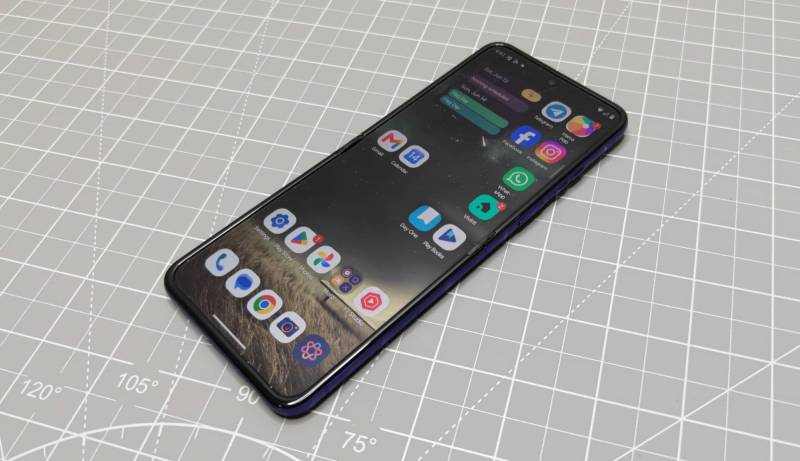
Other than that, the display is crisp, clear, and responsive. By default, the colors are very vivid, but if you don’t care for that slightly oversaturated look, you can tone it down in the settings.
What About the Crease, or as I Call It, Screen Ditch?
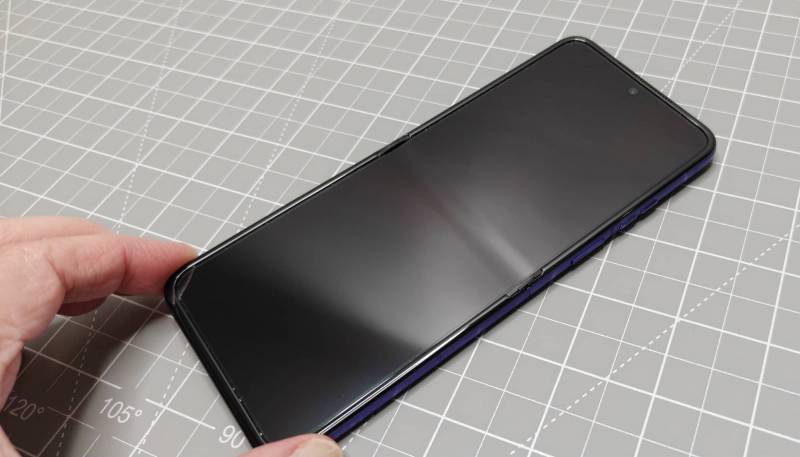
Yes, it’s there. Yes, you can feel it if you run your finger across it while scrolling. But should this be a huge surprise or something to complain about? I don’t think so. Yeah, Apple says that their upcoming first foldable will have a folding display without a crease. That remains to be seen. Either way, I don’t mind the crease because after a few hours/days of using a folding phone, you get over it and just start enjoying everything else a folding phone has to offer.
External Display
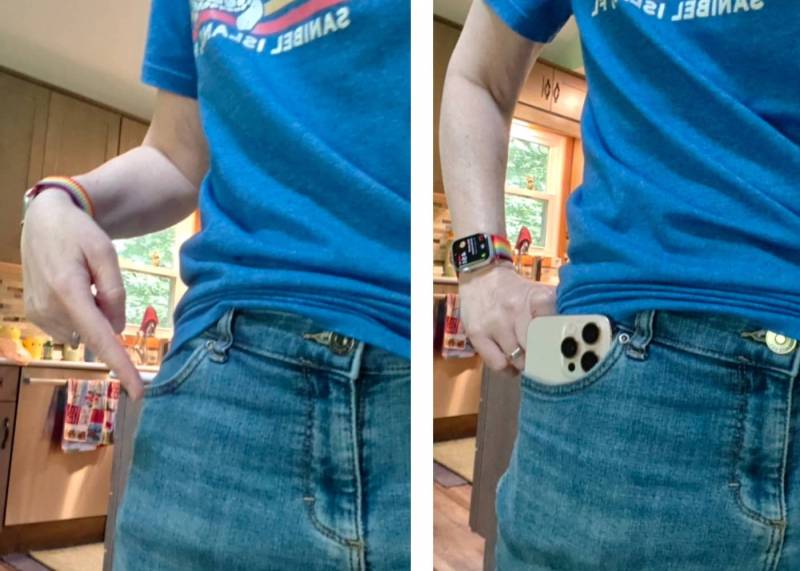
The Motorola Razr Ultra 2026 is in my pocket, but you can’t even tell.
One of those features of the Motorola Razr Ultra 2026 is how compact the phone is when it’s folded. So much so that it easily fits in the front pocket of my jeans. Something my iPhone finds challenging.
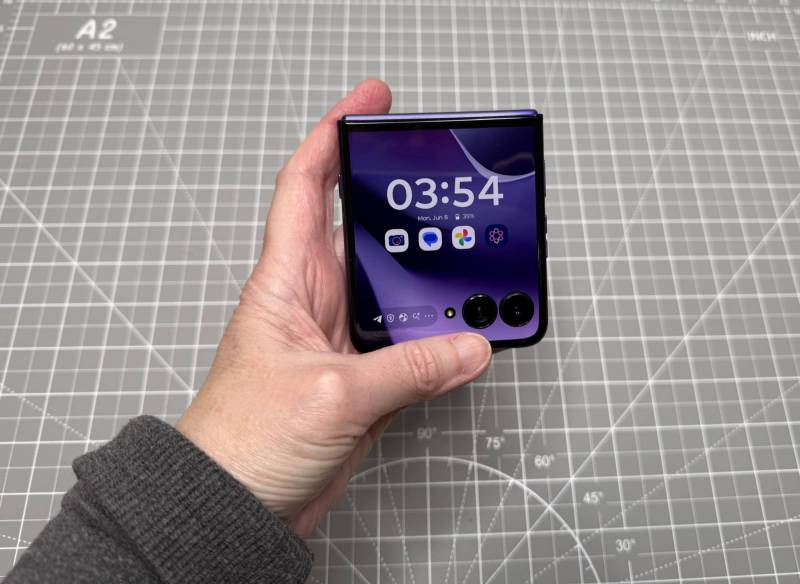
You might say yes, but you have to open the Razr Ultra every time you want to use it. I’m happy to say that that is not entirely true. You can actually do a lot of work and play on the Ultra’s external display while it is folded.
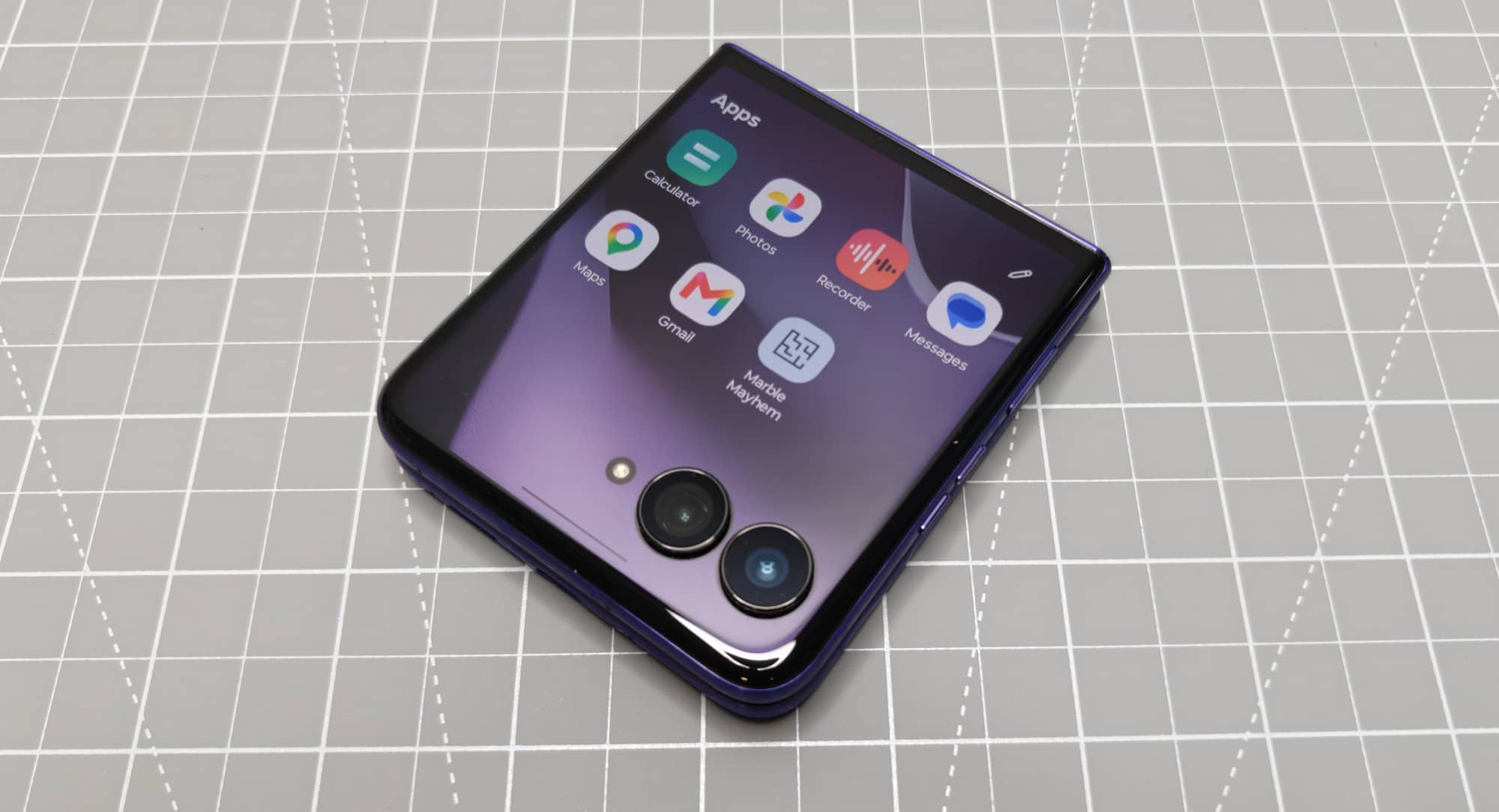
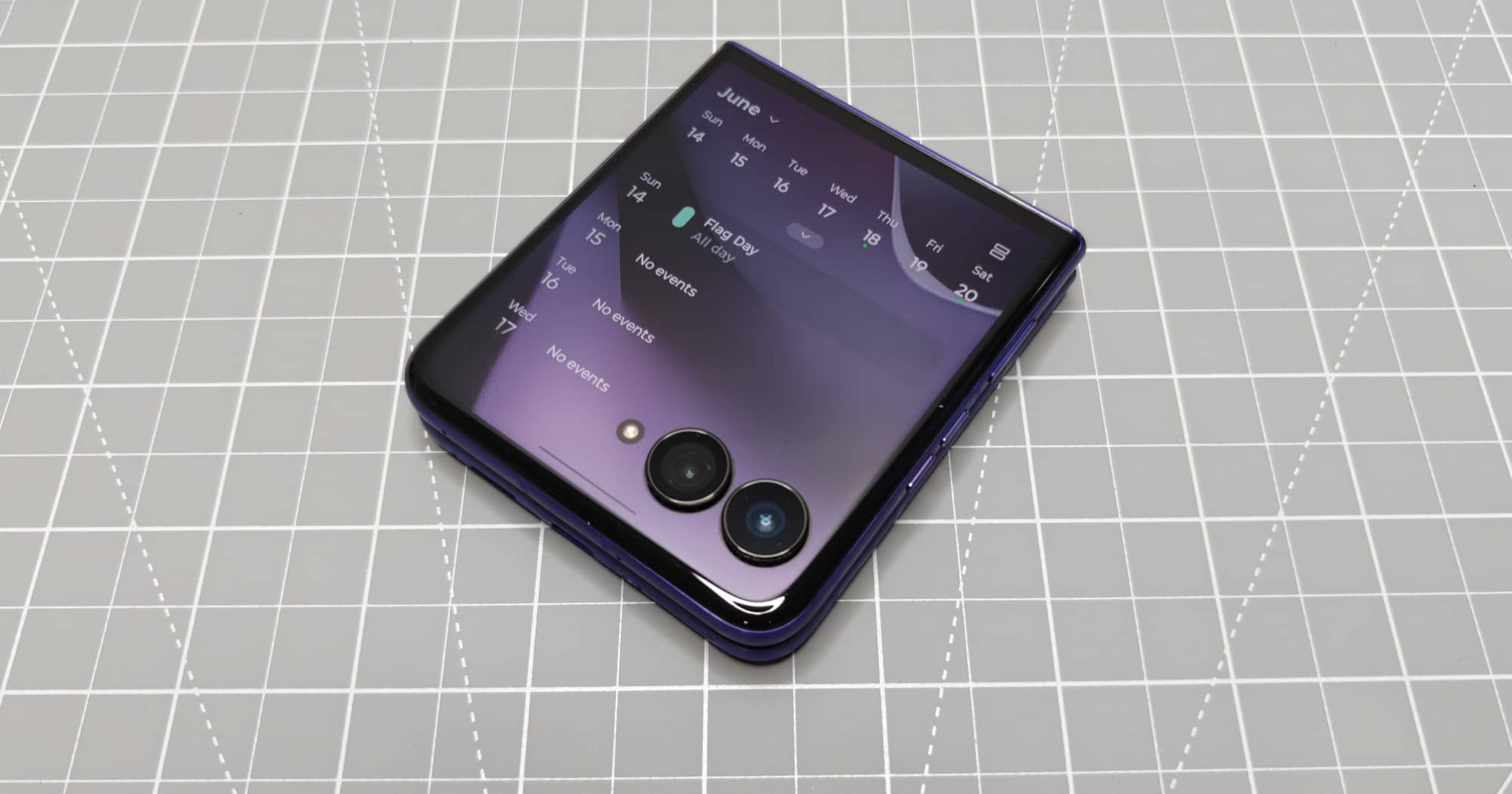
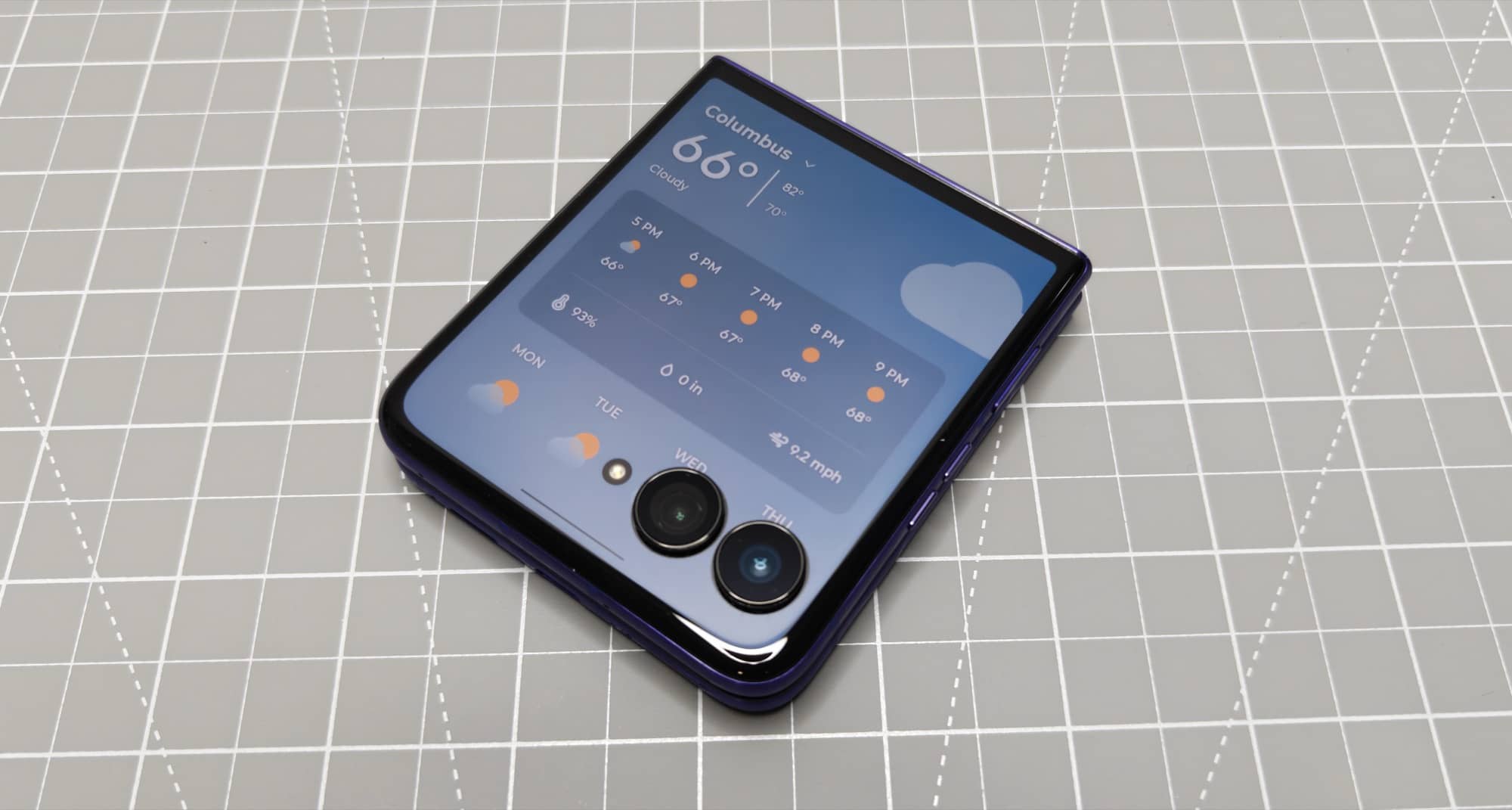
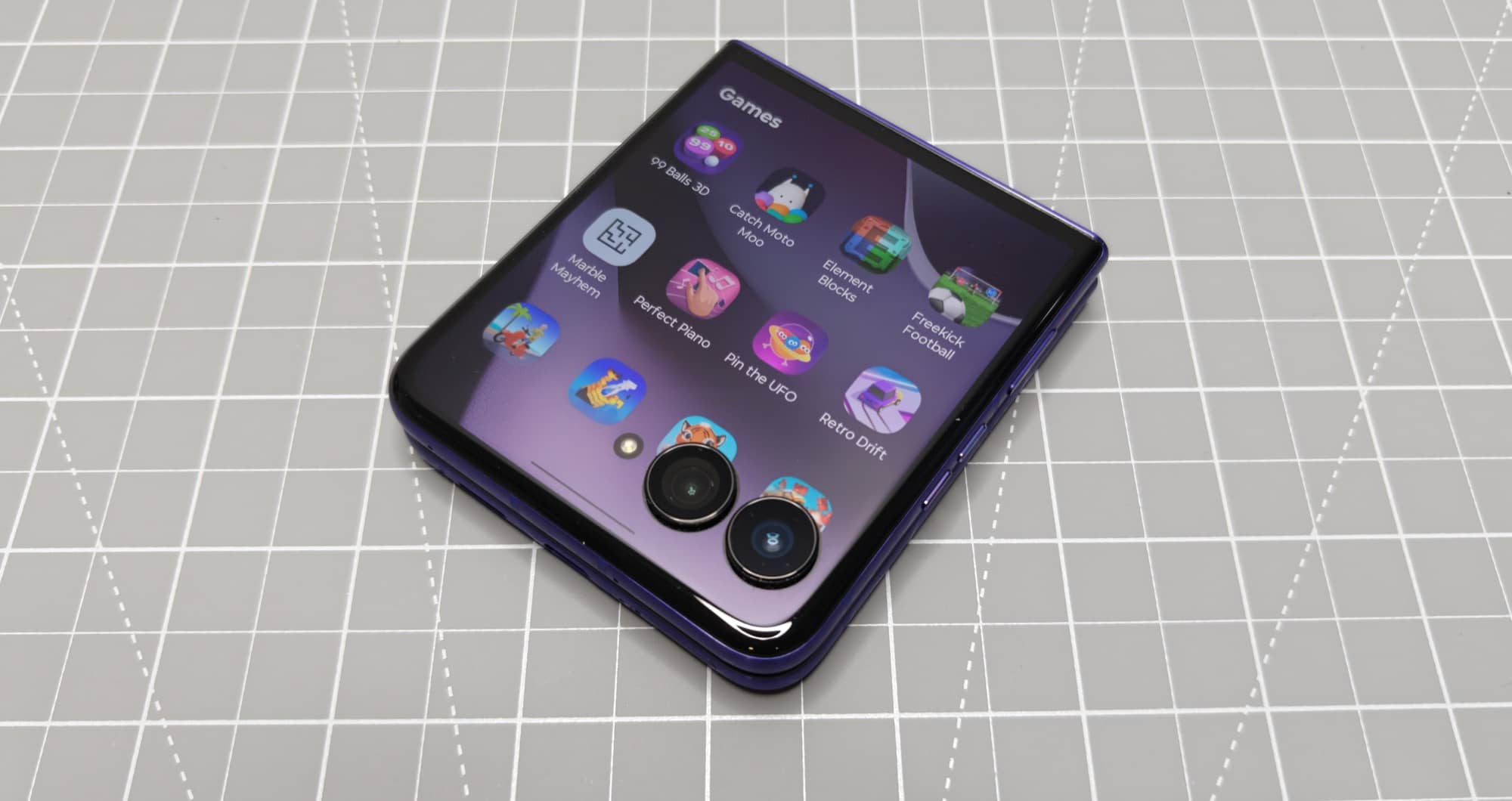
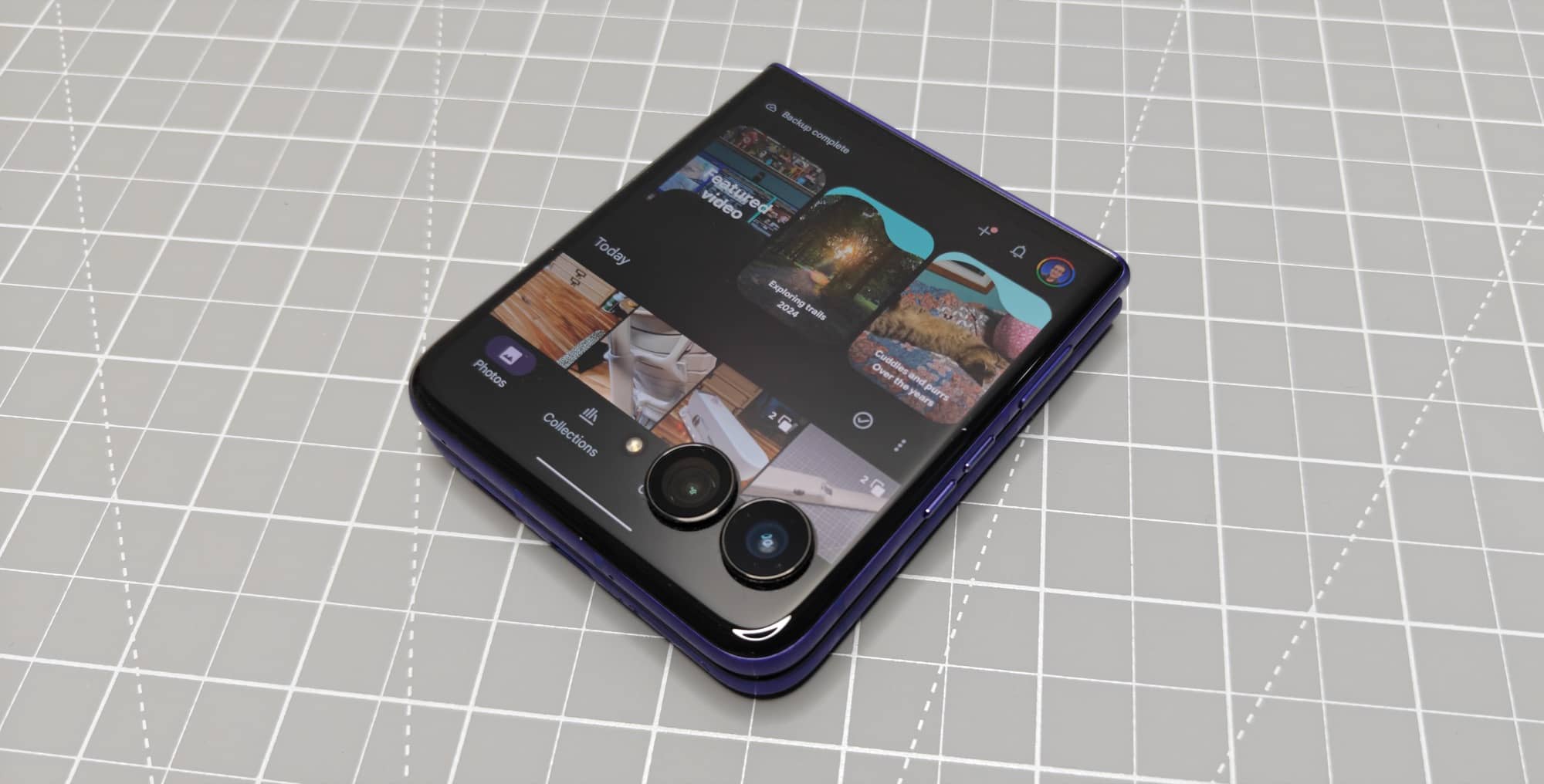
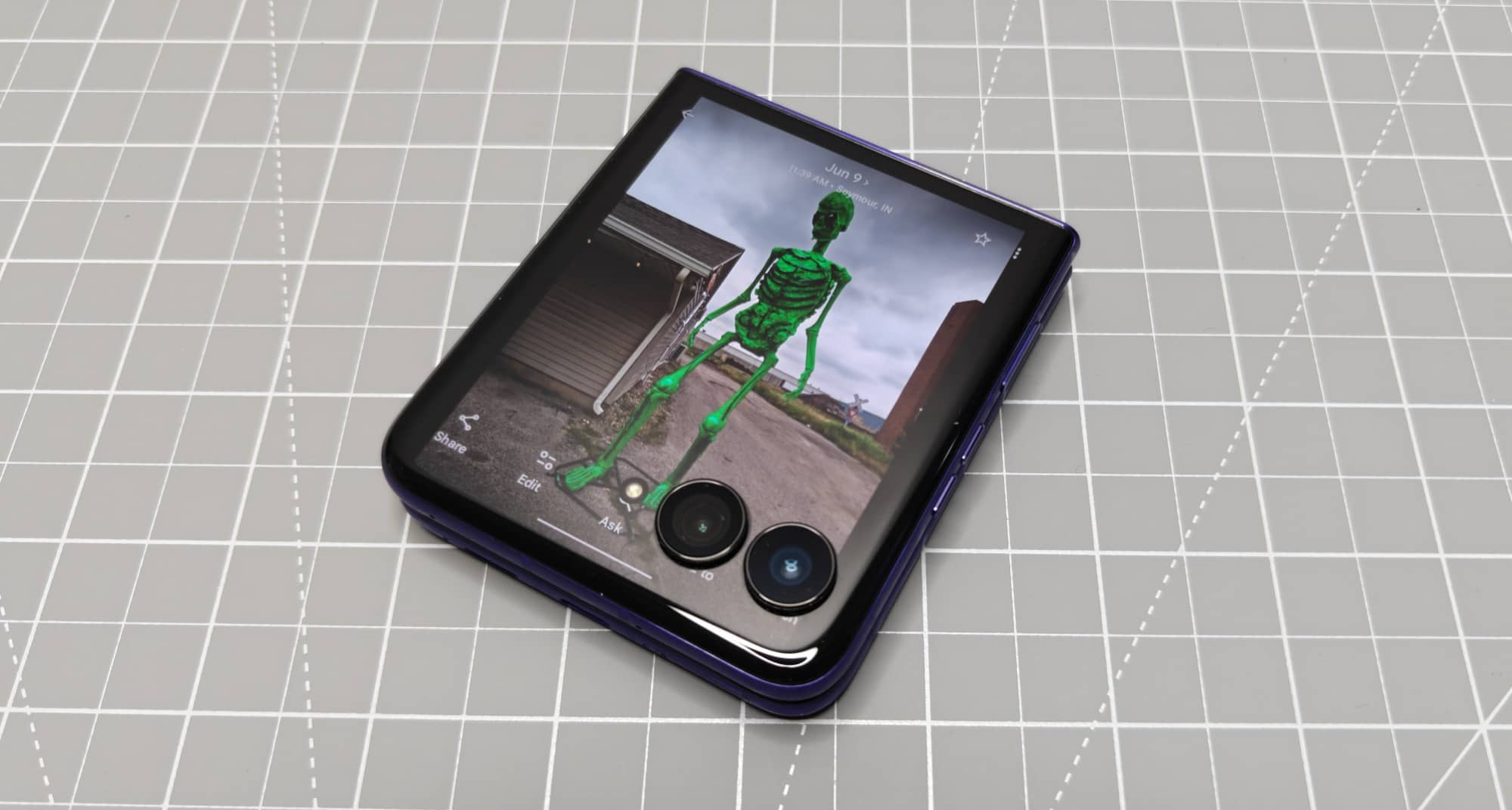
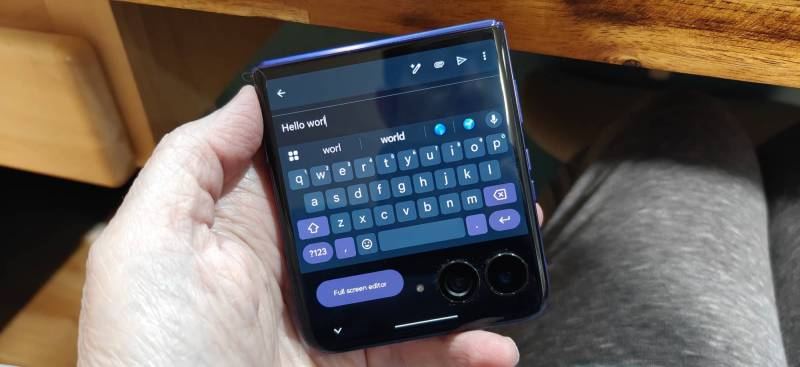
While the outer display is small (4 inches), it’s great for reading texts and emails. You can even respond to them with a pop-up keyboard. Granted, when that pop-up keyboard is in view, you only have one line or so of text above it that you can see. Compromises right?
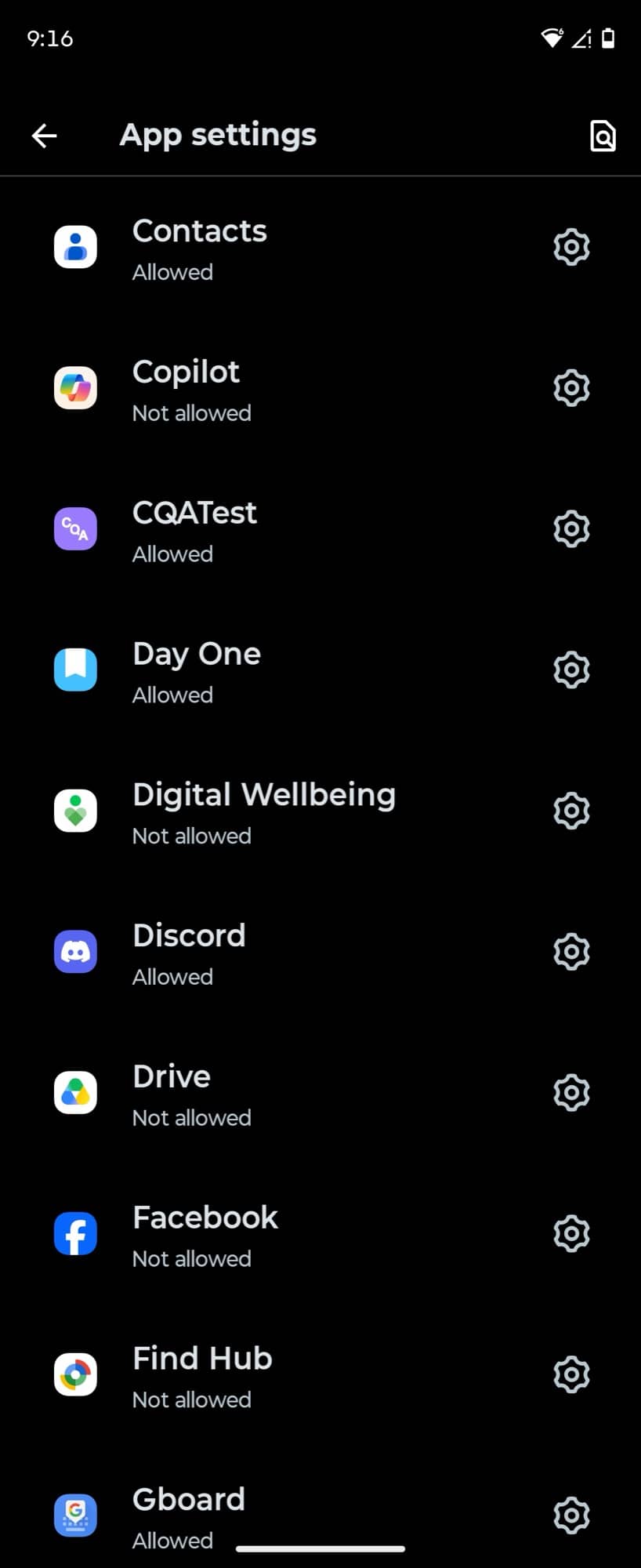
Note that not all apps are designed to work on the smaller outer display, but in the settings you can grant any app permission to display on it. Another setting allows the app to continue on the full screen when you unfold the display and vice versa.
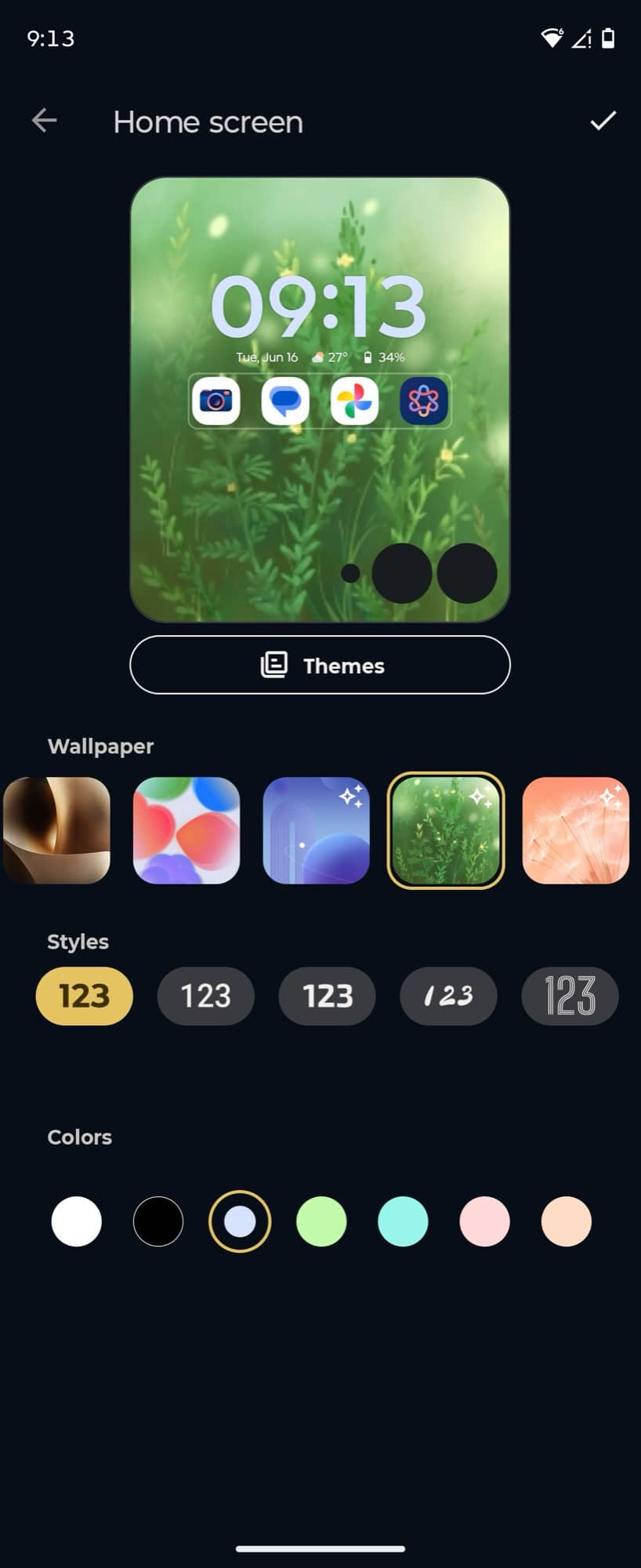
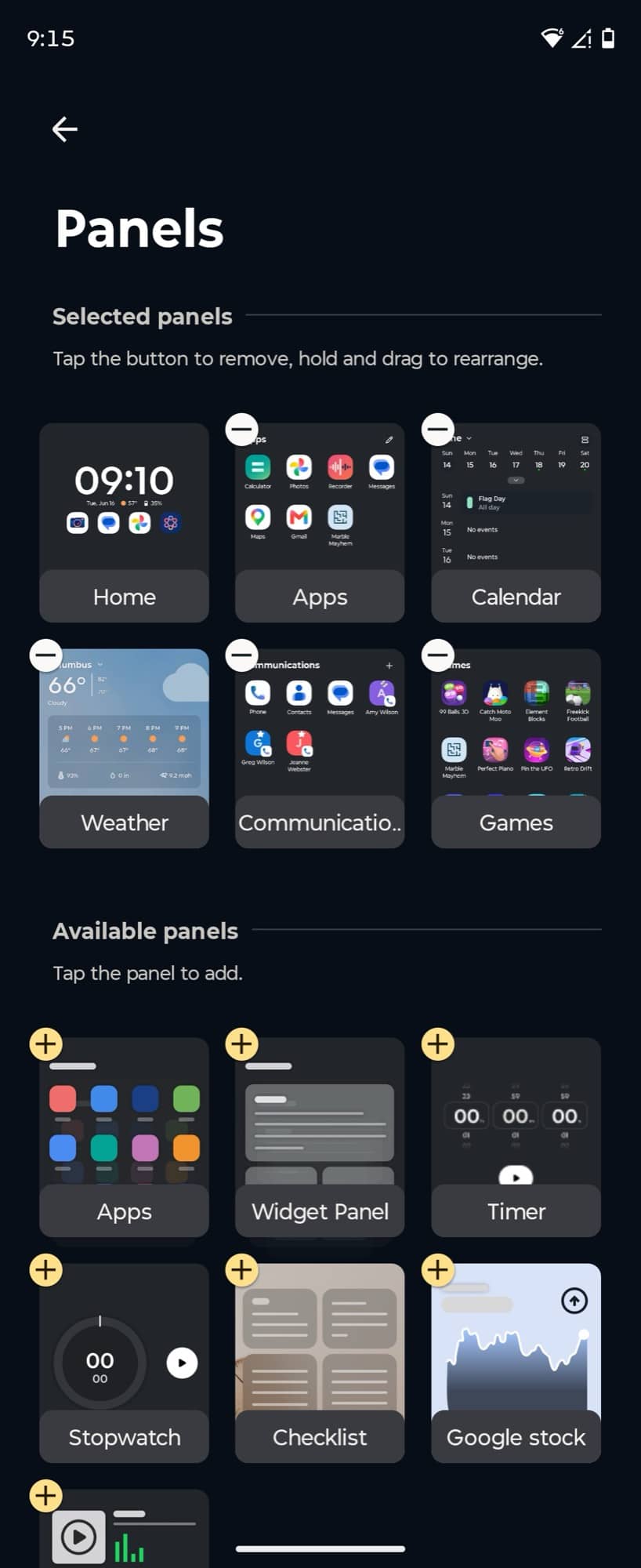
You can also customize the outer display with panels that you can swipe through, widgets, and set different backgrounds for both the lock screen and the unlocked, folded home screen.
I liked using the outer display when I was out doing errands and didn’t want/need to unfold the phone for a larger view. One note I have about using the outer display is the swipe-up gesture to go back to the “home” screen. I almost always bump my finger against the cameras when swiping.
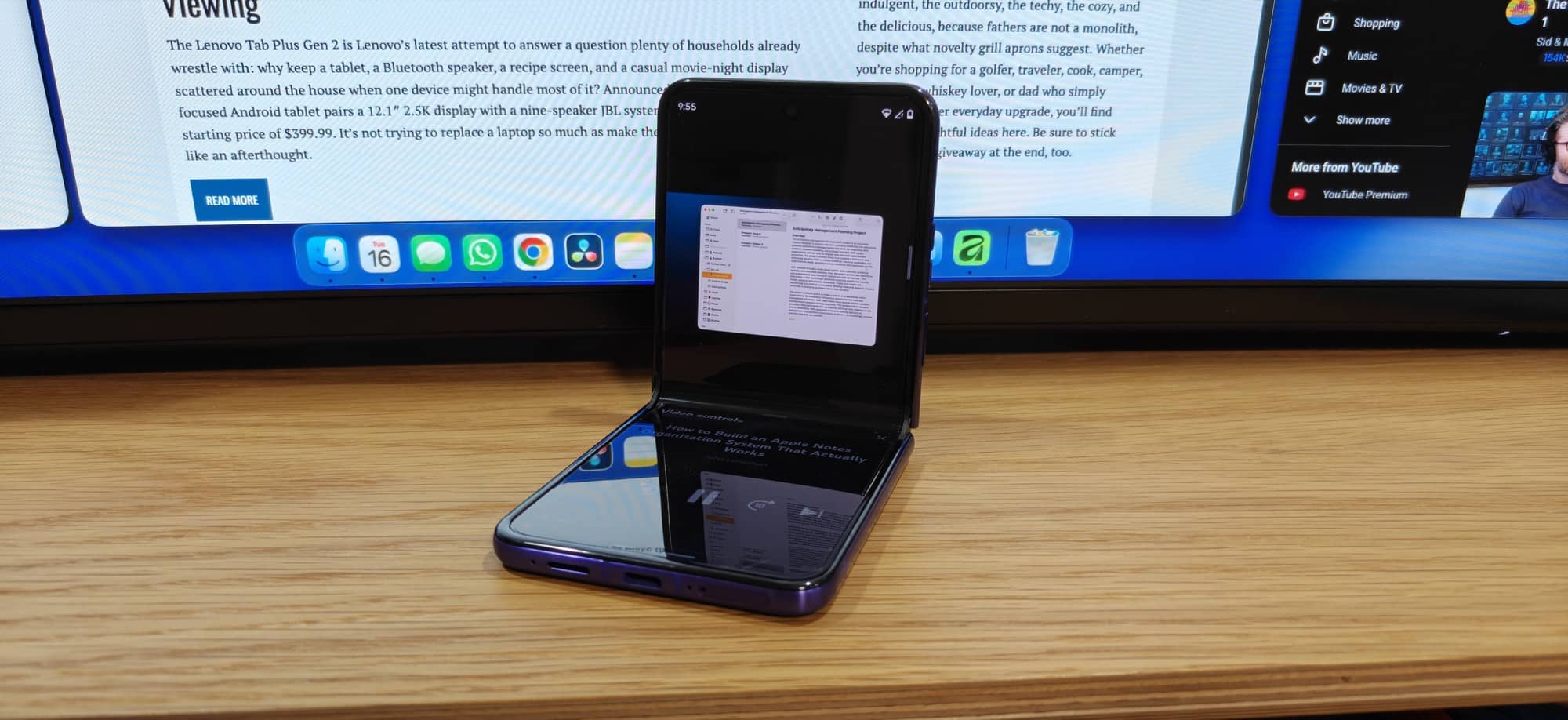
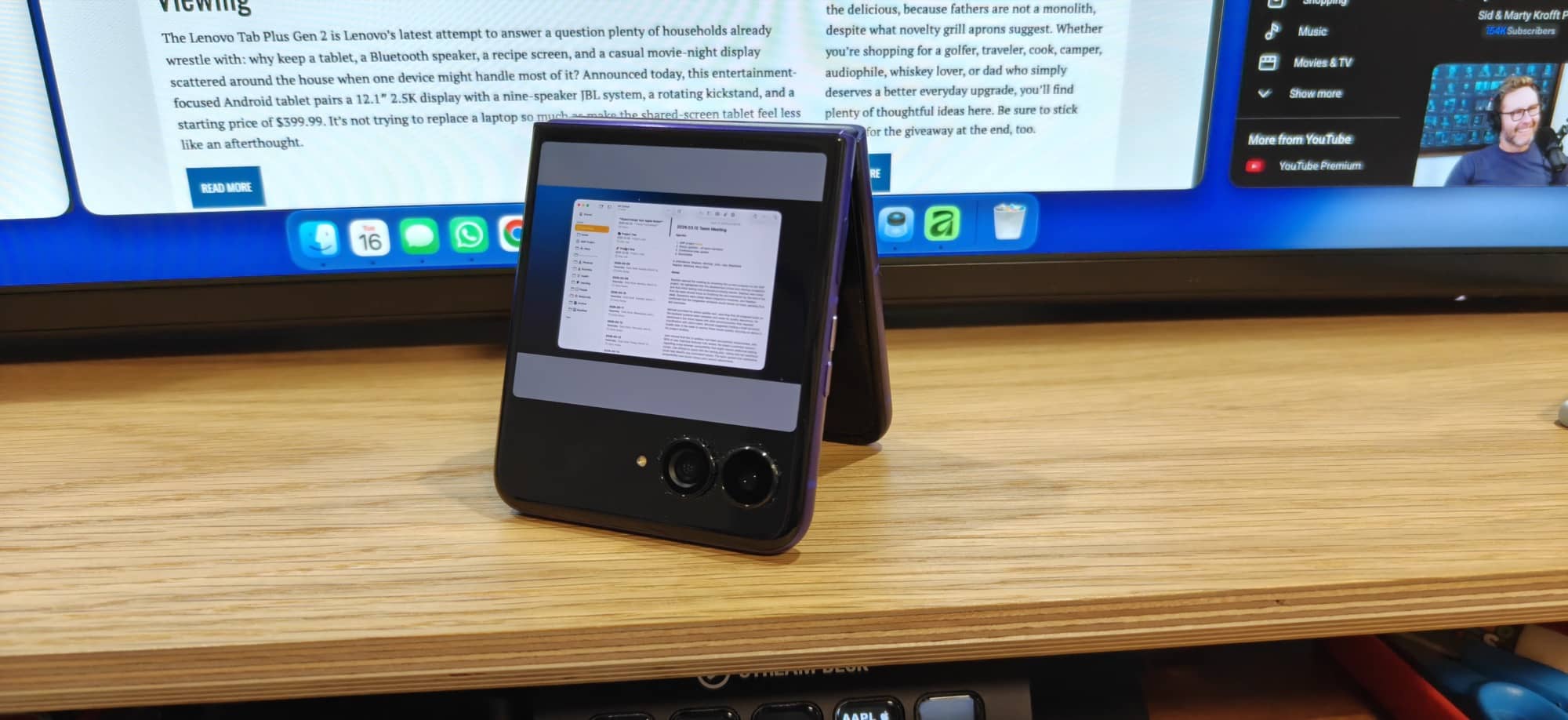
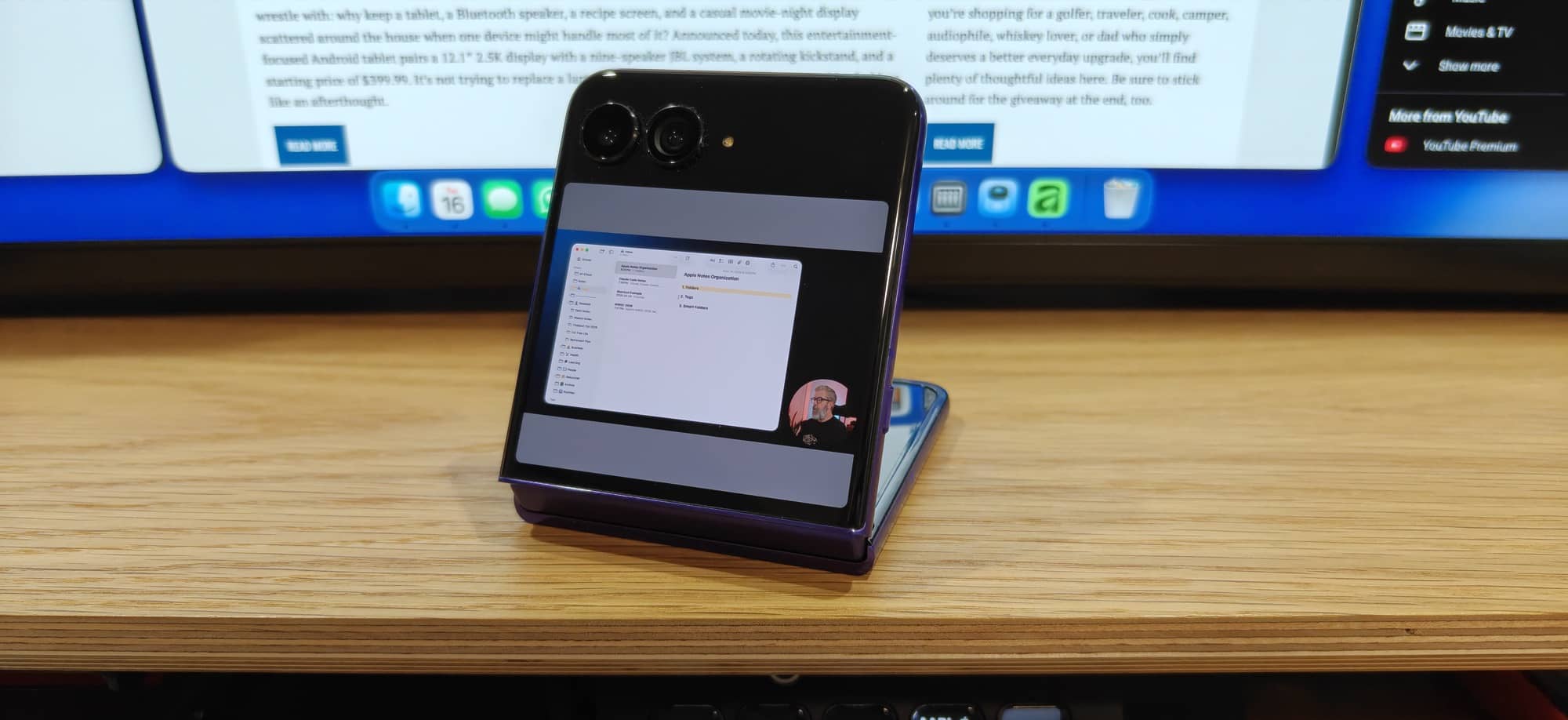
You don’t have to use the Motorola Razr Ultra 2026 completely folded or unfolded; you can also use it in different ways, as shown above. The hinge is stiff enough to allow for a variety of angles. I love using the ultra in one of these orientations to watch a quick video while I’m eating at a restaurant or wherever I might not have a dedicated stand to use the phone completely unfolded and in landscape orientation. You can also turn the phone into a desktop clock when in tent mode and stand mode (middle and right images above).
Camera
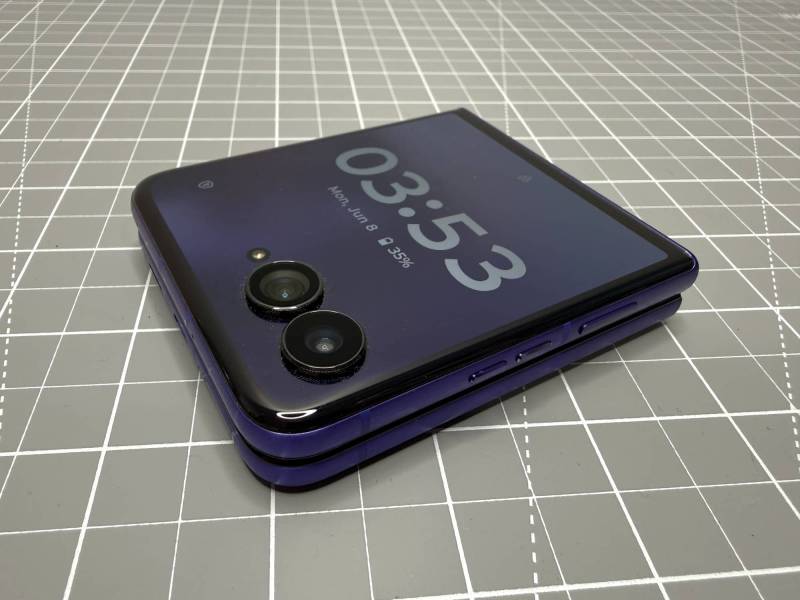
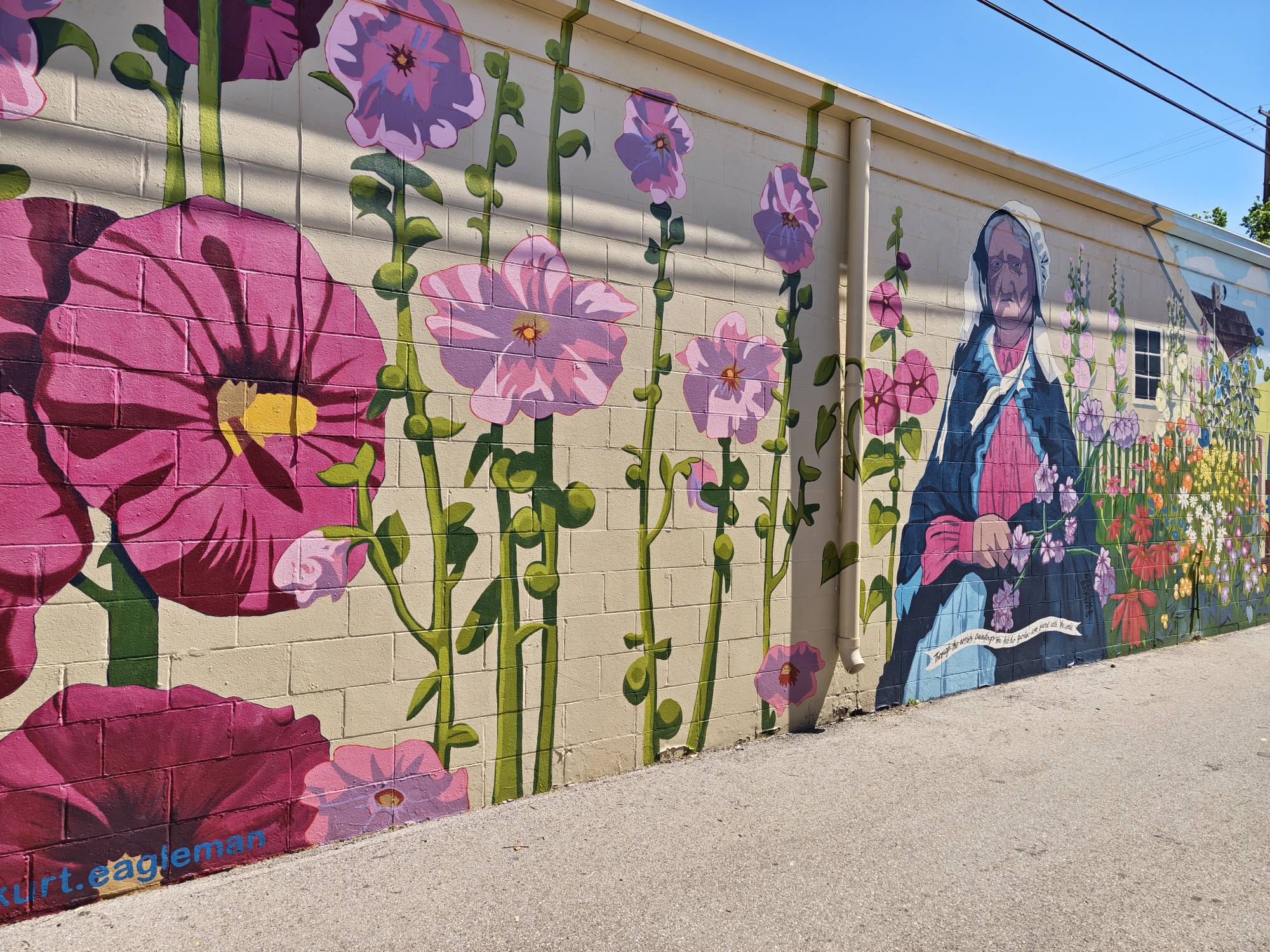
Like most people, we barely use our phones to actually talk to people. Or is that just me? One of my main uses for any phone is as my camera. So of course, I paid particular attention to image quality while testing the Motorola Razr Ultra 2026. Let’s take a look at some image examples.
Motorola Razr Ultra 2026 Photo Samples
-

- 1x
-
- Wide angle 0.5x

-
- 1x

-
- Wide angle 0.5x


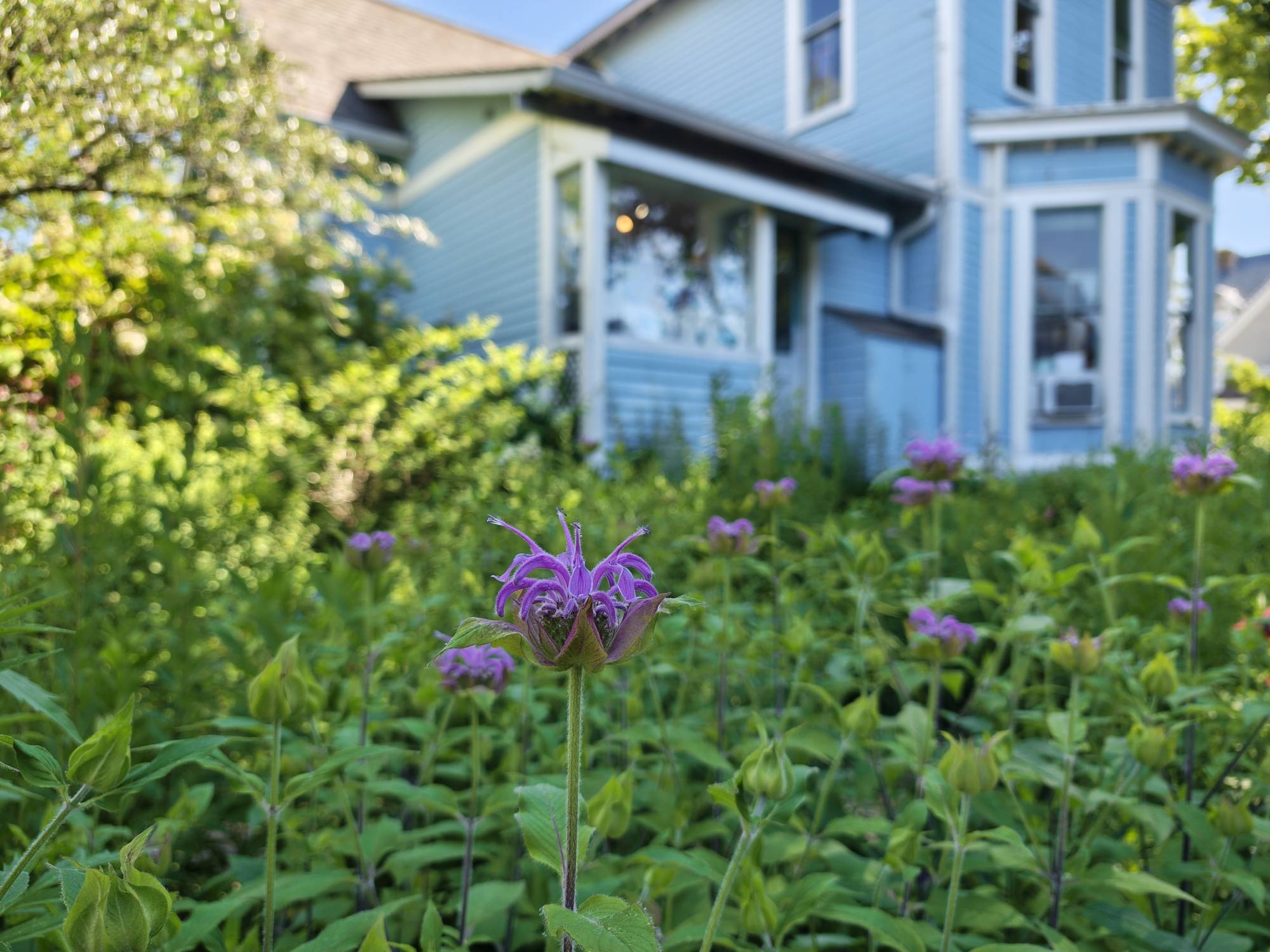
Love the bokeh on that last picture!


-
- 1x
-
- Wide angle 0.5x
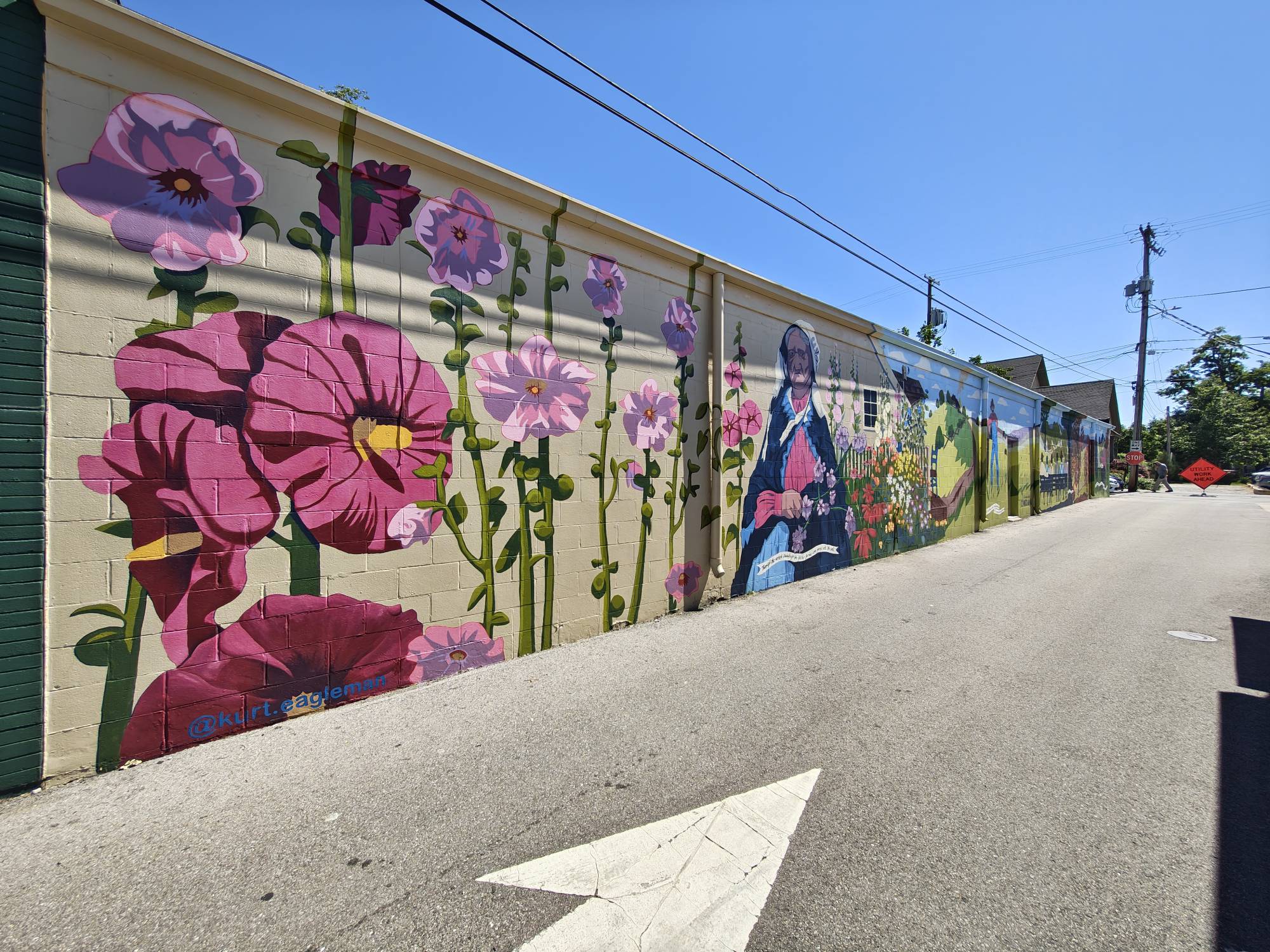
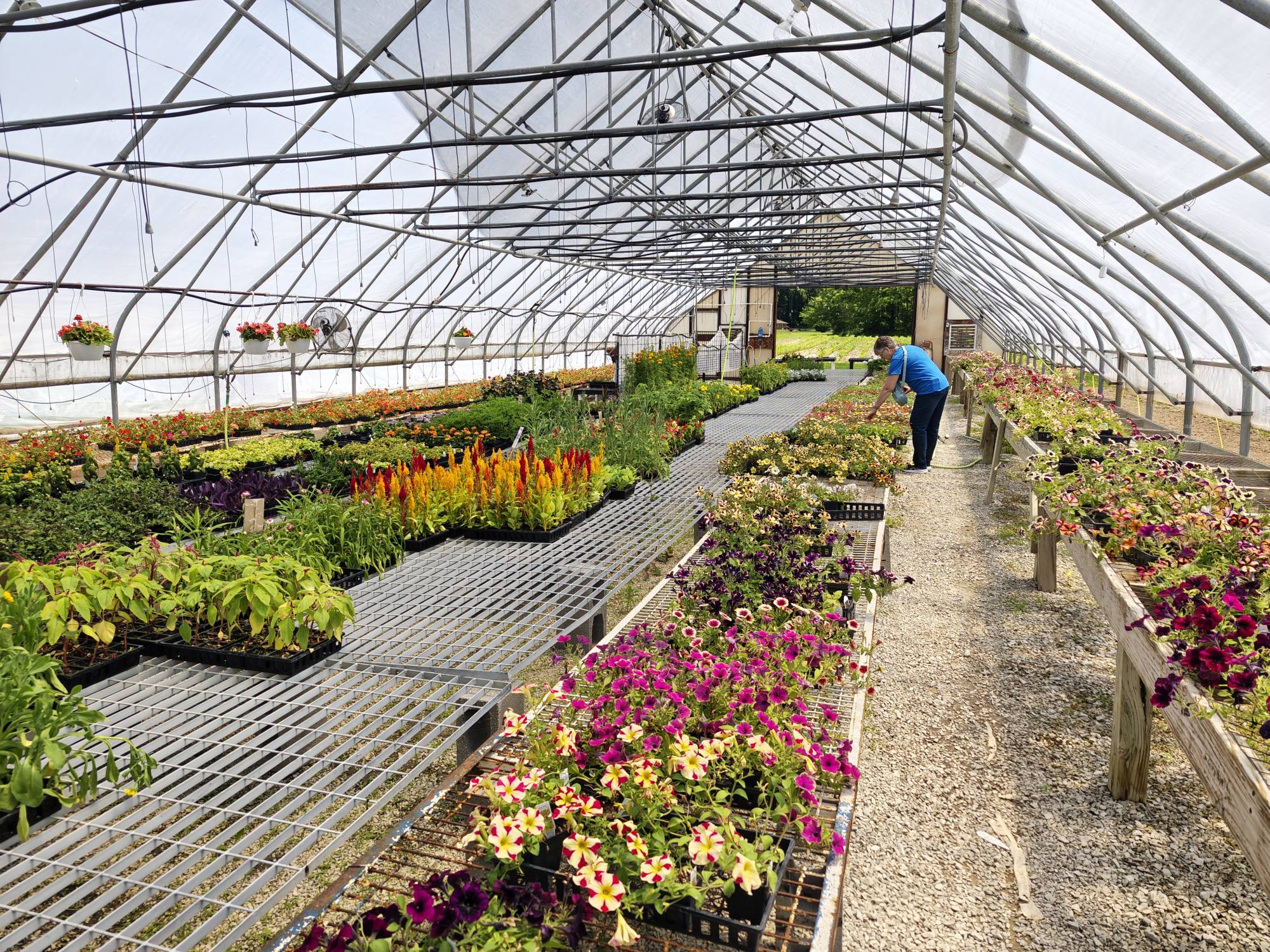

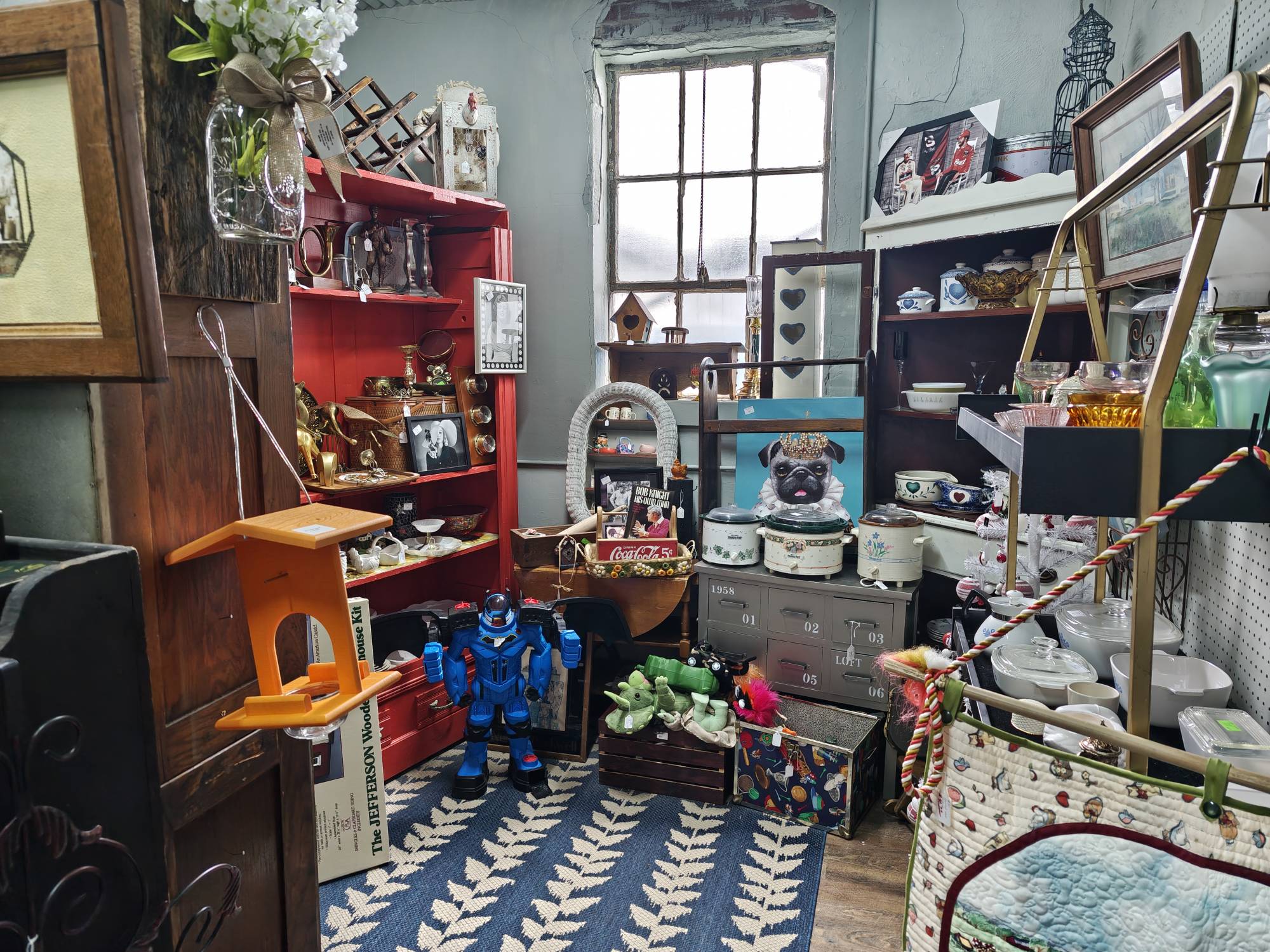
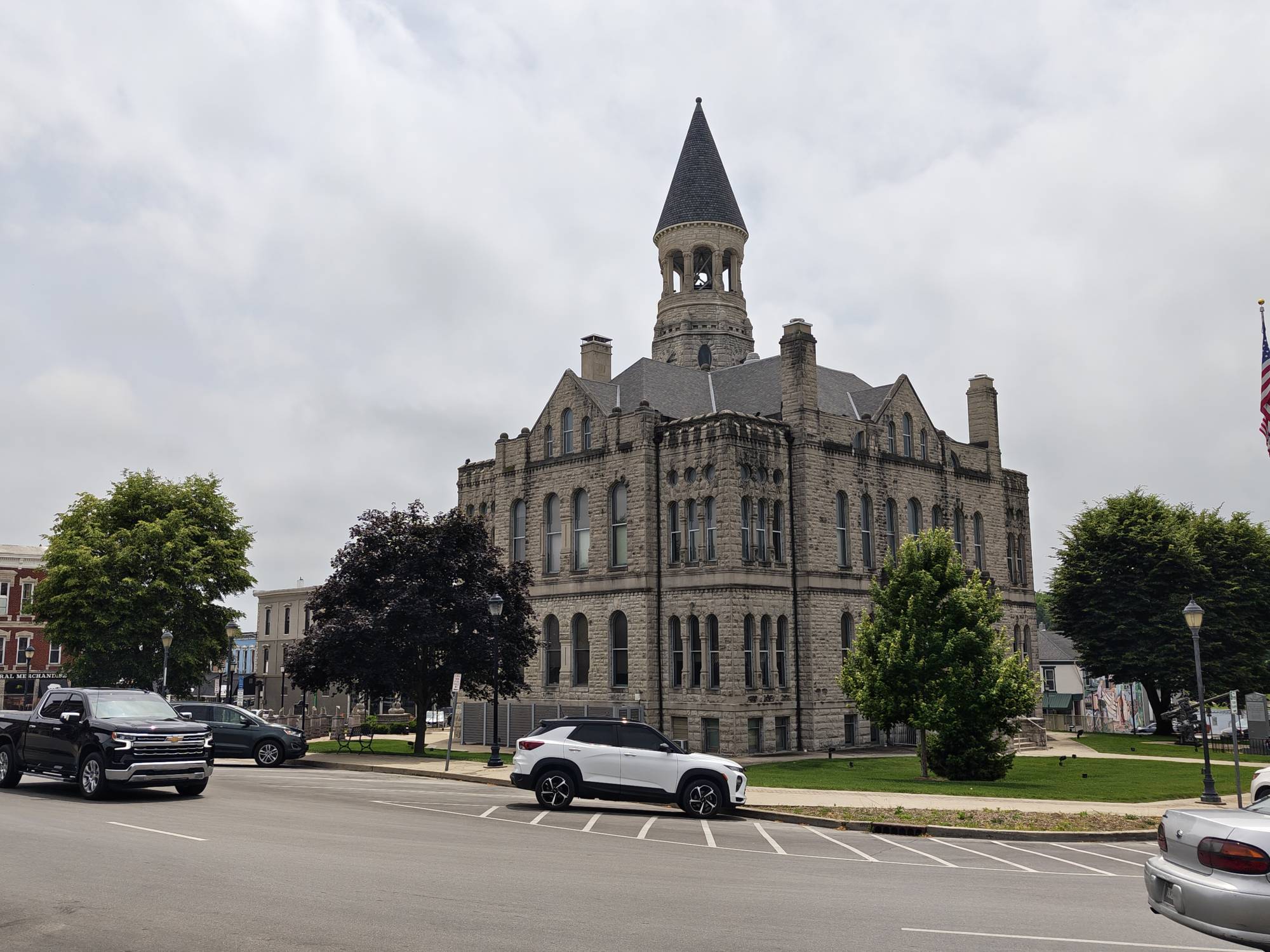
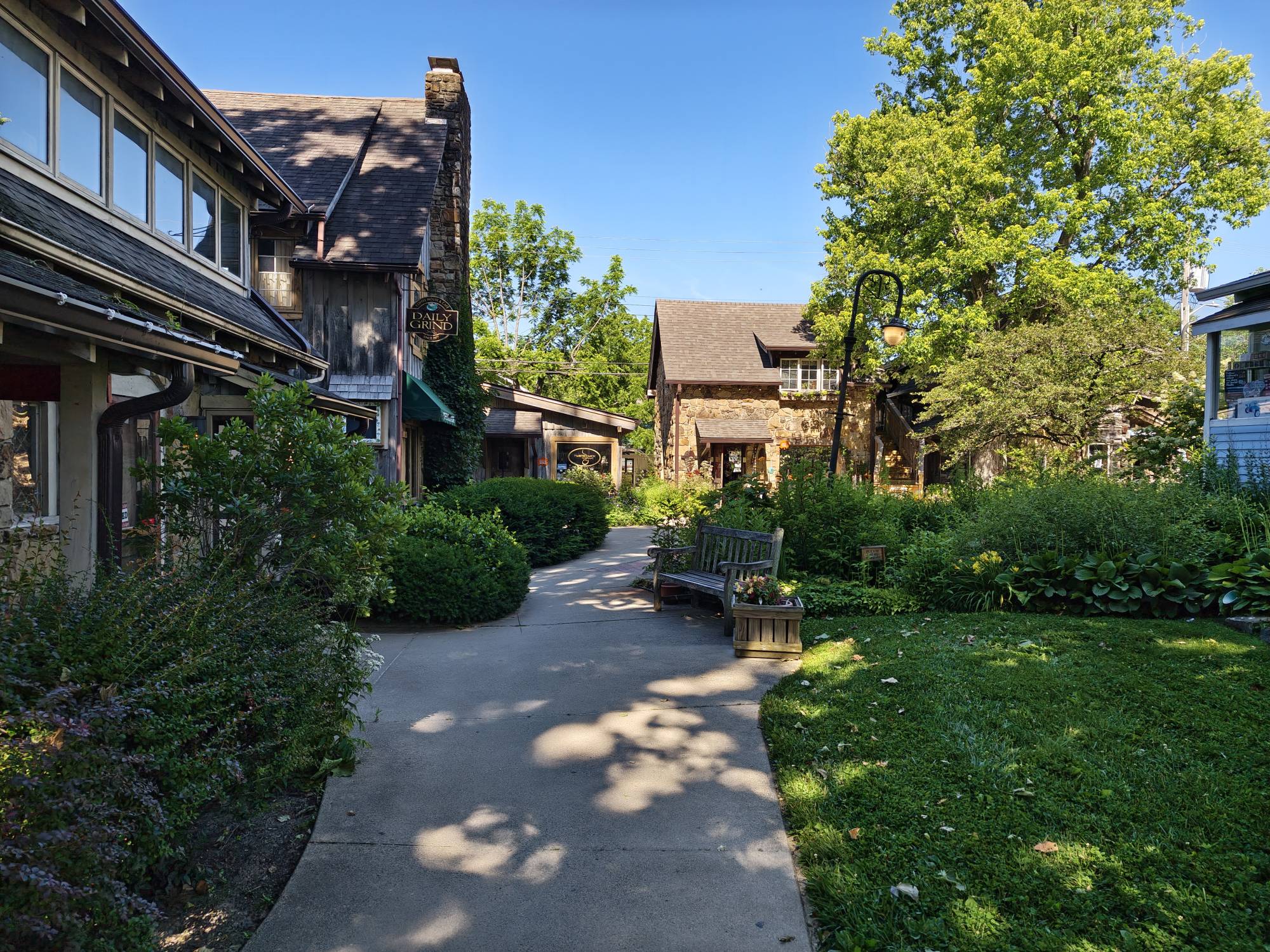
All in all, I have been pretty happy with the image quality from this phone. The colors are vibrant, and the images are crisp. So while the photo image quality gets a thumbs up from me, video quality is another matter.
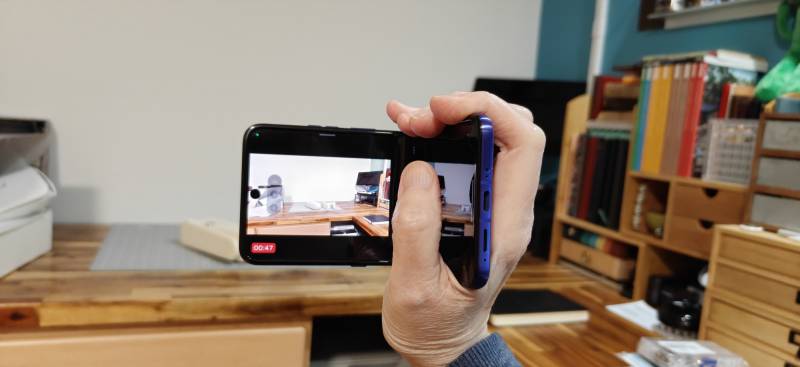
I like the fun way you can hold the ultra like an old-school camcorder, and that you can tilt the phone back and forth to zoom in and out. But oh lordy, is the Zoom feature terrible. Videos come out blurry. Just take a look at the video sample. Ick.
The video above compares the Motorola razr ultra 2026 2026 and the iPhone 16 Pro Max. First of all, I think the colors are a bit oversaturated, but the biggest issue is the zoom quality. You can see how blurry objects are, especially when you compare them to the same footage captured by my iPhone 16 Pro Max. This is my biggest gripe with the Motorola Razr Ultra 2026. Since I use my phone as my primary camera, it has to be great at both photos AND video. As such, I couldn’t see myself using the Razr Ultra as my daily driver.
User Interface, Apps, and AI
The user interface on the Motorola Razr Ultra 2026 has been very enjoyable. I didn’t notice anything frustrating or any problems with any of the apps or settings. As an iOS user for the past 6 yrs, I enjoyed using Android for a week. I could easily switch back to Android if I weren’t so entrenched in the Apple ecosystem, with an Apple Watch, iPad, MacBook Pro, and Apple TV. Yes, I definitely drank too many gallons of the Apple Kool-Aid.
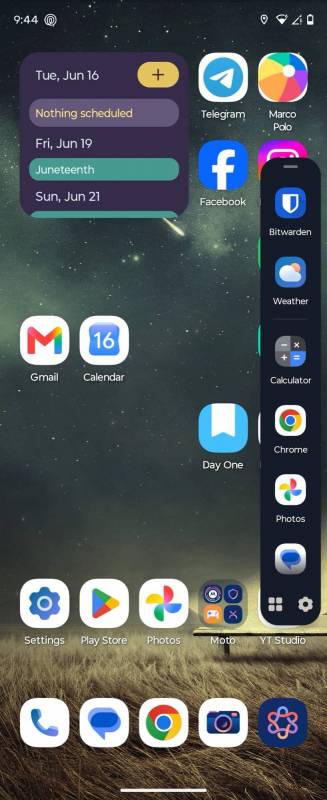
I enjoyed some of the little extras that Moto added to their user interface, too. One thing comes to mind is the side panel. Other Android phones offer this too, and I really wish iOS had this! iOS is so boring compared to Android.
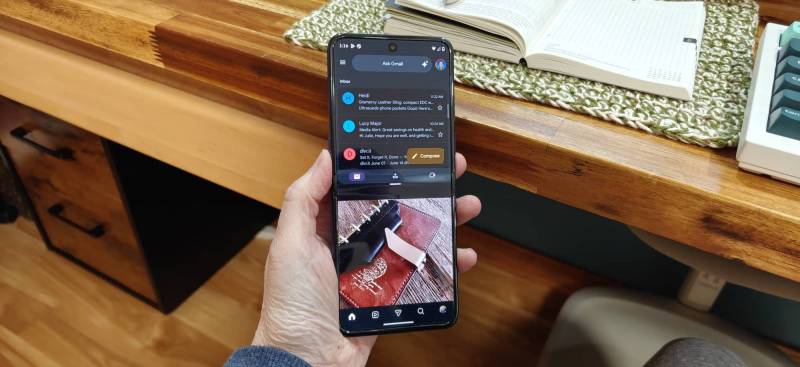
You can also use split screen/multitasking, where two apps run one above the other on the inner display. In the image above, I have Gmail at the top and Instagram below it. Again, why in the heckity-heck doesn’t iOS have this feature in 2026? 🙁 Hmmmm… am I talking myself into flipping back to Android? Maybe… 😉
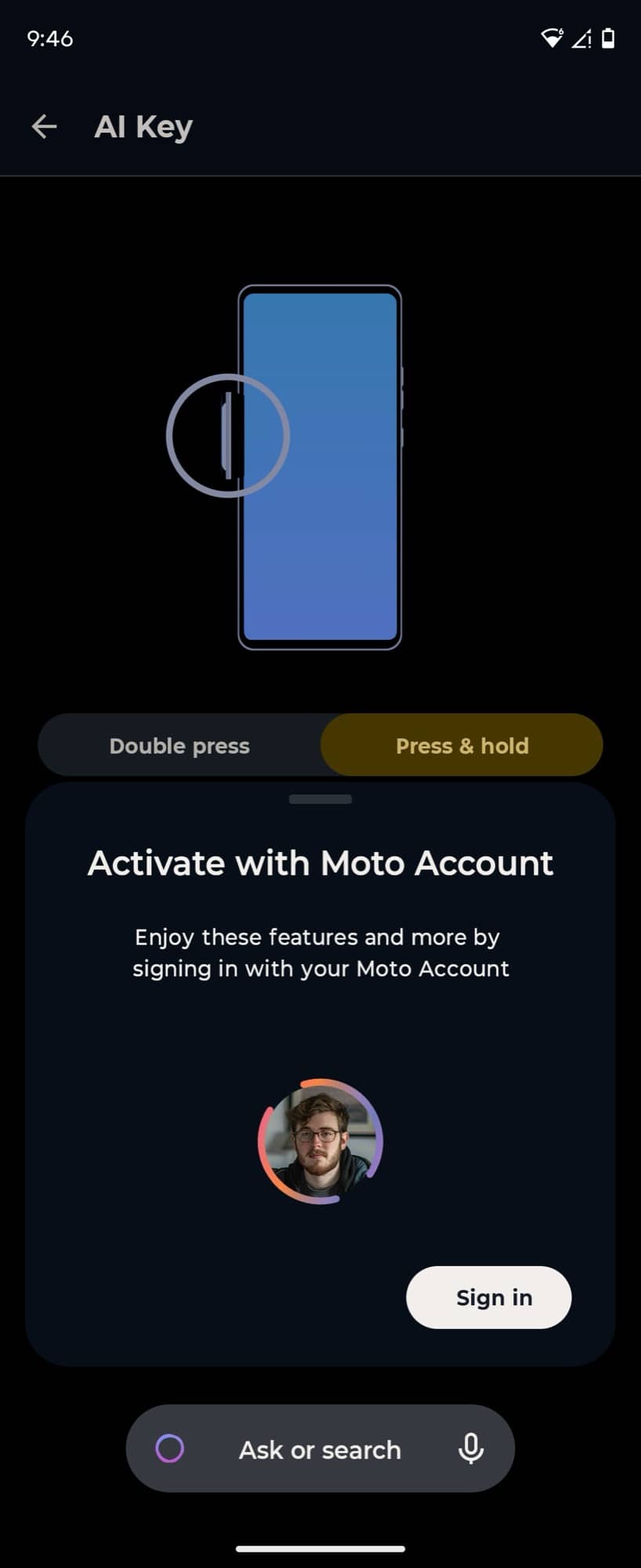
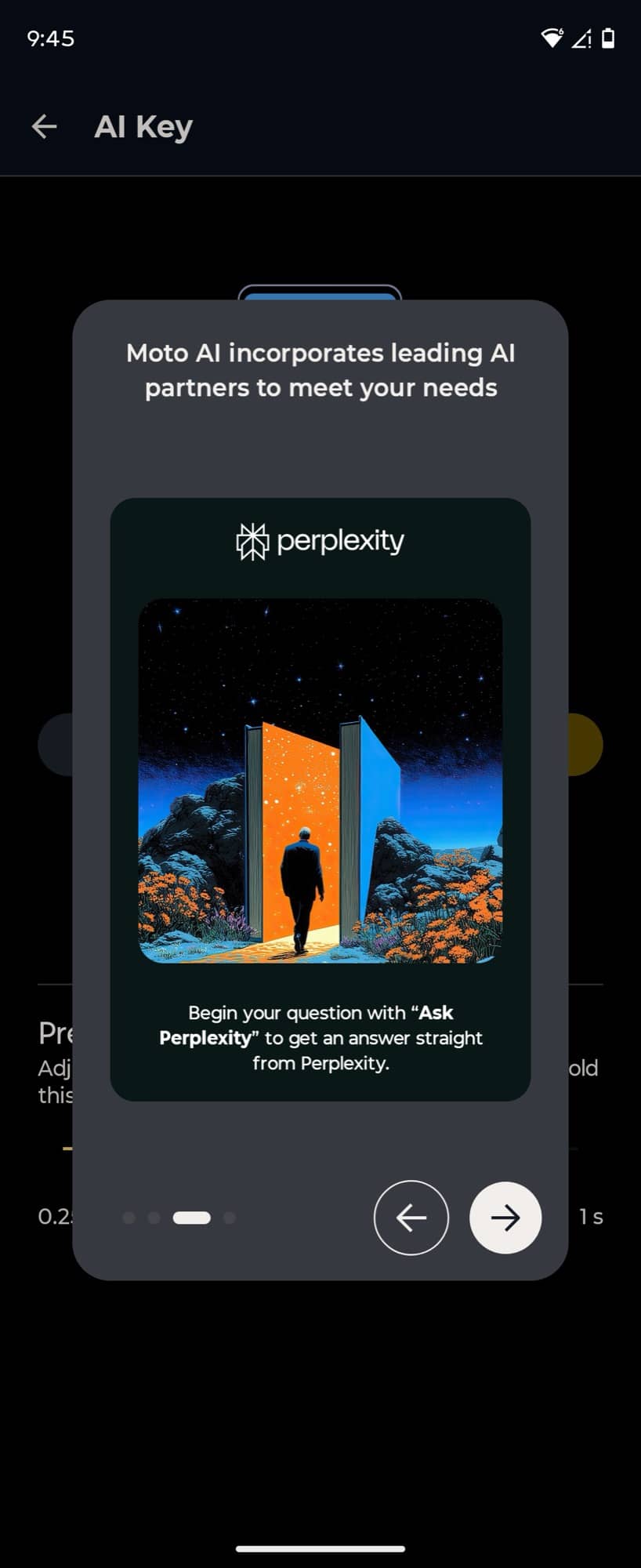
And then there’s AI. Ugh… everyone has to have AI now, and it’s gotten monotonous. With the Motorola Razr Ultra 2026, you have the side button that will launch Motorola’s own AI helper/assistant thingy. With it, you can ask questions, summarize notifications, and create images. Yadda, yadda, yadda.
But with Moto AI, you have to set up a Motorola account to use it and remain logged in to that account in order to use it. Bleh. But to be thorough with this review, I set up an account and tried it out. I wasn’t all that impressed, though. Moto AI couldn’t open an app, and when I had a full stack of notifications from various apps, it wouldn’t give me a summary. It said I was all caught up…
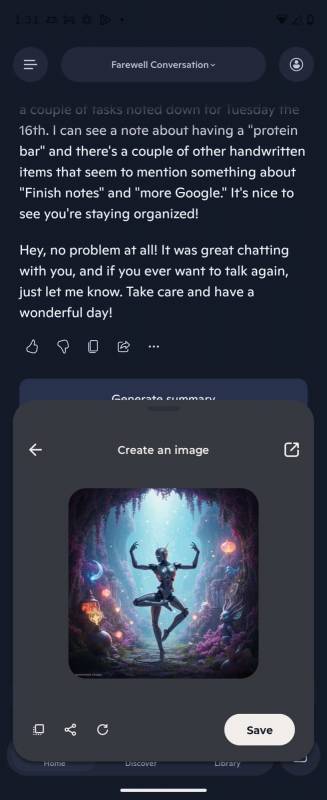
Then I asked it to create an image of a robot dancing, and after tapping a few annoying buttons, the image above is what it came up with. So yeah, not impressed with Moto AI. Copilot, on the other hand, was crazy impressive. It was able to tell me everything it saw in my office and read the text in my handwritten journal.
Fingerprint and Face Unlock
As I mentioned above, the Motorola Razr Ultra 2026’s fingerprint sensor really surprised me. For a little background, I have a LOT of problems with fingerprint sensors on phones, laptops, and other devices. The one on my MacBook Pro never works for me. The fingerprint sensors on Samsung phones never work for me either. They won’t even register a print most of the time! But the Motorola Razr Ultra 2026… it has worked flawlessly over a full week of use. I barely brush the power button with my thumb on one hand or index finger on the other hand, and it instantly unlocks. It’s been a delight!
A little bad news when it comes to face unlock though… Lift the phone, and it unlocks with my face. No problem at all. Yay. But try that in the dark and no luck. Boo. I think the iPhone is the only phone that I’ve come across so far that unlocks in total darkness with my face. This little feature is important to me because I have an odd habit of using my phone under the covers in the middle of the night if I can’t sleep (rarely), and most mornings after the alarm goes off. Luckily, the fingerprint sensor unlocks it, so I don’t have to tap in my PIN. 🙂 Yes, I know, first-world problems.
Making and Receiving Calls with the Motorola Razr Ultra 2026
I am a T-Mobile customer, so I used the T-Mobile app on my iPhone 16 Pro Max to switch the eSIM to the Motorola Razr Ultra 2026. The process took just a couple of minutes, and then the razr was my daily driver for a few days. Switching to it allowed me to give a real test with calls, texts, etc. The only issue I ran into had nothing to do with the ultra and everything to do with iMessage on my iPhone, iPad, and MacBook. Turning it off on all those devices can be frustrating, but it was the only way to make sure I could receive messages on the ultra. But once I completely kicked the iPhone to the curb, I was able to use the Motorola Razr Ultra 2026 exclusively for a few days.
Calls to and from the razr were fine. Clear and without any drops. Texting was no problem either. Same with some of my main connectivity apps: Life 360, Telegram, WhatsApp, Google Maps, and Marco. The only issue I ran into was with notification speed. While the new Marcos gave me an immediate notification,
Overall Performance and Battery Life
When I first started testing the Motorola Razr Ultra 2026, I found that it was slow to unlock after I had first set it up. That concerned me. But whatever that lagginess was at the start, it completely disappeared within a day, and now the phone is as snappy as any flagship phone that I’ve used.
Unlocks, scrolling, app launching, switching, etc., have all been great. No complaints at all. And the battery life has been excellent. Unlike my iPhone 16 Pro Max, which seems to be chugging through juice lately and needs a top-up by 7 pm, the razr was able to power through almost 2 days of normal to medium use.
OS and Security Update Promise
When you spend $ 1,500 on a new phone, you hope it will be your daily driver for a few years. That means major Android OS updates and security updates. While I didn’t see it mentioned on Motorola’s page for the Razr Ultra 2026, I did a quick Google, and this is what I found in the AI Overview section of the search results.
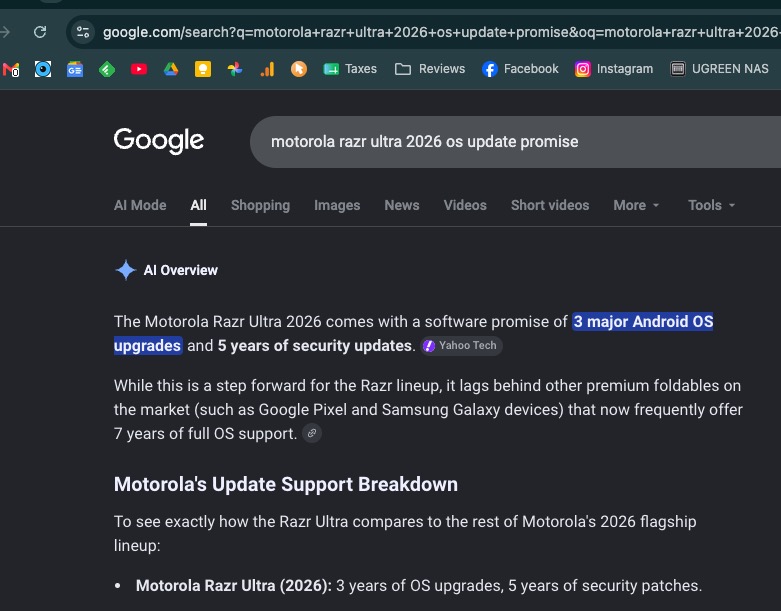
3 major Android OS updates and 5 years of security updates. If this is true, I’m okay with that as I don’t keep a phone for more than 2-3 yrs max. So, 5 years of security updates seems pretty fair.
Final Thoughts
The Motorola Razr Ultra 2026 is one of those phones that feels fun to use, and that’s not something I say often about smartphones these days. The flip design isn’t just a gimmick. It changes how you interact with your phone, especially with that surprisingly capable outer display and the pocket-friendly form factor. Add in excellent battery life, a fantastic fingerprint sensor, and solid overall performance, and Motorola has created a device that’s easy to like.
That said, “easy to like” doesn’t quite translate to “easy to recommend” when the price tag is $ 1,500. For me, the biggest sticking point is the video quality, particularly the disappointing zoom performance. Since I rely heavily on my phone as my everyday camera, that alone keeps the Motorola Razr Ultra 2026 from replacing my iPhone 16 Pro Max as my daily driver. The AI features also feel more like checkbox additions than meaningful tools, and the lack of a power adapter at this price still feels stingy.
If you’re someone who values style, portability, and a more playful smartphone experience, and you’re willing to accept a few compromises, the Motorola Razr Ultra 2026 is a flip phone that stands out in a sea of boring slabs. But if camera performance (especially video) is high on your checklist, you may want to think twice before flipping open your wallet for this one.
The Motorola Razr Ultra 2026 retails for $1499.99; it is available directly from the manufacturer and other retailers, including Amazon.
Source: Manufacturer-supplied review sample.
What I Like: Awesome battery life; Ability to access/use apps on external display while closed; Fingerprint sensor works great; Pocketable when folded
What Needs Improvement: Face unlock doesn’t work in total darkness; Video quality isn’t great – especially zoom; At this price, a power adapter should be included in the box

I’m looking forward to the new flip-phone that is worth it. Really like this implementation except for the stated performance issues – really shouldn’t have video/photo issues at this point. My pockets will keep waiting for whoever cracks it.
Same here. Every year these flip phones get closer, but “almost there” is getting harder to justify at flagship prices.
Same here. Every year these flip phones get closer, but “almost there” is getting harder to justify at flagship prices.
This seems like a good flip phone, but the price seems quite a bit higher than most flip-style foldables.