
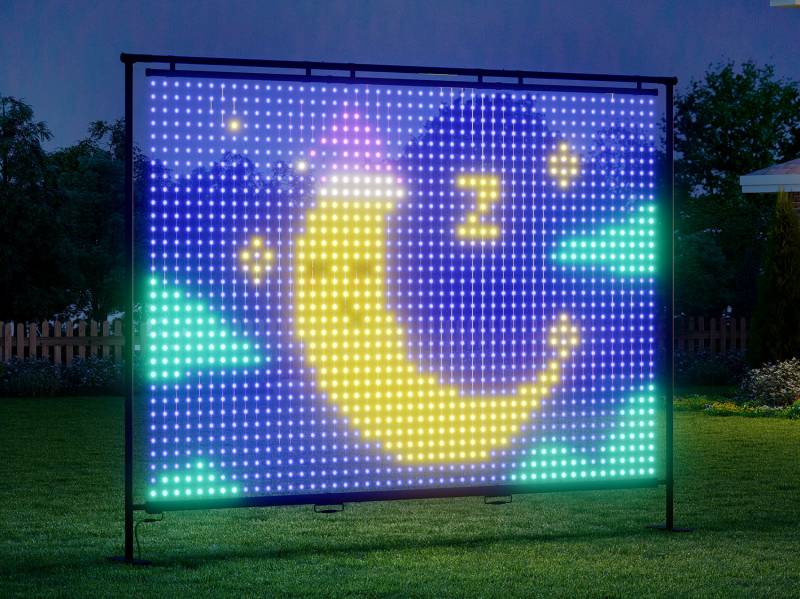
Govee Lightwall is the company’s latest attempt to turn decorative lighting into something bigger, more flexible, and a little more theatrical. Priced at $449.99, it is a portable RGBIC light display with 1,536 LEDs, a detachable frame, weather resistance for outdoor use, and enough customization tools to appeal to both people who want instant party lighting and those who plan to spend an evening designing their own animated scenes.
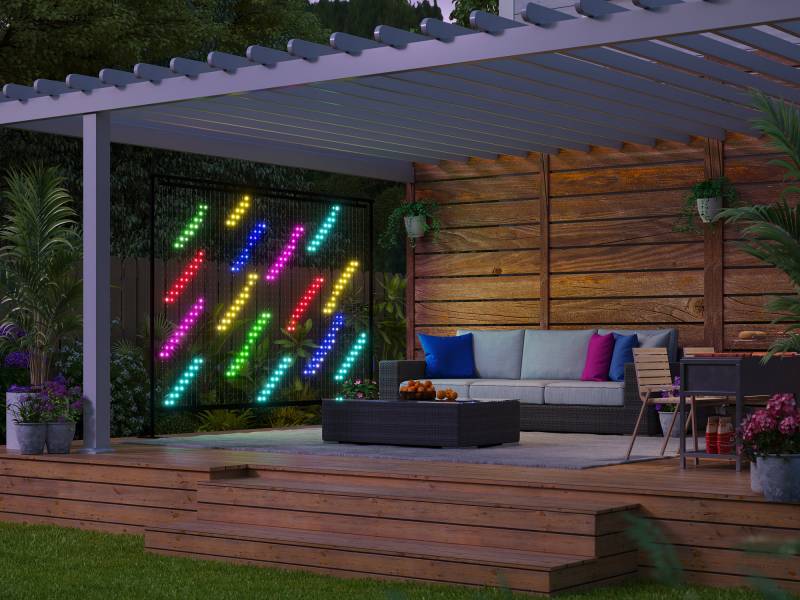
A Light Wall That Is Meant to Leave the Wall
There is no shortage of smart lights that look good once mounted and are then forgotten. The Govee Lightwall is trying to solve a different problem. Instead of treating lighting as a fixed part of a room, Govee is pitching this as something you can set up for a backyard barbecue, move to a poolside hangout, bring along for a camping trip, or prop up for a birthday party and then pack away when the night is over.
That distinction matters. A lot of decorative smart lighting is great in theory until you realize it involves adhesive strips, permanent placement, or a weekend project you didn’t volunteer for. Here, Govee has built the Lightwall around a detachable aluminum frame that the company says can be assembled or taken down in 10 to 15 minutes without tools. In plain English, this is meant to be a temporary setup, not a commitment.
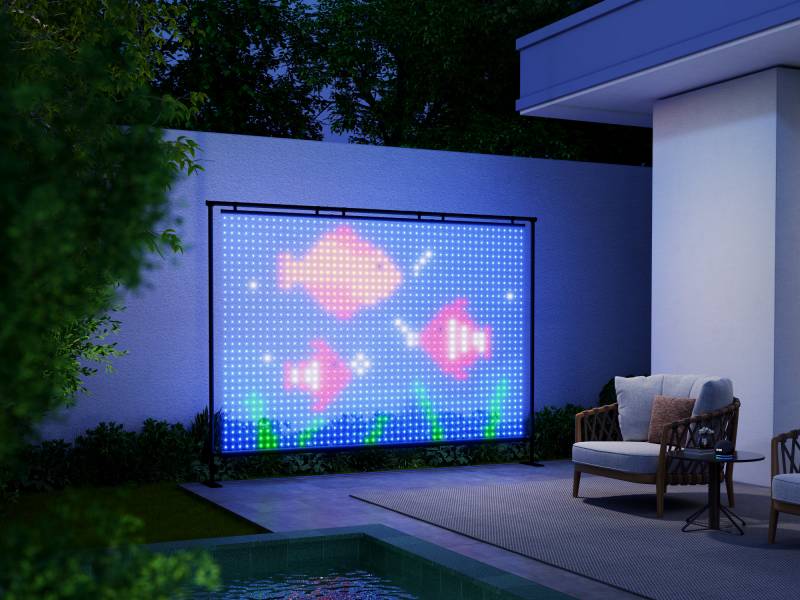
The Lightwall measures 6.23′ x 8.53′, so it is large enough to act as a visual focal point rather than just accent lighting. Govee also includes a carrying case, which sounds mundane until you remember that portable gear only stays portable if it isn’t a pain to move.
Why the LED Count Matters
The headline spec here is the 1,536-LED array arranged in a 32 x 48 pixel grid. Govee says that gives the Lightwall the highest LED density in its class, and even if that claim deserves the usual fine print, the practical takeaway is easier to understand. Packing more LEDs into a large display generally means images and animated effects look sharper and less blocky.
In this case, the pixel pitch is 5 cm, or 1.96″, which is the distance between those individual points of light. Smaller spacing usually translates to better detail, especially when you are standing fairly close. That is part of what separates the Lightwall from Govee’s Curtain Lights Pro, which uses 960 LEDs with a wider 5.5 cm, or 2.17″, pixel pitch on a smaller 5′ x 6.6′ format. The Curtain Lights Pro still covers plenty of ground for a window or wall display, but the Govee Lightwall is clearly the bigger and more ambitious canvas.
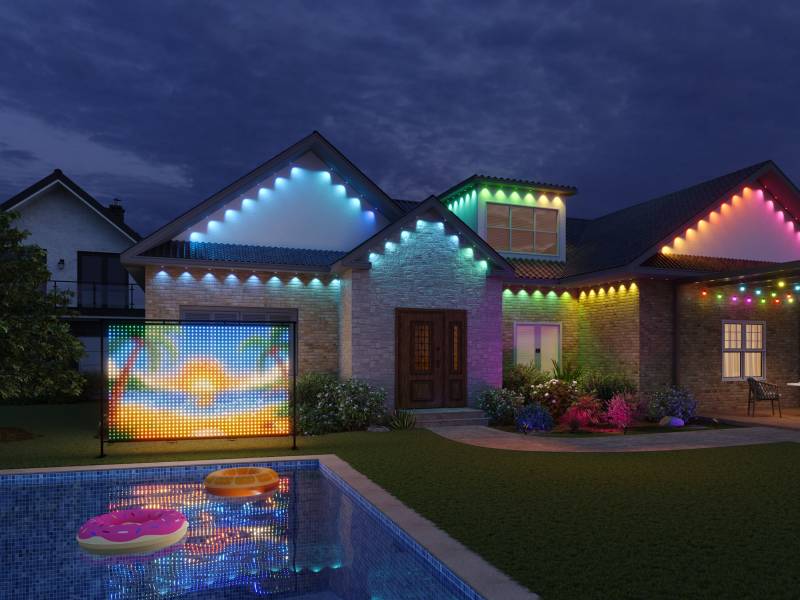
Govee also sets the Lightwall’s frame rate to 35 FPS. That means it refreshes the moving image 35 times per second, which helps animations look smoother. For comparison, the Curtain Lights Pro tops out at 30 FPS. Five extra frames per second won’t rewrite the laws of physics, but it can make moving effects look a bit less choppy. When the whole point is animated light art, that difference isn’t nothing.
Built for the Outside, but Not Only the Outside
Govee is leaning hard into outdoor use, and fairly so. The Govee Lightwall’s light string and adapter are rated IP65; those ratings are shorthand for resistance to dust and water. In normal person terms, it should be able to handle weather, splashes, and general outdoor messiness better than the average indoor gadget. That makes it more plausible for use beside a pool, under a tent, or in a backyard where the forecast has decided to keep things interesting.
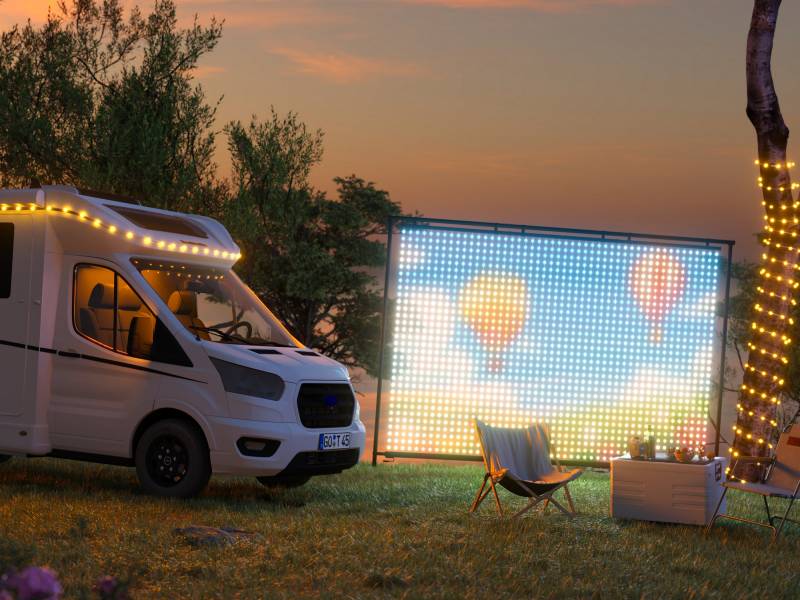
Still, this doesn’t make it an all-weather monument. Portable outdoor gear tends to live or die by how much trouble it is to set up, take down, and protect between uses. The Lightwall sounds more realistic than most on that front because it is designed to be moved, not left standing as a permanent backyard installation.
That is also one of the clearest differences from the Curtain Lights Pro. The lower-priced model, which sells for $199.99, relies on pipe mounting or hooks for installation. That is fine if you already know where you want it. The Govee Lightwall’s freestanding aluminum frame gives it much greater flexibility, which helps explain why it costs more than twice as much.
More Than Preset Effects, for Better or Worse
Govee says the Lightwall comes with more than 200 preset scenes, including options tuned for outdoor parties and similar events. That is the easy part. Plug it in, tap around in the app, and you have a mood.
Where things get more interesting is in the deeper customization. The Govee Lightwall supports AI Lighting Bot 2.0, which lets you type a prompt and turn it into a GIF-style lighting effect. As always, the idea sounds more magical than the likely results, but it could be useful for quick themed visuals when you don’t want to build something from scratch. If you want more control, Govee also includes 30 DIY canvas layers, so you can stack and edit your own designs with more complexity.
The Lightwall also supports image and GIF uploads, which may be one of the more practical features here. You may not need a chatbot to invent a dolphin leaping from the sea, but uploading a simple graphic, a holiday design, or a themed animation for a party is easier to picture in everyday life.
Music sync is built in too, with 10 modes on the Govee Lightwall that react to sound in real time. That makes sense for parties, game nights, or outdoor movie setups where you want the lighting to feel tied to what is happening, rather than just glowing politely in the corner.
The Smart Home Features are Familiar, Which Is a Good Thing
The Lightwall connects through the Govee Home app for scenes, scheduling, and DIY tools, and it supports Matter, Amazon Alexa, and Google Home. That means it should slot into an existing smart home setup without too much drama, at least in theory. Matter compatibility is especially useful because it gives you a more universal way to connect smart devices across brands, rather than getting locked into one company’s ecosystem and hoping for the best.
It also supports DreamView for multi-device sync and SceneStage, so if you already own other Govee lights, you can coordinate them into a larger setup. That is potentially compelling if you are the kind of person who likes the room, patio, and backdrop all moving together. It is also the point where “ambient lighting” starts edging into “personal light show,” which will either sound delightful or exhausting depending on your tolerance for spectacle.
Who Is This For?
The Govee Lightwall doesn’t look like an impulse buy, and it probably shouldn’t cost $449.99. This is a niche product, but it is a more understandable niche than some smart lighting experiments. If you host often, like seasonal decorating, run outdoor movie nights, or want a portable animated backdrop for gatherings, the extra size, denser LED layout, smoother motion, and freestanding design make a real case for themselves.
If your goal is simply to add smart decorative lighting to a window or wall, the Govee Curtain Lights Pro remains the more economical option at $199.99, and it still includes many of the same core features such as 200+ preset scenes, Matter support, voice assistant compatibility, DreamView sync, SceneStage, AI Lighting Bot 2.0, 30 DIY layers, and image or GIF uploads. The Lightwall isn’t replacing that product so much as moving into a different category where portability and scale matter as much as lighting effects.
For anyone curious whether that category fits their life, that is the real question. The Govee Lightwall looks less like a smart home essential and more like specialized event gear that happens to work with Alexa. For the right setup, that could be useful. For everyone else, it may simply be a very elaborate way to make the backyard glow.


Be the first to comment on "Govee Lightwall Launches with 1,536 LEDs, Portable Design, and a Bigger Smart Lighting Canvas Than Curtain Lights Pro"