
The Lowdown
The Balolo Setup Cockpit Large is a premium modular desk shelf that transforms cluttered workspaces into a cleaner, more functional setup. Its solid wood construction, sturdy metal accessories, and flexible underside mounting system let me create dedicated homes for laptops, tablets, Stream Decks, phones, cables, pens, and journals. The optional trays and mounts are thoughtfully designed and easy to reposition as needs change. It is expensive, especially once accessories are added, and installation can be a little awkward. But if you value high-quality materials, customization, and a desk that looks as good as it works, it is a compelling upgrade.
Overall
Pros
- Premium wood-and-metal construction
- Modular mounting grid
- Useful selection of trays and device mounts
- Good cable-management potential
- Makes a desk look cleaner and more productive
- Flexible accessory placement
- Stream Deck and tablet mounts are especially handy
Cons
- The full system becomes expensive once accessories are added
- Installing some accessories can be awkward
- Included Allen wrench can be hard on the hands
- Center support may conflict with certain monitor bases depending on placement
My office is my happy place, but even a happy place can get a little too cluttered. Between a widescreen monitor, MacBook, iPad, Stream Deck, phone charger, pens, journals, cables, and assorted little trinkets and gadgets, my desk was functional but definitely not tidy. The BALOLO Setup Cockpit was designed to fix exactly that problem. Let’s see if this luxury upgrade has made my desk setup more functional and fun.
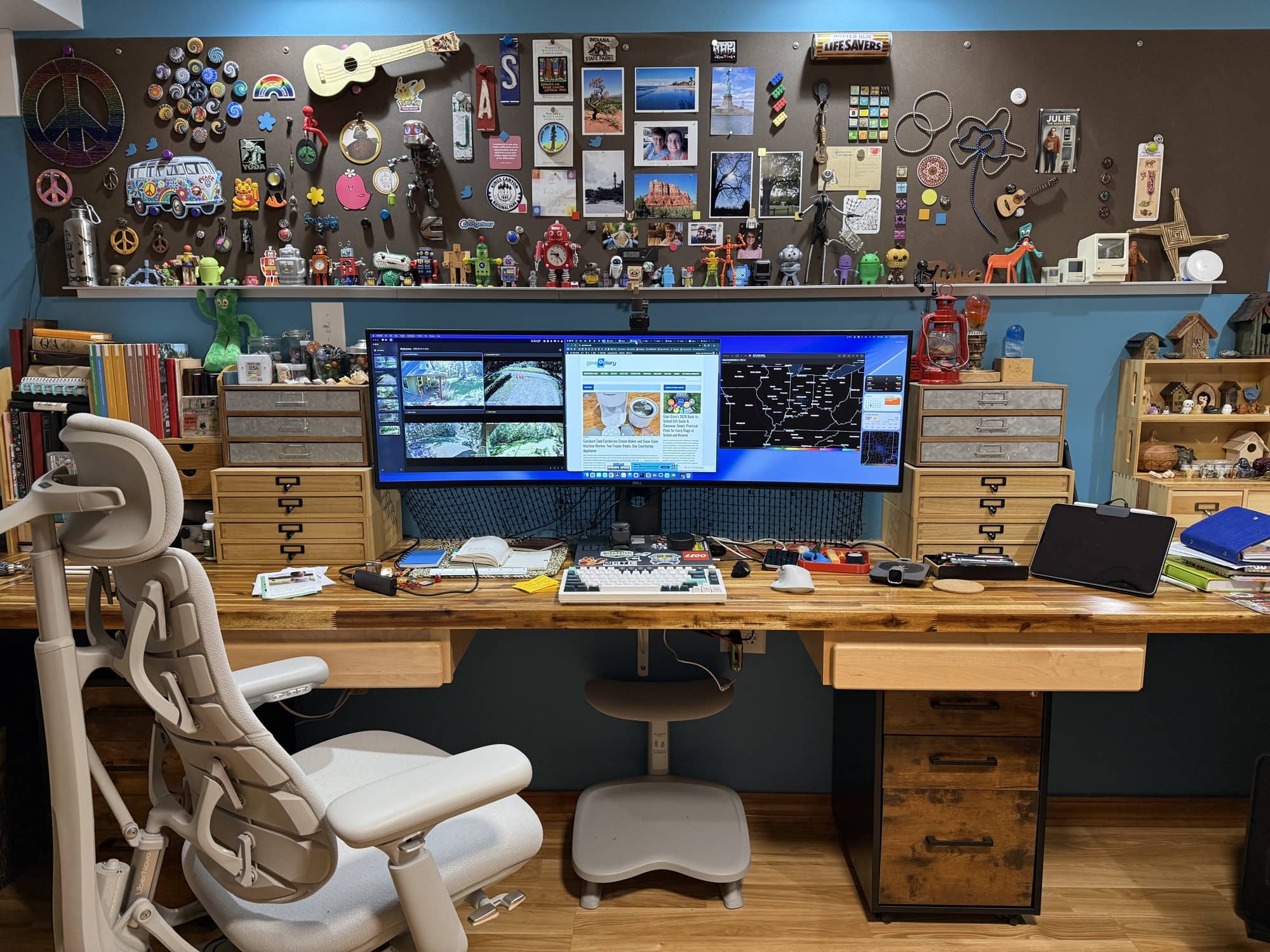
My desk setup BEFORE updating it with the BALOLO Setup Cockpit
What Is It?
The BALOLO Setup Cockpit is a German-designed modular desk shelf and monitor stand that brings a little order and style to your workspace. The large version measures 45 inches wide, so it is long enough to sit beneath a large monitor setup or potentially support up to two displays, depending on their size and placement.
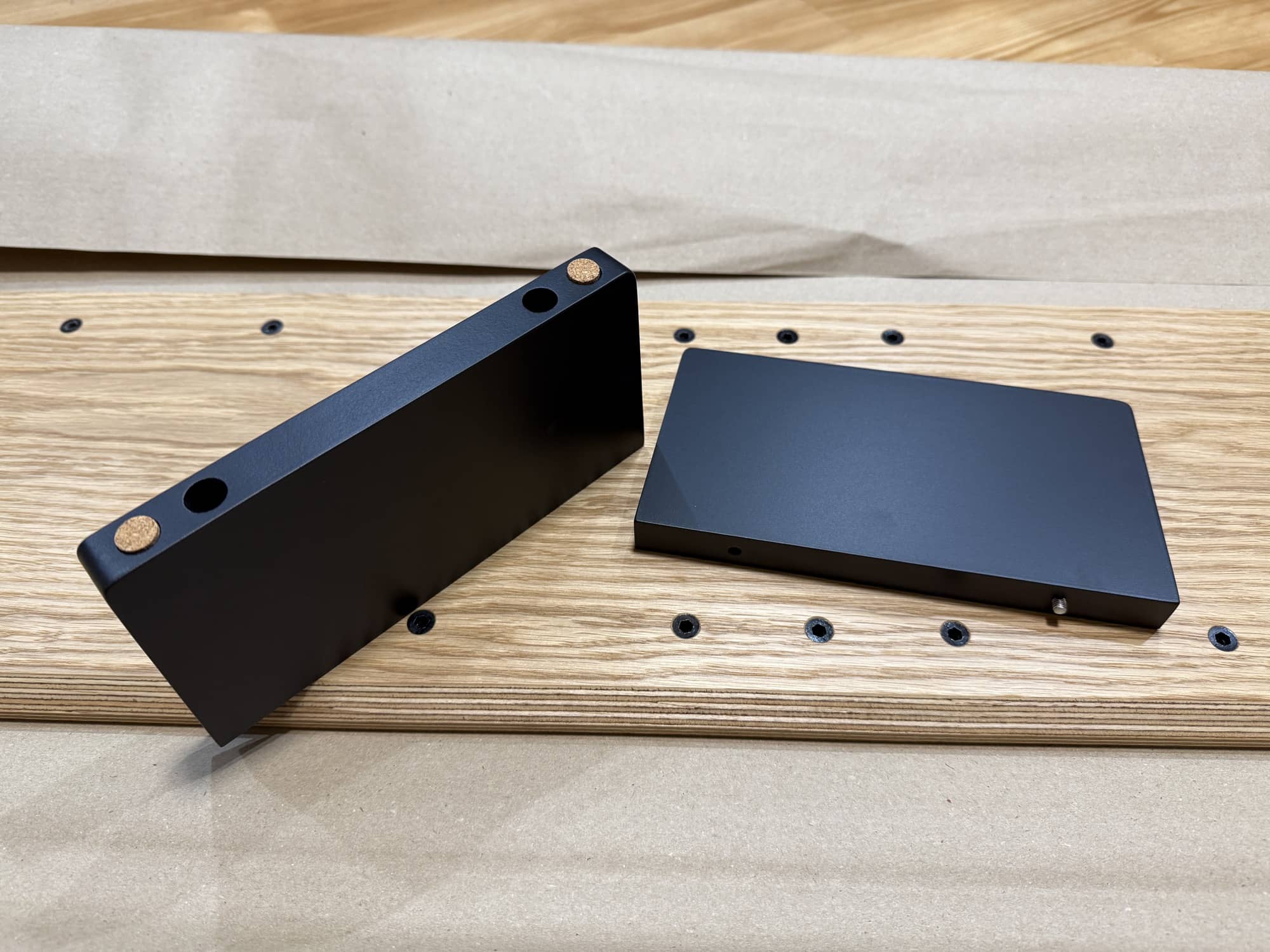
But calling it a monitor stand doesn’t tell the whole story. The real appeal is the mounting spots on the shelf’s underside. BALOLO sells an assortment of accessories that attach to these spots, turning the shelf into a customizable desktop organization system. You can add trays for storage, holders for a laptop, phone, or tablet, a mount for an Elgato Stream Deck, headphones, cable management, and more.
You start with the wooden shelf, then configure the rest around how you actually work. For my setup, that meant making space for my MacBook, iPad, Elgato Stream Deck, MagSafe charger, pens, journaling supplies, and a few random gadgets that seem to accumulate around the desk of a product reviewer like me.
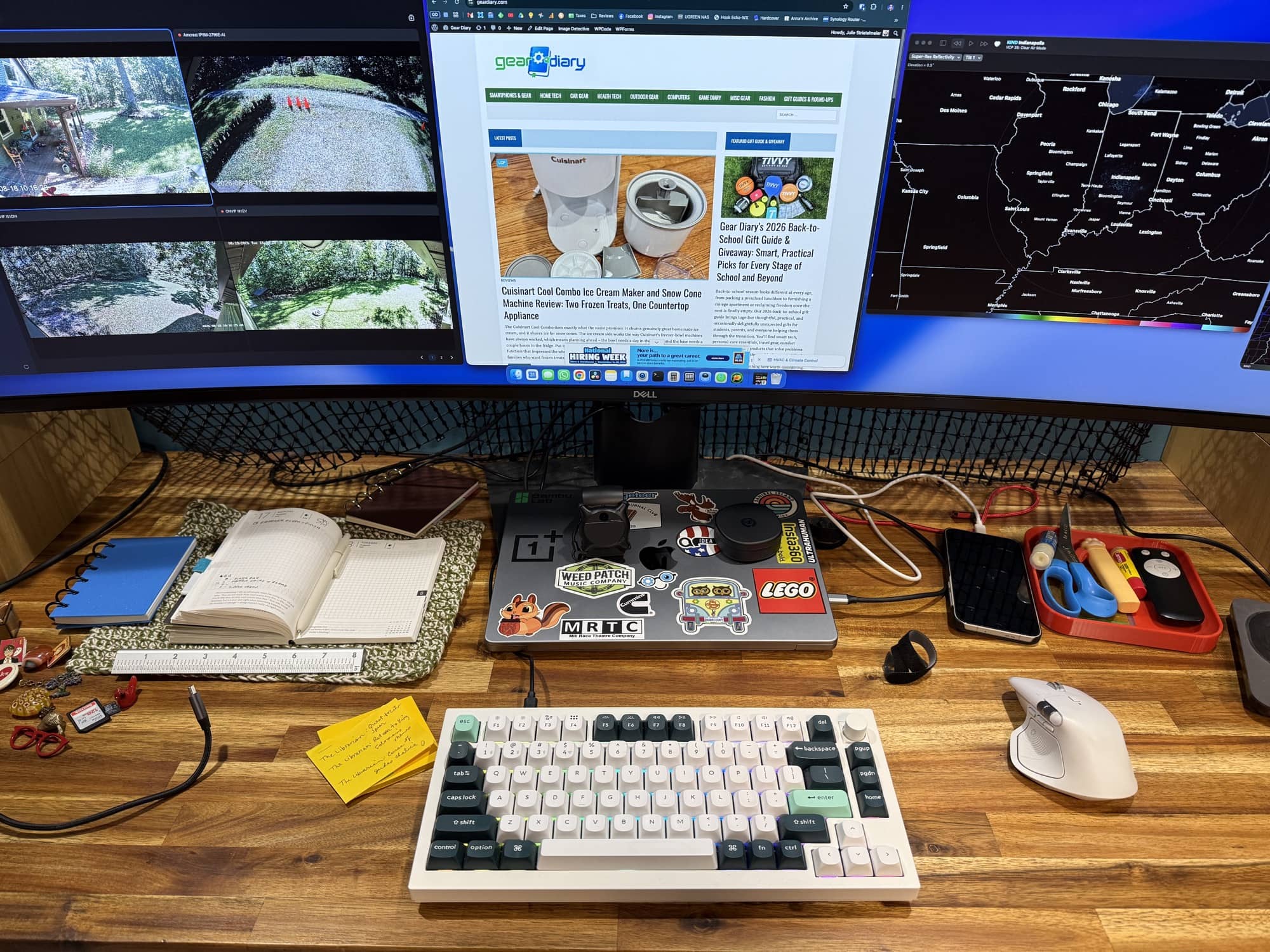
My desk setup BEFORE updating it with the BALOLO Setup Cockpit
If your desk has become a collection point for cables, charging devices, notebooks, cameras, controllers, and assorted tech clutter, the Setup Cockpit lets you get much of it off the desktop without putting it out of reach.
The BALOLO Setup Cockpit Large is available in American walnut, oak, and black-stained oak finishes, with each unit receiving a numbered stainless-steel plaque. It definitely looks and feels like a premium piece of furniture, not a generic desk riser you would pick up at your local office-supply store.
What’s in the Box?
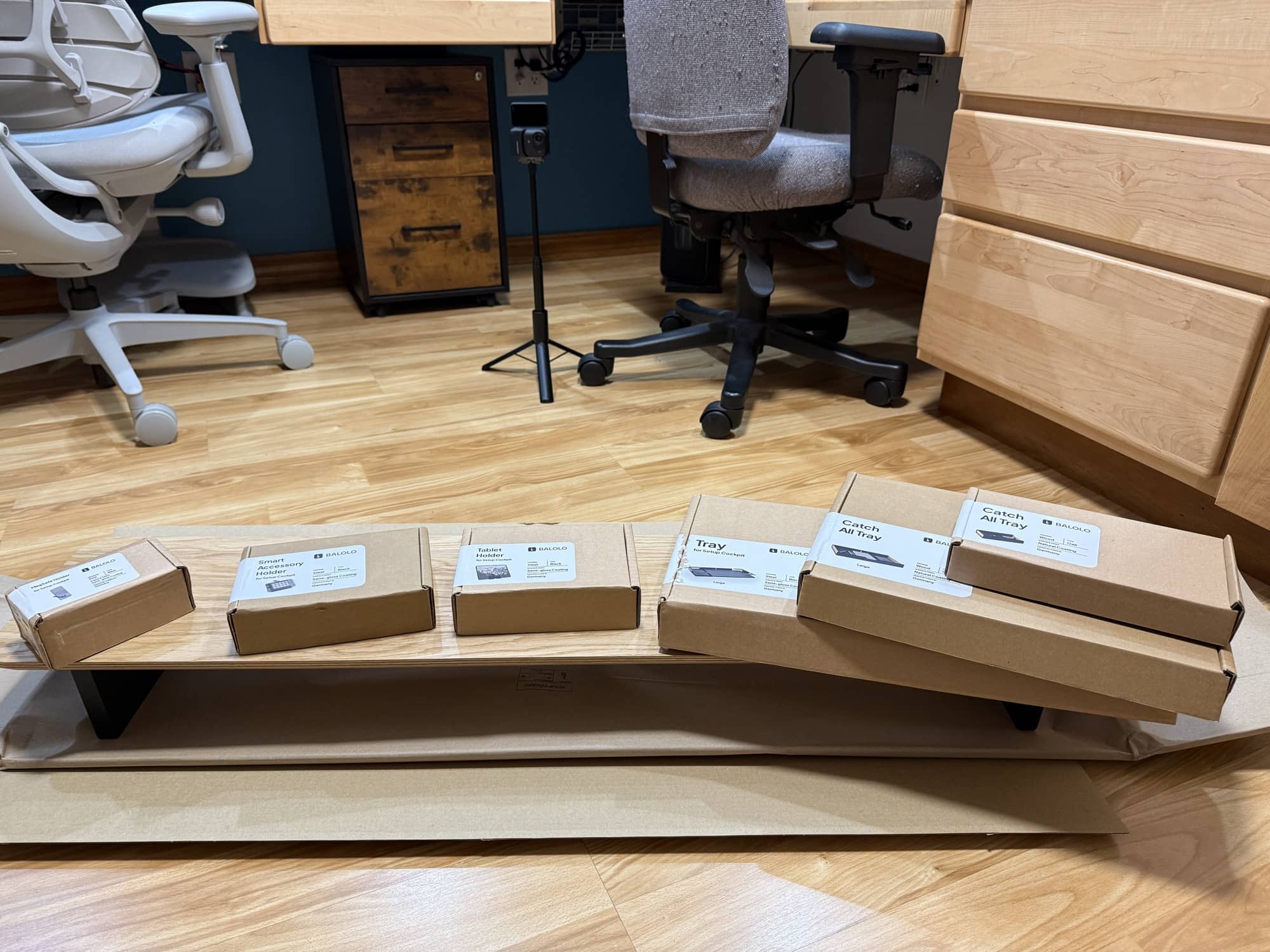
The basic BALOLO Setup Cockpit comes wrapped and packaged in recyclable cardboard and kraft paper with no styrofoam to deal with (yay!). My review package included the Setup Cockpit Large and a selection of modular accessories, which are optional purchases. Balolo sent me three trays: a large laptop tray that mounts to the Setup Cockpit, plus a large catch-all tray and a smaller catch-all tray that slide underneath the shelf.
The laptop tray is especially useful if you use a laptop alongside a desktop monitor. It is wide enough for my MacBook with room remaining on the side for a notebook, pen, or other small item. The tray is made from thick metal and has a felt lining, so it protects a laptop from scratches while keeping it securely in place.
I also received a tablet holder, which works with an iPad and can also be used with a phone. The review kit also includes an Elgato Stream Deck mount, a MagSafe holder, and cable organizers. The cable organizers can be mounted at the back of the Setup Cockpit to route cables away from the visible part of your desk and toward the back where they belong.
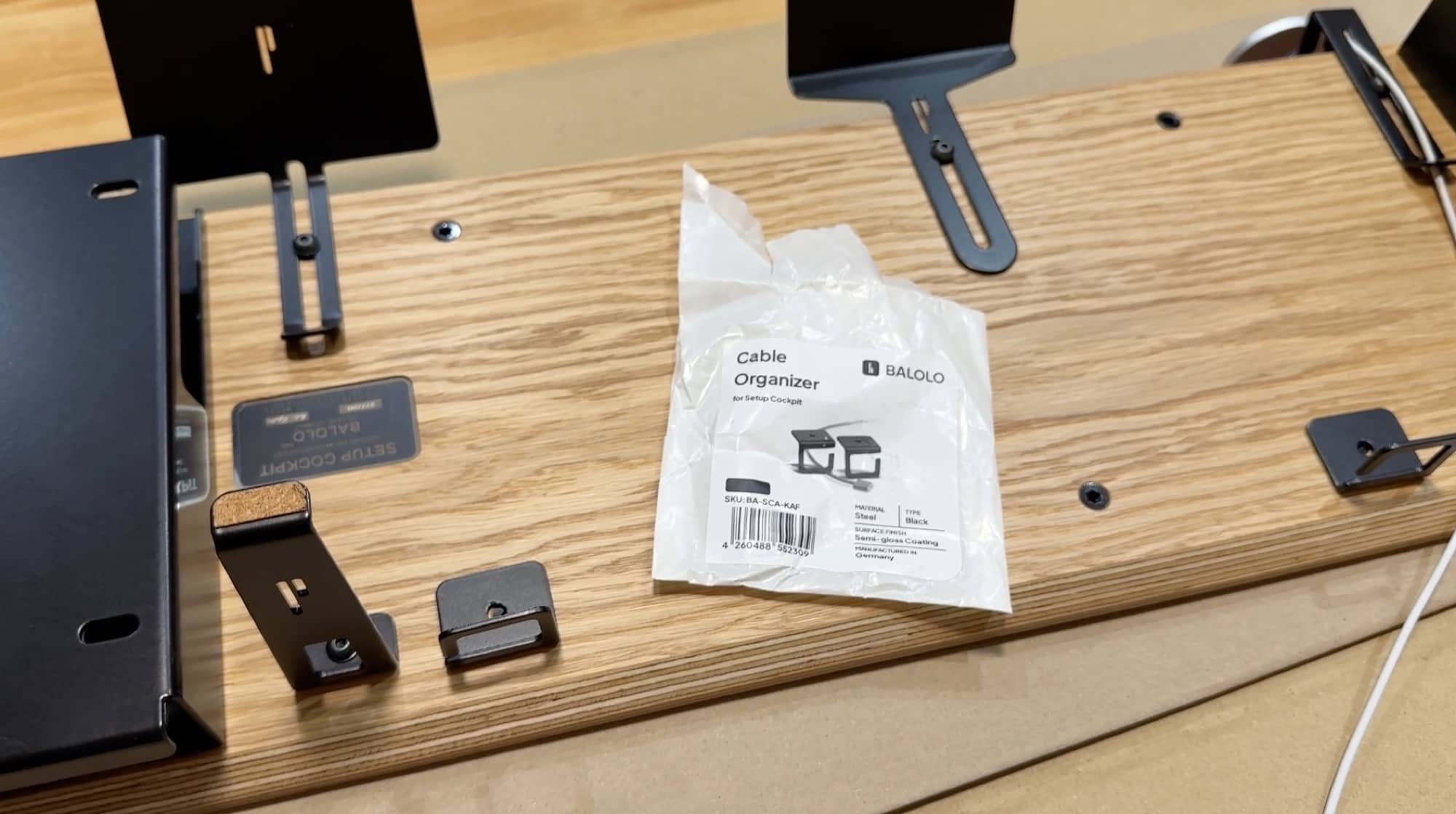
The important thing to understand is that accessories are not included with the basic Setup Cockpit. BALOLO offers these pieces separately, so you can buy only the parts that make sense for your setup. That is good because not everyone needs a Stream Deck mount, tablet holder, or MacBook tray. On the other hand, it also means that a fully accessorized Cockpit can become very expensive very quickly.
Tech Specs
The BALOLO Setup Cockpit Large is a big desk accessory, and its specifications reflect that.
- Dimensions: 45 x 9.1 x 4.7 inches, or 114 x 23 x 12 cm
- Clearance beneath the shelf: 3.9 inches, or 10 cm
- Weight: 6.6 pounds, or 3.8 kg
- Maximum load capacity: 50 pounds, or 25 kg
- Materials: American walnut, oak, or black-stained oak; birchwood; MDF feet with a semi-gloss finish
- Design: Ruben Keferstein
- Manufacturing: Germany
- Modular mounting system: Mounting grid underneath the shelf for compatible add-ons
The shelf is designed to elevate up to two screens to a more ergonomic height, though that will depend on your monitor setup, desk depth, and seating position.
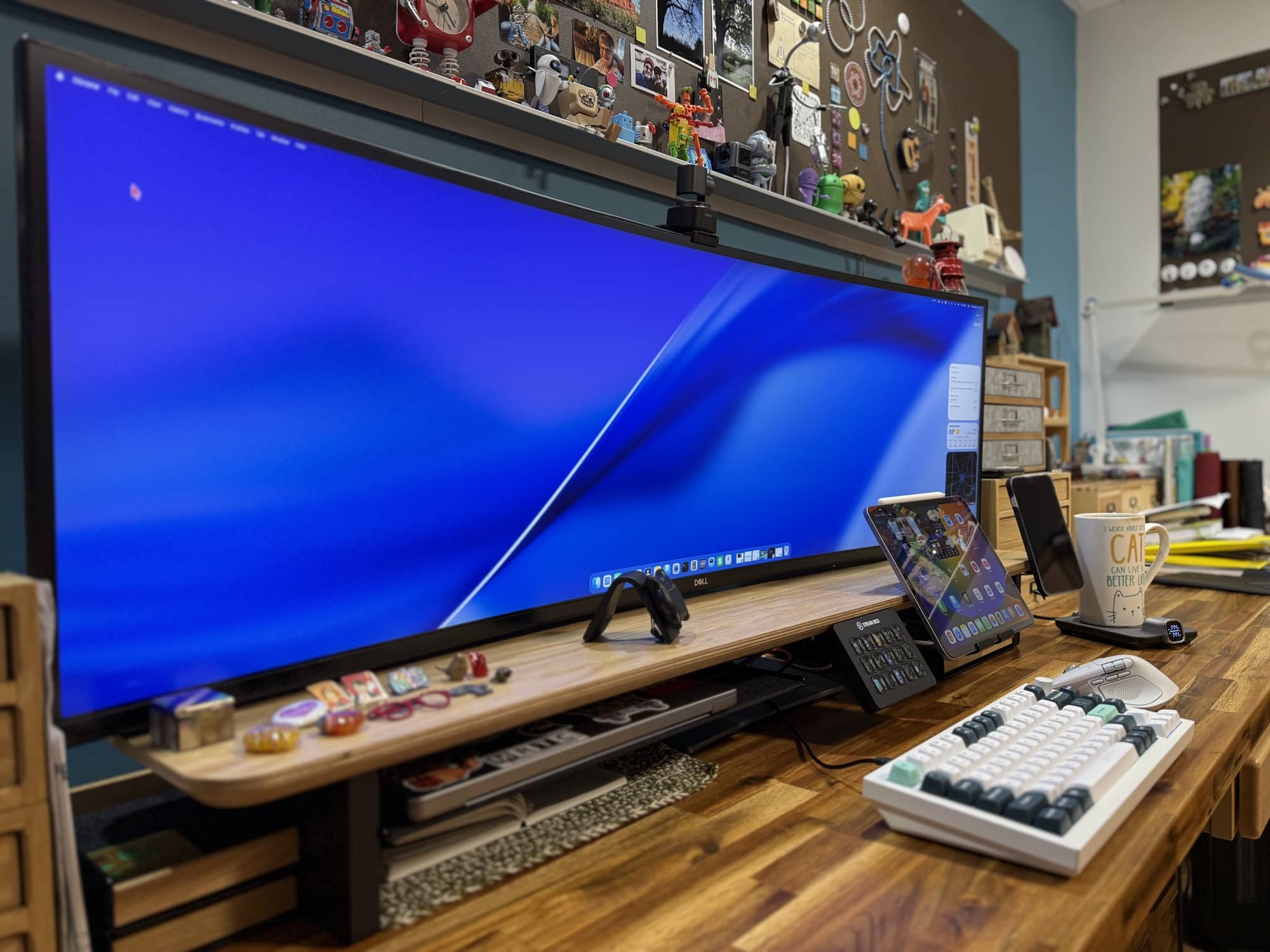
In my case, I did not place my ultrawide monitor on top of the BALOLO Setup Cockpit. Doing so would have put it too high for me, which would not have been comfortable or ergonomic. Instead, I placed the Setup Cockpit below my monitor, using it primarily as an organizational shelf, with accessories extending around the monitor stand.
That is worth mentioning because the BALOLO Setup Cockpit does not have to be used in only one way. Yes, it is marketed as a monitor stand, and it can absolutely do that. But if your monitor is already at the right height or sits on an arm, you can use the Cockpit as a beautiful, modular shelf that adds storage and utility to the area below and around your display.
Design and Features
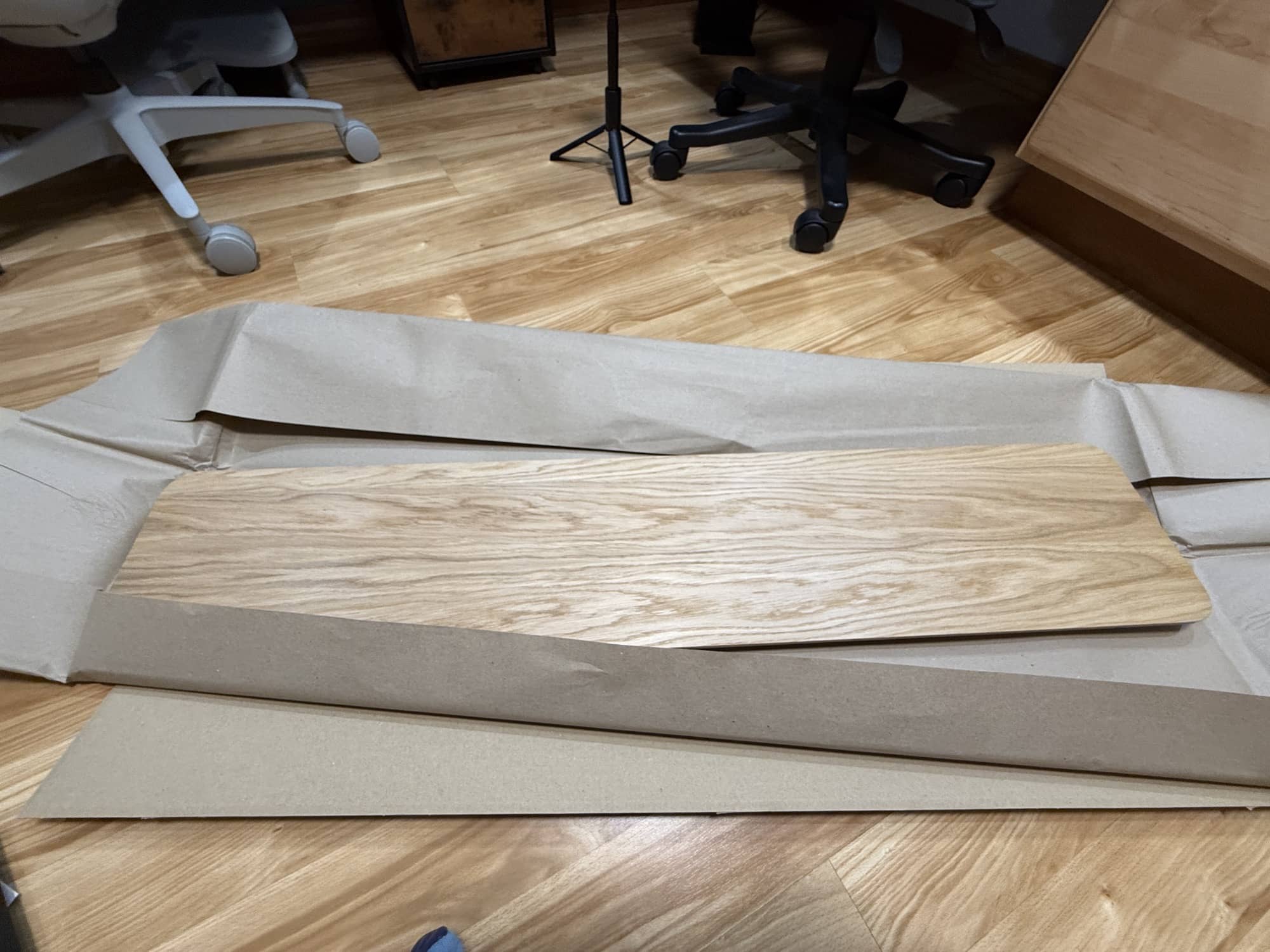
This is where the BALOLO Setup Cockpit earns its luxury-product description. The shelf is solid, heavy, and beautifully made. It doesn’t feel like it will flex, wobble, or gradually fall apart after a year of holding monitors and accessories. The wood looks great, the finish is attractive, and the accessory hardware is equally substantial.
The large shelf immediately gave my desk more presence. It made the setup look more deliberate and less like I had simply placed a bunch of technology wherever there happened to be an open space. That may sound superficial, but when your desk is where you work, create, organize, and spend hours every day, the way it looks matters.
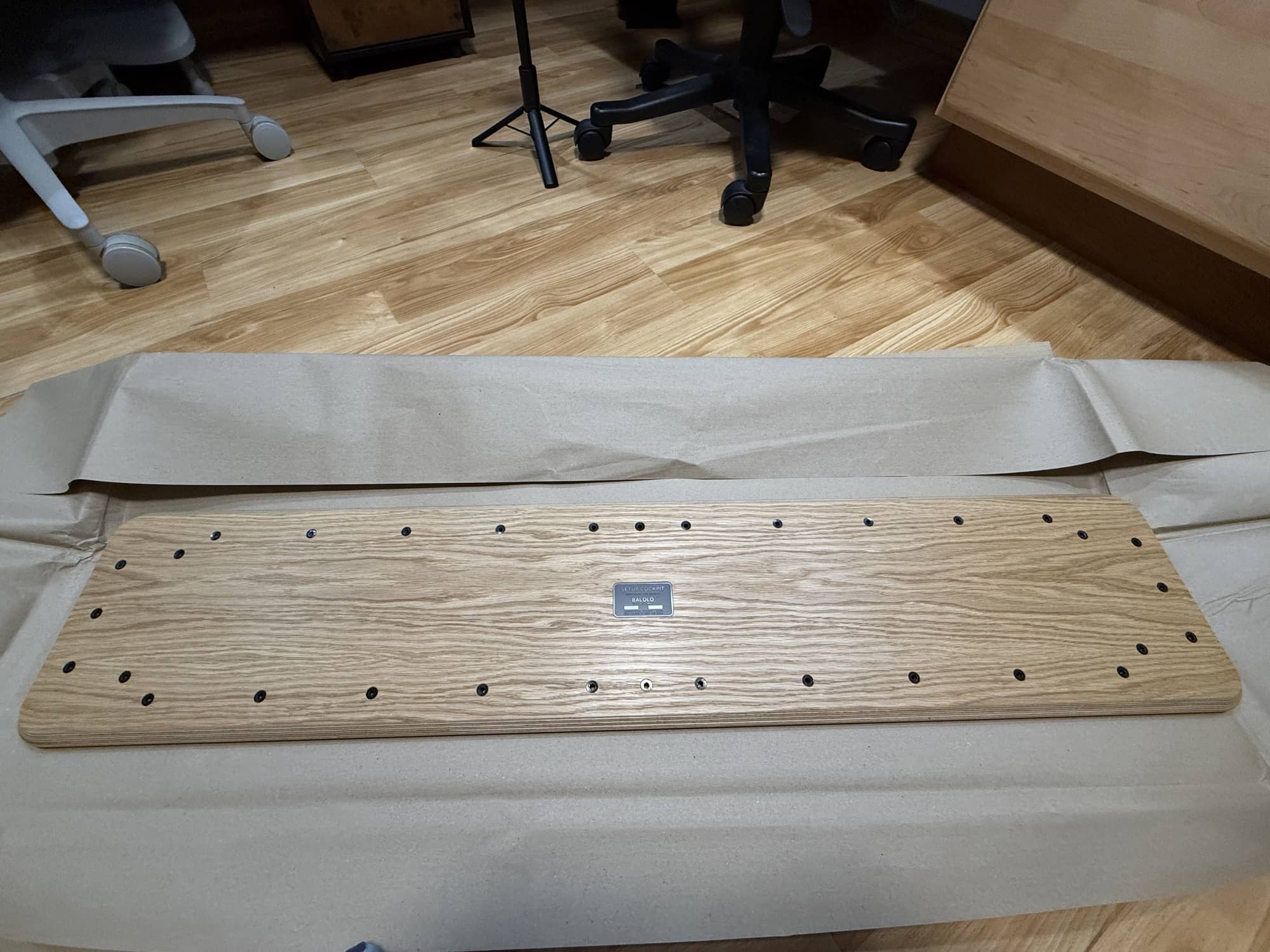
The mounting grid/points on the bottom of the shelf are the standout feature. Instead of committing to one layout, you can reposition compatible accessories as your needs change. BALOLO says that accessories can be moved simply by unscrewing them from one mounting point and attaching them elsewhere on the grid. That makes the system feel much more flexible than a traditional desk shelf with a fixed drawer or cubby arrangement.
The laptop tray was one of my favorite additions. It keeps my MacBook up and out of the way while still making it easy to grab. The heavy steel construction is reassuring, and the felt lining is a thoughtful touch. It does not just look good; it protects the device it is holding.
The Stream Deck mount was another winner. I use the Elgato Stream Deck regularly, but it is easy for a device like that to take up prime desk real estate. Putting it on a dedicated mount keeps it accessible and angled nicely while getting it out of the main work area.
The tablet holder worked well with my iPad. I can use it as a second display for my larger setup, or I can use it to watch a video, keep an eye on something while working, or just have a screen available without it lying flat on the desk.
Then there is the MagSafe holder. Mounted to the Setup Cockpit, it lets me keep my phone charging in a visible, convenient spot instead of letting it disappear under a stack of gear or cables.
The catch-all trays are simple but useful. One holds my pens and journaling stencils, with room for more. The smaller tray has become a home for a charger and small items that would otherwise end up scattered around the desktop. The ability to slide these trays underneath the Cockpit means they are available when I need them but do not clutter the visual space.
I also appreciate the cable organizers. Cable management is rarely fun, but it makes a huge difference once everything is in place. The organizers let me route device cables through the back of the Setup Cockpit and down toward the power source. That is a much cleaner solution than having charging cables draped across the desk.
Some Assembly Required
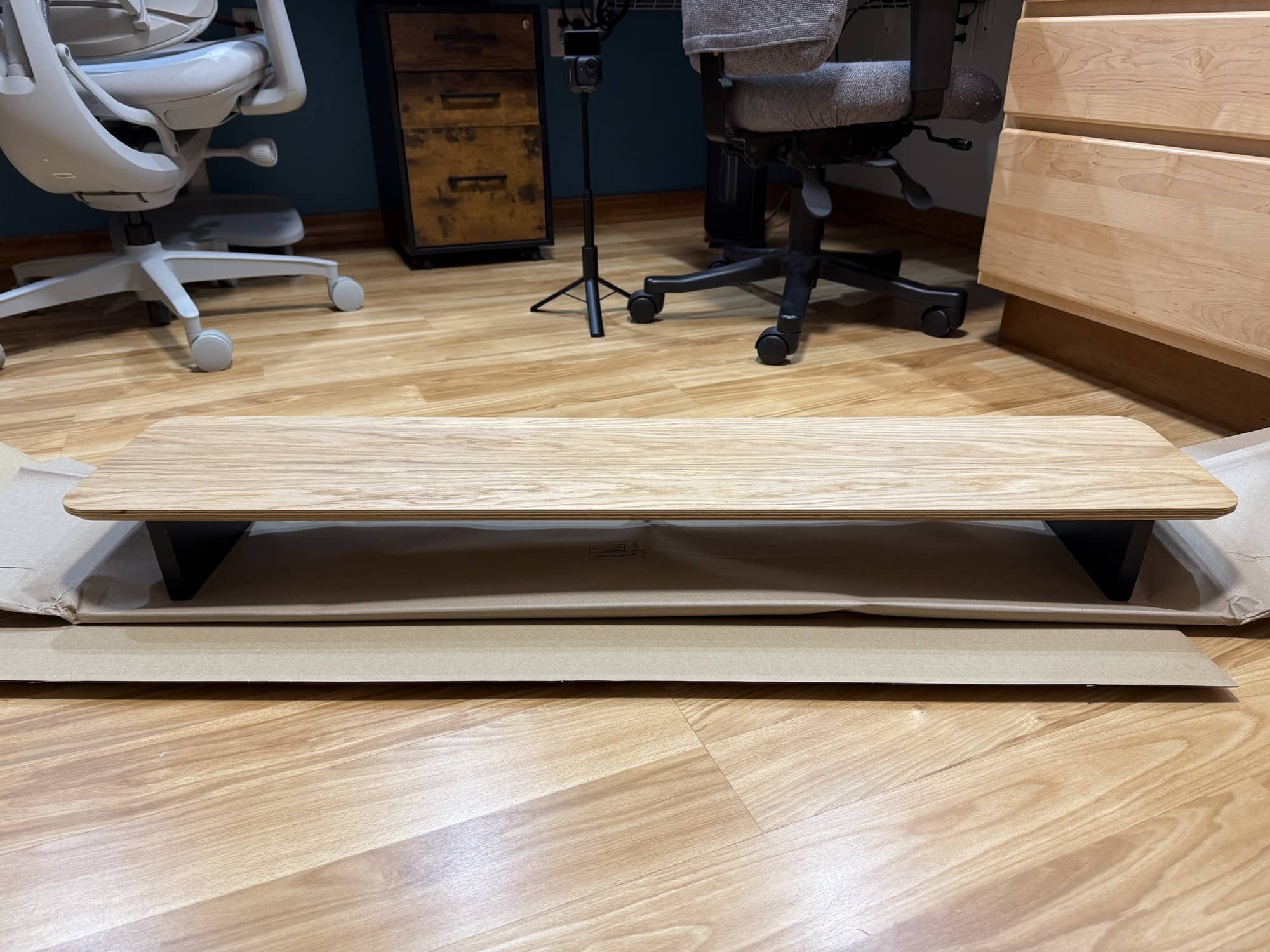
The best part about assembling the BALOLO Setup Cockpit is that the shelf itself requires little assembly. All you have to do is attach the two feet on either side and the center support, and then you’re ready to add the accessories.
The laptop tray was the first accessory I mounted. It came with the required hardware and an Allen wrench. Getting the screws started was a little awkward because of where the mounting points are located underneath the shelf. Once I got everything aligned, though, it was manageable.
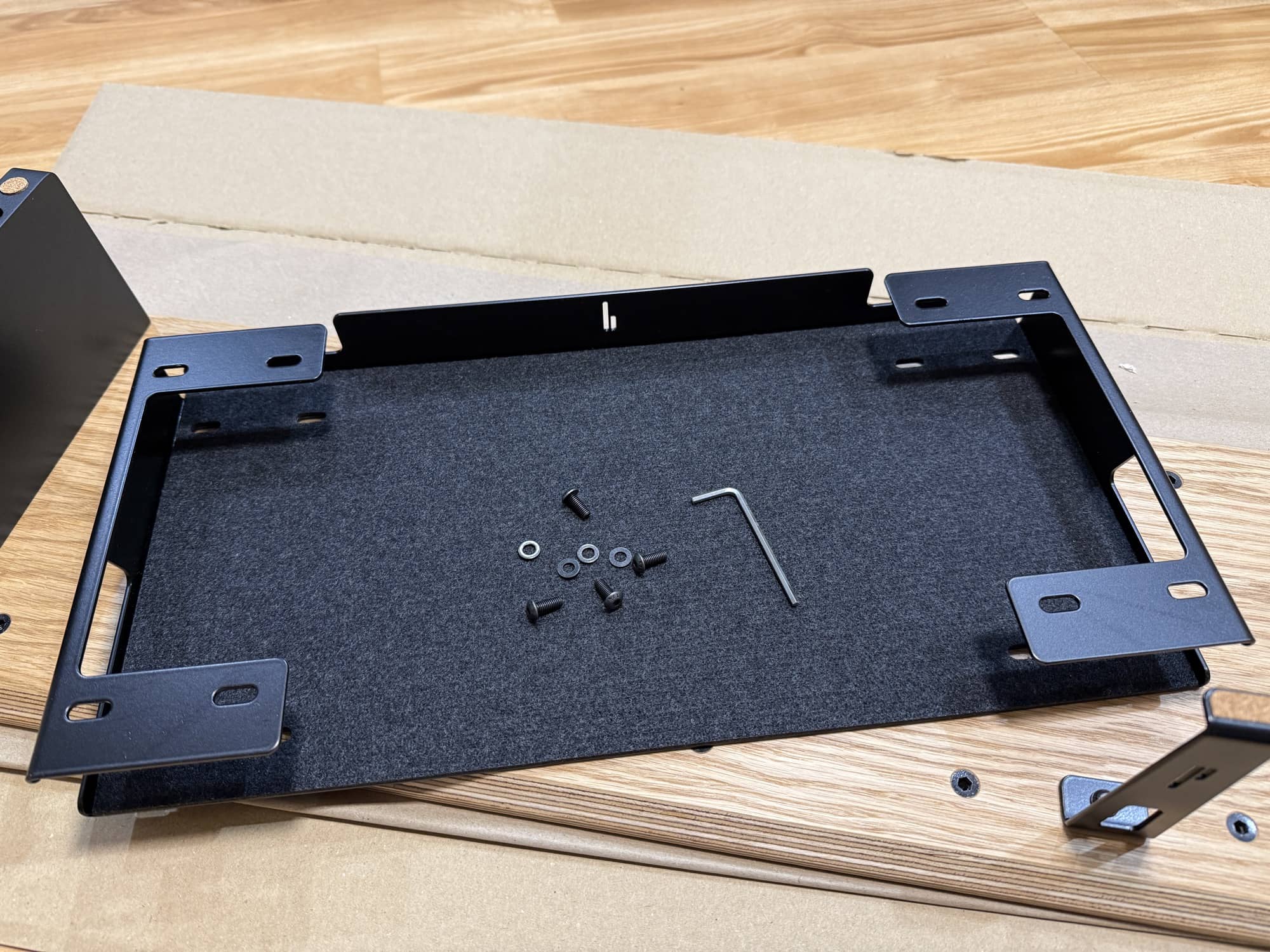
I will say that the supplied Allen wrench was hard on my hands. I ended up using my Leatherman for a better grip and to turn the wrench more comfortably. It wasn’t a dealbreaker, and it wasn’t difficult enough to stop me from installing the accessories, but it is the kind of thing that could be improved. A slightly more substantial hex key or a more user-friendly installation tool would make the process easier.
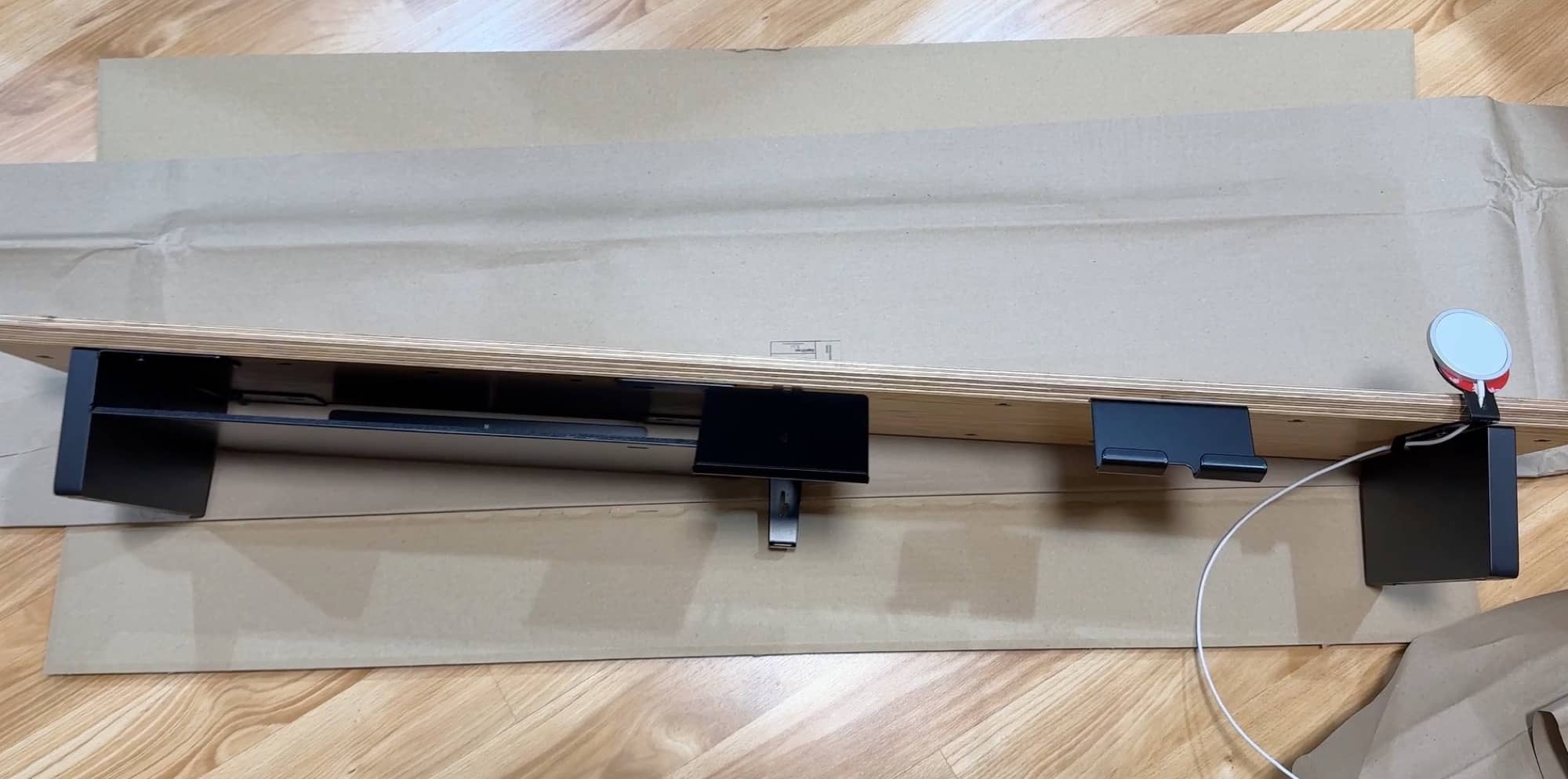
Once I installed the laptop tray, adding the other accessories went smoothly. I mounted the Stream Deck holder, tablet holder, MagSafe holder, catch-all trays, and cable organizers. I didn’t settle on the MagSafe holder’s final position right away because I wanted to live with the arrangement before committing. That is exactly why the modular system is nice. You can try something, decide it is not ideal, and move it later.
After installing the accessories, I cleared my desk, dusted everything, routed cables, and moved the BALOLO Setup Cockpit into position under my ultrawide Dell monitor. That final cleanup and rearrangement is where the project really came together. Check out the video below where I have a time-lapse of me building the desks with before and after shots.
See It in Action
Once the BALOLO Setup Cockpit was in place, my desk looked dramatically cleaner. The difference between before and after wasn’t just about hiding clutter. It gave the things I use every day a logical place to live.
My MacBook sits in the large tray, protected, accessible, and not taking up a large rectangle of desk space. The Stream Deck is mounted in a spot that is easy to reach and at a good viewing angle. My iPad can sit in its mount as a second screen or a media display. The MagSafe holder keeps a phone visible while it charges. The catch-all trays hold pens, stencils, chargers, and those small desk items that otherwise multiply when nobody is looking.
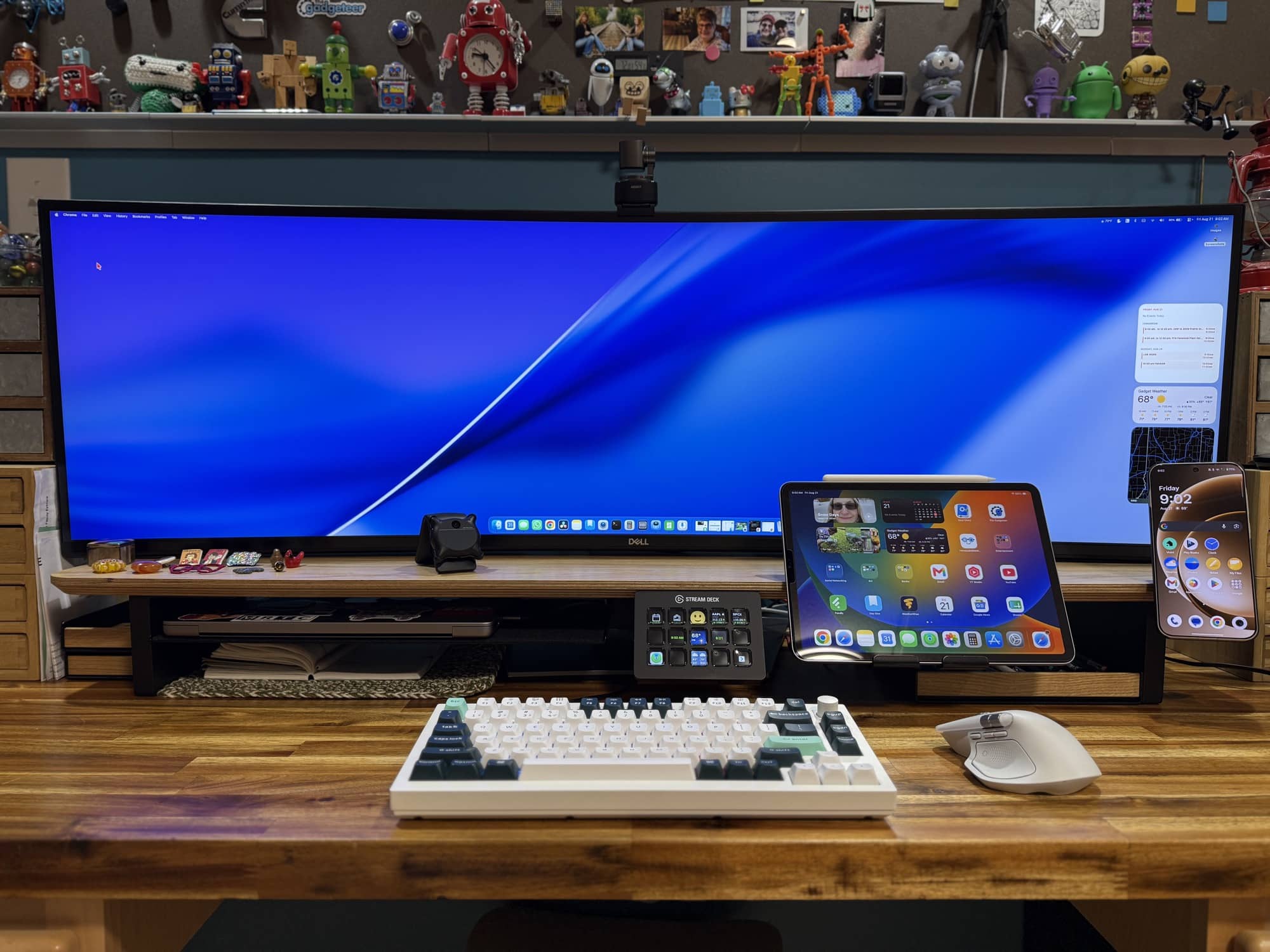
I also had room for my journal underneath the Setup Cockpit, which is useful because it keeps it handy without putting it in the middle of everything. There was a spot for my Looki L1, my little desk trinkets, and even the spare cable I use to charge my mouse with its magnetic USB connector.
One small issue came up because of how I positioned the BALOLO Setup Cockpit. Since my ultrawide monitor sits behind the shelf rather than on top, the Setup Cockpit’s center support rests on the monitor’s base. That makes the back of the shelf sit slightly higher, so it isn’t completely level. I ended up removing that support to level out the shelf.
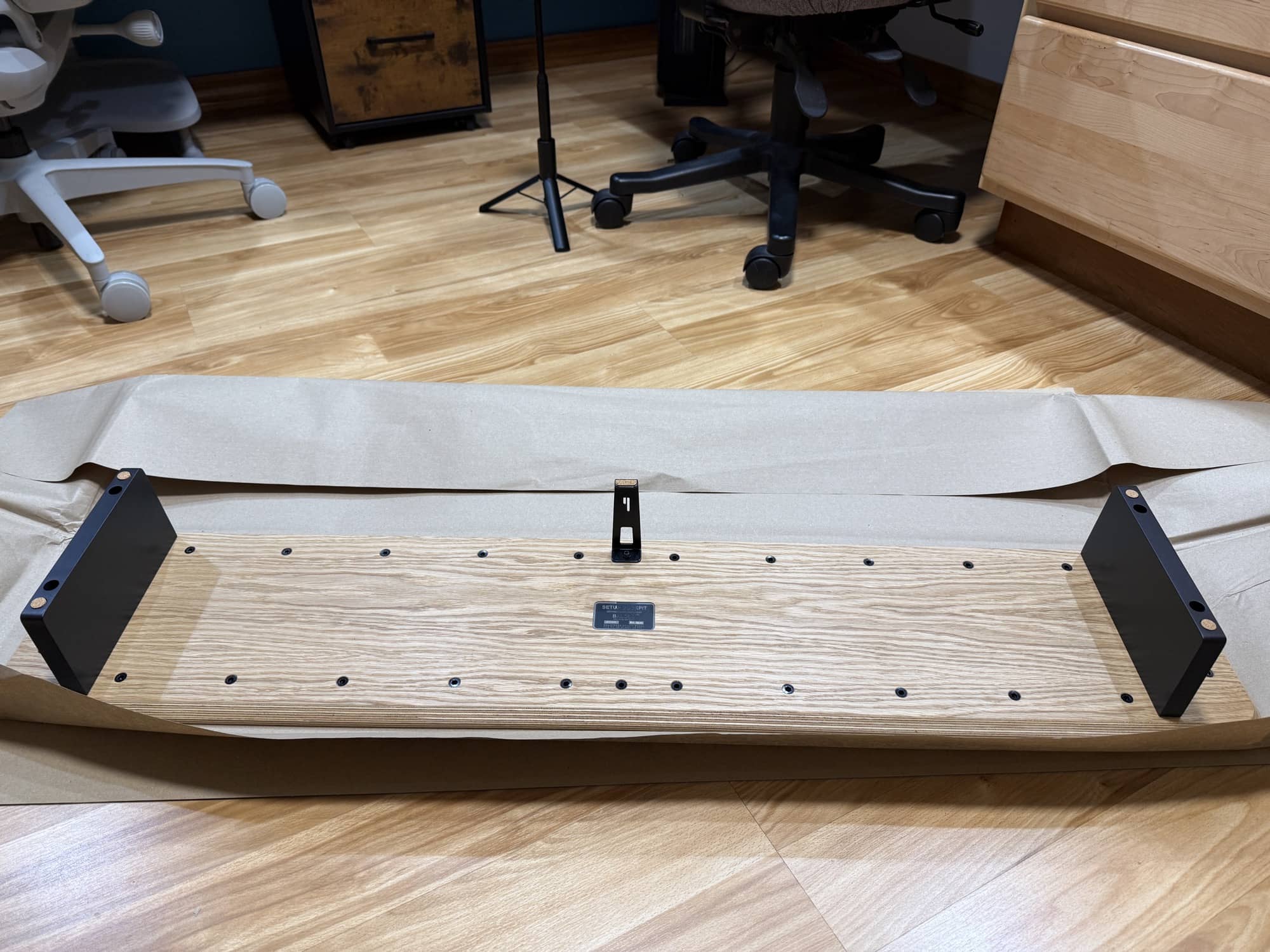
This is less a product flaw than a fit issue with my specific monitor stand and how I wanted to use the shelf. Still, it is something to consider before you order. Measure your desk, monitor stand, monitor base, and the area beneath your display. A product like this is designed to make your setup more organized, but a little planning will help ensure you get the best possible placement.
Final Thoughts
The BALOLO Setup Cockpit is expensive. There is no getting around that. Once you start adding trays, holders, mounts, and cable-management accessories, the total can get high enough to make you choke a little.
But this is not a cheap particle board desk organizer. It is a premium, well-made modular desk system built from real wood and thick metal components. It feels more like buying a quality piece of furniture than buying another tech accessory. BALOLO manufactures the Setup Cockpit in Germany, and the craftsmanship, materials, and finish are clearly part of what you are paying for.
Whether it is worth it comes down to what you value. If you just need to prop up a monitor, there are much cheaper ways to do that. You can buy a basic monitor riser almost anywhere. But if you want a desk centerpiece that can hold your monitor, organize your devices, manage cables, store desk gear, and adapt over time as your setup changes, the BALOLO Setup Cockpit offers something different.
I like that it did not force me into one rigid configuration. My work area includes a large monitor, MacBook, Stream Deck, iPad, phone, chargers, a journal, pens, and assorted gadgets. The Setup Cockpit let me create places for all of those things without making the desk feel crowded.
I also like that I can keep adjusting it. Maybe the MagSafe holder ends up on the side rather than in front. Maybe I move the tablet holder. Maybe I change what I keep in the trays. The system is built to evolve, which is a nice quality in a desk accessory because no desk stays exactly the same forever.
The BALOLO Setup Cockpit has made my desk cleaner, tidier, and more functional, and it looks awesome, too. It is one of those upgrades that makes me happier to sit down and work. For me, that matters.
The BALOLO Setup Cockpit retails for $279.90 (large version); it is available directly from the manufacturer. Use the code GEARDIARY for 10% off.
Source: Manufacturer-supplied review sample.
What I Like: Premium wood-and-metal construction; Modular mounting grid; Useful selection of trays and device mounts; Good cable-management potential; Makes a desk look cleaner and more productive; Flexible accessory placement; Stream Deck and tablet mounts are especially handy
What Needs Improvement: The full system becomes expensive once accessories are added; Installing some accessories can be awkward; Included Allen wrench can be hard on the hands; Center support may conflict with certain monitor bases depending on placement




Seems like a well-made system that does the job intended. A shame a few more accessories aren’t included but the basic system still provides a nice solution for a crowded desktop.
That’s one heck of a desk shelf and a monitor stand. Cheers!
It’s definitely night and day looking at the before and after. If I didn’t just buy a desk recently, I’d for sure consider this.
Looks very well made and durable!