
The Lowdown
The Wyze Scale Ultra BodyScan Plus is a smart bathroom scale with a large, customizable color display and detailed body composition measurements. After two weeks of use, I’m impressed with its compact design, quick measurements, and easy-to-read display. The Wyze app provides even more information, including muscle and fat analysis and downloadable PDF reports. I’ve used a Withings Body Scan for years, but the Wyze has been less frustrating when taking body composition measurements. At $149.99, it’s a compelling alternative to more expensive smart scales.
Overall
Pros
- Compact design available in black or white
- Large, bright color display
- Customizable on-scale measurements
- Fast body composition scans
- Detailed metrics in the Wyze app
- PDF report generation
- Apple Health integration support without extra charges
Cons
- Nothing significant so far, but I need more time to evaluate long-term reliability and measurement consistency
I’ve used a Withings Body Scan smart scale for years, so when I was offered the opportunity to review the Wyze Scale Ultra BodyScan Plus, I was curious to see how the two compare. Both scales do a lot more than tell you how much you weigh. They also measure body composition, including muscle mass, body fat, and more. After using the Wyze for about two weeks, I have to say that I’m impressed. In fact, I might actually like it better than my Withings scale. Let’s take a closer look.
What Is It?
The Wyze Scale Ultra BodyScan Plus is a smart bathroom scale that measures your weight and provides detailed body composition information. Unlike a traditional bathroom scale that only tells you how much you weigh, the Wyze Scale Ultra BodyScan Plus uses sensors and a handheld display with metal contacts to collect additional body information.
The scale connects to the Wyze app, where you can view your measurements, track changes over time, and generate detailed reports.
What makes this scale more useful than others that I’ve tried is that you don’t have to open an app every time you weigh yourself. The handheld display shows your weight, trends, and selected body composition information right there while you’re standing on the scale.
What’s In the Box?
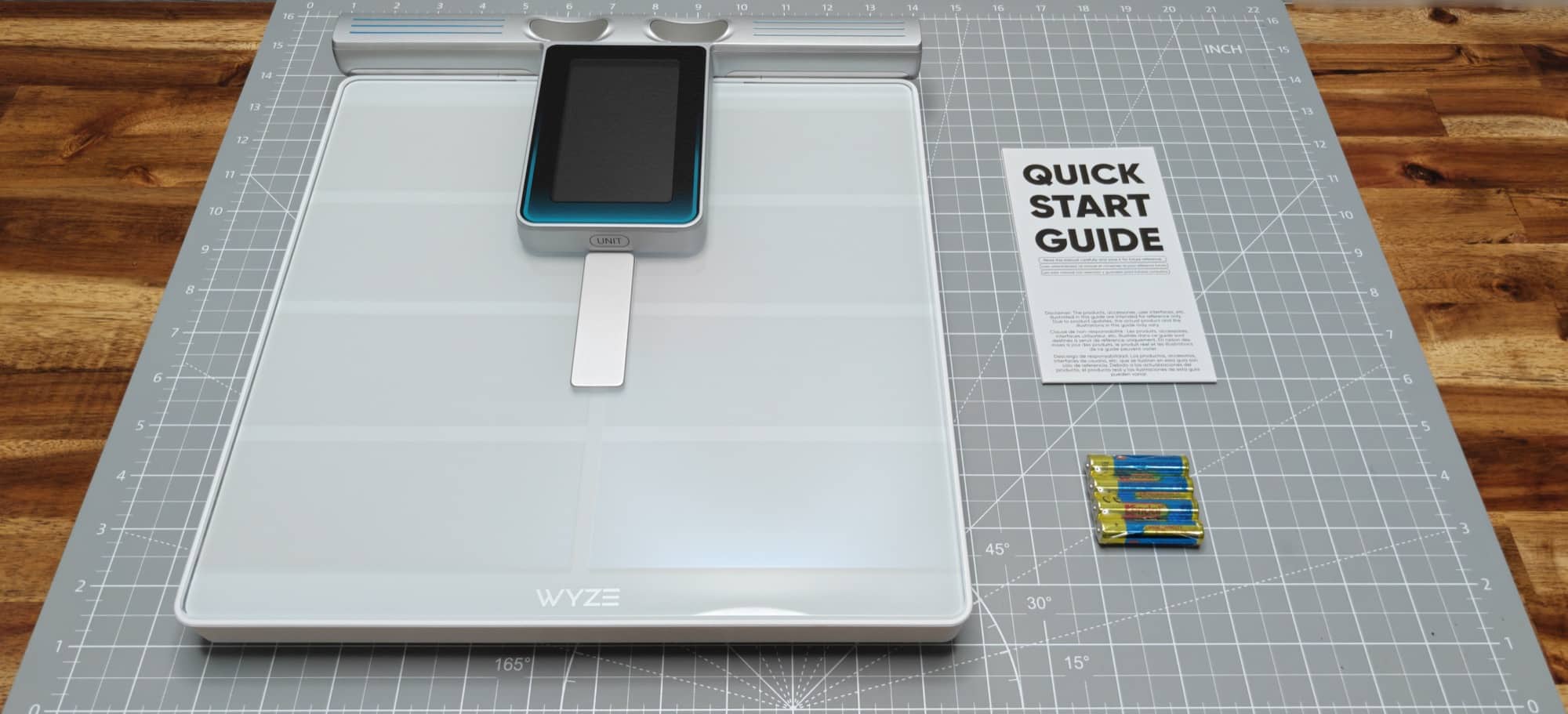
- Wyze Scale Ultra BodyScan Plus
- Four AAA batteries
- Quick start guide
I appreciate that the batteries are included. There’s nothing worse than getting a new gadget and discovering that you need to hunt down batteries or worse, go to the store, before you can use it.
Tech Specs
| Feature | Specification |
|---|---|
| Dimensions | 11.81 × 11.81 × 2.01 inches |
| Weight | 5.95 pounds |
| Colors | Black or white |
| Materials | ITO-coated glass, plastic, silicone, stainless steel handle electrodes |
| Display | 4.3-inch full-color TFT |
| Weight capacity | 11–400 pounds |
| Measurement technology | Dual-frequency bioelectrical impedance analysis (BIA) |
| Electrodes | 8 |
| Body composition metrics | 50+ |
| Connectivity | Wi-Fi and Bluetooth 5.0 |
| Compatibility | iOS 16.0+, Android 10.0+ |
| Health integrations | Apple Health, Google Health, Health Connect |
| Power | Four AAA batteries |
| Warranty | 1-year limited |
Wyze also advertises automatic recognition for up to eight users, a guest weighing option, and special modes for weighing babies, pets, and luggage. I haven’t specifically tested those features.
One thing worth mentioning is that the scale doesn’t require a Wi-Fi or Bluetooth connection just to show measurements on the handheld display. However, you’ll want to connect it to the app to use the historical data and reporting features.
Design and Features
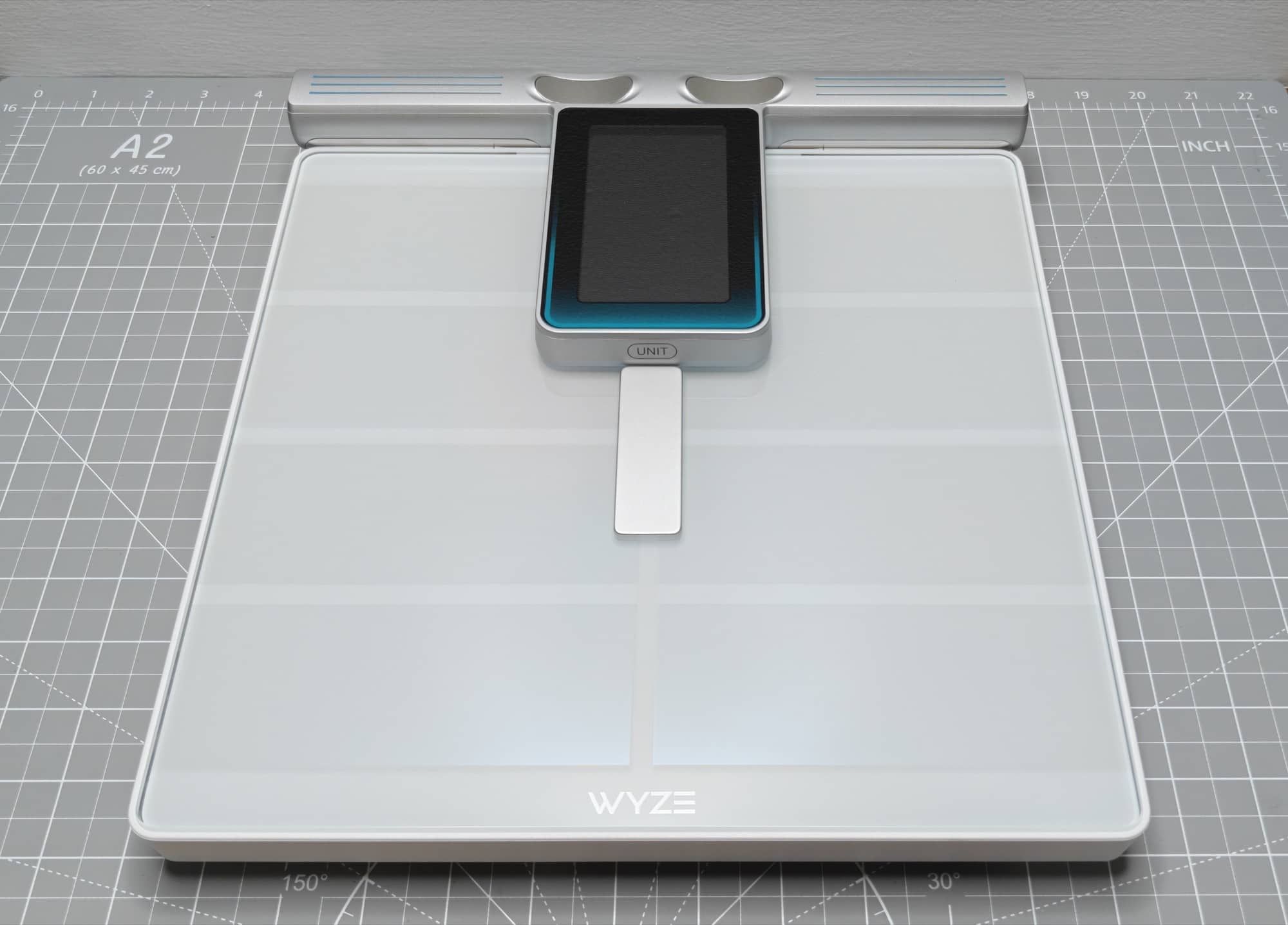
The first thing I noticed about the Wyze Scale Ultra BodyScan Plus is its compact design. It has a modern appearance with a glass top, and it’s available in white or black. Wyze sent me the white version for this review.
I like the simple design because it doesn’t look like complicated medical equipment. At first glance, it looks like a regular digital bathroom scale. But there’s a lot more going on here.
The most interesting part of the design is the display. Instead of being built into the base of the scale where you stand, it’s attached to a retractable cord. You pull it up from the scale and hold it while taking your measurements.
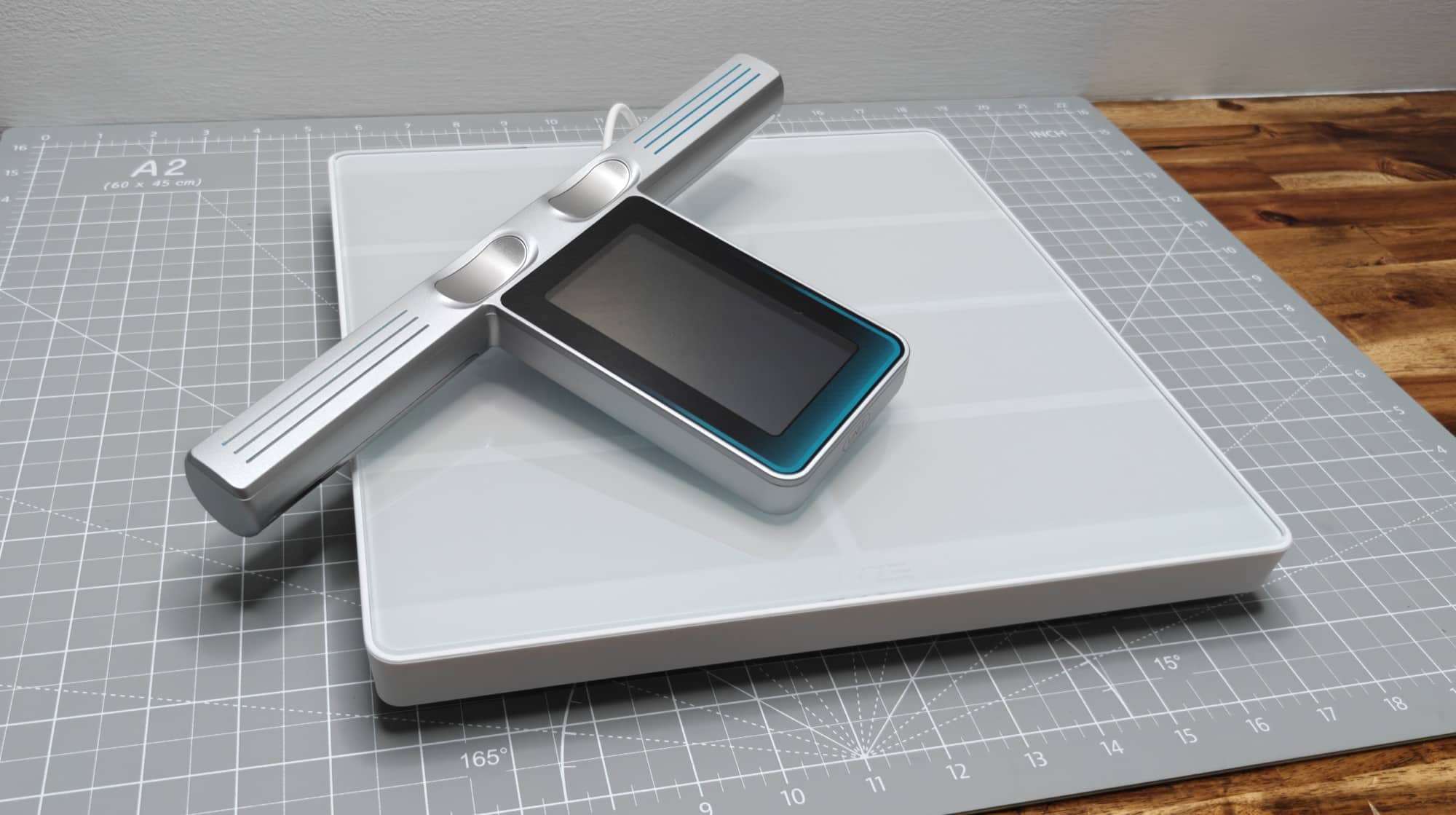
The display has a handle on each side, with metal contacts for your thumbs and fingers. These contacts work with the sensors under your feet to perform a body composition scan.
I like this approach because you don’t have to do anything complicated to use it. Just pull up the display, step on the scale, and follow the instructions.
If you only want to check your weight, you don’t even have to pick up the display. You can leave it in its usual position on the scale.
That’s a nice option for mornings when you just want to see your weight and get on with your day. But even if you want to do a complete body scan each day, it’s quick— Faster than other scales I’ve tried.
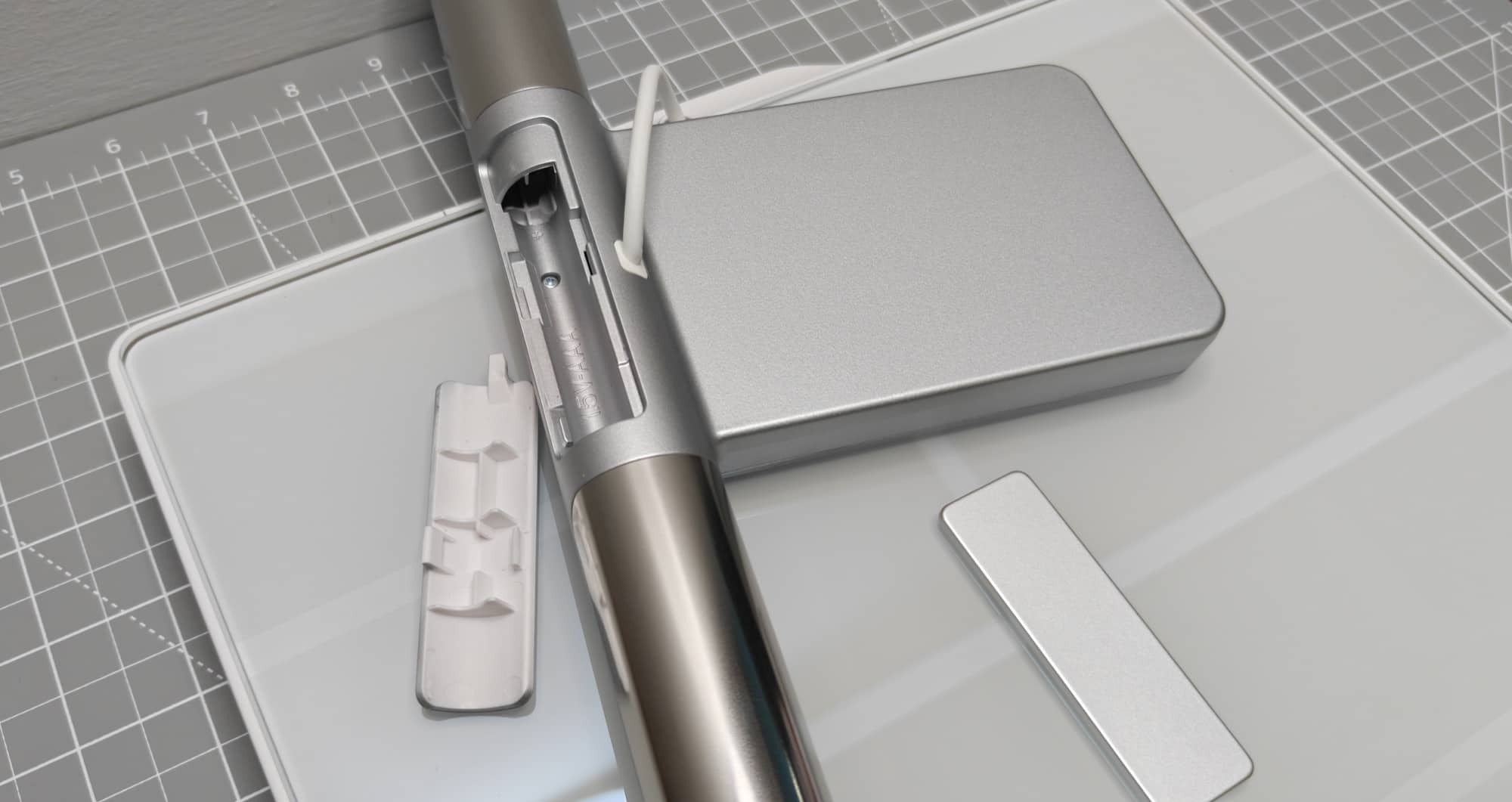
I also appreciate that the scale runs on regular AAA batteries (and they are included) instead of requiring a USB charge. A set of new batteries should last about 8 months according to Wyze.
The Display Is One of My Favorite Features
One of the biggest reasons I like the Wyze Scale Ultra BodyScan Plus is its display.
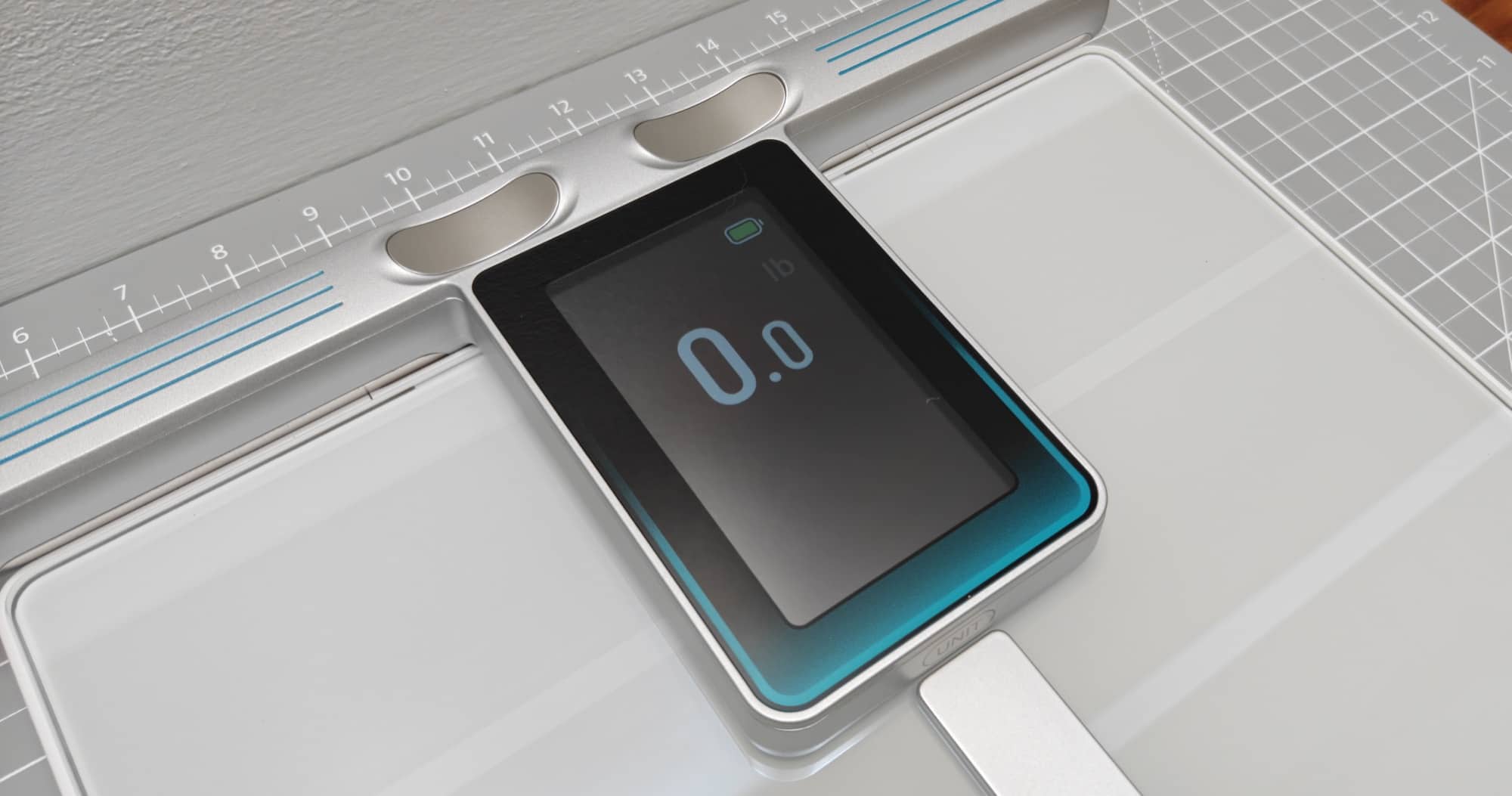
As soon as I step onto the Wyze, the display wakes up and shows my weight in large, bright digits. I don’t have to squint to read the numbers or wait for the scale to cycle through a bunch of information before finding out what I weigh.
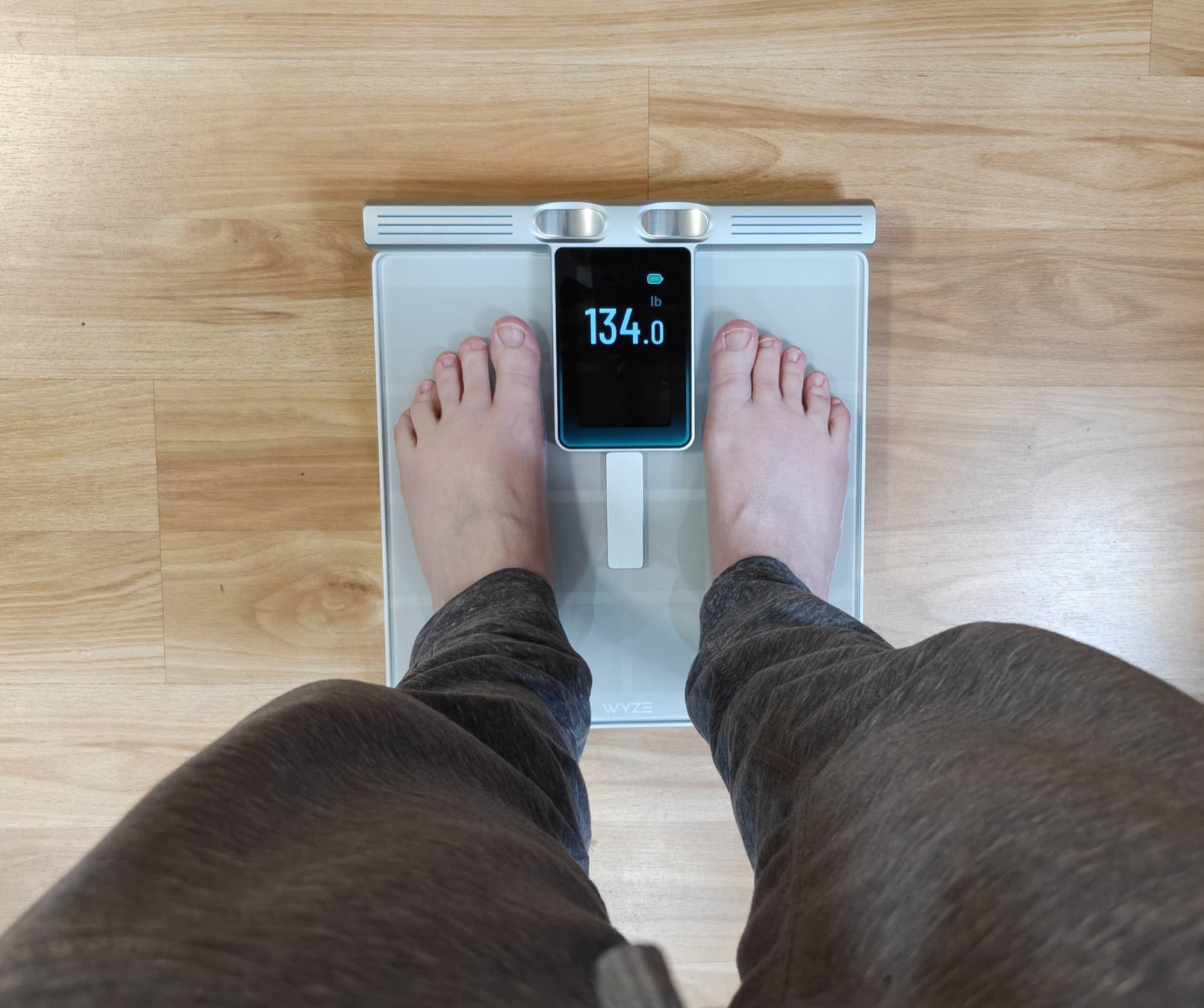
There’s also a trend line that shows whether my weight has been going up, down, or remaining steady.
I appreciate having that information available immediately because a single weight measurement doesn’t always tell the whole story. Weight naturally fluctuates, and seeing the overall trend is more useful than getting too concerned about one particular number.
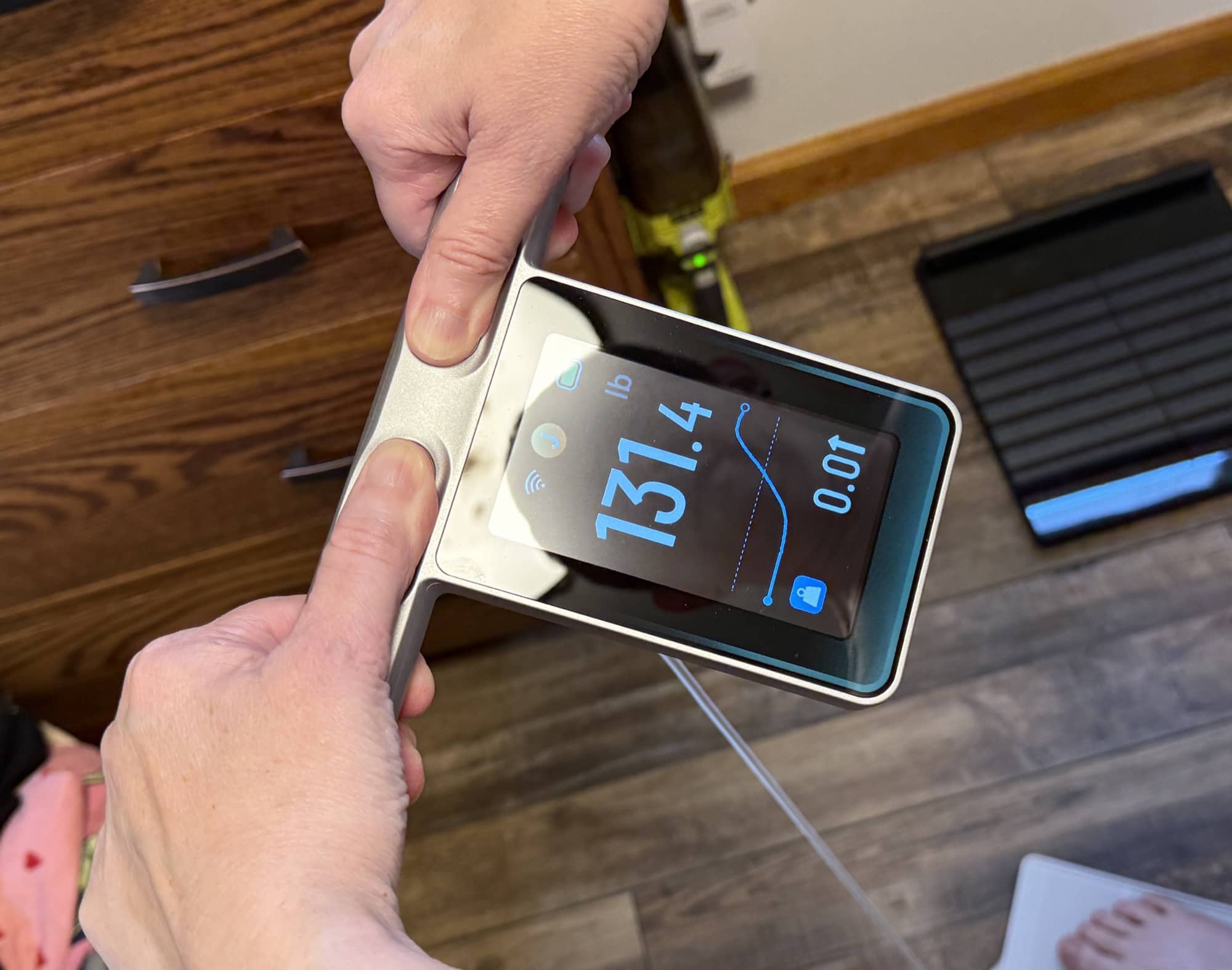
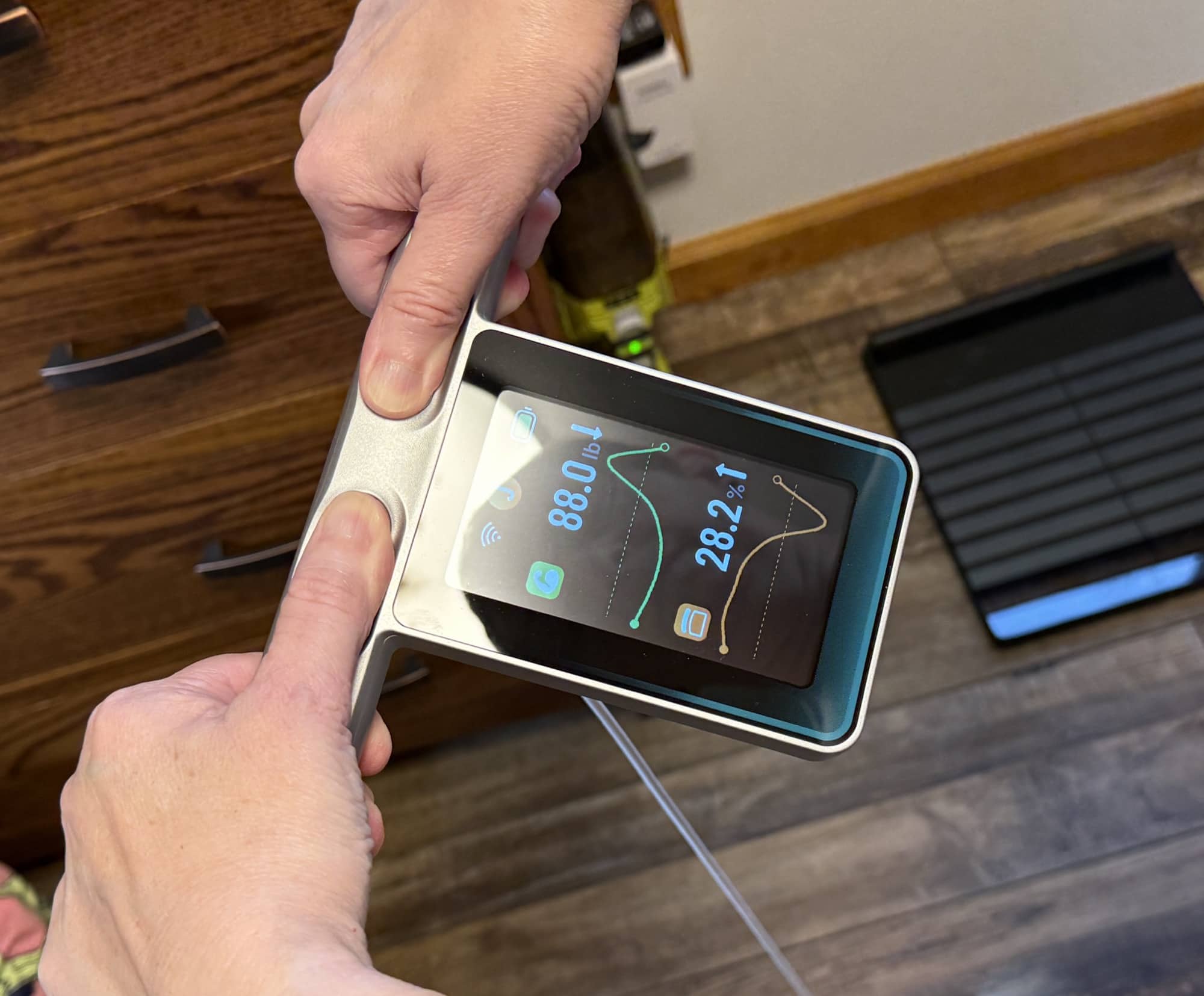
The Wyze Scale Ultra BodyScan Plus’s display is easy to read, and I like that it makes good use of the available screen space.
But showing my weight is only the beginning.
Taking a Body Composition Measurement
When I want a full body composition reading, I pull up the display and hold the handles with my thumbs and fingers touching the metal contacts.
After the scale measures my weight, an illustration appears on the display showing me how to position my arms and hold the handles.
I like this because proper positioning is important when taking body composition measurements, and I don’t have to remember exactly how I’m supposed to stand each time.
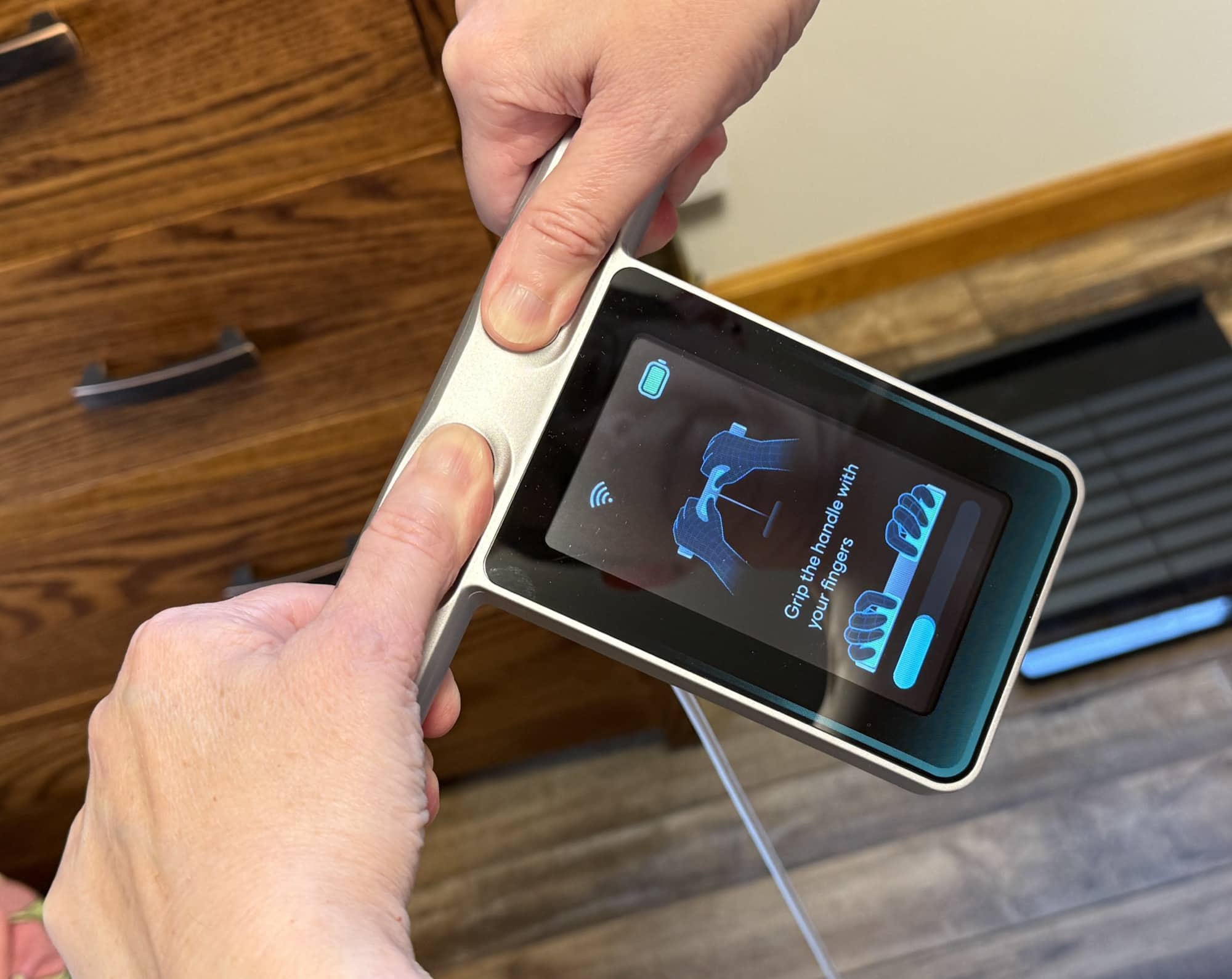
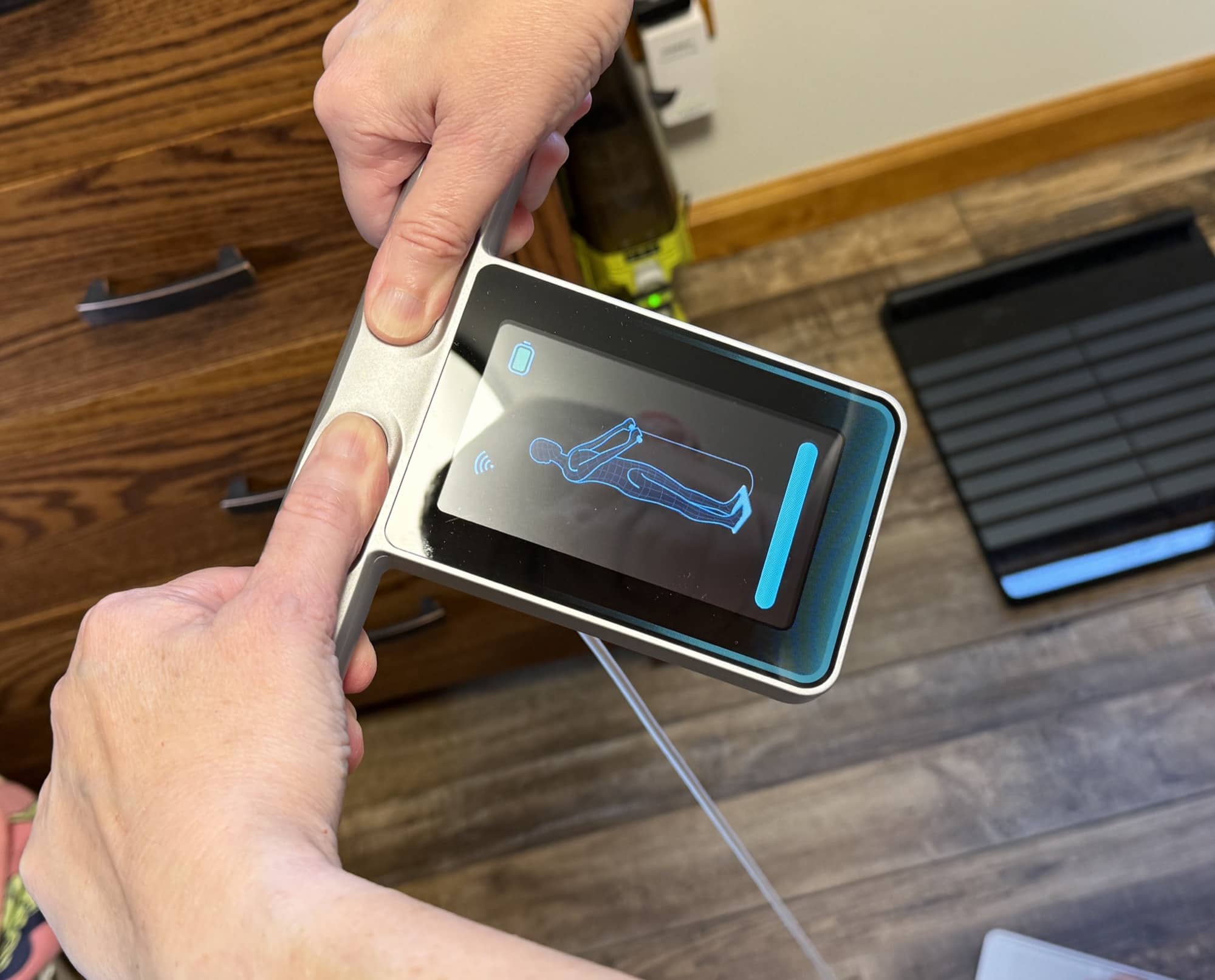
The Wyze Scale Ultra BodyScan Plus shows the correct angle for my arms, and then the body composition scan begins.
A status bar along the bottom of the display shows the scan’s progress, so I know how long I need to keep holding the handles.
The process takes about 15 seconds.
When the scan finishes, the display shows a graphical representation of changes in my muscle and fat measurements.
This is one of those little features that makes the scale more enjoyable to use. Instead of just throwing a bunch of numbers at me, it gives me a quick visual indication of what’s happening.
I can see whether the scale estimates that I’ve gained or lost muscle or fat since previous measurements.
Of course, I wouldn’t treat every small change as a reason to celebrate or panic. Body composition readings from consumer smart scales are estimates, and factors such as hydration can affect the results.
But to track general trends over time, I think this information is useful.
Customizing the Information on the Display
Another feature I really like is that Wyze doesn’t force everyone to look at the same measurements.
By default, the display shows a relatively simple summary of weight and changes in muscle and fat.
However, you can go into the Wyze app and customize the metrics that appear on the handheld display.
The available options include weight, body fat percentage, BMI, muscle mass, bone mass, protein, body water percentage, and progress trends.
That’s a nice selection of information to have without reaching for your phone.
For example, someone trying to lose weight might be most interested in weight and body fat percentage. Someone who is strength training might want to keep an eye on muscle mass instead.
I like having the option to choose what’s important to me rather than scrolling through measurements that I don’t necessarily care about every morning.
And if I want more information, that’s where the Wyze app comes in.
The Wyze App Provides Even More Information
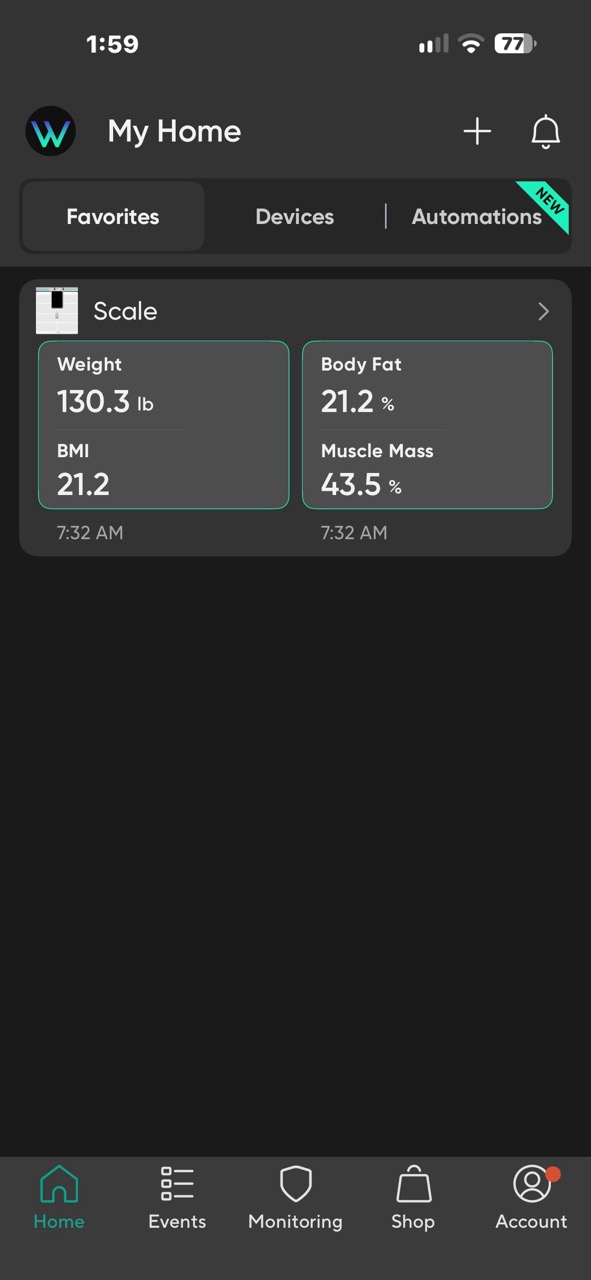
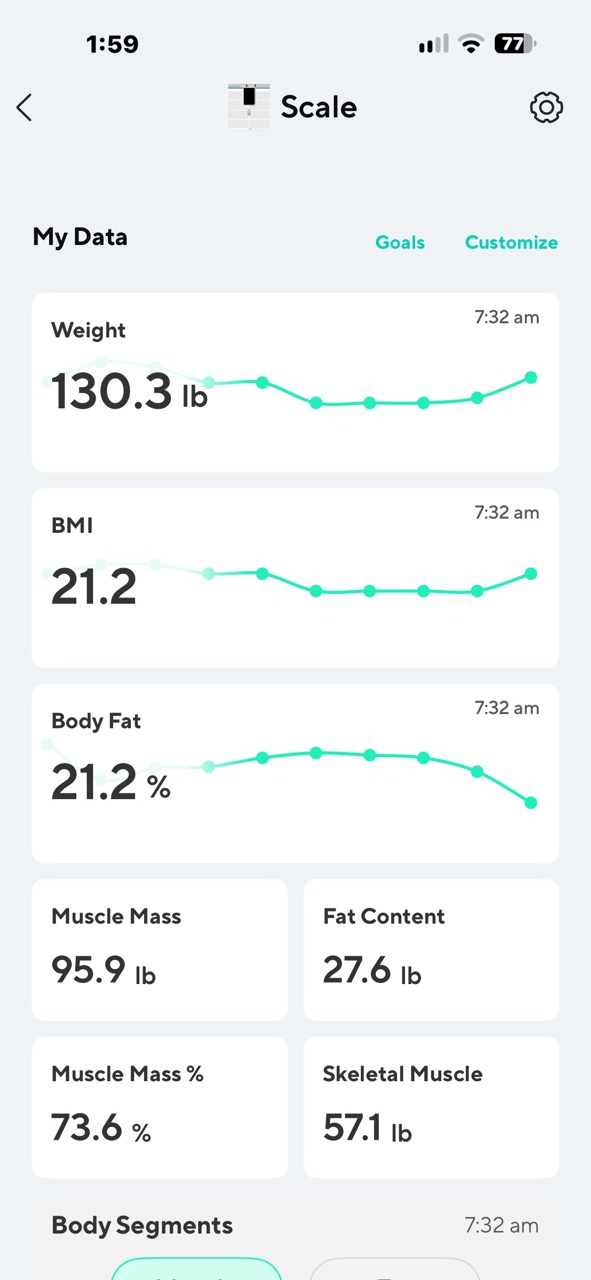
The Wyze Scale Ultra BodyScan Plus’s handheld display is great for quick check-ins, but the Wyze app is where you can really dig into your measurements.
In addition to the information available on the display, the app provides a much more extensive collection of body composition metrics.
These include:
- Weight and BMI
- Body fat percentage, fat mass, and subcutaneous fat
- Muscle mass, muscle mass percentage, and skeletal muscle mass
- Lean body mass
- Body water percentage
- Bone mass and protein
- Visceral fat
- Basal metabolic rate (BMR)
- Physical age
- Segmental muscle and body fat analysis
That’s quite a bit of information from something that looks like an ordinary bathroom scale.
Some of these measurements interest me more than others. Weight, body fat, and muscle mass are probably the numbers that most people will want to follow regularly.
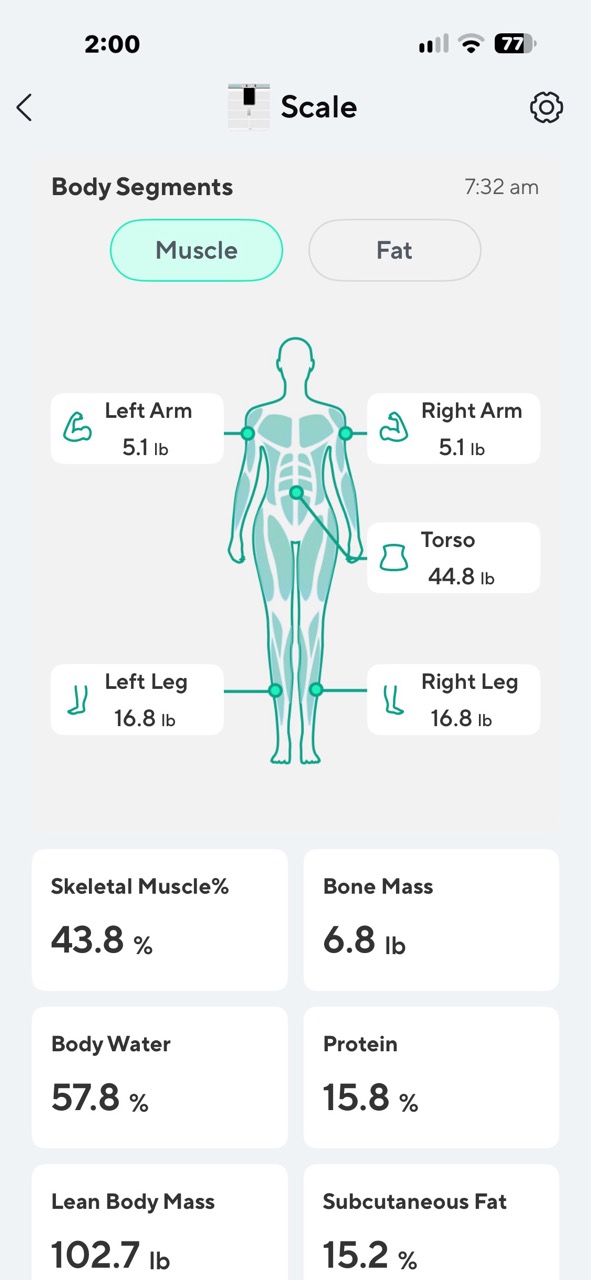
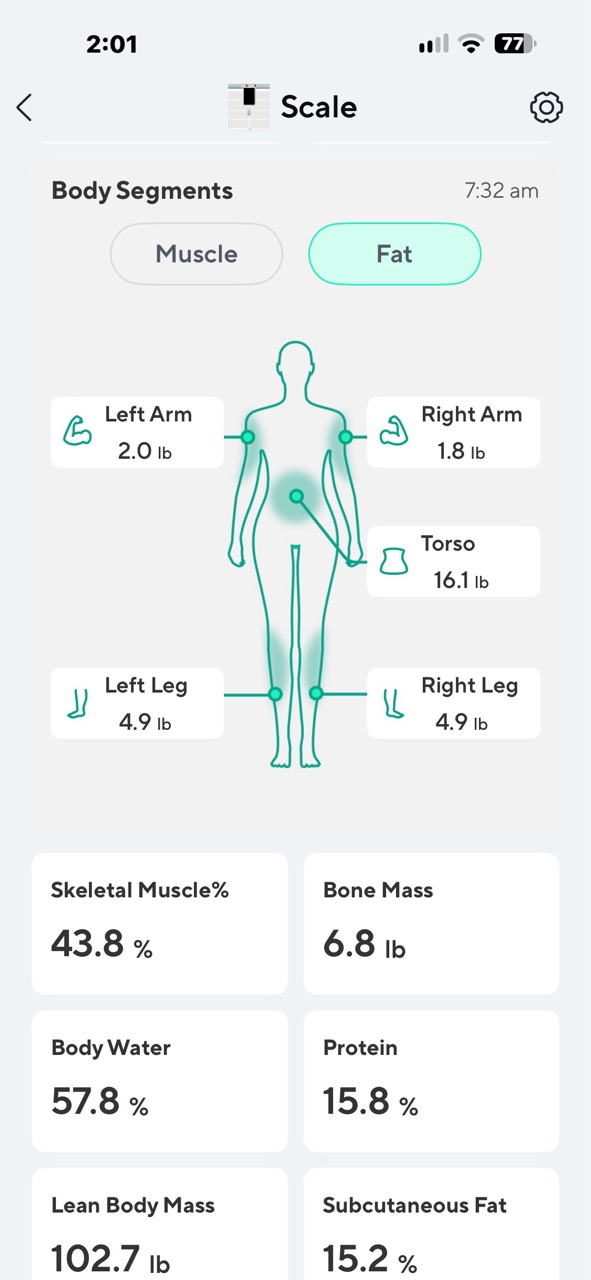
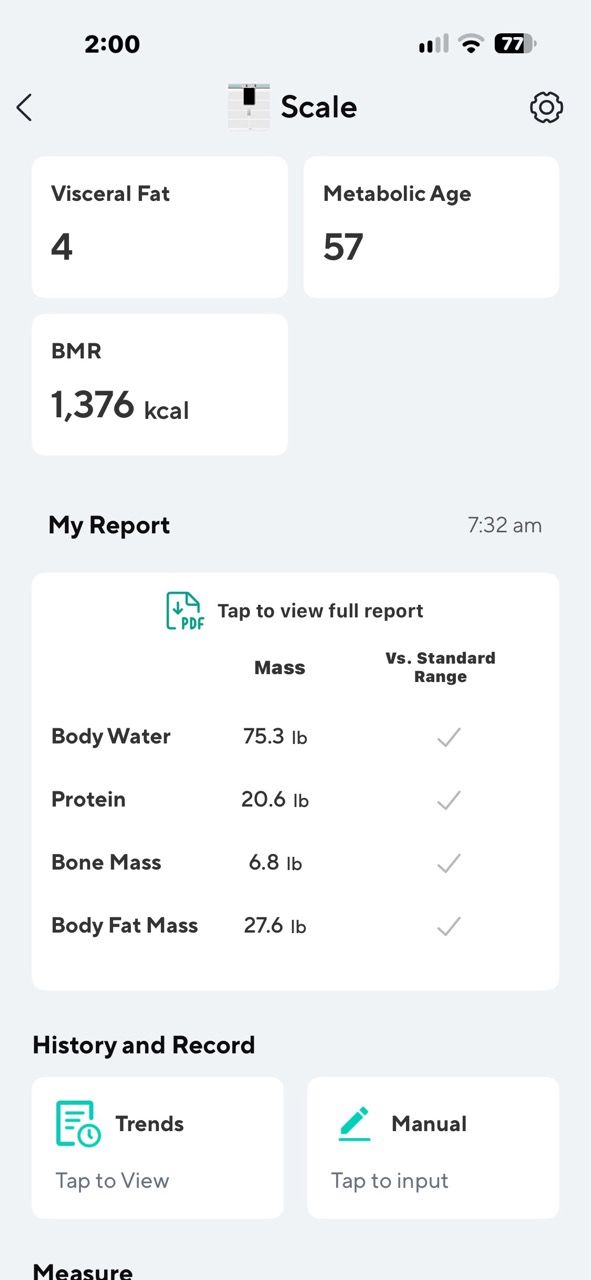
Other measurements, like visceral fat and physical age, provide additional estimates that can be interesting to monitor over time.
I also like that the app provides more detail than what appears on the handheld display.
For example, segmental analysis breaks down estimated muscle and fat measurements for different parts of the body rather than only providing an overall number.
That’s the kind of information you wouldn’t normally expect to get from a bathroom scale.
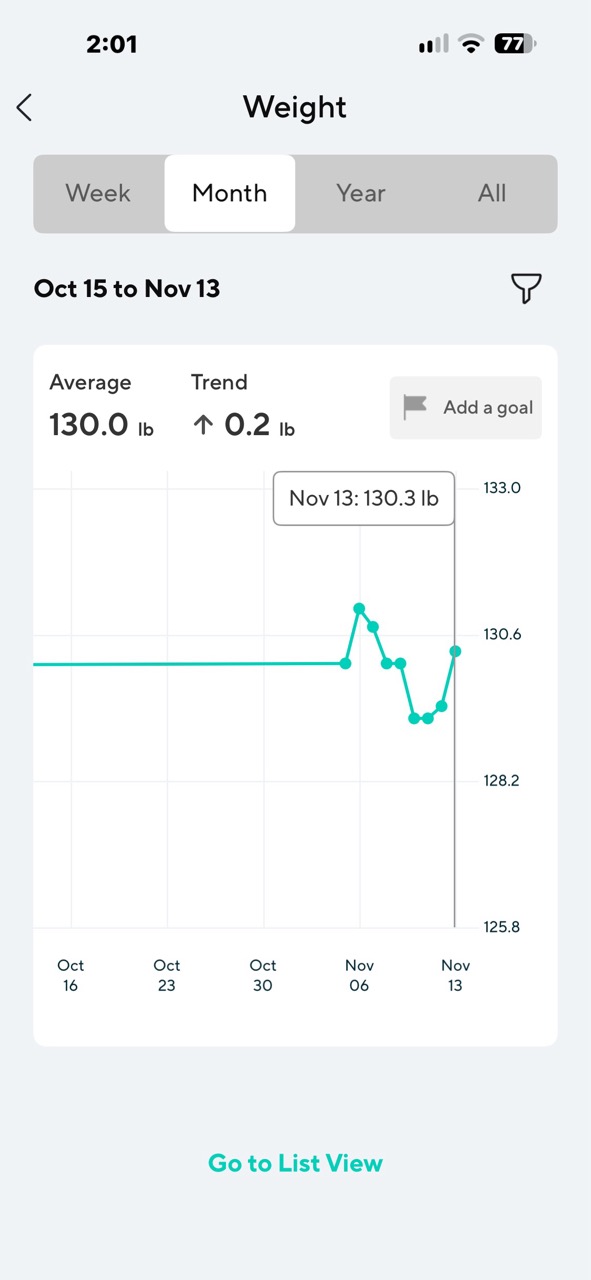
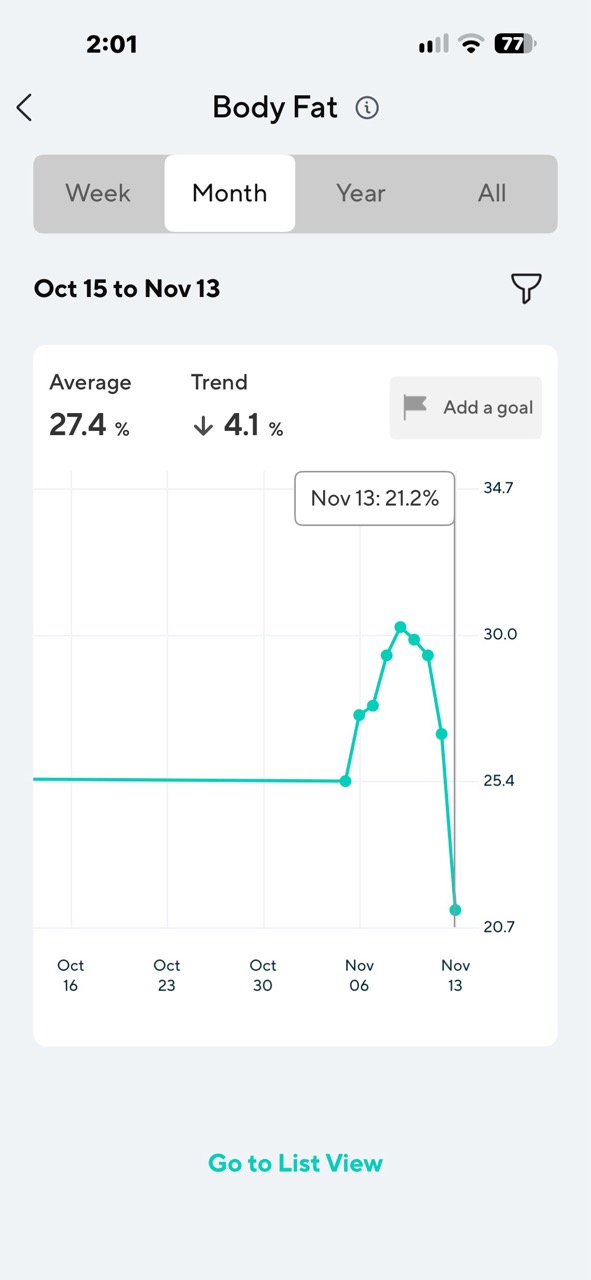
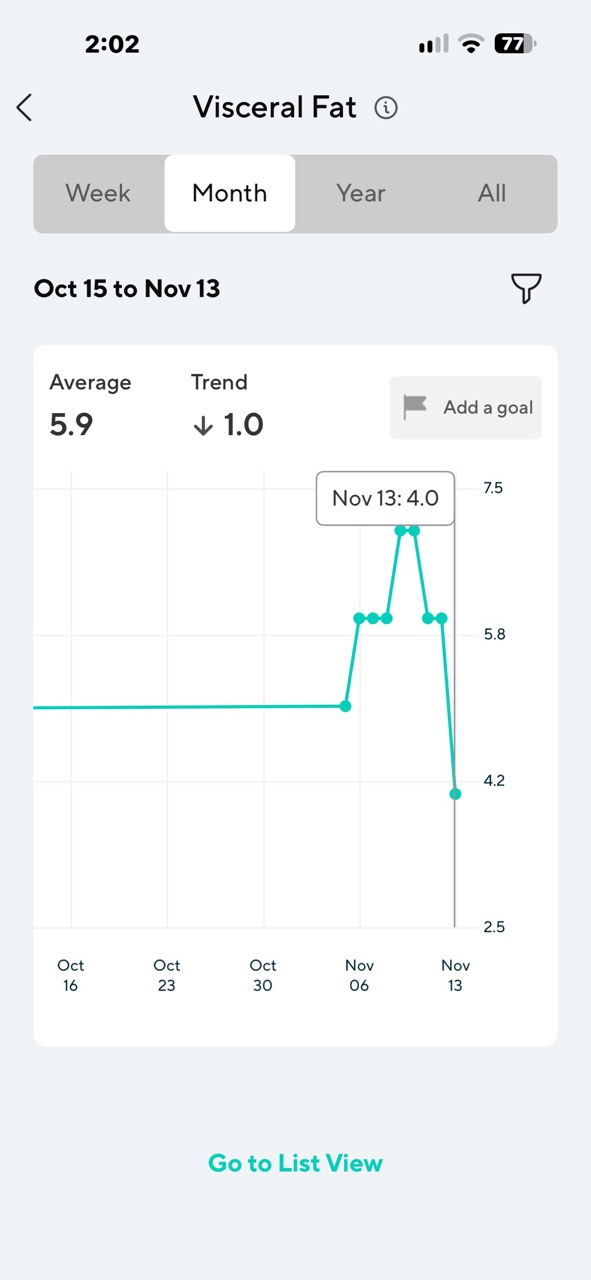
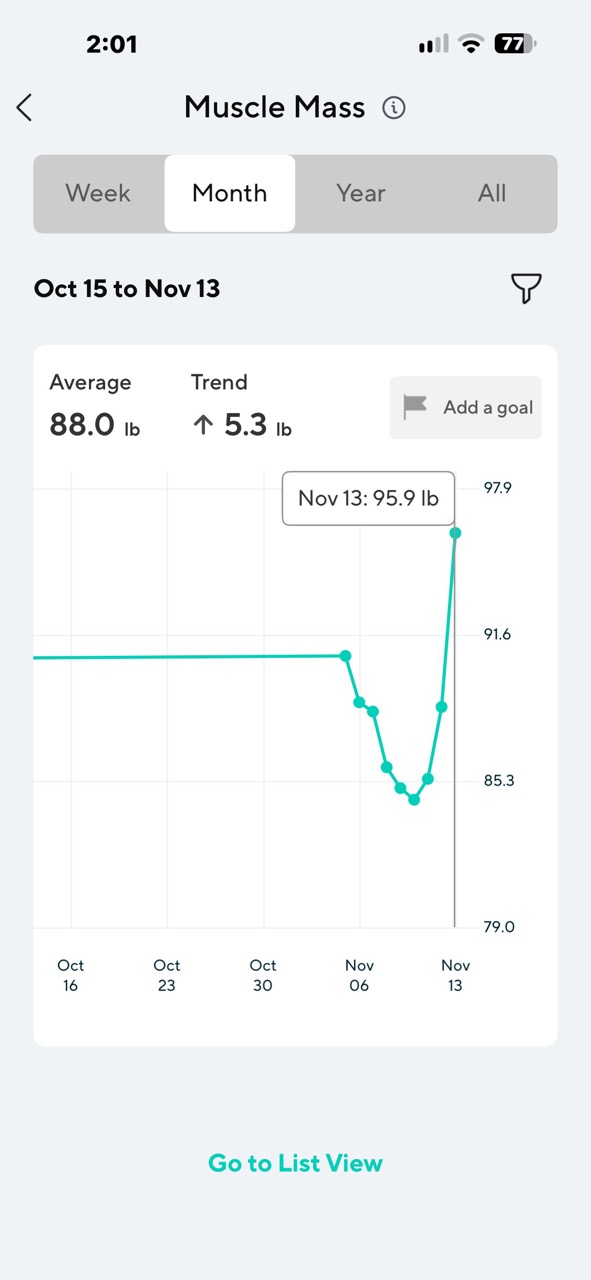
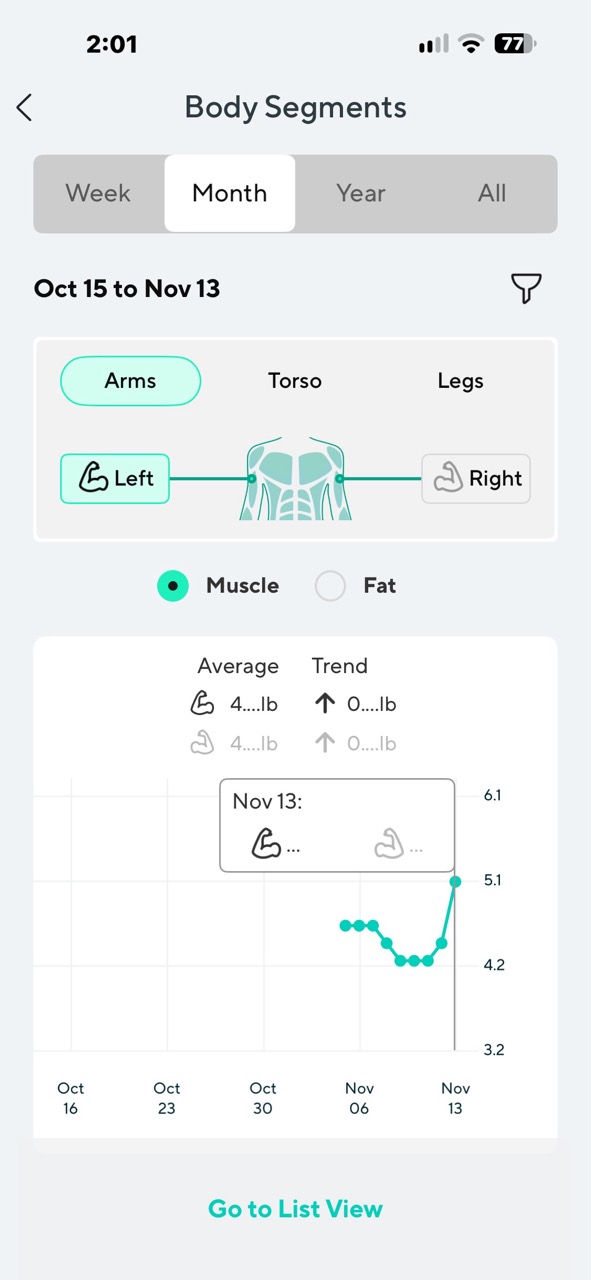
It’s important to understand that these measurements are calculated estimates, not the equivalent of a medical body composition test. I wouldn’t make medical decisions based on the scale’s readings alone.
Still, I think the amount of information available is impressive.
Detailed Reports
Another feature that I appreciate is the ability to generate a full body composition report.
And when I say full, I mean that there’s a LOT of information.
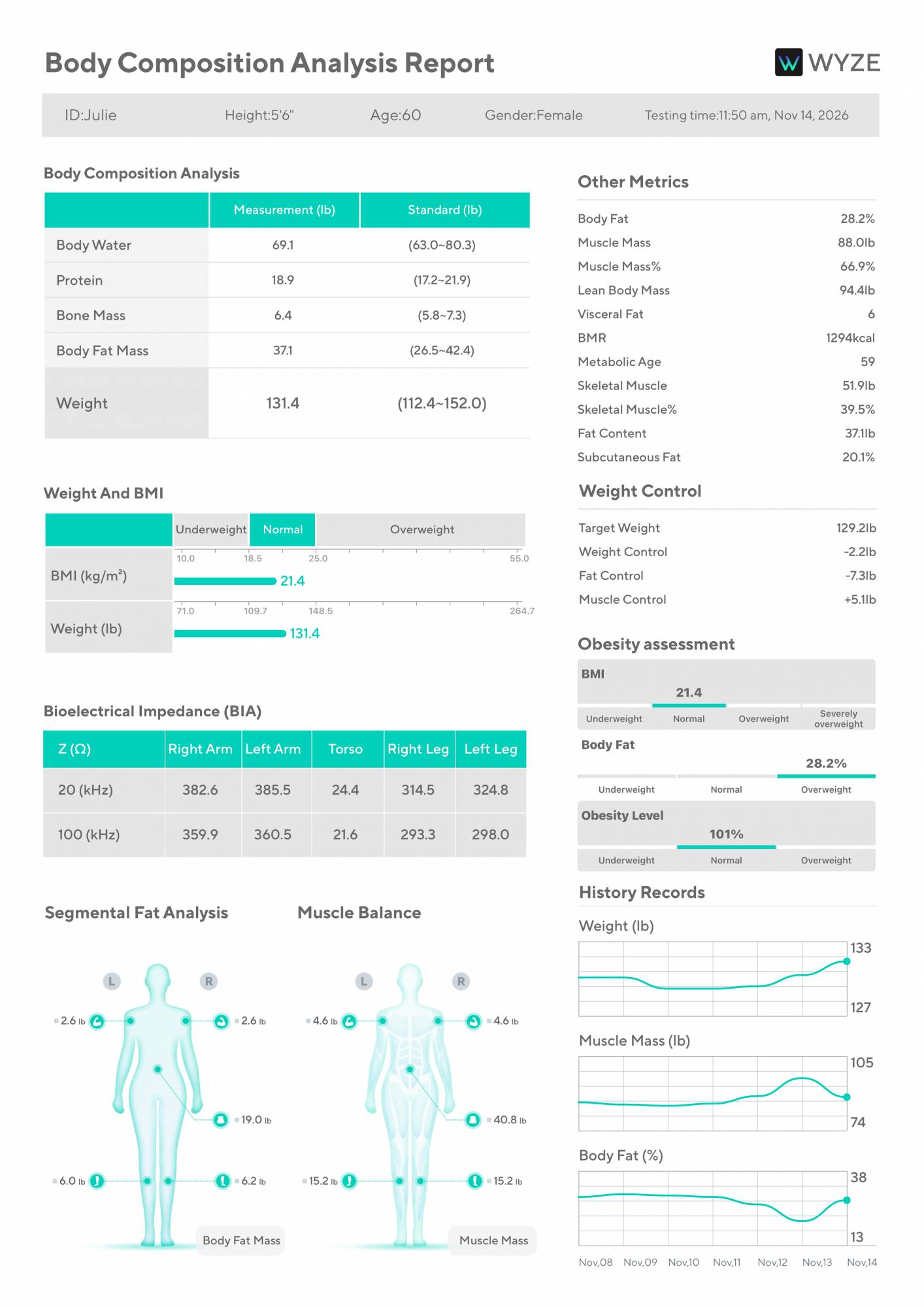
Instead of being limited to looking at measurements on my phone, I can generate a report that brings the body composition information together in a format that’s easier to review or save.
I can see this being useful for anyone who wants to keep a record of their progress over time.
For example, if you’re working on improving your fitness, you might want to save reports periodically to compare changes in weight, muscle mass, and body fat.
I also like having information in a format that isn’t tied entirely to an app screen.
A report is something I can keep for my own records or share with someone if I choose.
For me, this is a nice bonus feature. I probably won’t generate a report every time I weigh myself, but I appreciate having the option.
How Does It Compare to My Withings Body Scan?
I’ve been using a Withings Body Scan scale for years, so I already have plenty of experience with a smart scale that measures more than just my weight.
And I have to say, after about two weeks with the Wyze, I think I might actually prefer it over the Withings scale.
One of the biggest reasons is the display. The Wyze Scale Ultra BodyScan Plus has a large, bright color display that’s easy to read while I’m standing on the scale. I can see my weight immediately, along with a trend indicator, and then watch my body composition progress.
The information is presented in a way that makes sense, and I can customize what I want to see.
My Withings Body Scan also provides detailed measurements, but there’s one thing about it that has frustrated me for quite a while. It frequently tells me that I need to perform a guided scan, or it skips some of the body composition metrics entirely. That’s annoying when all I want to do is step on the scale, get my measurements, and move on with my day.
With the Wyze, I haven’t had that problem. Every time I’ve used the body composition feature during these first two weeks, the process has been quick and straightforward. I hold the handles as instructed, wait a few seconds, and get my results. No repeated attempts. No missing measurements that I’ve noticed.
That’s a pretty big deal to me because a smart scale shouldn’t make weighing yourself feel like a complicated procedure. I don’t want to spend five minutes standing in my bathroom trying to convince a scale to give me the information it’s supposed to provide.
I also like the way the Wyze Scale Ultra BodyScan Plus presents muscle and fat changes graphically on the display. It gives me a useful overview without requiring me to open the app.
Now, I’m not saying that the Wyze is necessarily more accurate than the Withings. I haven’t compared either scale against a clinical body composition measurement, so I can’t make that claim. But when it comes to the actual experience of using these scales, the Wyze is making a very good impression.
And then there’s the subscription issue.
Withings, What Are You Thinking?
Here’s something that recently happened with Withings that makes me even more interested in switching to the Wyze Scale Ultra BodyScan Plus. As of October 13, 2026, Withings changed its policy for new accounts. If you create a new Withings account on or after that date, automatic syncing to third-party health services, including Apple Health, requires a Withings+ subscription.
That subscription costs $99.99 per year. Yes, you read that correctly. A yearly subscription to automatically sync your own health data to another app. Ummmm, no thank you!
To be fair, Withings has confirmed that existing accounts created on or before October 12, 2026, will continue to receive automatic third-party syncing for free. Since I’ve been using Withings for years, that change doesn’t directly affect my existing account. But I still don’t like it.
When I buy a smart scale, I expect to use the information it collects without paying an annual fee just to send that data to another health app. I understand charging for optional premium features, advanced coaching, or additional services. But basic health data syncing? That seems like something that should be included with the hardware.
Withings confirmed the change in an official response to a community discussion about the new subscription policy:
Hi everyone,
I’m writing this because I recently found out about a silent and incredibly anti-consumer change Withings just implemented, and I think the whole community needs to be aware of it.
Starting from October 13th, 2026, any new Withings account is forced to pay for a Withings+ subscription ($99.99/year) just to sync their own data to Apple Health.
I reached out to Customer Support and their response was completely contradictory. They claimed that syncing with Apple Health is a “standard feature that does not require a subscription,” but in the very next sentence, they confirmed that “any account created after October 13th will be asked to sign up for a Withings+ subscription in order to export data” justifying it with new “privacy measures” and an “AI connector”.
Let’s be clear: writing data to Apple Health via HealthKit happens locally on the phone. It does not require complex cloud compute, server costs, or any “AI connector”. It’s a basic API call. I know we can still manually export a CSV file, but let’s be real—nobody wants to manually import CSV files in 2026. Even the absolute cheapest, no-name smart scales on the market offer automatic Apple Health synchronization for free.
Taking a fundamental feature that has always been free and locking it behind a paywall for new users is an obvious cash grab. It ruins the hardware experience and destroys the trust in the brand.
I strongly urge Withings to backtrack on this terrible decision. If you agree, please upvote and reply so they hear us. We shouldn’t have to pay a subscription to access our own health data.
Wyze, on the other hand, lists Apple Health, Google Health, and Health Connect among its supported integrations. The manufacturer doesn’t list a subscription requirement for those integrations.
I haven’t independently tested every one of those integrations, but it’s encouraging to see them included. For. Free.
Between the straightforward weighing experience, the excellent display, and the detailed information available through the app, the Wyze is giving my more expensive Withings scale some serious competition.
Final Thoughts
After using the Wyze Scale Ultra BodyScan Plus for about two weeks, I’m impressed with how much I like it.
The compact design looks nice, the large color display is easy to read, and I appreciate being able to customize the information that appears every time I weigh myself.
The body composition measurement is quick, and I haven’t experienced the frustrating guided scan messages or missing metrics that I’ve dealt with on my Withings Body Scan.
I also like having access to so many additional measurements through the Wyze app, along with the ability to generate detailed PDF reports.
Do I need to know my physical age, visceral fat estimate, and the muscle mass in individual parts of my body every morning? Probably not. But I like having that information available when I want to take a closer look.
My biggest takeaway is that the Wyze makes a potentially complicated process feel simple. I step on the scale, pick up the handles if I want a full scan, and get my measurements in seconds.
I haven’t used it long enough to judge its long-term reliability, and I can’t verify the absolute accuracy of its body composition estimates. But so far, I haven’t encountered any problems that would make me hesitate to recommend it.
Considering that I’ve been a Withings Body Scan user for years, the fact that I’m already thinking about switching to the Wyze says quite a bit.
The Wyze Scale Ultra BodyScan Plus retails for $149.99; it is available directly from the manufacturer and Amazon.
Source: Manufacturer-supplied review sample.
What I Like: Compact design available in black or white; Large, bright color display; Customizable on-scale measurements; Fast body composition scans; Detailed metrics in the Wyze app; PDF report generation; Apple Health integration support without extra charges
What Needs Improvement: Nothing significant so far, but I need more time to evaluate long-term reliability and measurement consistency


Be the first to comment on "Wyze Scale Ultra BodyScan Plus Review: Is This $150 Smart Scale Better Than Withings?"