
The Lowdown
The Cozyla Calendar+ 2 isn’t reinventing the wheel so much as consolidating it; it feels like the first time I’ve encountered a home hub that really feels like a hub — a place that can take everyone’s schedules, info dumps, lists, and chores, and spit out something that’s actually helpful!
Overall
Pros
- It offers holistic meal planning that ties in with pantry and grocery lists
- It can pull everyone’s calendars together
- It offers chore and task tracking
- It can handle additional apps as needed
- The companion app makes it really easy to add content and manage data entry
Cons
- It’s an expensive system, especially in the larger sizes
- It takes some time to get it dialed in for the best experience
- It’s tied to an outlet, so you’ll have a specific location available for use
Managing a household is hard, whether you’re doing it solo or juggling the needs of a full family. There are endless moving pieces to track, from overlapping schedules and after-school activities to meal planning, grocery runs, and the constant mystery of who forgot to mention we’re out of toilet paper. Traditional family calendars used to help keep everyone aligned, but they relied on someone actually updating them. Cozyla takes that familiar concept and modernizes it with the Calendar+ 2, transforming a simple shared calendar into a centralized, interactive hub that keeps every detail and every person on track.
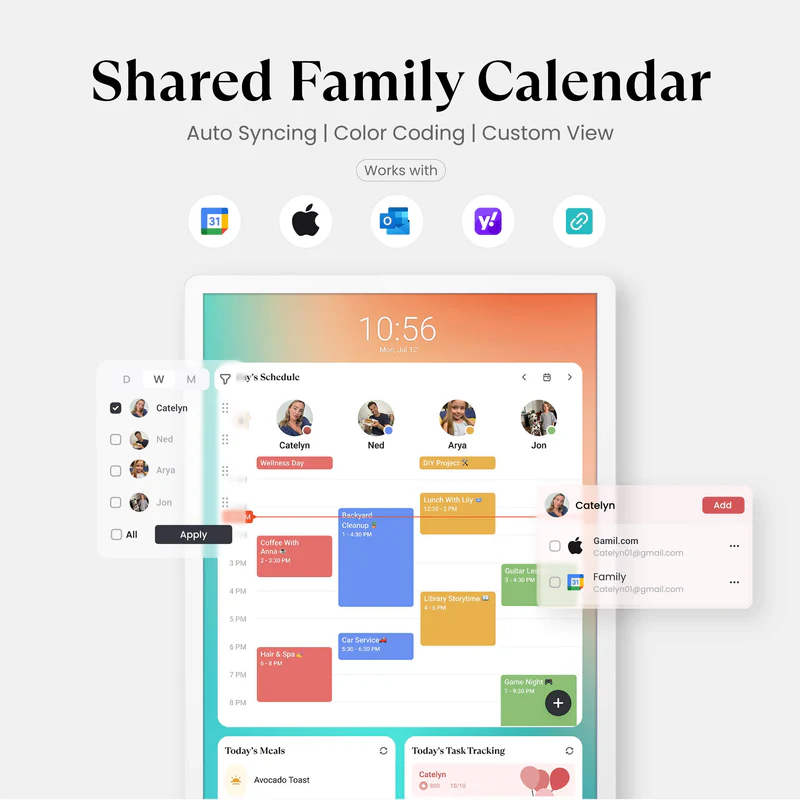
The Cozyla Calendar+ 2 is available in three sizes: 15.6″ FHD, 24″ FHD, and 32″ FHD, as well as a 32″ 4K UHD. The Calendar+ 2 isn’t just a screen displaying your Google Calendar; it’s a family hub running Cozyla’s CalendarOS, powered by Android. So really, rather than “what can it do,” or even “what can’t it do,” the question is “how do I set this up for what I need?” Because whatever you need, the Cozyla Calendar+ 2 has a feature for it.
The display can be used in landscape or vertical mode; I chose vertical for space reasons.
We tested the 15.6″ size due to space constraints, but if your budget and space are more expansive, you can get Calendar+ on a screen up to 32″. Cozyla includes ways to mount the calendar, but if you rent or want some flexibility with placement, there’s also a very sturdy easel for easy display on a table, shelf, or countertop. All the screen sizes are touchscreen, and the 32″ provides up to a 4K UHD screen … for a price.
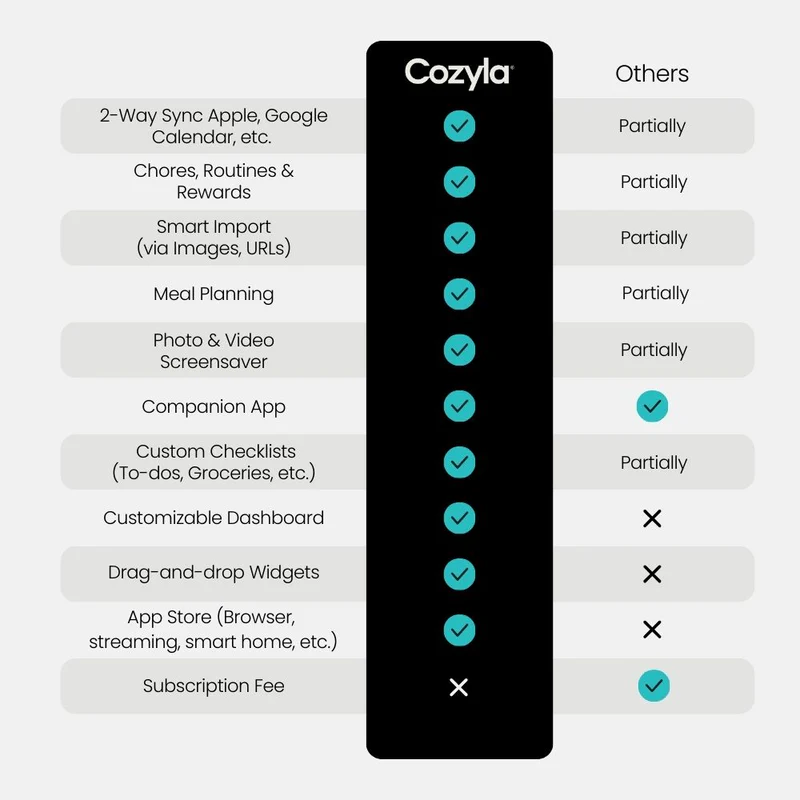
When Cozyla says the Calendar+ 2 can handle anything, they aren’t kidding! Here’s the basic list of what it offers:
Shared Calendar – Auto sync each member’s Apple, Google, Outlook and other calendars into one unified family view.
Family Profiles – Create up to 8 profiles, each with personalized color coding and individual settings.
Customizable Dashboard – Personalize your Cozyla’s home screen with widgets, calendars, shortcuts, lists, and integrated time and weather displays.
Chores & Routines – Create routines and chores with points, reminders, and repeat rules.
Rewards – Configure custom rewards and manage point redemptions.
Smart Import – Convert uploaded photos or URLs into calendar events or recipe entries.
Companion App – Manage Cozyla devices, schedules, tasks and meals from your phone.
Screensaver & Sleep Mode – Customize screensavers and set automatic sleep schedules to reduce nighttime glow and save energy.
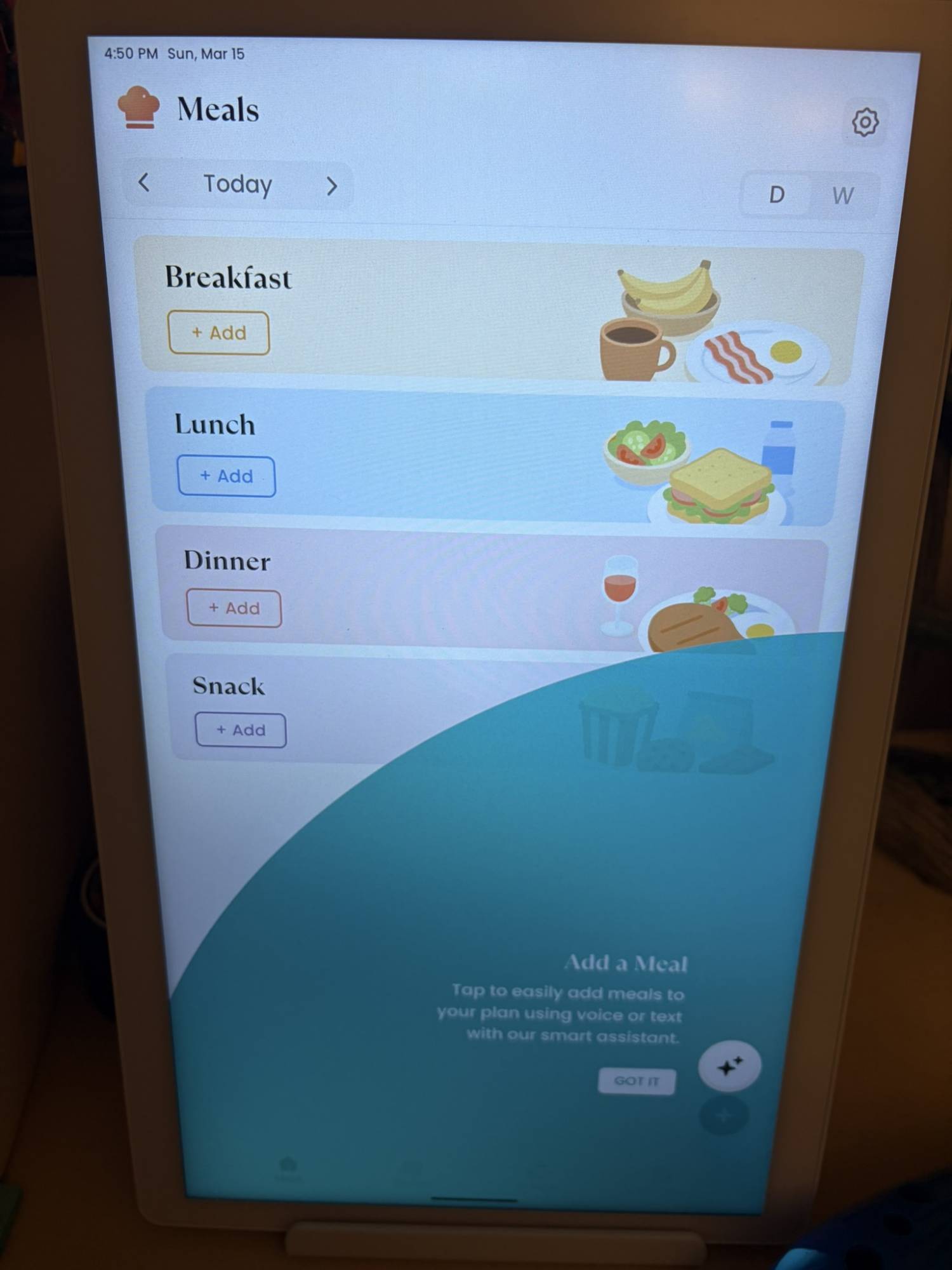
Meal Planning – Plan daily meals and simplify family cooking with our recipe library and step-by-step instructions.
Cooking Videos – Access embedded YouTube instructional videos when conducting recipe searches.
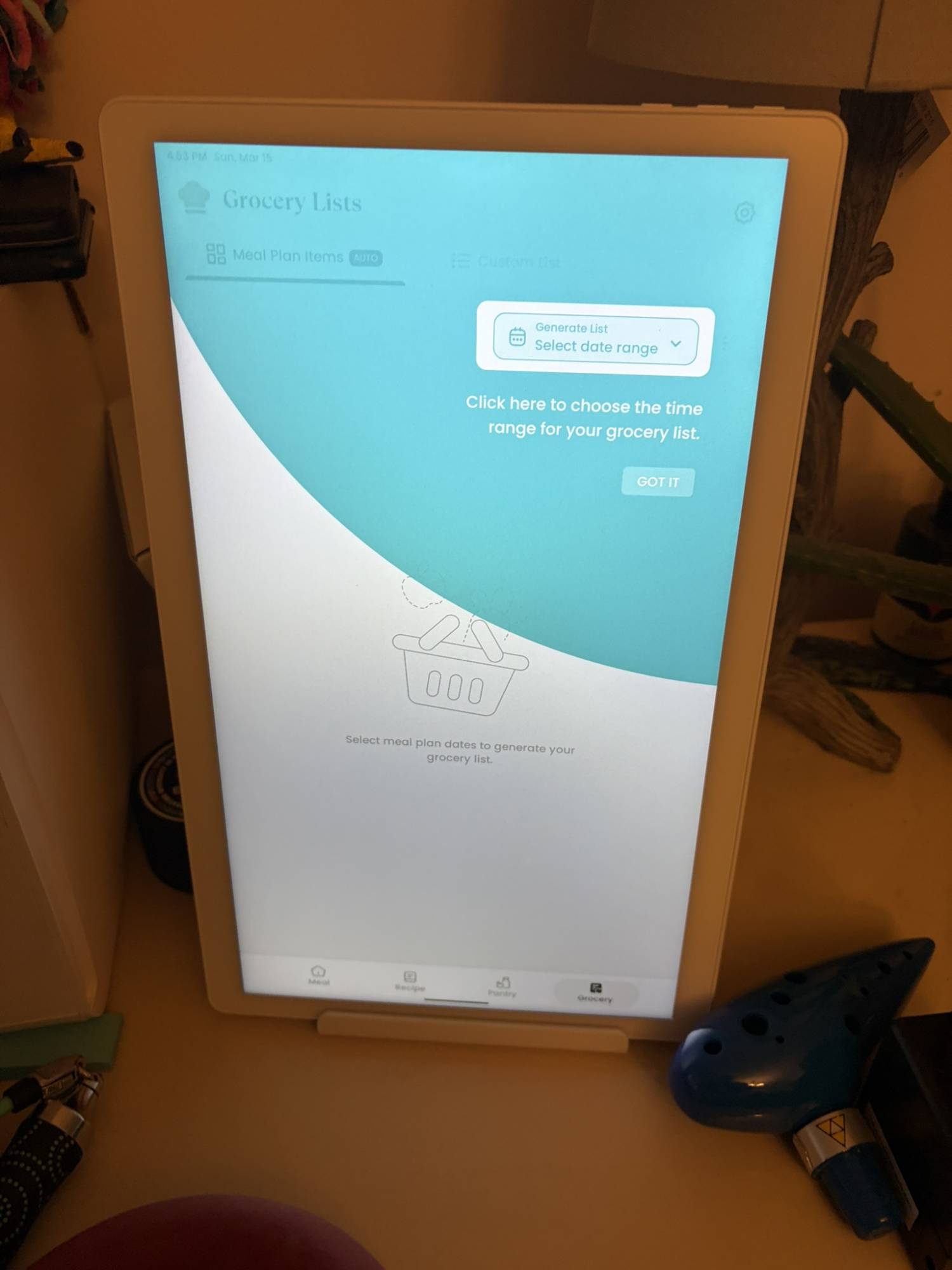
Grocery List – Auto-generate shopping lists based on your meal plan.
Pantry Tracker – Tracks existing ingredients, quantities, and expiration dates.
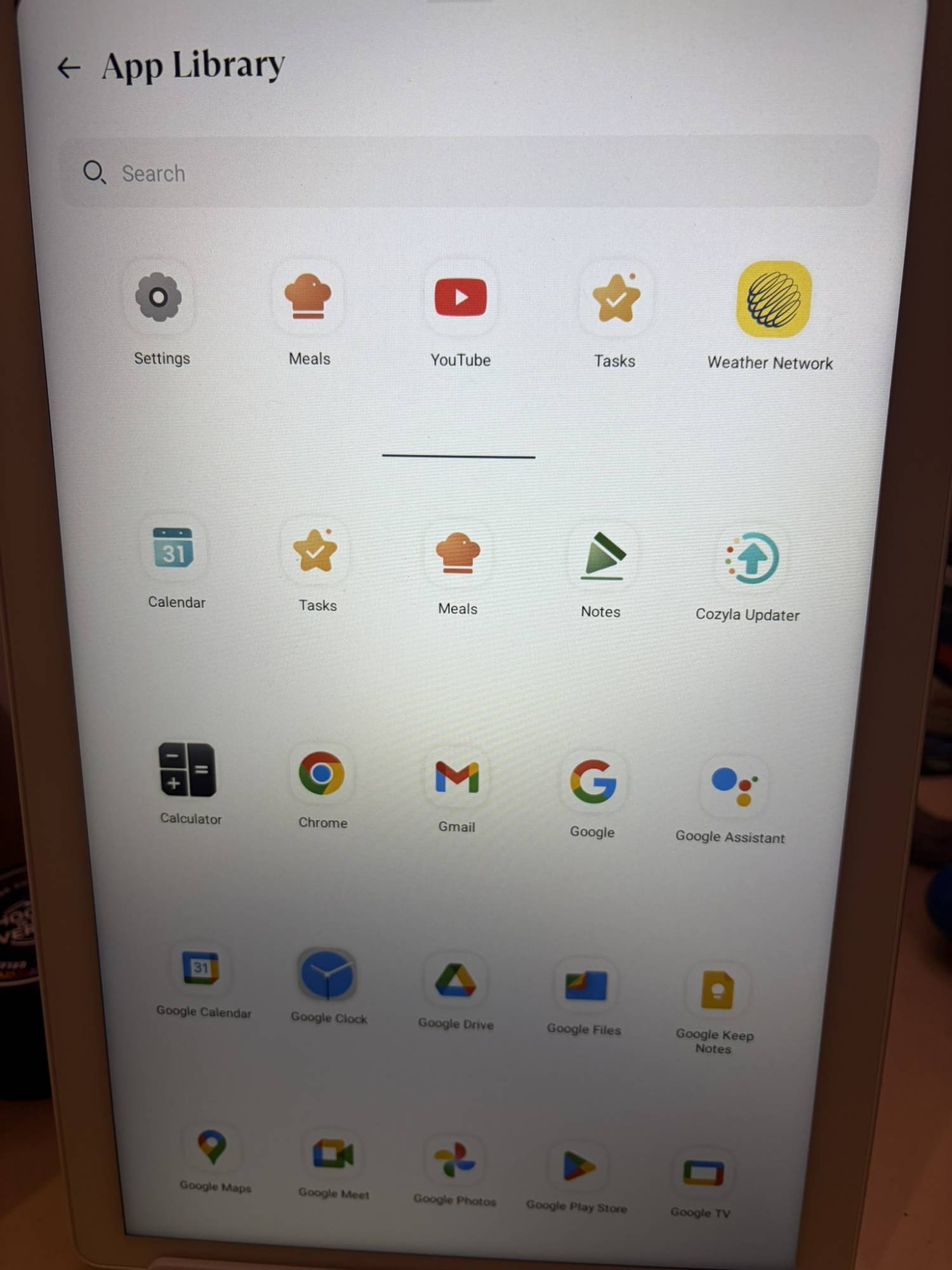
App Store – Download apps that expand your device’s capabilities.
Smart Home Hub – Works with Amazon Alexa and Google Home, along with any app that are compatible with Android.
It’s almost overwhelming when you go to set it up! Luckily, there’s also a companion app if you don’t like typing on a giant screen or talking with the built-in digital assistant. The app is a mini-version of the larger device, minus the digital assistant and the app store. But it’s great for long-form entries like to-do lists, pantry lists, etc.
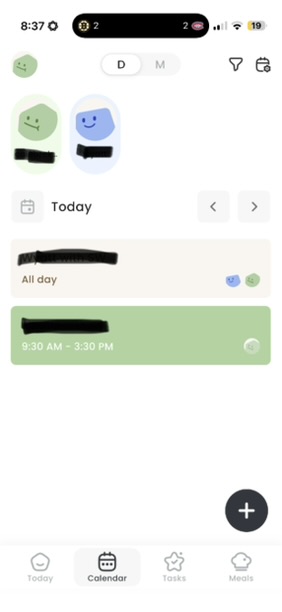
The Cozyla Calendar+ 2 feature that had me most excited wasn’t so much reminding me of what was on my calendar as providing a persistent visual snapshot of the next few days. It was especially handy because my son’s schedule went a little sideways due to holidays, doctor’s appointments, and other events; rather than asking me repeatedly, “Wait, where am I this week?” he could glance at the calendar and be reassured he had his schedule right.
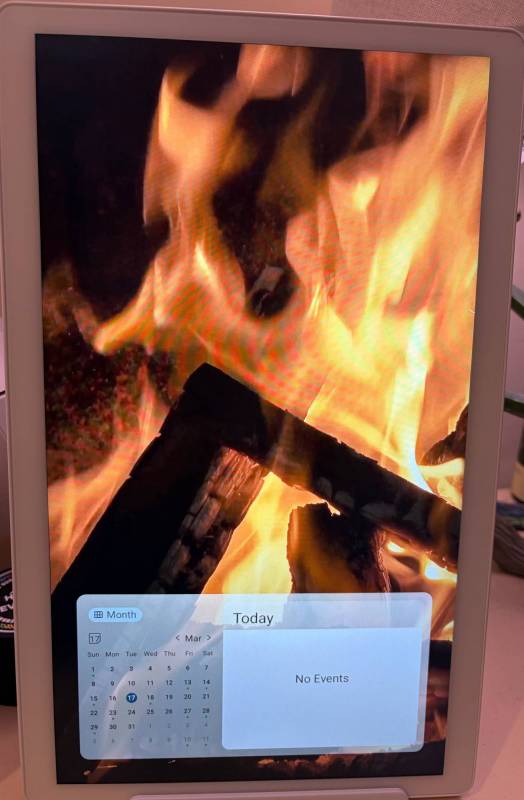
Once I had that set up, I played around with some other settings like the screensaver. You can add photos and other fun things, but there are some cool default screensavers included, and I particularly liked the fireplace one. It’s like a yule log but year-round! I’ll probably change it once we’re deeper into spring/summer, but I liked having an imaginary fire when it got extra cold.
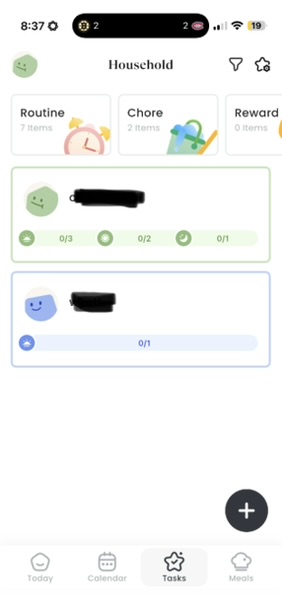
You can set up all sorts of features with the Cozyla. For example, you can assign household chores to your child(ren), and they can log when they complete them. You can set goals and chores for yourself as well. Yes, this can be done with apps or even good old-fashioned pen and paper, but it is very handy to have it as part of a digital hub.
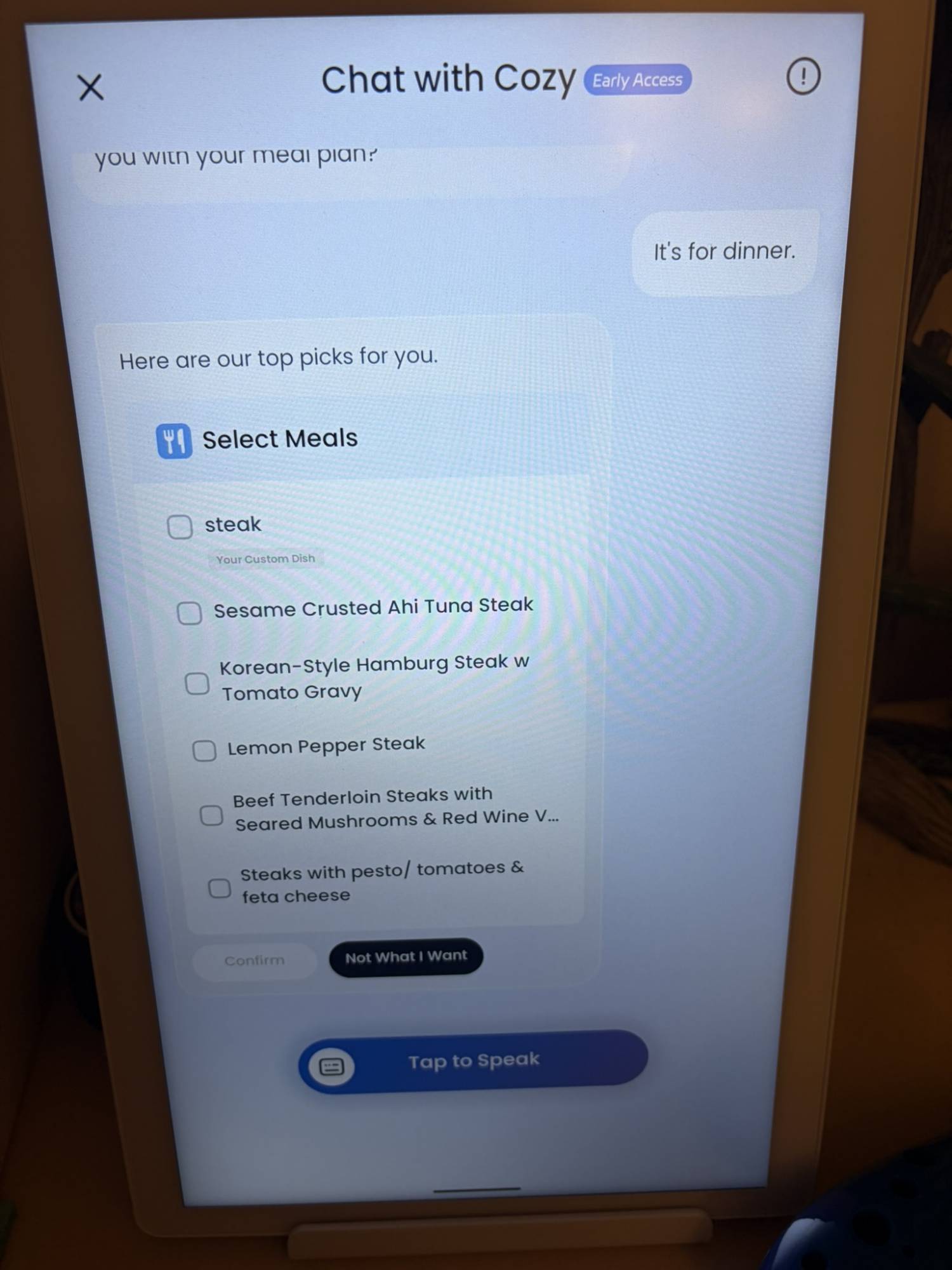
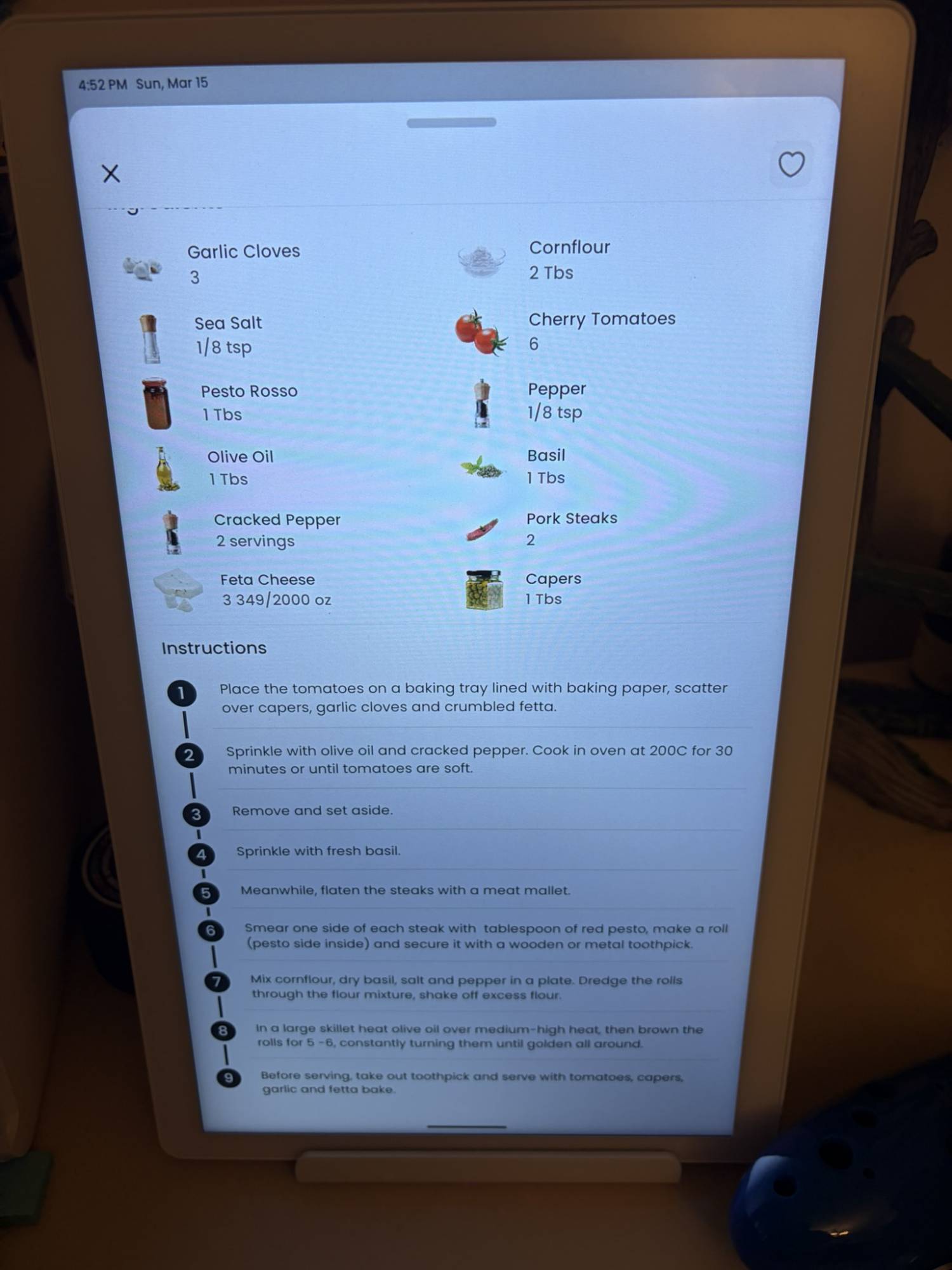
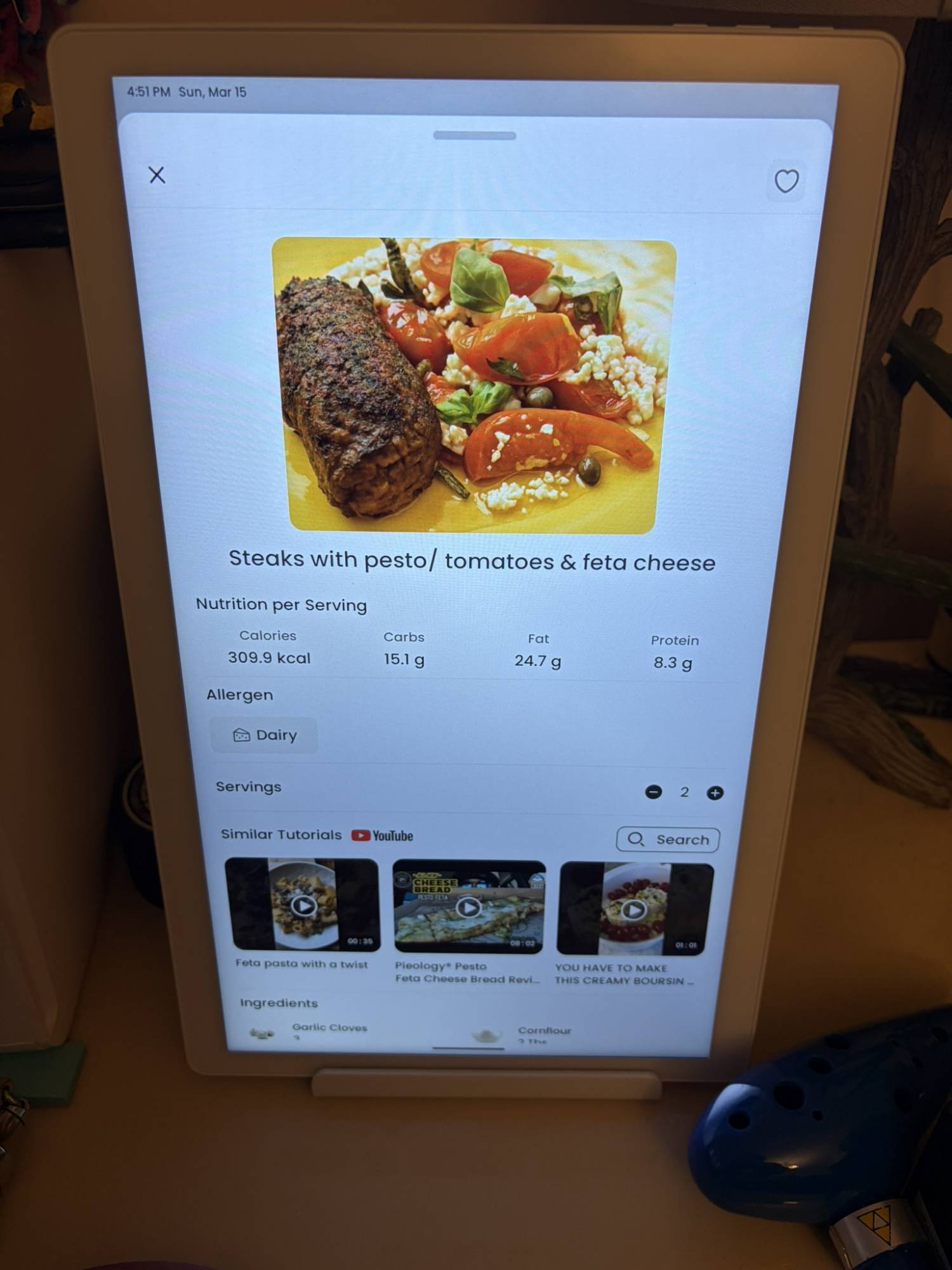
In addition to managing your calendar, chores, and tasks, the Cozyla Calendar+ 2 can help with meal prep. I am AWFUL at meal prep, but the built-in assistant does a lot of heavy lifting to make it easier. For example, I told them I wanted to make steak this week. It asked what day and what meal, and then it gave me the option of either entering my own recipe or selecting one of a list of suggested items.
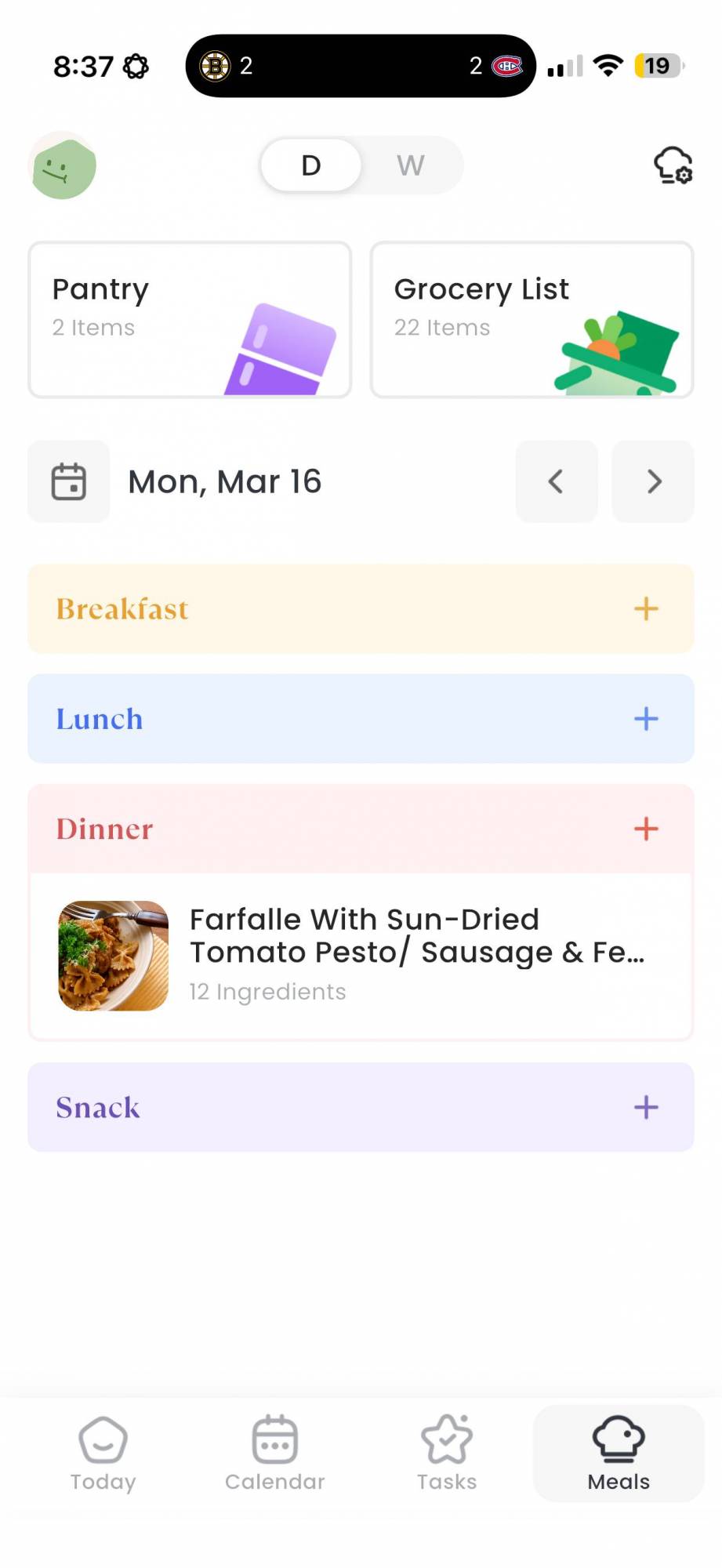
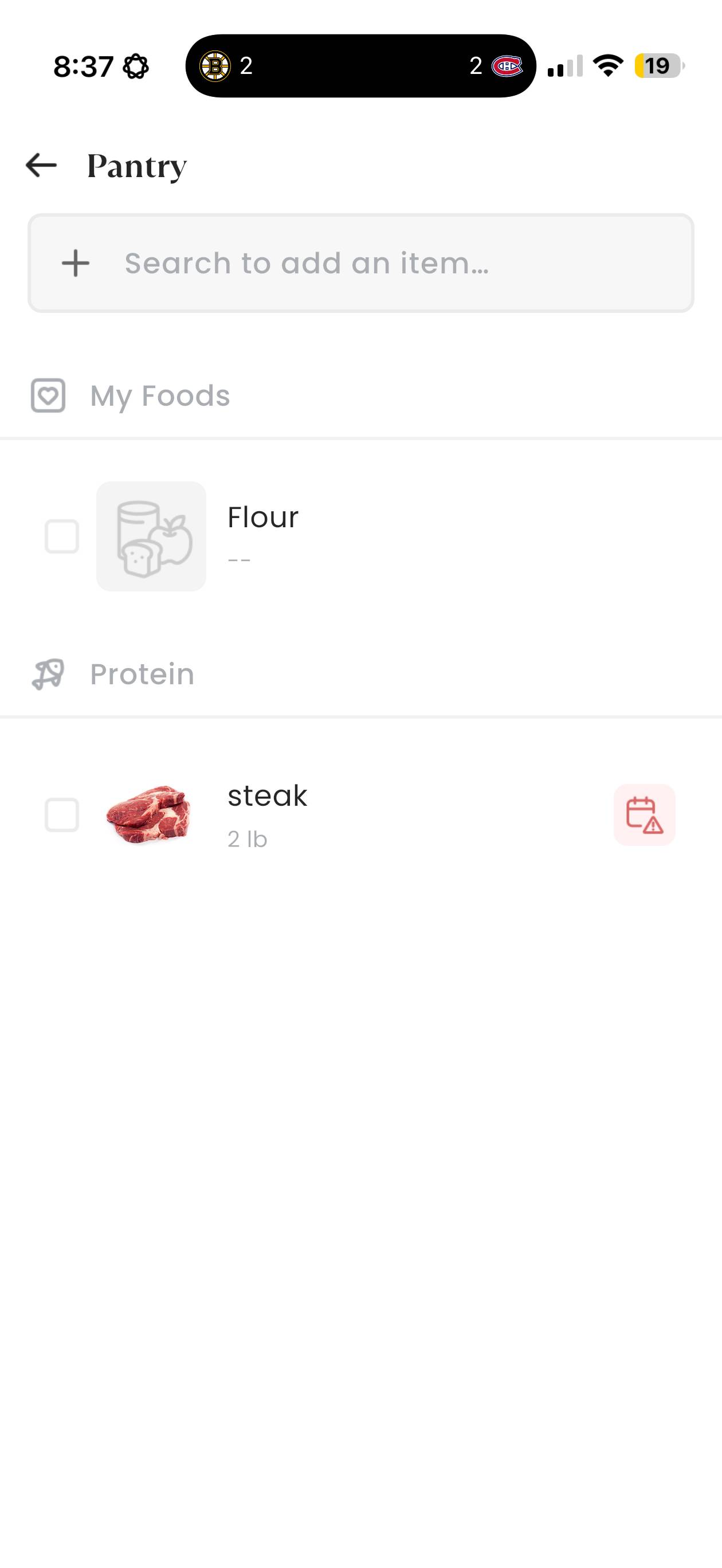
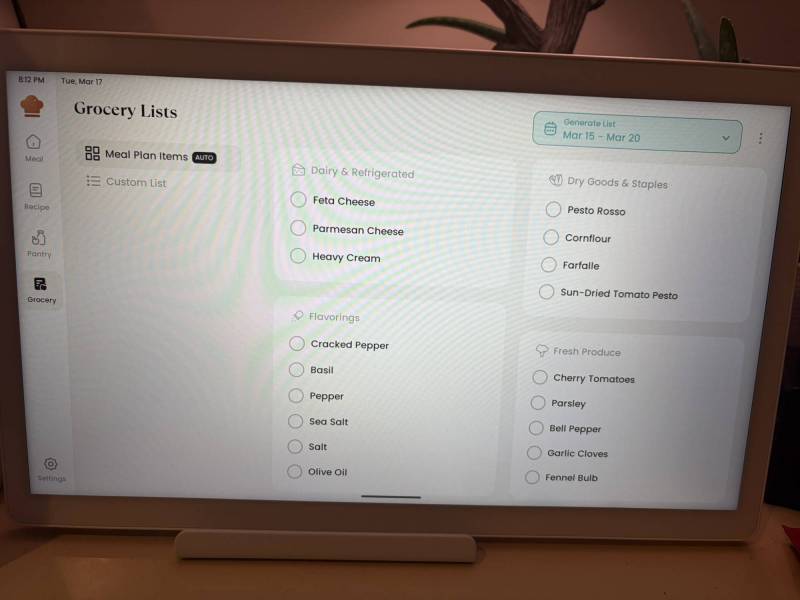
I picked one that looked interesting, and the assistant added it to my meal plan for Thursday. From there, I could ask it to add all the ingredients to my grocery list. You can also add a pantry inventory, including use-by dates, to better track what you have.
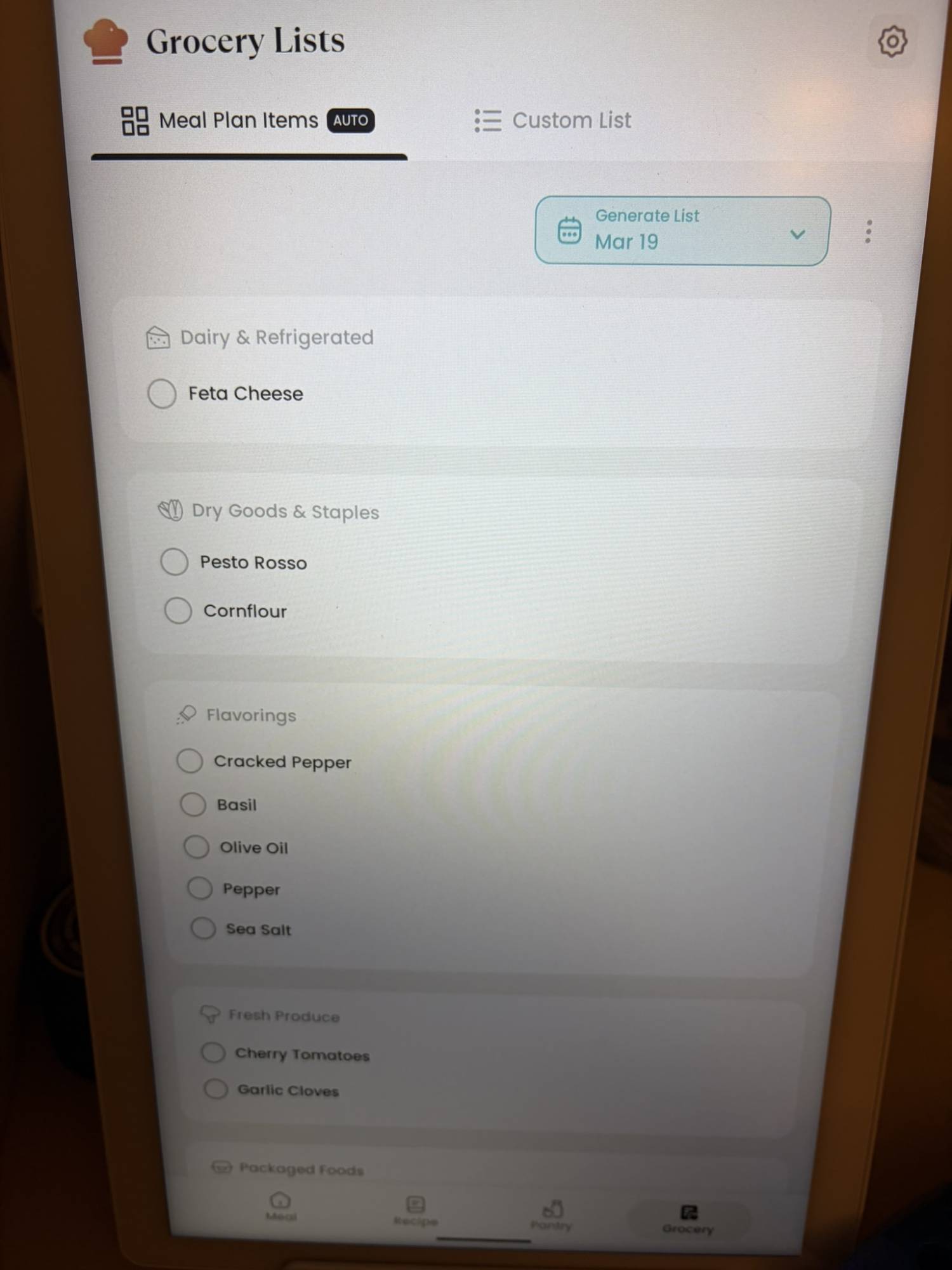
Adding to the grocery list is easy. You can manually add items, and you can give the app a date range and tell it to pull all the ingredients from the meal plan for that week’s calendar and add them to your grocery list. Two clicks and you’re set! Likewise, if you’re not sure whether you already have an item, if you’ve taken the time to build your pantry list, you can easily cross-reference and remove anything you already have on hand.
One more neat trick with the meal planning: the Cozyla Calendar+ 2 will offer up video tutorials from YouTube that are either specific to the recipe (if available) or that explain techniques/how to prep the food in your recipe. So there won’t be any heated debates about how to fold in the cheese!
Because CalendarOS runs on Android, you have the Google Play Store for more apps. Want fitness videos? Netflix? Chances are, you can easily incorporate it into your Cozyla Calendar+ 2 flow. It’s a true household hub, holding everything together so you can go about your day and hopefully spend more time living and less time planning.
That said, it’s not a cheap system. The 15.6 Cozyla Calendar+ 2 retails for $349.99, the 24″ version is $699.99, and the 32″ version can run from $899.99 to $1,099.99 if you spring for the 4K UHD screen.
The Cozyla Calendar+ 2 isn’t reinventing the wheel so much as consolidating it; it feels like the first time I’ve encountered a home hub that really feels like a hub — a place that can take everyone’s schedules, info dumps, lists, and chores, and spit out something that’s actually helpful!
My one complaint, and it’s not a huge one, is that since the Cozyla Calendar+ 2 is a hub, it is therefore tied to a plug. We tested the smaller device, so it’s not so bad, but it does mean that if you opt for the larger screen, you’ll really be committing to the location. It’s just something to keep in mind as you’re setting it up!
If you’re organized enough to handle family schedules without a device other than your smartphone, great. But if you’re dealing with a busy household full of ADHD folks who need to keep everything in one spot or else it’s gone forever, the Cozyla Calendar+ 2 is invaluable!
The 15.6″ Cozyla Calendar+ 2 sells for $349.99; it’s available directly from the manufacturer and other retailers, including Amazon.
Source: Manufacturer-provided review sample
What I Liked: It offers holistic meal planning that ties in with pantry and grocery lists; It can pull everyone’s calendars together; It offers chore and task tracking; It can handle additional apps as needed; The companion app makes it really easy to add content and manage data entry
What Needs Improvement: It’s an expensive system, especially in the larger sizes; It takes some time to get it dialed in for the best experience; It’s tied to an outlet, so you’ll have a specific location available for use




Be the first to comment on "15.6″ Cozyla Calendar+ 2 Review: The Smart Family Hub That Finally Gets Everyone on the Same Page"