Apple iPhone Apps

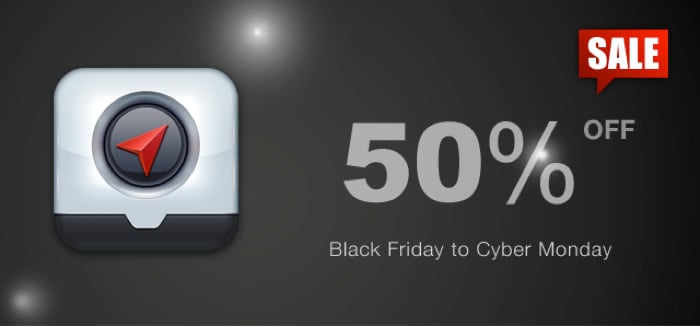
Localscope For iOS 50% Off For 5 Days

Even though I rarely shop, I am an admitted Black Friday participant. I  usually have a playoff football game that Friday night but I almost always wake up early in the morning and head out. Why not hit a store or two, find a possible deal and watch people be crazy? The entertainment value alone is worth the loss of sleep. An area often overlooked on these big shopping days are deals in the iTunes App Store. Here’s a good one. One of my favorite location based applications, Localscope will be on sale for half price from Black Friday until Cyber Monday….


Garmin StreetPilot App Helps Avoid Gridlock with Real-Time Traffic Photos

Just in time for the huge travel weekend that is Thanksgiving, Garmin has released an update for its StreetPilot Onboard iPhone navigation app. The new version of the app includes the ability to show real-time photos from traffic cameras. As the Garmin release explains, This functionality can help holiday travelers get to their destination faster by giving them the ability to literally see traffic conditions ahead of time. The update also includes live weather information, the option to share points of interest via Facebook and SMS as well as other improvements. The update is a free download to current app…


The Dynavix Navigation App for iPhone Review

Like many of you, I use my phone for everything! One area I have had mixed results is in GPS turn by turn navigation. The apps tend to be on the pricey side, and they just usually do not have the same feature set found in a stand alone unit. I love my Garmin Nuvi and use it often, but there are times it is not with me and I need another option. I have tried several app options on my iPhone, but have not been satisfied with the lack of features and the terrible sounding voices. Dynavix promises to…


Zinio’s on Fire with $25 Shopping Perks and Availability on Amazon Fire

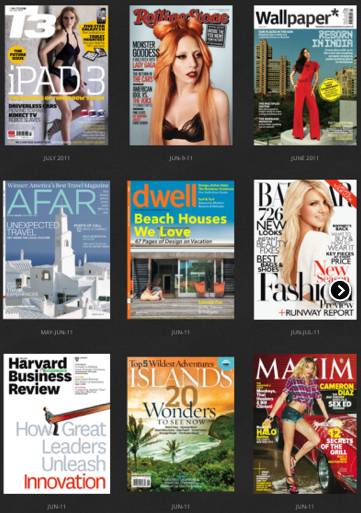
  Zinio isn’t about to let Apple and Amazon slow down their momentum. No way, no how. And to help make sure they remain the eMag service of choice they are introducing a shopping perk program that puts a $25 credit into the accounts of all new Zinio registrants from now until March 2012. Better still, this credit can be used to purchase magazines across the company’s entire global newsstand. In addition, the Zinio app is now available in the Amazon Appstore. The timing is key since many of us will be getting our net Kindle fire’s today. As Chris Wilkes, vice…


mSecure 3.0 Password Protection Review

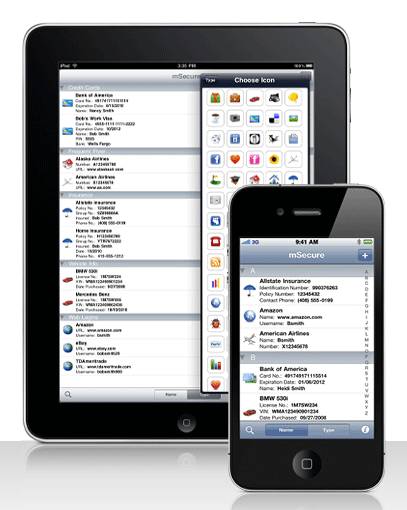
I have been using the same password protection program for quite a few years. I’ve thought about switching on a number of occasions, but it’s always is too much of a hassle, or the software that interests me isn’t available on enough platforms. So when I was recently offered an opportunity to review mSeven Software’s mSecure 3.0 I was at least a little ambivalent about it. However, I figured it certainly wouldn’t hurt to review the software; I would just create some dummy data, load it on a test device, put it through its paces, do a brief write up,…


IOS App Release: Chuggington: Terrific Trainee

  If you follow any of my posts, you probably know, my two sons love gadgets and gear just like their dad. They come by this love honestly, but we are careful to limit their time with devices and closely watch how they use them. Anytime games or applications are developed specifically for their age group, we are happy to download. The boys get extra excited if the app can be based on a familiar subject or characters. When I let them know there was a Chuggington iPhone game, they were pumped. My youngest proceeded to give me a complete…


iOS 5.0.1 Over-the-Air – How’d You Fare?

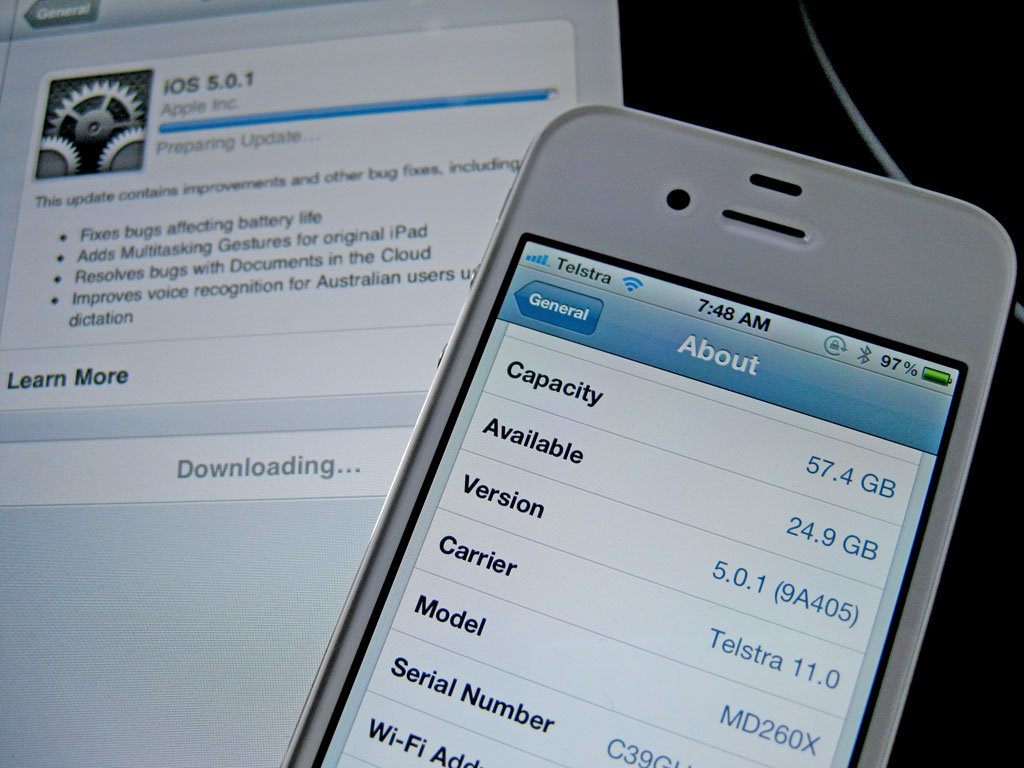
This morning the world was greeted with iOS 5.01, a rather minor update designed to address the less-than-stellar battery life that people are reporting. Personally my iPhone 4S has been pretty good on the juice, but both my dad and sister have had major problems with their phones dropping 20% in as little as an hour. In addition to fixes to improve battery life, iOS 5.0.1 adds additional multitouch gestures to the original iPad (I want these on my iPhone…) and resolves iCloud issues. Us Aussie’s get a special mention, with improvements to Siri to better understand our “foreign” accent. I’ve…


Jawbone UP First Impressions

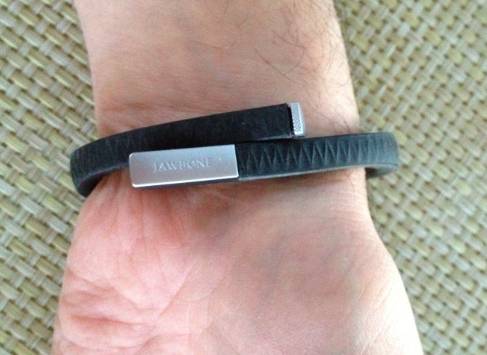
Although it is only just being released this morning, I was able to pick up one of Jawbone’s new UP wrist bands yesterday (Jawbone UP). It truly is the height of “geek chic”, and whether or not it will be a passing fad waits to be seen. I wanted to share a few initial impressions of it but first let’s look at what it does and does not do. The UP is like a super-duper pedometer. It tracks your steps and can “challenge” you to do more. Or, if you set it at “X steps planned today”, it will tell you…


Jawbone Says, “Time to Get UP!” New UP Health Accessory Now Available for Pre-Order

Jawbone, known for their awesome Bluetooth headsets and iPhone accessories, is now shipping their new UP health bracelet accessory. The UP connects with a free iPhone app to track and monitor your movements while challenging you to do more, sleep longer and eat better. The UP combines a neat fashion accessory look with a free iPhone app to push you to live a healthier lifestyle. For example, each UP bracelet has a small vibrating timer that silently tells you to GET UP AND GET MOVING! It looks like the ultimate geek health aid! Here are a few brief snippets of…


iCloud Workflow Update Thanks to the iOS App Elements

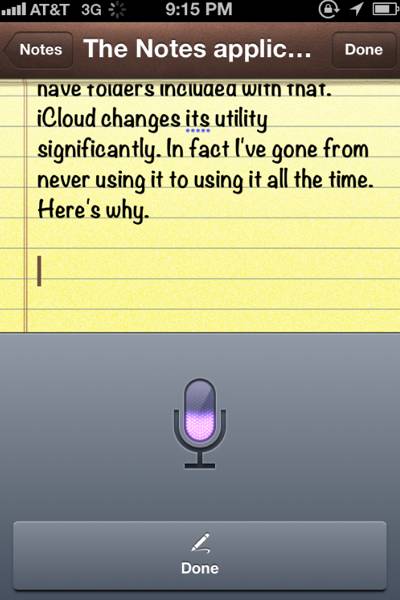
The other day I wrote a post talking about the fact that, thanks to, Siri and iCloud, the Notes application that ships on all iOS devices has suddenly become a full-fledged productivity tool. Thanks to Siri, I’m now able to write everything I need to write on my iPhone by voice and then, thanks to iCloud, the exact same text is immediately available onto my iPad in its Notes app or on my Mac in the Mail.app program. In other words, I’m able to write by voice on the go and then format and correct the text on a larger,…


iOS 5.0 QuickTip: It is Worth the Time to Set Up Keyboard Shortcuts

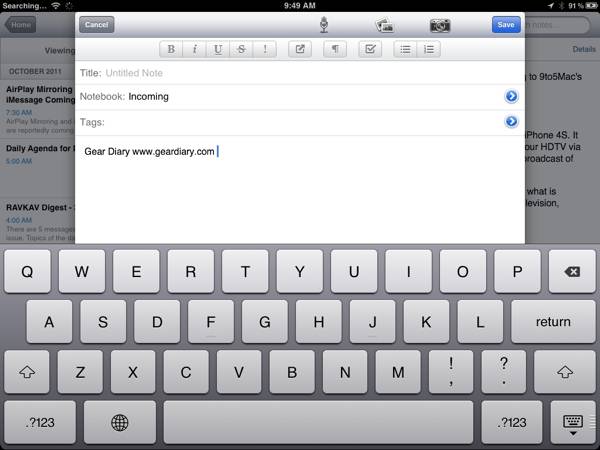
I’m a huge fan of the application TextExpander. It is, in fact, one of the key Mac utilities I cannot do without. TE offers a good deal of power but the primary reason I use it is that it allows me to create text shortcuts that have saved me a great deal of typing. For example, instead typing in Gear Diary’s URL constantly I simply type “ggear”. Less than a second later TE converts that combination into “www.geardiary.com”. That’s five characters instead of seventeen. It is even more helpful when using HTML code in a post. For example “llike” yields…


MiCorner: Is Siri Alone Reason Enough to Upgrade to the iPhone 4S?

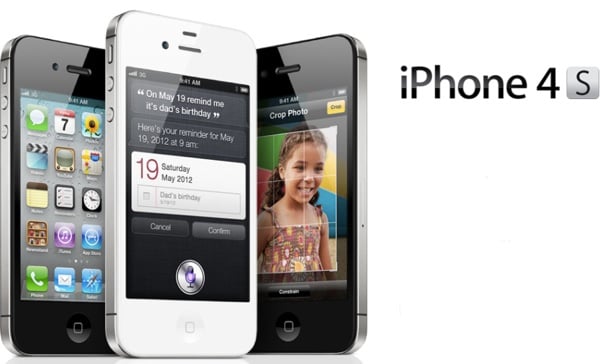
One of the iPhone-related questions I have been asked my frequently in the last two weeks is this – “I have the iPhone 4. Is Siri reason enough for me to upgrade to the iPhone 4S?” Let me offer a few thoughts and then, hopefully, any of you who have the iPhone 4S will chime in with your opinions. If you have the iPhone 3G or iPhone 3GS, it is a no-brainer. Your contract is up, so now a discounted phone is likely available; the 3G and 3GS — while still excellent phones — are completely outclassed by the iPhone 4S. I…


BeejiveIM for GTalk iOS App Review

When I switched from Android to iOS last week, my biggest concern was replacing key apps I use on a daily basis. Most services and apps I used on Android have iOS versions, so the process was fairly simple, so my biggest concern was replacing Google Talk. It’s the only instant message program I use, and I’m on it constantly “talking” to Sarah and our friends. I was worried I’d need a hefty multi-IM program to replace it, but then I discovered BeejiveIM for GTalk. All BeejiveGT does is GTalk and that’s exactly what I wanted. Would it be solid…


iPad/iPhone App Review: G5 Games Navigator

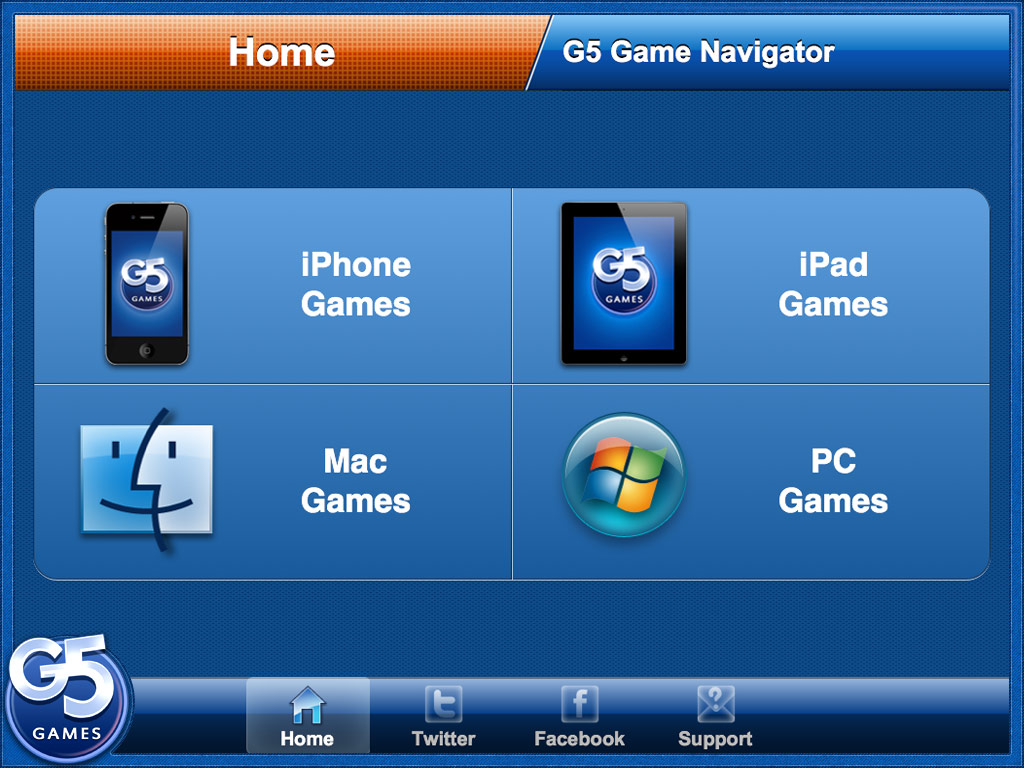
One thing most of us can agree on – finding games on the iTunes App Store (or Android Market or Amazon Appstore or Microsoft Marketplace for that matter) can be a daunting task: if you know the exact name you will have no problem … but if not, you are in for quite a challenge! Hoping to help navigate at least their own corner of the App Store as well as Mac and PC games, G5 introduces the G5 Games Navigator. Let’s take a quick look! The Hype: Find quality casual games in the App Store! Stay updated on G5’s…


TeleNav GPS Plus Gets Tests on a Quick Roadtrip

I have to make a quick trip up to Boston to see a few people. I was hoping to take the train but the schedule just doesn’t work. The same was true for flights. As a result, I’ll be driving to Boston shortly and then, later tonight, making my way back home. The trip is long enough on its own without my taking any wrong turns so I want/need a good GPS program. I looked at all my options and decided to go with TeleNav’s offering. The app now comes with voice-guidance and, thanks to competition in the GPS app…


Sound ID is Back with the Sound iD SIX, a Siri-Ready Bluetooth Headset

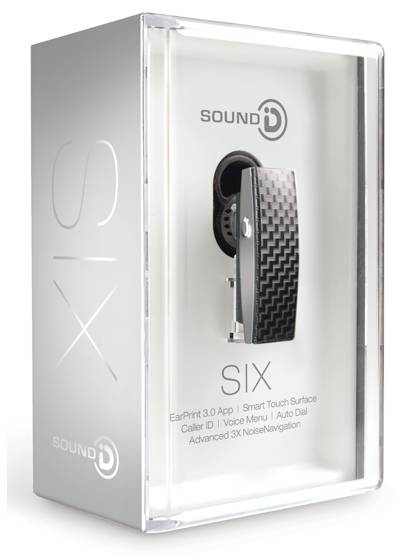
I have had the opportunity to review each generation of Sound iD’s Bluetooth headsets. The first was a small but excellent device and with each generation the devices have gotten better and better. Now the company is back with their Sound iD SIX Series headset and it looks great. Here’s what the company has to say about it: Sound ID redefines the Bluetooth experience with the new SIX. Destined to be your go-to headset, the SIX boasts a sleek look and more than one new audio trick, resulting in a true marriage of outstanding sound, true comfort and advanced technology….


Siri and iCloud Turn the iPhone’s Notes App into a Powerful Tool

The Notes app that is built into iOS has always struck me as a bit anemic. That’s hard for me to write, considering that my cousin works for Apple and is one of the key people involved in its development. Unfortunately… it’s kind of true. Sure, Notes is great for jotting down quick memos, but that is about it. There is very little you can actually do with it other than, well, take notes. Documents can’t be formatted. You can’t add pictures. The app doesn’t even have folders, so you can’t organize your notes. The message Apple is sending with…


Siri at Work: Update Yammer on the Fly

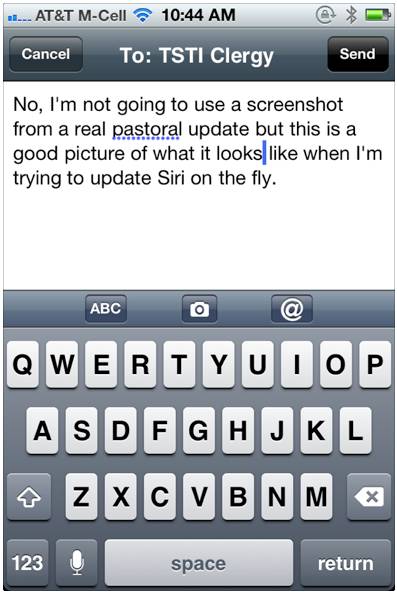
The term “game changer” is thrown around far too often. (I am as guilty as the next blogger.) But the fact of the matter is, for those of us who are using Siri seriously, it really is a game changer. In this post I want to take a quick look at one of the many ways that Siri is transforming what I do and making it easier and more efficient than ever. A bit of background first. In my congregation I have the privilege of working with three other members of our clergy team. In addition, I have a full-time…


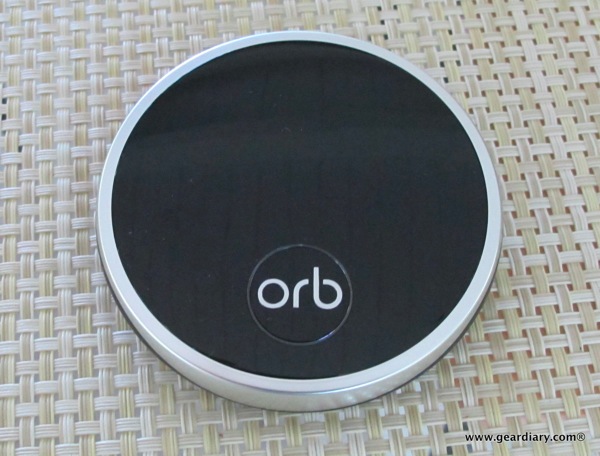
Home Audio Review: Orb Music Streaming System

Elana is all but sick of hearing my content refrain of “Have I told you how much I love our Sonos System?” It is at that point that she reminds me that, while she enjoys the music when it is on, the Sonos system is definitely my baby. She’s right. It is one of the best purchases I have ever made. Here is the thing though: the Sonos system worked for me for two reasons. First, at the time I didn’t have a serious music system in the house and, second, I was willing to make the investment to set…


Enough Fun and Games; Tips and Tricks for Using Siri for Productivity

Siri is a lot of fun to play with, but it is time to get down to business. After all, with a little bit of patience and a few (many?) tweaks, Siri can become an amazingly useful productivity service. Truth be told, for the first few hours I was trying Siri I thought it was a big fat fail. After making some of the changes I want to share with all of you however, I already can’t see having to go without it. So let’s jump right on in. Home Button? You don’t need no stinkin’ Home Button Yes, you…


iCloud Quick Tip: Manage Your Backups!

I’m already a big fan of iCloud and its ability to seamlessly back up your iDevices without your having to even think about it. I liked it so much that, even while still in Beta, I upgraded to a 25GB account (20GB paid, 5GB free). That should be plenty of space but, as it turns out, it wasn’t. Not by a long shot. In fact, when I checked this morning (Settings, iCloud, backup…) I had just 1.5GB of space left. I tapped “Manage Storage” and immediately saw the culprit. My iPad was using 12.8GB for backup and my iPhone was…