Apple iPhone Apps

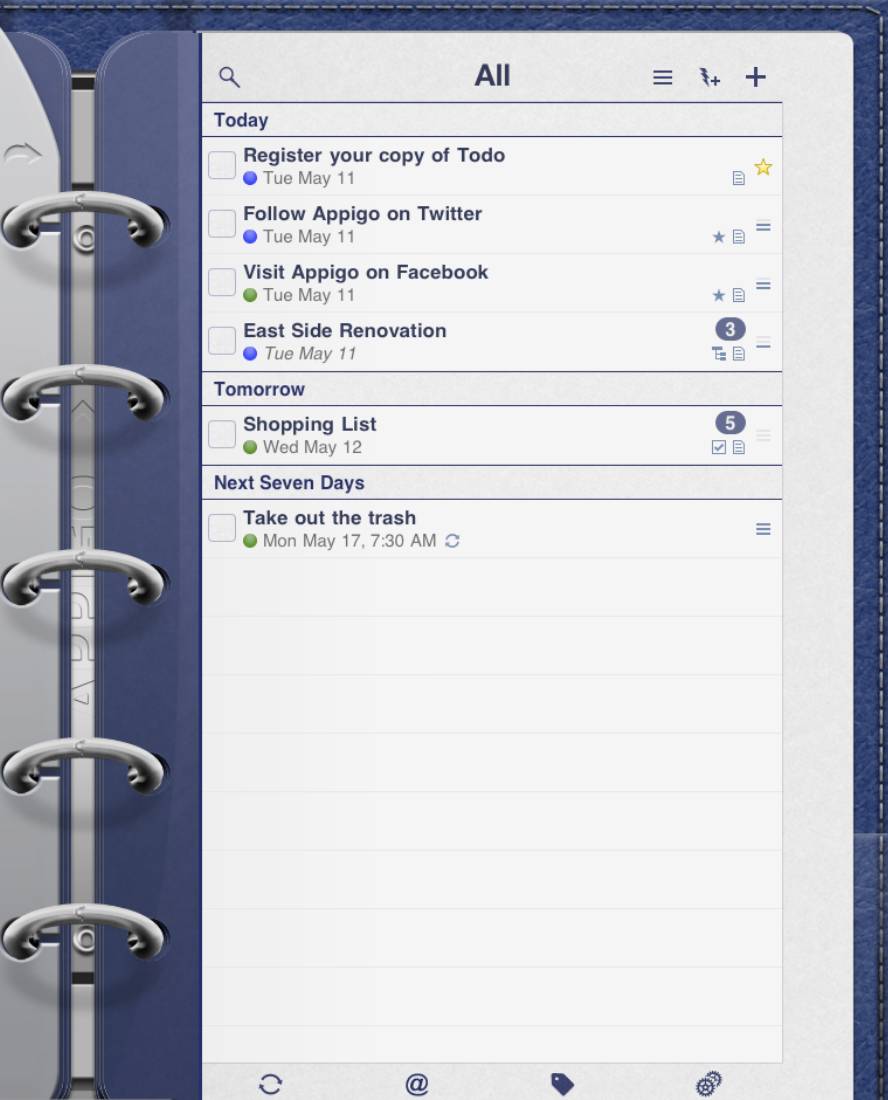
ToDo for iPad- iPad Application Review

I have long been a fan of Appigo’s iPhone apps. The company makes apps like ToDo and Notebook, and they’ve recently released an interesting cork-board app called Corkulous. Appigo’s apps are polished, full-featured and constantly getting better. Better still, as deep and complex as some of their apps are, everyone of them have worked perfectly from the day of their first release. Their apps are that good… seriously. I was curious what  Appigo would do with their apps given the iPad’s larger screen; I knew they wouldn’t simply blow the apps up to fill the screen, as that’s not how they…


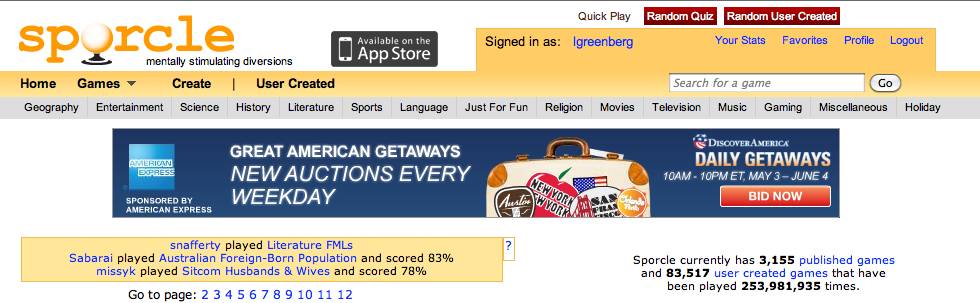
I Have A Confession: I’m Addicted to Sporcle

I first heard about Sporcle on the Howard Stern show.  Howard was joking that his crew spends most of their time, time when they should all be working, playing on the site. What’s Sporcle? Sporcle is a trivia based web site and not only is it super addicting, it’s super fun.  Well of course it is right?  I mean what’s addicting that’s not fun … at least in the beginning? The site features a ton of short user and site created “quizzes” where you have to name as many of the correct answers as you can in the given time…


Review: Sound Mac-hine for iPhone

Sure, using an iPhone or Blackberry for work is great, but you need to have some fun too. And, let’s face it, deep down we’re all little kids who love laughing over a good sound effect or fart joke. Enter an app like Sound Mac-Hine. It’s essentially an app full of sound effects, ranging from various Howard Stern show regulars to oldies but goodies like “Beetlejuice” and “The Three Stooges”. Personally, my favorite was “The Three Stooges”, though I think my fiancée and dog were less impressed when I played the same effect 15 times. Of course, there’s more to…


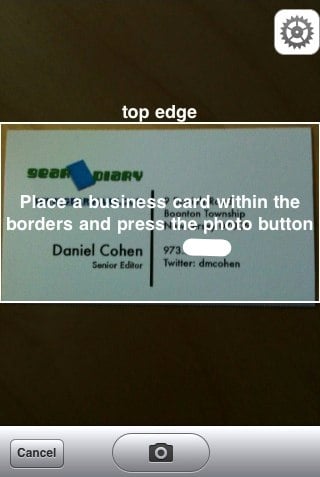
ABBYY Business Card Reader- iPhone App Review

I’ve tried a number of different business card scanning apps that let you take a picture of a business card with your iPhone camera and automatically pull information from it in order to create a new contact. It is a great idea but I have thus far been a bit disappointed in the accuracy of them. After all, it is not a time-saver if you take a picture, scan it and then have to manually edit almost all the information fields. When I say that ABBYY, one of the leaders is optical character recognition was entering into the ring I…


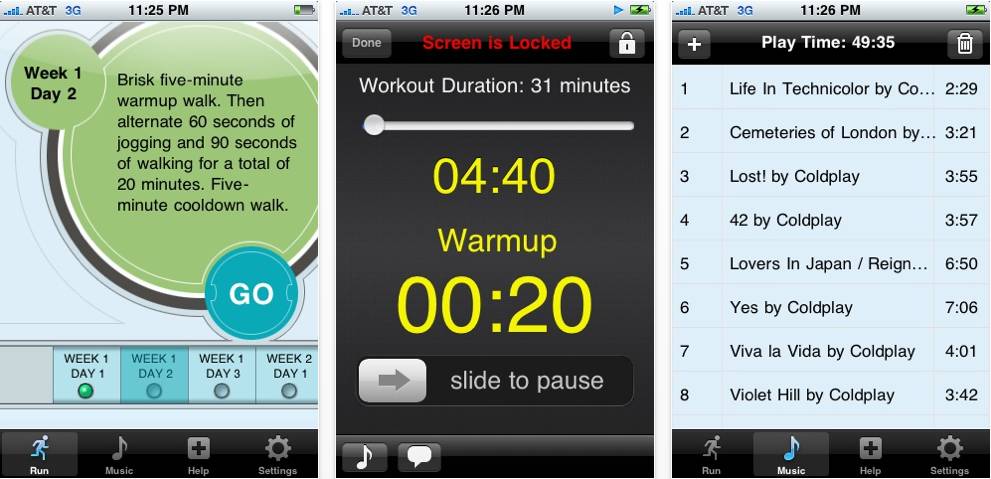
Follow Me and My iPhone On Our C25K Journey

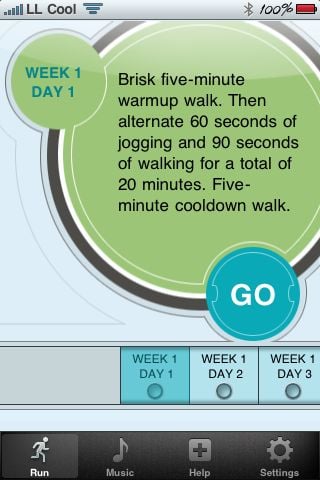
My running career hasn’t been a long one. I started running back in the summer of 2007 as part of an effort shed a few pounds. After a few runs I was hooked and made a promise to myself. I was 37 at the time, and I pledged that I’d run the NYC Marathon the year I turned 40; at the time I planned to make it my first marathon. Anyone who knows me knows that when I start something I go all all in. I know only one speed. So it didn’t come a surprise to my friends or…


Knocking Live Video for iPhone App Review

  This weekend, my brother Sam asked me if I had that app that you knock on somebody’s phone and then can see what their camera sees. When I told him I did not, he was excited to actually have an app recommendation for me. I was also surprised to find out the app did not require the 3GS.  The app actually creates a live stream to another iPhone using the built-in camera. Now this Blue Plate recommendation is sort of a mixed review and your mileage may vary. We quickly tested the app both ways with fairly good results. …


Rhapsody Just Got Me Back As a Customer… Rhapsody For iPhone Review

I used to have a subscription to Rhapsody. At the time I was using a Creative Zen music player. (It was in the days when my motto was “Anything But Apple’s Products”. It seems like a lifetime ago.) The deal the company offered wasn’t bad. For $10 or $15 a month I could listen to all the music I wanted. Sure I was renting the music and all of it would (and did) disappear if and when I decided to cancel my subscription. Still, when I thought about wanting to try a wide range of music and transfer it from…


Review: iParadise for iPhone/Touch/iPad

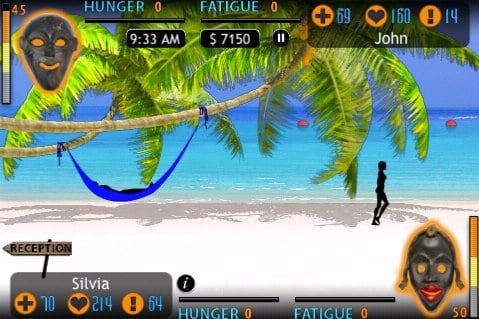
Need a vacation, but just cannot get away?  Maybe you are single and just wish for a romantic trip to paradise with a significant other.  Either way, your iPhone can now take you away with your love to an exotic island.  iParadise offers a truly unique and deep iPhone experience.  Almost any activity that can be enjoyed at an island resort is available in the iParadise getaway. I have to admit, when I first opened the game, I was not too sure what exactly to expect.  The idea of taking a fake vacation seemed strange.  Puzzle, word and arcade style…


Air Video Free for iPhone/Touch/iPad App Review

Last week I was syncing my wife’s iPhone and she told me she wished a couple of movies would fit on her phone.  I could fit a movie on the phone, but would have to delete some of her music which she did not want me to do.  When our boys go to bed, she sits in their room while they doze off and plays on her phone so that is a perfect opportunity to watch some video.  I immediately went to the app store and began to search for a solution and found Air Video Free. Air Video Free…


Shanghai Mahjong for iPad

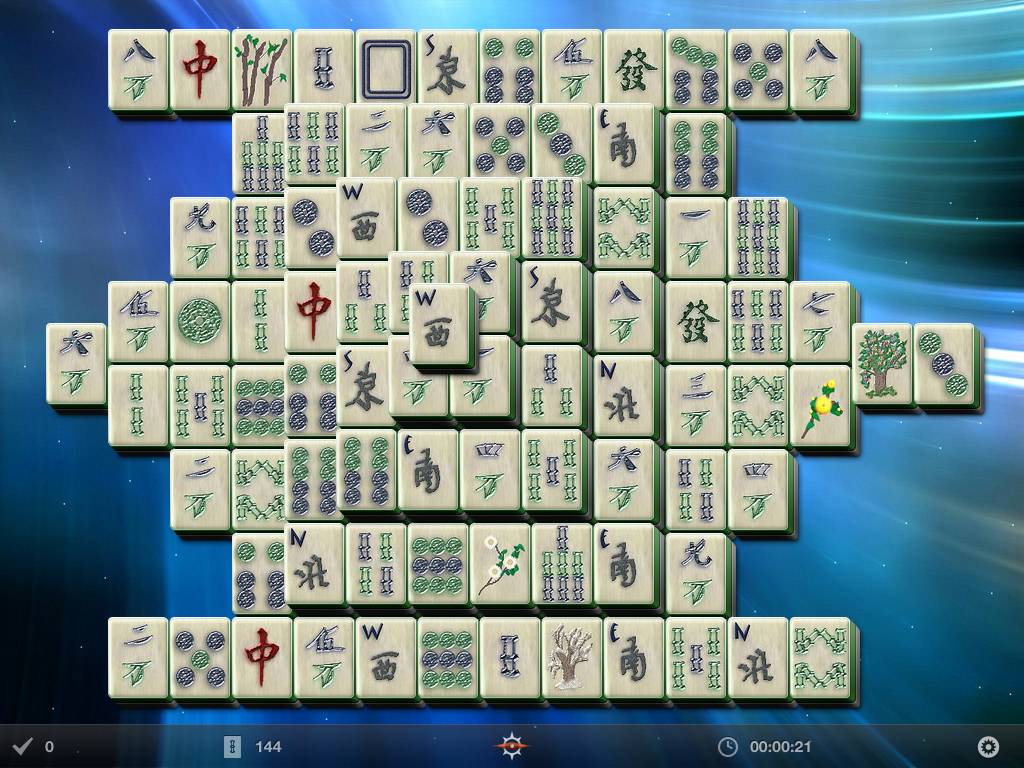
Mahjong is one of those games that has always fascinated me – both the solitaire version that most PC gamers are familiar with and the competitive version of mahjong (sometimes called the “real” mahjong). Shanghai Majong is one of the former – the solitaire version of the game. For those who have never been exposed to the game, the idea is simple – a number of tiles are places in a stacked pattern on the board and you need to find open (free on one side) pairs in order to remove the pairs from the board. The goal is to remove all of the…


Calorie Counter by FatSecret for iPhone/Touch/iPad

As I explained in a recent review, about six years ago I lost a large amount of weight and began getting back into shape.  I have kept up a strenuous workout routine until just recently.  The stresses of work, kids, bills and most of all graduate school caused me to begin to slack on my workouts.  I was still jogging or lifting weights, but only a couple days a week at best rather than my six days of disciplined workouts.  During that time, I briefly tried a few apps on my phone to help count calories but my heart, energy…


ReaddleDocs For iPad Review

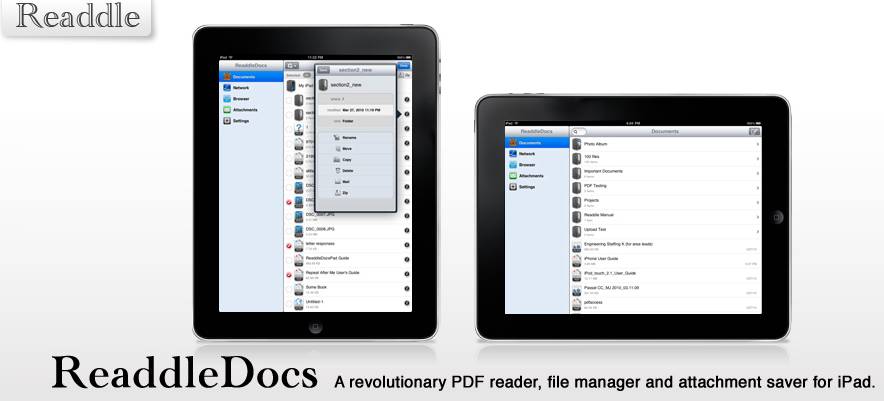
There are a number of different ways to get PDF documents onto the iPad and then view them wherever you are. One of the best is ReaddleDocs. The developer describe the application adds, “a revolutionary PDF reader, file manager, and attachment savor for iPad. Let’s take a look. From the company, This is a revolutionary document viewer, file manager and attachment saver for the iPad. You can catch documents from any source you can imagine: PC or Mac computers, websites, e-mail, attachments, iDisk, Dropbox and any other online file storages, even iPhones. All files are saved to your iPad locally…


FoodEssentials Scanner for iPhone Review

About six years ago I made the decision to change my life.  Being an athlete all of my life, I was pushed to get bigger and had always consumed a lot of calories since I burned so many.  When I began coaching, I spent all of my time teaching others how to be athletes, and there was no time to do my own sports.  I tried many dieting options with no luck until I tried the Atkins plan.  Long story short, I lost 100 pounds and got back into shape.  I now live a low-carb lifestyle and have maintained my…


Review: Basketball Coach’s Clipboard For iPhone/Touch/iPad

The clipboard is a tool of the trade for basketball coaches that has been used for decades.  I never coach a game without my trusty board sitting under my chair.  The basketball clipboard is simple.  A white dry erase clipboard with a basketball court diagram and a dry erase marker.  The come in many sizes and configurations but all have the same function.  Not high-tech by any means, but extremely useful.  In fact, the only change in this technology is the switch from chalk boards to dry erase.  Watch any game and you will see the boards come out at…


Quick Look: SPB TV for iPhone

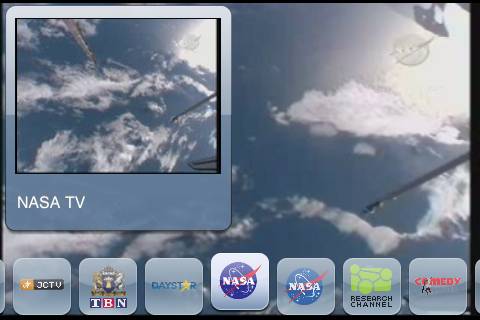
SPB has had their SPB TV product out for WIndows Mobile devices for a long time, and it’s always been considered an excellent app.  Recently they released it for the iPhone – something many people were eagerly anticipating.  Let’s take a quick look at this latest release for the iPhone!


Follow Friday App for iPhone

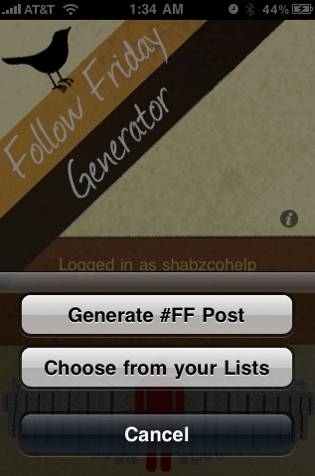
If you use Twitter, chances are you’re familiar with the tradition that is #Follow Friday. For those of you who aren’t, every Friday Twitter users compose a Tweet to their followers which consists of a list of the “cool” people they follow, and it serves to suggest that they follow them too. While I do like the concept it, can become taxing to compose these weekly Tweets, trying to remember who you shouted out the week before, who did for you, etc. The Follow Friday application, available in the iTunes App Store for 99 cents takes all the guess-work out…


iPhone Bluetooth: Flaky but Predictable Corner-Case Problem

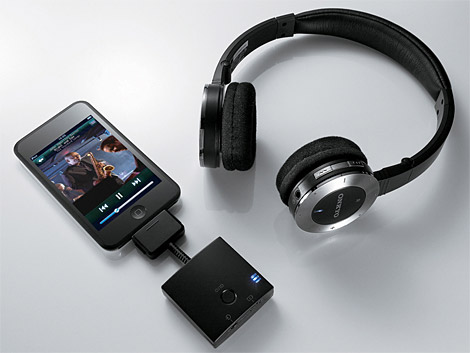
Image courtesy of Natalie Jean Lovin Holbrook I find corner-cases.  I don’t want to; I don’t try to; I just do.  Like last week, right?  I was working with some fairly sophisticated online documentation build and publish tools–and they weren’t working right.  I was making my co-workers upset.  I was making my boss upset.  Heck, I was making my wife Sami upset, because I was griping about it so much.  Was I missing something?  What had I done wrong?  Why wasn’t it working? Because there was a bug in the software.  I had found a corner-case.  Again. How Doug felt…


Ragdoll Blaster 2 Lite for iPhone/Touch/iPad App Review

The iPhone has become a great puzzle gaming platform.  A style of game I have come to enjoy are physics puzzles.  There are many different versions of the genre, but each of them use the amazing physics possibilities on the iPhone to create a unique game.  So to carry on the idea of uniqueness, how about firing rag dolls out of a canon to solve the puzzle?  Well, that is exactly how Ragdoll Blaster 2 is played. The idea of the game was strange to me at first also.  Once you play the game though, the addictiveness of shooting rag…


BugMe! Receives Keyboard Support for iPhone and iPad

A few weeks ago, I reviewed BugMe! for the iPhone. Then, last week, Doug posted about the release of BugMe! for the iPad.  In my review of BugMe!, one of the items that I noted needed improvement was the ability to use the keyboard for input. Using a finger to write on the iPhone’s small screen just didn’t allow me to write more than a few words.  Fortunately, the folks at Electric Pocket, the makers of BugMe! were ahead of me.  They have now updated BugMe! for both the iPhone and iPad with support for keyboard text entry, which definitely adds…


Flip It! Lite for iPhone/Touch/iPad App Review

This week and next week are the craziest weeks of the spring for us as coaches.  I have four games and will work at two track meets and this year I add my son’s four t-ball games.  While I was on my weekly search for an app for the Blue Plate Special, I decided I wanted something fun and different.  The craziness of work made me not want to do something productive or the usual games.  I stumbled upon Flip It! Lite and my interest was piqued. Remember the days of youth when you spent a boring class period in…


uGive iPhone App Makes Mobile Giving Easier

Giving to a charity is something that has probably been on the minds of a lot of folks recently, whether due to natural disasters such as the earthquakes in Haiti, or the general state of the economy and the desire to help others who may be less fortunate.  MobileCause, whose staff consists of non-profit and mobile industry professionals, is on a mission to help make charitable giving easier and raise awareness for non-profit organizations.  They have just released a new iPhone app, uGive, that allows participating charities to use the iPhone as a means to solicit support.  By registering with MobileCause, charities…