
In the time I have been writing here at Gear Diary, I have made it my mission to find the perfect Bluetooth headset. Although we have tested dozens of headsets, that quest continues. In fact, considering the rate at which new headsets are developed, I would not expect this process to reach a conclusion anytime soon. Today, we will be looking at the Motorola H790, the latest entry in Motorola’s already extensive line of Bluetooth headsets.
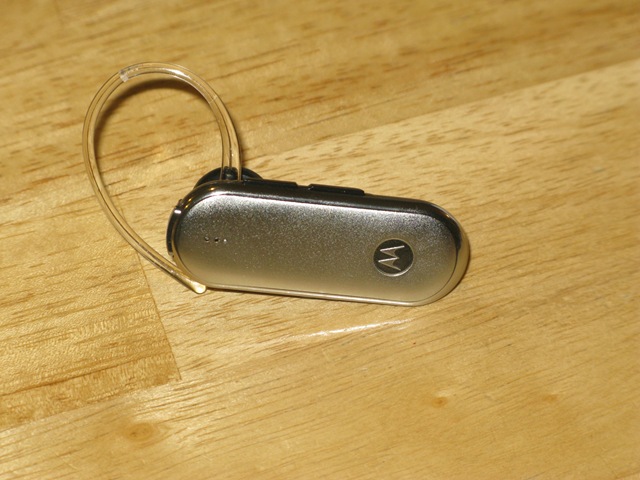
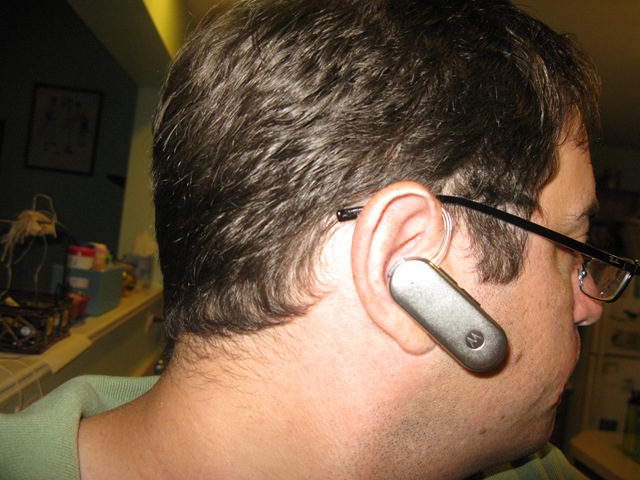
Quick Look: Let’s start with a quick look at the headset. Personally, I think the elongated, flat design makes it look quite stylish. The choice of a flexible plastic for the ear loop was a good decision. It made the ear loop fit much more securely than the typical rigid plastic or metal wire.

There are several controls around the edges, which bucks the trend of buttonless or one button controls. On the bottom is a power switch. If the orange is showing, then the headset is turned off.
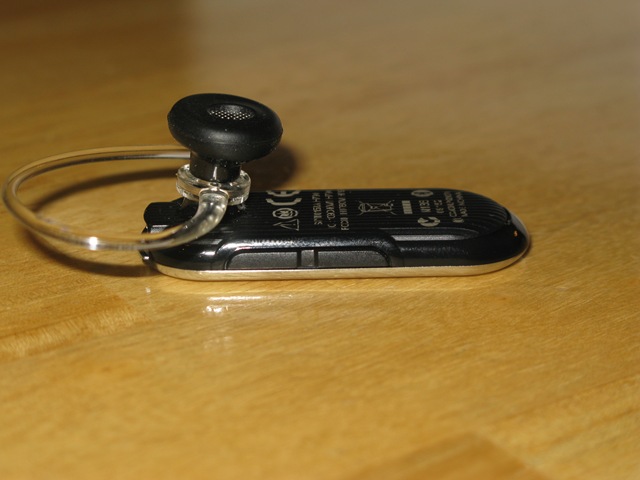
On top of the headset is the volume control. These buttons are nice and large, with a clearly discernible ridge between them, making it easy to distinguish between the two without looking (because who wants to take off their headset mid-call to adjust the volume).

The back of the device has the call button. Use it to answer or hang up the call. There is also a charging port here. The headset includes an AC adaptor which you can use for charging the battery in the headset; however, it is a standard micro-USB, meaning it should not be difficult to find an alternative cable to suit your needs.

I thought the earpiece made a nice fit. Though your ears are probably shaped differently than mine. For this reason, Motorola has included a variety of earbuds of several different shapes and sizes. If this does not ensure a perfect fit, then maybe there is something wrong with your ears.
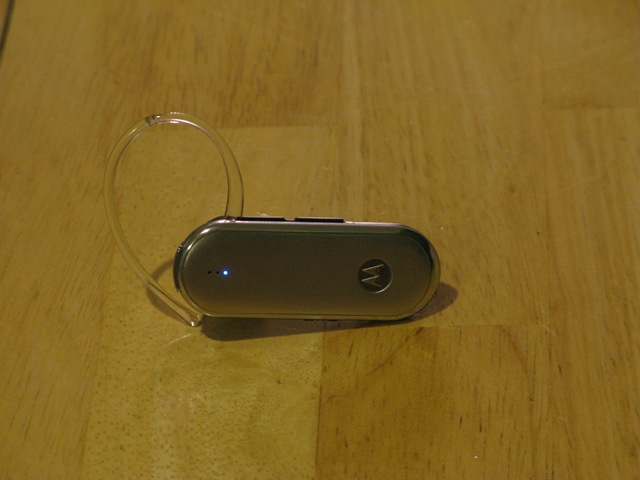
The only other thing you need to see are the three indicator lights on the face. These will not be terribly easy for you to see when you are wearing the headset, but it will allow everyone around you to see:
— your battery status
— connection status
— call status
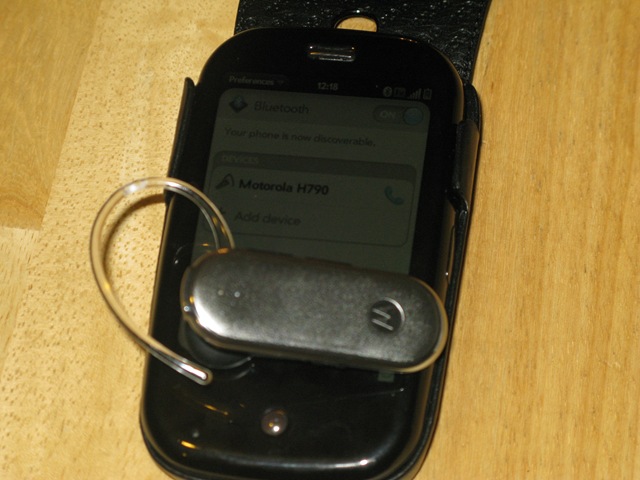
Connection and Pairing: I know a lot of people think it is a waste of time to talk about connection and pairing of Bluetooth headsets. They just want to know how well it works. I am of a different opinion on this question. I think it is important to test how easy or difficult it is to connect the headset to your phone. If it is too difficult, then it really will not matter how it sounds, because you will never bother to use it. Additionally, I have been really impressed by some of the measures taken by headset manufacturers have taken to make this a painless and easy process.
I have to say, I was pretty impressed by the pairing process on the Motorola. Just turn it on using the power switch on the bottom, and it will immediately begin speaking to you…quite literally. The headset will automatically enter pairing mode, and will proceed to speak further instructions into your ear. No more confusing button pushes and watching flashing light patterns. Just turn it on and listen. The whole process took me about five seconds.
Call Quality: This is the real question. The whole point of a Bluetooth headset is to facilitate talking on the phone. If that does not work, then you pretty much just bought yourself an expensive, plastic paperweight.
The thing about a headset like this, however, is that call quality really encompasses two tests. Not only does the person on the other end need to be able to hear you, but you need to hear them.
I was really quite impressed by the ear speaker on this one. The sounds were crystal clear, and I had no problems with static or poor reception in my ear. The results on the other end, however, were not quite as good. People I spoke with reported some static on the line, and a bit of that underwater sensation which often accompanies Bluetooth headsets. To be fair, though, this was pretty consistent with many Bluetooth headsets available today. The biggest problem, however, was the lack of noise cancellation, which allows background noises to interfere with my conversations.
What I Liked: Comfortable fit, sleek design, easy pairing
What Needs Improvement: Better noise cancellation in the microphone
Where To Buy: Motorola
Price: $79.99

Review: The Motorola H790 Bluetooth Headset | Gear Diary: In the time I have been writing here at Gear Diary, I.. http://bit.ly/p8CVD