Apple

iPhone 4 Case Review: Twelve South BookBook for iPhone 4

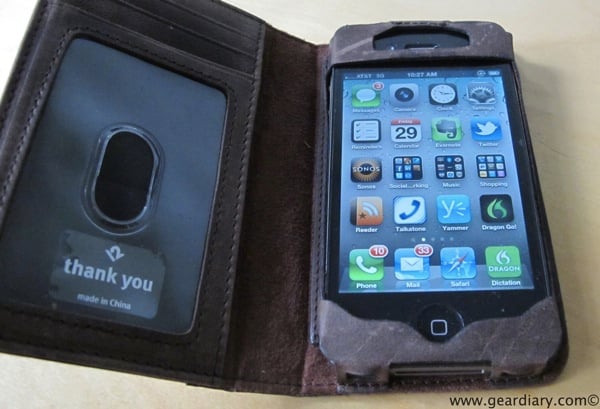
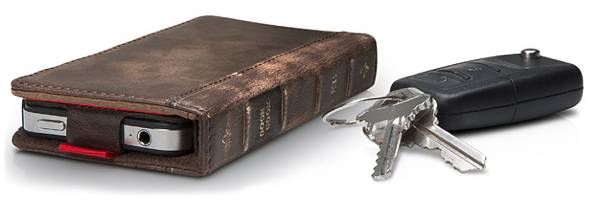
photos by Kevin I love Twelve South‘s products. Their product portfolio isn’t the largest around, but the products they do offer are well-conceived, beautifully manufactured, and quite useful. We’ve looked at their BookBook for iPad, their Compass iPad stand and liked both. Now they have released the BookBook for iPhone 4. The $59.99 case serves a dual function of protecting your iPhone AND serving as your wallet. As the company says, it is “A Vintage Case+ Wallet for your iPhone 4”. From Twelve South: BookBook for iPhone is a wallet and iPhone case rolled into one pocket-sized, vintage book. Open this…


A Gear Diary Video Look at… iPad 2 Keyboard Cases

We’re still in search of a name for this video series but, name or not, we are putting together a few more videos in the mean time. This time out we take a look at a couple of keyboard cases that are specially designed to work with the iPad 2. We look at the M.I.C. Keyboard Buddy for iPad 2 and the Adonit Writer for iPad 2($99). We also make mention of the Logitech Keyboard case by Zagg for iPad 2 ($99), the Apple Wireless Keyboard ($69) and the Waterfield Keyboard Travel Express ($49).


iPad 2 Case Review: Sena Florence Rev2

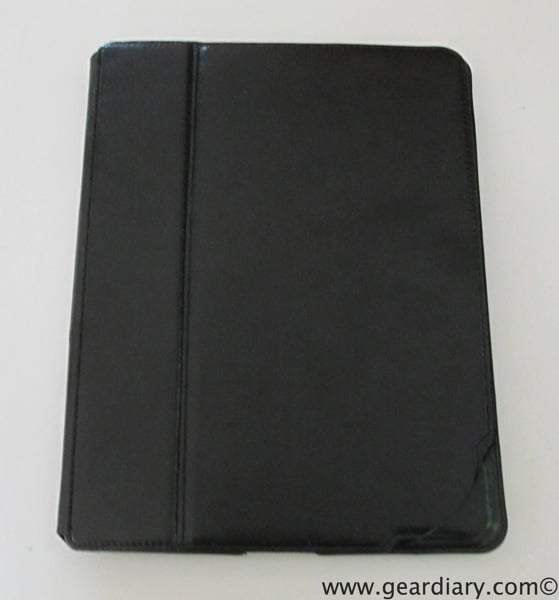
We did an early review of Sena’s super slim Florence case for the iPad 2. I loved this thin profile of the case as well as the “typical” Sena quality. The leather was gorgeous, the fit and finish were fantastic and, overall, I was quite pleased. I especially liked the fact that the Florence maintained the curved look and feel of the iPad 2’s back. All was not perfect though. I found the magnets used for the auto sleep/awake functionality were a bit hit or miss. If things were perfectly lined up the iPad would wake up even though the…


Soft-Touch Cases and Suntan Lotion Do Not Mix: A Gear Diary PSA

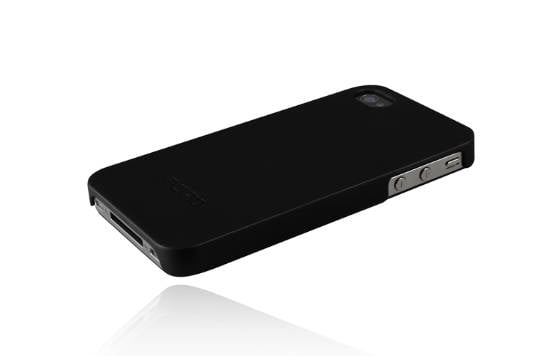
I love a minimalist iPhone case with a soft touch feel. among my favorites are the Feather cases from Incipio. I have one for my iPhone 4 and I also bought one for my iPad 2. They look and feel great. Here’s what Incipio has to say about them: Measuring less than 1mm in thickness, the feather® for iPhone 4 is a slim, form-fitting case that offers low-profile protection. Don’t like feeling the added bulk of a traditional case? Go lightweight and sexy with the feather®. With the largest variety of color selections to choose from, the feather® is the…


First Look: Case-Mate Tut “Creatures” Case for iPhone 4

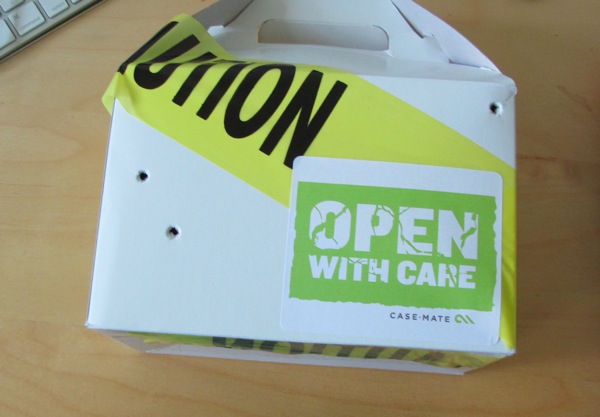
Every now and then a review sample will arrive in some packaging that really catches your eye. Most of the time such things seem to come from Case-Mate. For example, their Case-Mate Fuel case arrived last year with an actual gas can. (Obviously it was effective since I still remember it.) Well we just got back to town and, lo and behold, Case-Mate sent a neat package with… …one of their new Creature cases. I was wondering why a box came that was kept closed with “Caution” tape and had air holes punched into it. The mystery grew when I…


Is There Anything You Can’t Do in an Apple Store?!

Sure, there are always people hanging around checking their email and surfing the web at the Apple Store. And apparently, they’re fairly permissive about small dogs and other pets. But one comedian, Mark Malkoff, really wanted to see how far he could push Apple retail and videotaped some of his more entertaining attempts to push the envelope. These were really funny, but trust me when I tell you there are some sure-fire ways to get kicked out of an Apple Store, or any retail store, but they wouldn’t be as funny to videotape. But here’s a few easy ones: 1)…


More Cool Tech from the Beach- Apple TV Edition

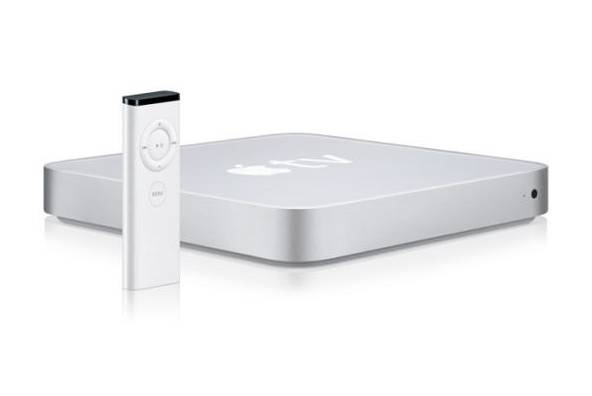
We just spent a couple of nice days at a small boutique hotel on the Jersey Shore. As I mentioned the other day the Bungalow Hotel has a few neat pieces of tech at play. There’s the RFID room-key I mentioned the other day as well as their use of an HP Touchscreen All-In-One computer at the front desk. And there’s this…     The hotel information mentions that each room has a “DVD Library”. We checked in and found… no DVD’s. A closer look did reveal a movie “collection” but not in the manner we have all come to…


Twelve South Introduces BookBook for iPhone

Twelve South makes some of the nicest accessories around. We reviewed their BookBook iPad case and loved it. (My father-in-law stole it for his iPad and still won’t give it back!) We bought and reviewed their Compass iPad stand and I still use it quite often. Now Twelve South is introducing the BookBook for iPhone and it look awesome. The BookBook for iPhone 4 is “a beautiful, pocket-sized wallet that holds both iPhone 4 and your driver’s license, debit card, cash and receipts”. As the company explains, Made exclusively for iPhone 4, this tiny vintage book replaces the need for…


Apple’s in-App Sales Policy — an Intimidation Tactic?

There was so much drama and upheaval in the eBook, magazine, and subscription services on iOS yesterday as Amazon, Barnes and Noble, and others caved to Apple’s demands that they either get a 30% cut of in-app sales or all links to external purchasing systems be removed, that it is easy to assume that all this comes down to one word – GREED. But what if it comes down to one different word. What if instead of this being all about Apple and the word “greed”, what if it all comes down to Apple and the word “Amazon”? What if…


And … the Nook App Update Removes Store Links from iOS

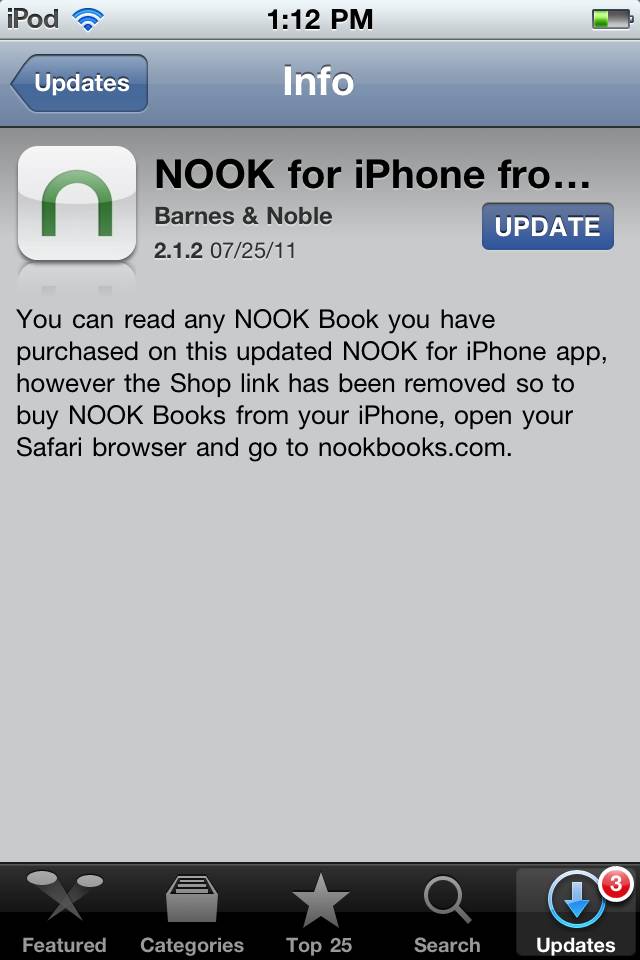
Carly said it best – A picture is worth 1,000 words… Carly just posted about Amazon removing store links from their Kindle app. Now Barnes & Noble has done the same. Here is the description of their update: What’s New in Version 2.1.2 You can read any NOOK Book you have purchased on this updated NOOK for iPhone app, however the Shop link has been removed so to buy NOOK Books from your iPhone, open your Safari browser and go to nookbooks.com. This is just the latest in an evolving saga that has basis in a single Apple policy they…


Kindle App Removes Store Links from iOS

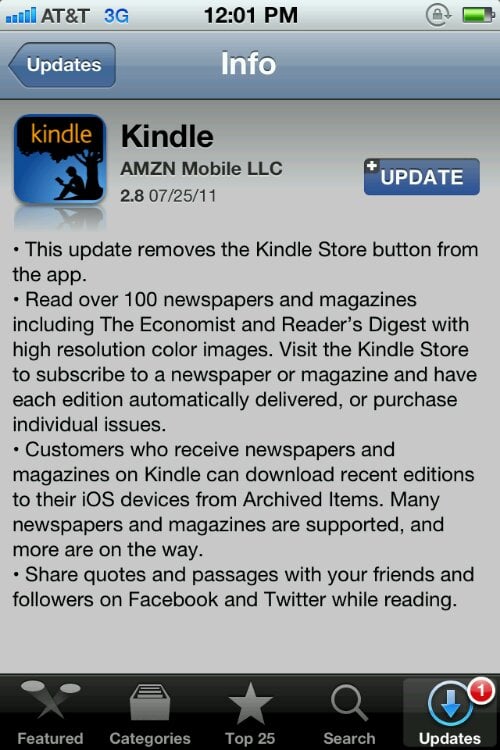
A picture is worth 1,000 words… Amazon has updated the Kindle app to reflect Apple’s new rules, namely that you cannot link to an external store in an iOS application. Will this impact buying habits? Only time will tell, but one thing is clear: we, as consumers, are losing. Spotify, Netflix, Rhapsody, NOOK, Kobo, Google Books and now the Kindle have all undergone dramatic changes that will require major adjustments to how we shop on an iOS device. Will this change how you shop for books? Will you be holding off on updating your Kindle app? Sound off in the…


How Can Apple Improve iBooks without Ruining Other eBook Stores?

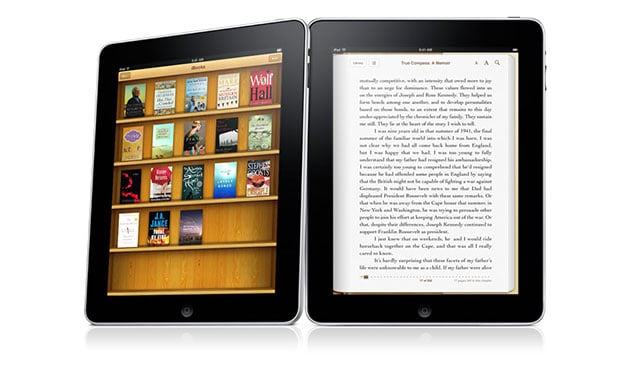
Something very fishy is going on at Apple. It looks like they’re taking in-app purchasing very seriously, and are enforcing what has been rumored for months: eBookstores can no longer link to their respective stores in Safari in any way, even for account sign-ups. Kobo was forced to change over, as did NOOKkids; Google Books has gone entirely MIA from iOS. Plus, the Wall Street Journal has removed all links and in-app sales options. If book sales are not through Apple, they can’t offer anything in-app. Obviously this has negative implications for consumers, annoys developers and content partners, and for…


It’s a Post-PC, Post-Spec World but in the Real World Specs Still Matter

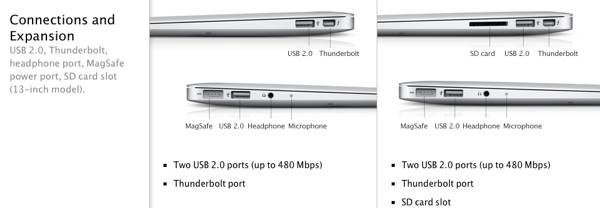
By his own admission Steve Jobs is quickly moving us into a “Post-PC” era. This new era is not “post computer” era. Rather, it is an era in which computers look less and less like desktops or laptops and more like… well iPads and iPhones. (Perhaps a better name for this new era in computing would be “PC Rev2”.) This process of moving into PC Rev2 will be sped up when iOS 5.0 is released this fall since it finally makes it easy to cut the cord. Yes, iPhones, iPod touches and iPads that have been slaves to Macs or…


Sonos Issues Mac OS X ‘Lion’ Compatibility Warning – Don’t Upgrade Yet!!

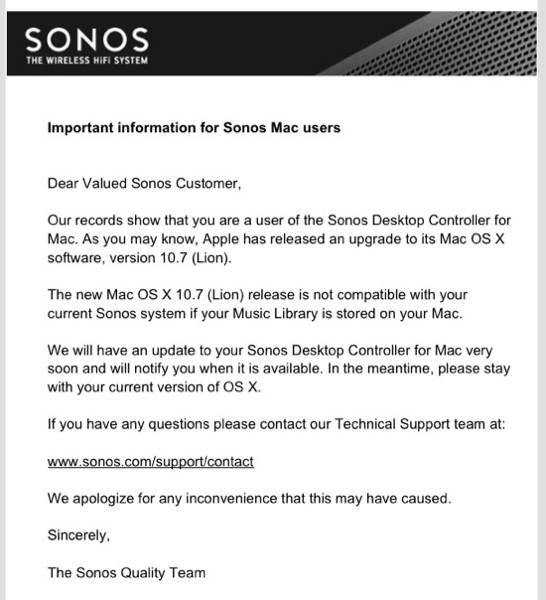
Yesterday Michael brought word that Livescribe’s Mac desktop software is not currently compatible with Mac OS X Lion. In other words, if you rely on Livescribe don’t upgrade to OS X Lion. This isn’t a surprise or even an issue since there are always small bumps along the way whenever new operating systems come out.  Issues emerge and, within a short period of time, are resolved. This time is no different. I just got word that the same holds true for Sonos’ Mac Controller. It too is not currently compatible with Mac OS X Lion. I’ve been using Lion for…


Review: monCarbone iPad Portfolio

My phone often goes through many types of cases and protection. My only must have is that they do not make it feel large and clunky. Basically, I usually am not terribly particular. This is not the same for my iPad. The iPad just seems to deserve something more. Not only careful protection, but also style. The gorgeous design just seems to earn the right to be protected by something with matching design and quality. I also have grown to love portfolio style cases since they cover the large screen and bring me piece of mind. I recently began using…


Video Quick Look: Withings Smart Blood Pressure Monitor

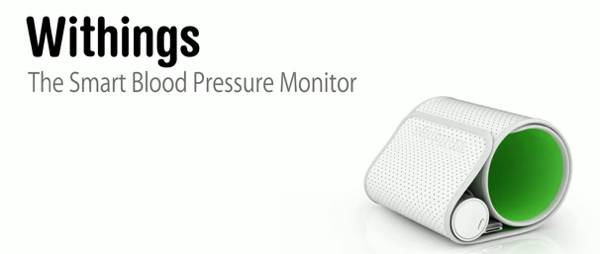
I am really glad to see more and more “iOS app enhanced” devices being released. We’ve looked at a few clocks that offer tight integration with iPhone or iPad apps and now we are seeing a slew of new devices coming out. One of them, Withings Smart Blood Pressure Monitor uses your iOS device as the “brains” of a blood pressure monitoring system. I’ve been using it for the last week and a half and even had Judie, Carly and Elana take it for a spin. Here are some details and a video overview. From the Company: Designed specifically for…


Review: Stem TimeCommand Clock-Dock

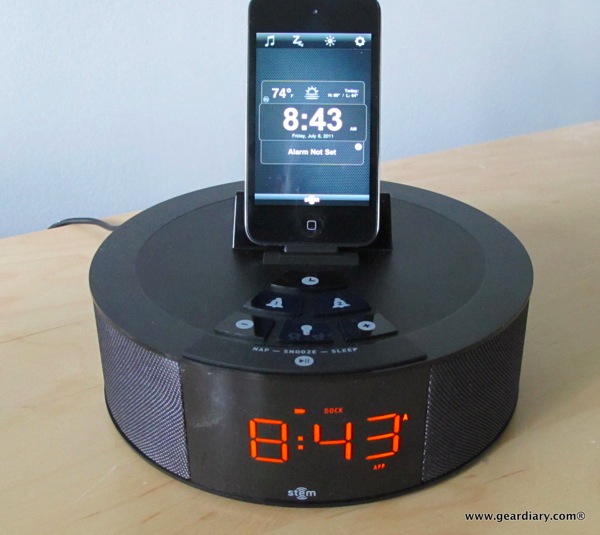
I’ve become a big fan of not having to physically dock my iPhone, iPod or iPad in order to get audio from it. That’s why I love using the Sonos system I reviewed a few weeks ago. At the same time, there is a lot to be said for a bedside dock/alarm clock. Sure, the Sonos system lets you set alarms, but it doesn’t have a clock nor does it charge your power-hungry iOS device. That needs to be covered by something else — something like a clock-dock (yeah, I wrote “clock-dock”!). The problem is, too often the available clock-dock…


The eBookpocalypse Is Cancelled!

Engadget reported this morning that Apple quietly changed the app store submission rules, and they’ve loosened up the in-app purchase requirements. It looks like apps and services that offer subscriptions and book content will be able to skirt around having to use Apple’s purchasing system (and the 30% cut to Apple that it includes). Here’s how they rephrased the agreement: 11.13 Apps that link to external mechanisms for purchases or subscriptions to be used in the app, such as a “buy” button that goes to a web site to purchase a digital book, will be rejected 11.14 Apps can read…


Making a Pilgrimage? Apple’s 5th Ave Store is Destination for Many

The Huff Post recently published an article that “Apple Stimulates ‘Religious’ Reaction in Fans’ Brains”. That may sound like a ridiculous April Fools Day post, but neuroscience is neuroscience and clearly Apple has found a way to quite literally strike a nerve in many. It should come as no surprise then that, for many, Apple’s flagship store in Manhattan is a pilgrimage destination. Sure, that sounds even more wacky and fanboy hyperbole-ish than the religious thing, but just take a look at this heat map that was put together by developer Eric Fischer. Each red dot indicates where a photo was taken…


Home Audio Review: Bowers and Wilkins Zeppelin Air

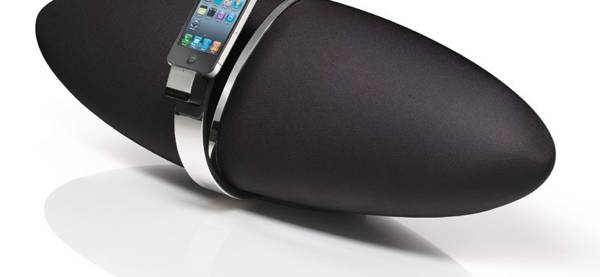
As I have noted elsewhere on the site, I find myself listening to more music than ever these days. Much of the reason for this has to do with the fact that I’m always carrying at least one, if not two or three, devices that are able to stream a whole host of different types of music from a variety of different sources. A fair bit of the time is spent listening through headphones, but I much prefer listening to music coming from a set of speakers. The sound is richer, the music more all-encompassing — and I’m able to…


Is Intermittent WiFi on iOS 4.3.3 an Issue?

Two things happened on the same day a couple of weeks ago: 1) I bought an iPad 2 and, 2) Apple released a firmware upgrade for iOS. Unfortunately, the latter all but enfeebled the former. Like a good little Apple fangirl, I upgraded to iOS 4.3.3 on both my new iPad 2 and on my original iPad. Within a few hours I noticed a problem: the WiFi kept dropping its signal on both devices. Here’s how it seemed to go: I’m using the WiFi and it suddenly hesitates, ultimately grinding to a halt and up comes that dreaded “no connection”…