
Draft N routers have been around for a while. In fact, right before Thomas from USBfever e-mailed us about this router, I had already purchased a Netgear version. When this one came out, I decided to check it out to see how well it would work here in the US.
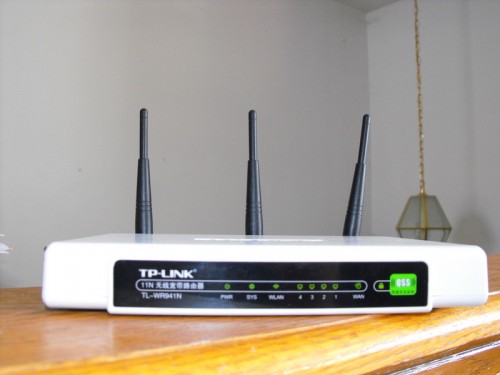
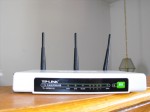
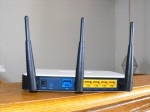
For those who don’t know, TP Link is a Chinese based company that makes networking components. In fact, you probably already own products that have TP Link manufactured chips in them. TP Link has branched out and started making routers, and that brings us to this review. The TL-WR941N is a draft N router with one WAN Port, four Ethernet ports and 802.11B, G and N support. It will likely be firmware upgradeable to the final specifications.
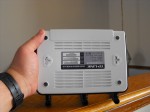
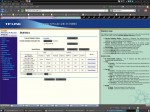
When I received the TP Link router, I thought it would be a real challenge to set up as there were Chinese characters all over the device and its box. Fortunately it was easy to figure out the default IP and router sign-on. It’s “admin for both the username and password, in case you weren’t sure. Of course you’ll want to make sure that you change this when you configure yours. The web interface is available in English and a few other languages as well. Odds are that if you’re living on this planet, you should be able to make it work.

I had no problems with connectivity anywhere in my house when using my T60, Eee PC 701 or T-Mobile G1. This router is based on Mimo technology, like so many other routers out there these days, so it shouldn’t have too many issues in the range department or through-put department. As with anything Radio Frequency based, your mileage may vary. For me, it adequately covered every location I needed on my property.
Where this router fails a bit is in its options; it has some pretty advanced features like DynDNS support, and some support for filtering the bad stuff out, but it’s nothing compared to a router that runs dd-wrt, or even my Netgear. I also had difficulty getting my dd-wrt based client bridges working with the TP-Link. If you want something a little more advanced, then I suggest looking at a Linksys or Netgear router/access point.
The one thing this router excels at is the ease of setup when just setting it up like most people would. My Dad would be able to get this router up and going pretty quickly, and it should support everything he needs – even without the instructions, which I might add are in Chinese too!
The TP Link isn’t very attractive; it has an “I’m a network router” kind of look to it. I personally don’t care, but if you’re the type that wants the cool looking router, then this one isn’t for you. It does have lots of blinking lights, if that floats your boat.
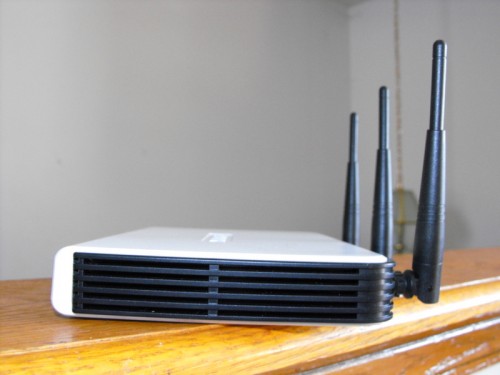
The TL-WR941N is price competitive. At $99, it’s in the range of most Linksys and Netgear routers, but I might expect Gigabit Ethernet ports at this price point; these are only 10/100 ethernet ports.
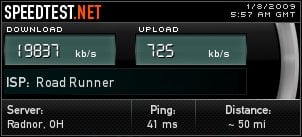
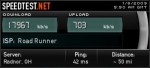
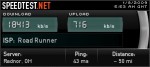
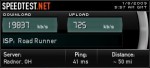
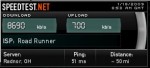
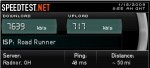
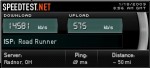
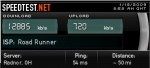
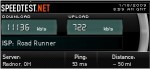
Below are some comparison speeds between my Netgear and the TL-WR941N.
Netgear:
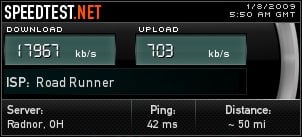
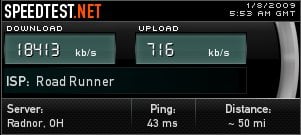
TP-Link:
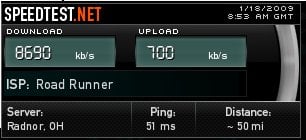
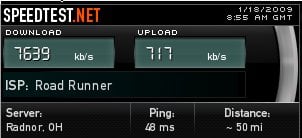
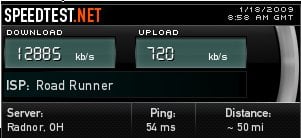
Most download speeds seem slower, but since I don’t have a lab to do this type of real testing, there are variables at my house which may cause these differences. These comparisons are just here to show you that TP Link has done a decent job of putting their router together, and to show that it’s not any faster or slower than most routers.
The TP Link TL-WR941N is $99.99 and is available in the US from USBfever.com.
What I liked: Decent but not great pricing; easy setup and decent wireless range.
What needs improvement: I don’t know why they have their own firmware. If it were my company, I would have just concentrated on the hardware and selected dd-wrt for the firmware. There are a few people working on getting dd-wrt working on this router, so it may get a bump up with me once I can load dd-wrt.


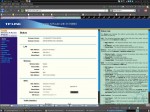
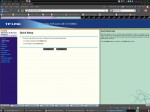

Easy setup?????
If you want an unsecured network, maybe, but configuring security is a nightmare.