
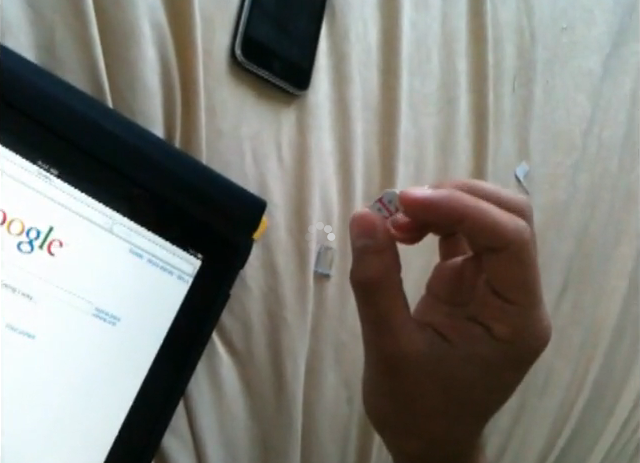
If you were grandfathered into a low-priced T-Mobile data plan (remember the $5.99/month deal?), if you don’t mind EDGE speeds, and if don’t want to pay an extra $30/month to use the AT&T iPad data plan, this DIY hack may be just what you have been looking for. Granted, you won’t be able to pop your T-Mo SIM back into your phone, but why let that stop you?
iPadInsider has posted a DIY hack that they say will make your T-Mobile SIM work on your Apple iPad …
DISCLAIMER: We have not tested this, so this information may be inaccurate or incomplete. iPadInsider.com will not be responsible for individuals following the instructions on this page. And are doing so entirely at their own risk.
Here’s how to get iPad 3G to run on T-Mobile EDGE network:
1) Have your iPad 3G and T-Mobile SIM with EDGE data plan ready
2) With the SIM eject tool that came in the box, take out the AT&T Micro SIM and place it on top of the T-Mobile traditional SIM, trace it and trim it with a scissor or any other tool that can get the job done right (Be sure not cut the gold contact). Or follow this guide from Techradar.
3) Insert the DIY T-Mobile SIM in the iPad
4) Turn off WiFi
5) On the iPad, go to Settings > Cellular Data > Turn Cellular Data ON
6) Turn ON Airplane Mode and then OFF to refresh
7) You should be on T-Mobile EDGE at this point, if not go to Settings > Cellular Data > APN Settings > And try these on the “APN” field:
- wap.voicestream.com
- epc.tmobile.com
- internet2.voicestream.com
- internet3.voicestream.com
I’m sure that it will only be a matter of time (if it hasn’t happened already) before a MicroSIM/SIM card adapter slug is available for those who do the SIM hack and then want to place the altered card back in their phones. Fun stuff! 🙂
via iPadInsider

geardiary: Apple 3G iPad on EDGE Using T-Mobile SIM? Here’s How … $AAPL – http://bit.ly/csBHt7
Saw this on Pocketables: Microsim Shop
Brilliant! Thank you for the link! :-))