

These days it is all about the apps. There are apps for iOS. There are apps for Android. There are apps for Windows Phone 7. Now there are apps for Macs, and thanks to Intel, there are apps for netbooks … and a great new way to find what’s out there.
Intel’s AppUp is “Your source for netbook apps”. It is a great resource for anyone who has a netbook, and it is worth checking out even if you don’t.

AppUp is a free download for Windows XP, Windows 7 and Moblin that lets you find, download and update all the apps you need for fun and productivity. Installing AppUp takes just a few seconds, and it can be found here on the AppUpp site. From there you can browse an ever-growing app collection and install the ones you like on your netbook.
As Intel explains, with AppUp you can;
Find the apps you want
Peek at some of the coolest Featured Apps
Check out Staff Picks and see what we recommend
Find out What’s Hot, according to other AppUp users
Jump to the New Releases for the latest and greatest
Browse by category to zero in on your interests
Search for relevant apps by keyword
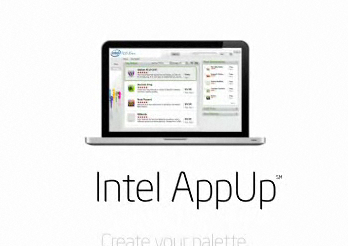
Better still, you can also manage the apps you get. The My Apps tab shows all your downloaded apps, and you can launch any of your apps by simply clicking on its icon. You can organize your apps in lists or tile the icons, see recent or pending app downloads, and AppUp will even tell you when apps have updates.
If it all sounds a bit like some other company’s “App Store for mobile apps” it is …but with a few key differences. These apps aren’t for handheld devices, this App Store is all about helping you find the right apps for your netbook needs, and Intel — the company behind AppUp, isn’t looking to play Big Brother. AppUp is about making your netbook experience a bit more fun and a lot more productive.
While AppUp was rolled out specifically for netbooks and computers/tablets running Intel’s Linux OS Moblin it works just fine for finding, buying and updating applications on any computer running Windows.
installation is quick and easy. It you are going to be downloading free applications you are good to go once the install is complete and you have created an account. If, however, you are going to be buying applications you will need to provide credit card information. No surprise there. What is a pleasant surprise is that there is a return policy that lets you “return” any application for a full 24 hours. Apple’s App Store (both iOS and OS X) wouldn’t hear of such a thing and the Android Market used to be somewhat generous but has since cut down the amount of time you have before your own it permanently. We will see how long this 24 hour return policy lasts but, for now, it is a great aspect of AppUp.
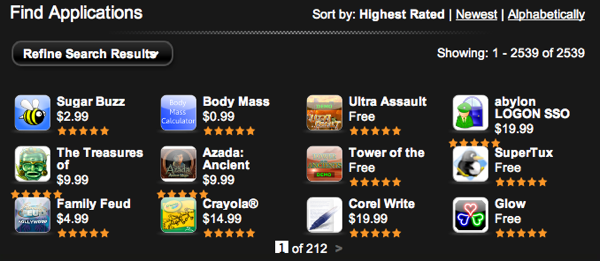
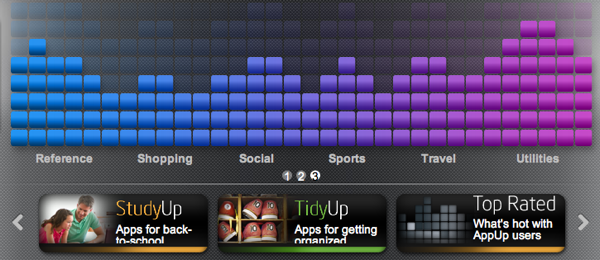
The AppUp Center is relatively easy to use. It is nicely organized and offers a number of different kinds of app categories, new apps, recommended apps and “hot” apps. Admittedly, one of the things that makes it so easy to navigate is the fact that the store only has a few thousands of applications available. Once that number grows exponentially, assuming it does, this might be a different story but for now it is clean, easy to use and makes finding the right applications simple.
If you have used the Mac App Store you already know that it really “controls” the download and updating process for all the applications that are purchased within it. In other words, Mac App Store apps are found and downloaded within the store itself. That is not the case here. With AppUp the applications you select download outside the program the way they would were you not using AppUp. It is a different approach but not necessarily a better or worse one. It does, however, become striking when you use both and realize that the Mac App Store shifts the entire process and experience of finding, buying and using applications while AppUp simply makes the process more convenient. In an App Store World both approaches have their benefits… And limitations.
There is another significant difference between AppUp and the fruity App Store that recently opened. The Mac App Store lets you download programs to any computer that is registered to that iTunes account. This is unlike music downloads that only allow songs to be played on five registered computers at a time. AppUp uses the same approach that iTunes uses for music and limits the installation of an application to five devices on any given account. It isn’t a deal breaker by any stretch of the imagination but it is something worth nothing.
In all, AppUp is a good way to find, download and organize your applications if you are using a Windows or Moblin-based computer or tablet. In a world of App Stores it brings the increasingly familiar approach to the dominant platform and it does so quite nicely. It is not as big an evolutionary move as the Mac App Store seems to be but it doesn’t have to. It makes finding applications a whole lot easier and, thanks to the 24 hour trial, has a HUGE advantage over any other App Store we have seen.
As you know, Judie is in Barcelona at MWC in part thanks to Intel. We don’t know what it will be for sure but we’re sure Intel will have something to announce in the next day or two and we will let you know as soon as they do. In the meantime, if you computer runs Windows or Moblin go grab AppUp. It will cost you nothing to get started and may open an entirely new world of applications for you.
What We Like: Decent interface; Easy to install; 24 hour trial
What Needs Improvement: The selection of applications NEEDS to grow significantly.
You can check out AppUp here on the AppUp site.
Please note, that in accordance to the FTC Guidelines and WOMMA Code of Ethics, I am disclosing that Intel Corporation has covered Judie’s travel, accommodations and costs related to her visit to MWC 2011.

So Many Apps, So Little Time; Intel’s Here to Help http://j.mp/dLk0Ll
So Many Apps, So Little Time; Intel's Here to Help | Gear Diary: Now there are apps for Macs, and thanks to Inte… http://bit.ly/gUjng2
So Many Apps, So Little Time; Intel’s Here to Help:
These days it is all about the apps. There are apps for iOS… http://bit.ly/gjNCQq
So Many Apps, So Little Time; Intel’s Here to Help #android
I first heard about this when I was at CES, I think it’s an interesting concept because it would focus the distribution of apps. Also, it would help bring over developers from Android and iOS since they can port there apps over to PCs.
BrightMint, WePC.com Inner Circle member
RT @geardiarysite: Intel's AppUp Reviewed: So Many Apps, So Little Time; Intel's Here to Help http://bit.ly/i3KlZ9 @intelappup