
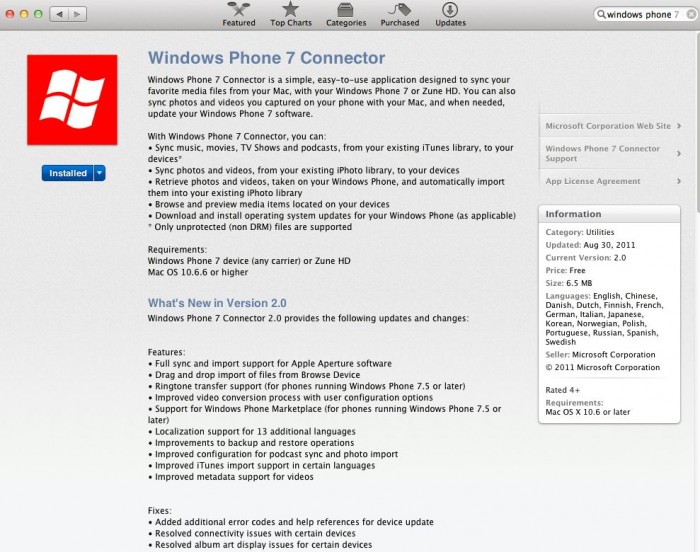
Much has been written about how the biggest winner in two recent events – HP dumping webOS and the success of patent infringement cases against Android handset makers by Apple and Microsoft – is Microsoft’s Windows Phone 7.
For me, one of the issues I have had with Windows Phone 7 is connectivity. You need the Zune desktop software to do pretty much anything. With my Android phone I can just plug it in and mount the drive – and since I have all of my music through iTunes (like ~78% of the world) anyway THAT requirement isn’t an issue.
But while I can simply install the Zone software on my PC, what about my Mac? Back in May Microsoft introduced the Windows Phone 7 Connector software, and now they have released a major update, bringing the software to version 2.0!
The Hype:
Windows Phone 7 Connector is a simple, easy-to-use application designed to sync your favorite media files from your Mac, with your Windows Phone 7 or Zune HD. You can also sync photos and videos you captured on your phone with your Mac, and when needed, update your Windows Phone 7 software.
With Windows Phone 7 Connector, you can:
• Sync music, movies, TV Shows and podcasts, from your existing iTunes library, to your devices*
• Sync photos and videos, from your existing iPhoto library, to your devices
• Retrieve photos and videos, taken on your Windows Phone, and automatically import them into your existing iPhoto library
• Browse and preview media items located on your devices
• Download and install operating system updates for your Windows Phone (as applicable)
* Only unprotected (non DRM) files are supported
The Reality:
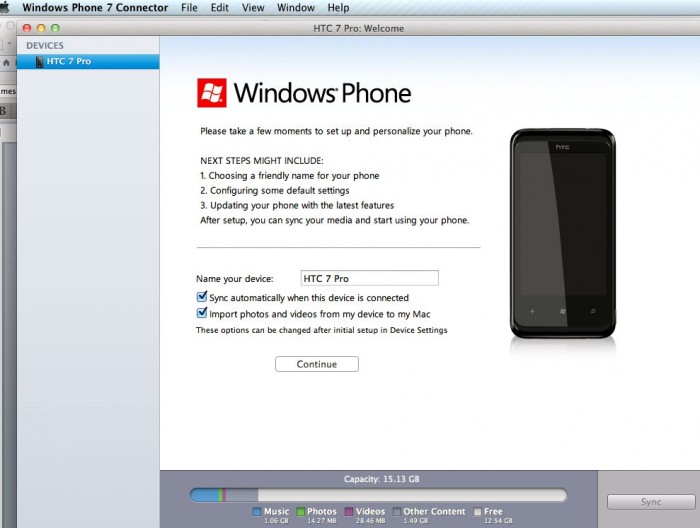
The initial WP7 Connector was fairly bare-bones, and when I tried it … it simply wouldn’t connect to my HTC 7 Pro, so I had written it off. But with the update – which I installed on a new Mac – suddenly my phone instantly connected, was recognized by name, and I was able to transfer movies and music and pictures back and forth.
Grabbing the software couldn’t have been easier: the Mac App Store offers one-click installs, and the software is free, making it a trivial choice. Once installed the software asked for me to connect my phone and then it immediately recognized and worked with the phone. I was able to download pictures to my iPhoto library, and also transfer music and movies from iTunes. It all just worked.
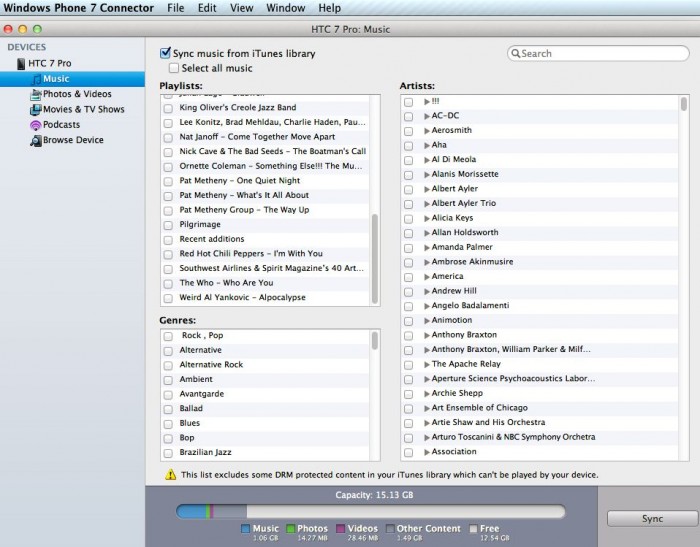
There are a few new features that require the upcoming ‘Mango’ Windows Phone 7.5, such as support for the Windows Phone Marketplace and ringtone transfer. Since I am running WP7, I was unable to test those out.
Naturally the connection isn’t as deep as with the PC Zune software, but I like the interface better on the Mac version. It makes basic device management a breeze without all of those pretentious pseudo-active tiles and too-large fonts.
If you have a Windows Phone 7 device and a Mac, or were holding off the purchase of one or the other based on compatibility, now you can go ahead and happily comingle your Mac and Windows Phone 7 – and know that when the Mango update arrives for your phone things will just get better.
Review: Windows Phone Mac Connector
Where to Buy: Mac App Store
Price: Free
What I Like: Quickly and easily loads media files; auto-sync works perfectly; lightweight and fast-launching
What Needs Improvement: Doesn’t auto-start without additional agent install (which only appeared after ~a week of running)
Source: Free download
