
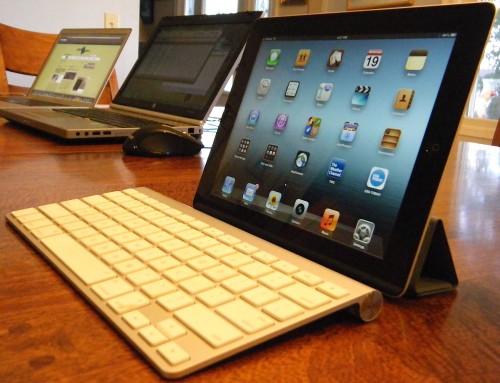
I have often stated that my iPad is my ‘80% computer’, meaning that I do (or can do) about 80% of my stuff on it. However, my goal has always been to find an ultraportable device to handle 99% of my non-gaming activities. This quest started with the HP200LX, where I could run Lotus 1-2-3, a great HP Calc, word processing, and so on; then the Newton MessagePad (my first was the MP2000); then Psions and HP Jornadas; then on to the Toshiba Libretto and eventually the Sony C1 Picturebook and finally netbooks … but nothing has approached the universal utility of the iPad.
Why 99% rather than 100%? Because I know there are a few web sites that will require a full laptop, a few times I will need to make a full download, and so on. Recently I had attempted to use only the Google Nexus 7 for a week … which I managed ONLY by increasing personal use of my work computer and dramatically increasing use of my laptop at home, leading me to call the Nexus 7 my ‘20% computer’.
So I have set myself a new challenge – use the iPad ONLY with the exception of things that absolutely require a full computer … FOR A MONTH!
Here is the deal:
– From September 21st to October 21st I will use my iPad as my primary computer with few exceptions; I will use my PC for gaming (after all, Inquisitor came out recently, Borderlands just launched, and XCOM is around the corner), and Quicken (but nothing else), and I will use my Mac as required for music reviews. I will use the iPad for paying bills and everything else — except where the website doesn’t work, in which case I will make notes.
– During this time I will report weekly on my progress; what is going well and what is NOT going well.
– As I have just gotten the new Kindle Fire HD, I WILL allow myself to use that (and the Nexus 7 and original Kindle Fire) … but ONLY as media consumption devices. My testing of other functionality is already done.
If you have any thoughts, suggestions, restrictions, or other things I should note – let me know! And look for my first report next week!

That is something I would never be able to do….on EITHER Android or iOS. I love tablet computing. I think it’s the near future of things(be it iPad or Android)….but there’s always will be things I can do on a regular laptop that I can’t do on a tablet….with or without a dock. It may get there, but it’s just not enough for me at the present time….even with iOS being so good.
I think I could. The iPad has VNC and RDP support and I could drive work-specific (Windows-centric) apps off my virtual workstation at work (yes, I have a physical work laptop and a virtual one I use to drive administrative functions). The only thing I think I would have to give up to make this leap are games like Word of Warcraft. That doesn’t play nice over a virtual connection! I definitely could NOT do this on my Nexus 7, however. I may just try this myself. Hmmm..
Michael, are you virtualizing for your PC-only functions? What tools are you using to do that (if you are doing that)?
No – I am keeping my work-related stuff separate. I already VPN into work for email on the iPad, but have no plans beyond that.
I think this should make a great series, Mike. Without sounding corny, this should help you be more creative with your tablet, stretching your usage boundaries.
Exactly – it will give me an even broader appreciation of the strengths and weaknesses of what is right now the best tablet on the market.