Articles by Gear Diary Staff

ZAGG InvisibleSHIELD for iPad Review

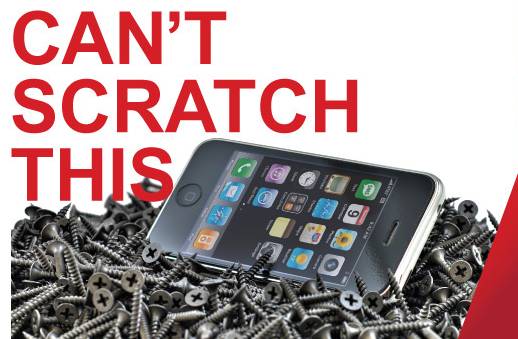
When getting a new device, I always like to protect it from scratches, both front and back.  Screens have become a lot more durable on high-priced devices, but even so, I get nervous.  Further, some of these devices have high-gloss screens that can be hard to read because they are highly reflective and show fingerprints and smudges easily. ZAGG has been in the business of protecting mobile devices for several years now and have released a new version of their well-known InvisibleSHIELD for the iPad.  The InvisibleSHIELD is available in two versions: front (screen) protection only and all-body protection.  ZAGG…


Disney Princess & the Frog Digital iPad Book Review

There’s no denying that the iPad is a revolutionary device.  What it can do and they way it goes about doing it is just amazing.  However, to my disappointment application developers have not been quick to release programs for the iPad that take advantage of everything the device has to offer.  There are a few applications currently in the iTunes App Store that do though, and when you load one of these onto your device you immediate just get it. Such is the case with Disney Publishing’s newest digital interactive book.  Recently released in the iTunes App Store, Princess and…


iPad Camera Connection Kit Review

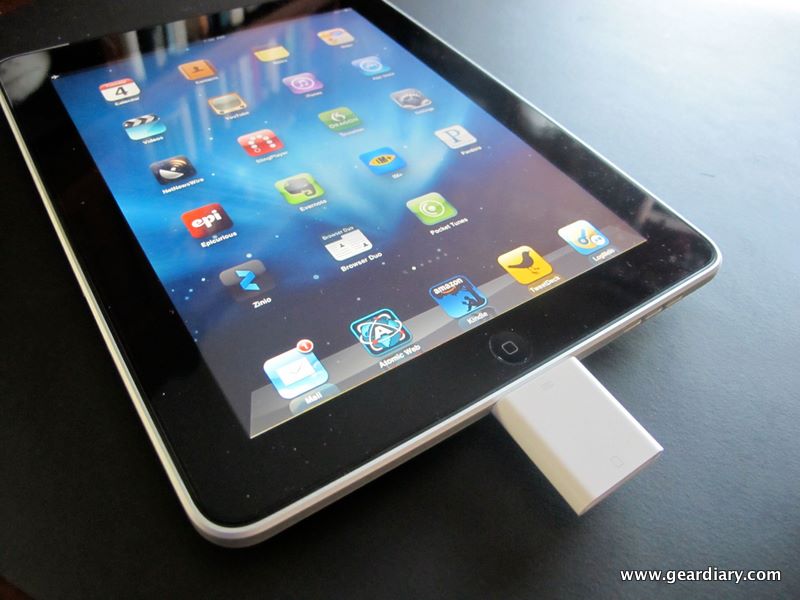
Unlike many of Apple’s devices, the iPad has seen a host of accessories released along with it.  In the past Apple has relied mostly on its third party manufacturers to create cases and other peripherals for the iPhone, iPod etc.  For the iPad Apple is offering a case, a power adapter, a dock, a keyboard dock, a display adapter and the camera connection kit, the last which we’re going to look at today. Right about now you’re probably asking yourself, “what do I need the camera connection kit for?”  And I did the same thing as I stood in the…


WirelessGround iPad Silicone Skin Review

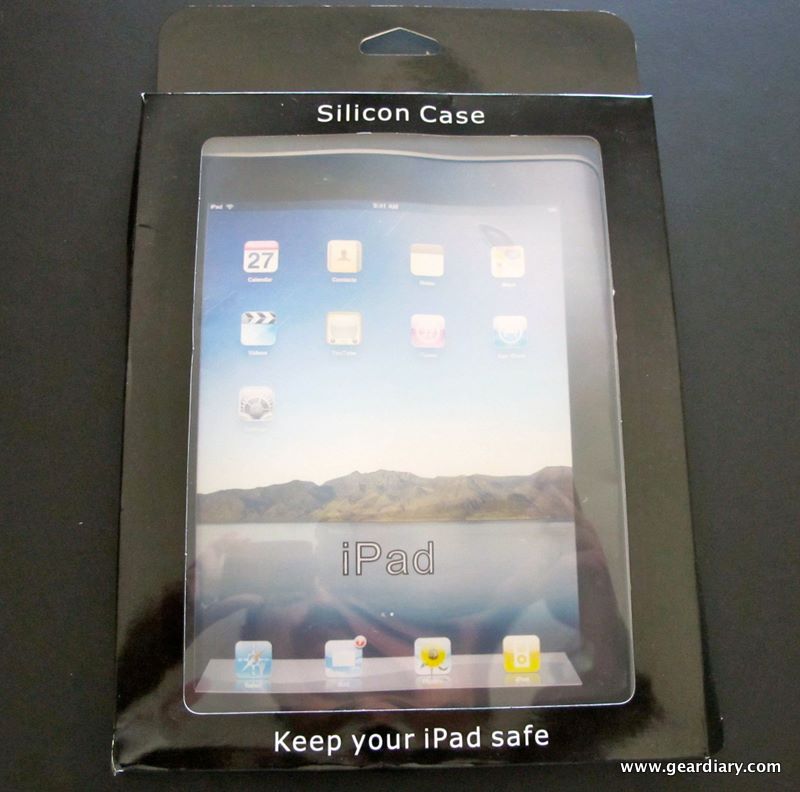
So you just dropped a couple of hundred dollars on your new iPad right?  While there aren’t a ton of case options for your new device yet (many are starting to pop up, but the iPad is still new after all) those that are available are expensive.  You still need protection for your iPad though right? Still with me?  If you’re down to your last $20 because your iPad tapped you out what you need is an affordable case that protects your iPad from bumps and dings, keeps the overall form factor of the iPad unchanged and one that looks…


Draw It! for iPad Review

There are no less than a ton of drawing applications currently available for the iPad.  It’s far and away the one application category that the iTunes App Store isn’t in need of filling. So how do you differentiate between all of the draw on the screen apps currently at your disposal? Simple, you pick the one that has the most amount of features, that is priced properly and that works as advertised. Such is the case for me with Draw It! Currently in the iTunes App Store for only $1.99 the developer has just updated the app to version 1.2…


Virtual Pool HD for iPad Review

The iPad’s big and glorious screen is touted as being great for gaming.  I have personally found however that only a certain genre of game plays well on the device.  For me it’s one which don’t require me to pick up the iPad which seem to work best.  I just don’t feel comfortable picking up the device and playing an accelerometer based game. That being said, I’ve been playing mostly puzzle games but I really enjoy sports titles as well so when I recently stumbled across Virtual Pool HD in the iTunes App Store I thought I’d give it a…


WirelessGround Touch Screen Stylus Review: Reduces iPad Fingerprints

Fingerprints.  It’s perhaps my biggest pet peeve about the iPad’s glorious screen.  It’s one gigantic fingerprint magnet.  Unless you plan on joining the Men In Black (they remove your fingerprints) it’s something you just have to deal with.  Unless of course you find some other way to use your iPad without touching the screen with your finger. Enter the WirelessGround Touch Screen Stylus Pen.  The stylus, which is available in Black, Purple, Blue or Pink, features a soft tip which gives your more precise control when tapping on your screen and allows you to do so with using your finger….


1Password for Windows Beta Now Available

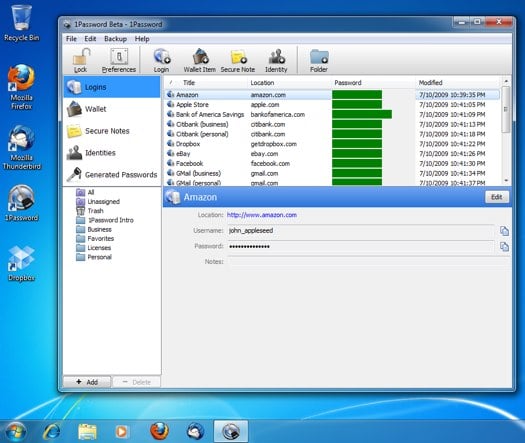
(Image courtesy of Agile Web Solutions) With more people creating a variety of online accounts and putting more information online and with the increase in the number of hacks trying to get into accounts, having a password manager is worth looking into. One of my favorite password managers, 1Password, has been available on the Mac platform for years and works seamlessly with a variety of browsers. 1Password is also available on the iPhone/iPod Touch and iPad. Well, imagine my surprise to see that Agile Web Solutions has released a beta of 1Password for Windows! While it does not yet have…


PDAir Luxury Silicone Case for Nexus One Review

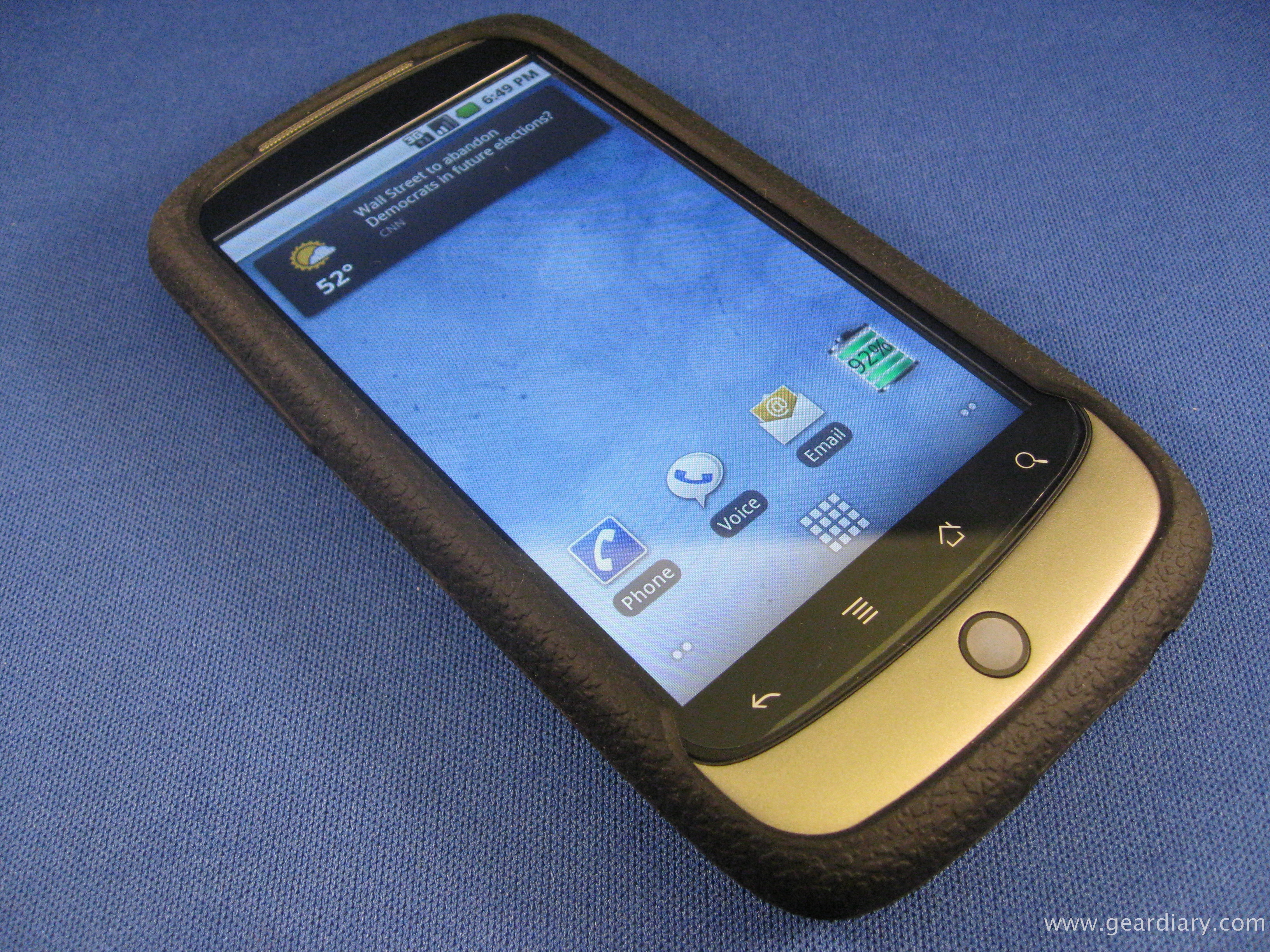
I like lots of different kinds of cases and switch depending on what I need at a given moment.  For quite a few years, I was really into aluminum cases (Rhinoskin, anyone?), then slip cases, pouch cases, play-through cases… you name it. More recently, I’ve preferred to put as little on my devices as possible.  With my iPhone, I’ve settled into using just a screen protector and an Incipio Feather case much of the time to protect it from scratches.  So when I picked up a Nexus One, I started looking for ways to protect it, but with minimal weight…


Gear Diary Deal or Dud #3: Wonder Hangers

Have you run out of hanging space in your closets? The As Seen on TV Wonder Hangers promise to triple the amount of closet space you get without any fancy or costly custom alterations. A set of 8 Wonder Hangers sells for only $9.99.  I recently picked some up at a local home store and decided to put them through the Gear Diary Deal or Dud test. How did the hangers perform?  Are the Wonder Hangers a Deal or Dud? Watch the video below to find out. You can learn more about the Wonder Hanger by visiting their official web site.


Newer Technology Releases iFolio for iPad

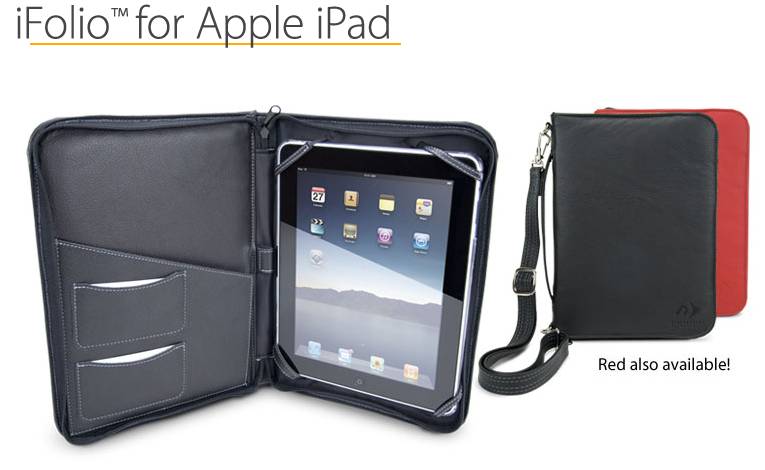
This one practically comes from my backyard.  Well, McHenry County isn’t exactly in Chicago’s backyard, but Woodstock is a neat town and it’s cool that someone in the greater Chicago region is directly involved in making iPad accessories. Newer Technology, from Woodstock, Illinois, has just released the iFolio case for the iPad.  Available in black or red Brazilian leather and featuring a zippered enclosure, the iFolio can be carried by either the attached leather handle or a removable leather shoulder strap. Inside the iFolio, the left side of the case includes pockets for documents, passports, and business cards.  The right side includes four…


Multitasking for iPad Review

When the iPad was first announced, the one missing feature which bothered me more than any other was the lack of multitasking.  However, for me multitasking is the wrong word.  What I want on the iPad is what I like to call “multiviewing.” I could honestly care less about being able to listen to Pandora Radio while browsing the web.  The iPad has a big, beautiful screen and what I want is to be able to open up a few applications and be able to view them side by side, all at the same time.  With all the cool multi-touch…


SurvivalStrap Review: Always There When You Need It

As a firefighter, I’m always looking for “gear” that keeps me safe.  It’s especially nice to find a piece of equipment that I can carry both at work and at home.  My rescue tool, for example, never leaves my pocket.  It’s a versatile piece of hardware that I use almost every day, sometime to free an injured patient from their seat belt, other times to cut the blister pack off of one of my daughter’s newest toys. When I saw the SurvivalStraps web site I immediate thought, “now there’s something that might come in handy no matter where I am.”…


Follow Friday App for iPhone

If you use Twitter, chances are you’re familiar with the tradition that is #Follow Friday. For those of you who aren’t, every Friday Twitter users compose a Tweet to their followers which consists of a list of the “cool” people they follow, and it serves to suggest that they follow them too. While I do like the concept it, can become taxing to compose these weekly Tweets, trying to remember who you shouted out the week before, who did for you, etc. The Follow Friday application, available in the iTunes App Store for 99 cents takes all the guess-work out…


Kidz Gear Wireless Car Headphones Review

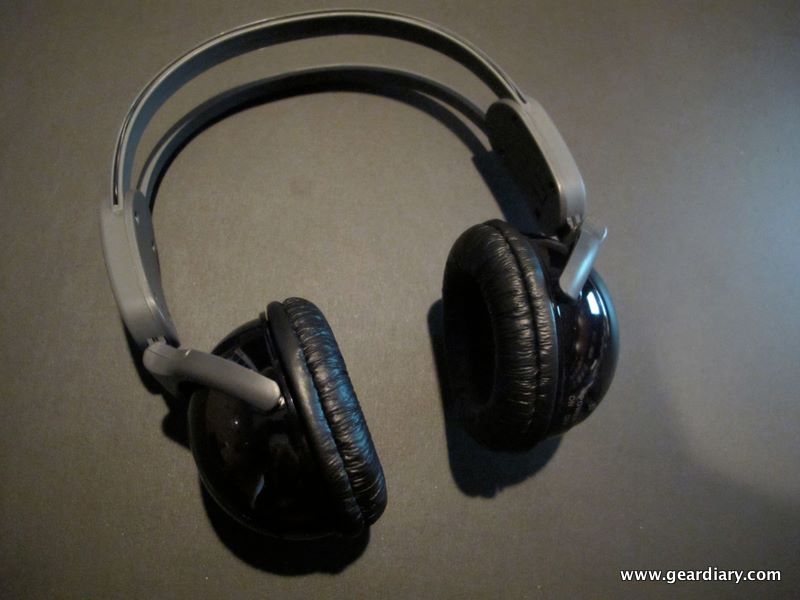
Inside this bag resides the key to peaceful car trips with the kids. Seriously. If you’ve ever crammed the family into your personal vehicle and driven hundreds of miles you know that the addition of an in-car entertainment system makes all the difference.  Something about watching a DVD makes kids able to sit, comfortably.  But unless your kids have headphones with which to listen to their movie, you, the driver, is forced to endure hours upon hours of High School Musical, One, Two and yes, even Three. Travis recently reviewed the Kidz Gear Wired Headphones.  Kidz Gear was kind enough…


iPhone Bluetooth: Flaky but Predictable Corner-Case Problem

Image courtesy of Natalie Jean Lovin Holbrook I find corner-cases.  I don’t want to; I don’t try to; I just do.  Like last week, right?  I was working with some fairly sophisticated online documentation build and publish tools–and they weren’t working right.  I was making my co-workers upset.  I was making my boss upset.  Heck, I was making my wife Sami upset, because I was griping about it so much.  Was I missing something?  What had I done wrong?  Why wasn’t it working? Because there was a bug in the software.  I had found a corner-case.  Again. How Doug felt…


BugMe! Receives Keyboard Support for iPhone and iPad

A few weeks ago, I reviewed BugMe! for the iPhone. Then, last week, Doug posted about the release of BugMe! for the iPad.  In my review of BugMe!, one of the items that I noted needed improvement was the ability to use the keyboard for input. Using a finger to write on the iPhone’s small screen just didn’t allow me to write more than a few words.  Fortunately, the folks at Electric Pocket, the makers of BugMe! were ahead of me.  They have now updated BugMe! for both the iPhone and iPad with support for keyboard text entry, which definitely adds…


Native Union Moshi Moshi 02 Review

I enjoy reviewing gear.  I enjoy it even more when the product I’m reviewing just makes sense.  Such is the case with the Native Union Moshi Moshi 02. I still have a land line at home, but I know many people do not.  With today’s unlimited long distance mobile plans and even more companies offering unlimited everything, more and more people are choosing to rely on their mobile phone’s at home and well as on the road. If’ there’s one thing I’ve always struggled with when using my mobile phone at home for extended periods of time, it’s the comfort…


Books on the iPad: Comparing the Printed Page to ePub and PDFs

PDF. ePub. Kindle. iBooks. eBooks. Nook. eInk. Web Browser. Laptop. Audiobooks. For over 10 years, I have been trying to move to an all-electronic workflow for reading and consuming books, especially technical books. It started when I was a consultant traveling in planes to a variety of locations all over the US and internationally. Even when I was working locally, I had a 3+ hour commute daily for a number of years. One of the first things I did was switch to listening to audiobooks (via Audible) for my long daily commute via car. It not only kept me more…


How To View PDF Files on iPad

When Apple announced the iPad, I immediately imagined that it would be a superior way to read PDF books in a tablet-style format. On the Apple iPad Specs page, there is a single mention of PDF support for the iPad – in the Mail application as an attachment. However, there must be a way to view PDF files on the iPad natively, right? Let’s walk through two main ways currently available to view PDF files on the iPad. Built-In PDF Viewing Mail Application – The iPad supports viewing PDF files that are sent as attachments via email in the Mail…


Vertu Constellation Ayxta Update! It’s Broken!

Vertu Constellation Ayxta If you noticed last week, we did an unboxing on the Vertu Constellation Ayxta.  A gorgeous new flip phone that costs oodles and oodles..  Well this week its broken! I put one of my 3 SIMs in it to start using it and absorbing it into my daily repertoire.  And then it started happening! I had synched the phone to my PC (Ok Mac Book Pro running Windows XP) and loaded my contacts and a few pertinent pics and was very excited to get started! I turned it on and the screen clock on the inside started…