
When I still regularly used a Windows Mobile device, PhatNotes by PhatWare was typically one of the first programs that I installed on a new device. I now use an iPhone much of the time rather than Windows Mobile. I’ve tried several notes programs for the iPhone, and while many of them are quite good, none have quite hit the mark for me. I like being able to group notes of similar topics, and being able to synchronize easily with desktop software is handy also. So, when PhatWare offered Gear Diary a chance to examine their newly released version of PhatNotes for the iPhone, it seemed like a good chance to check out whether PhatNotes could assume the same role on my iPhone as it did on my Windows Mobile devices.
PhatNotes is not the first PhatWare iPhone product we’ve reviewed on Gear Diary. A few months back we reviewed WritePad Notes, WritePad Affairs, and WritePad Events. The “wow” element that each of these applications feature is the WritePad handwriting recognition engine. PhatNotes incorporates the same handwriting recognition as those other programs, albeit with some further improvements and refinements since the last update to WritePad. For more information about the handwriting feature, see the WritePad Notes, Affairs, and Events review here.
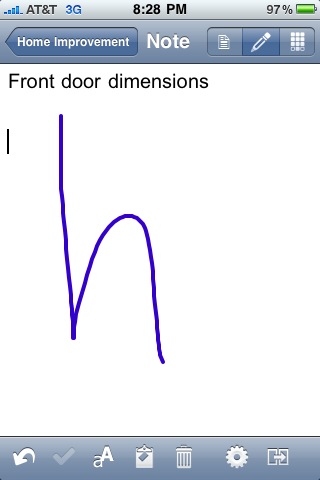
At first glance, it would appear that there are a number of similarities between WritePad Notes and PhatNotes, largely due to the common aesthetic elements of the two programs. There are, however, some significant differences, starting with the ability to synchronize PhatNotes on the iPhone with PhatNotes on your PC.
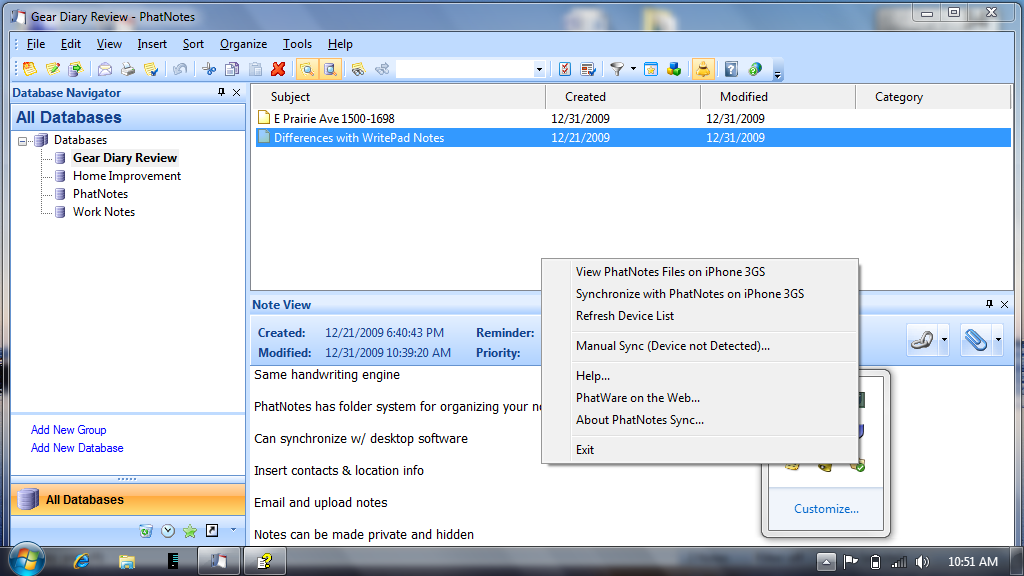
Synchronization between the iPhone app and the desktop over a WiFi connection was pretty easy once I figured it out. Now, admittedly, I first tried to do this without reading the help file, and my first couple of attempts failed. So, I resorted to looking at the help file, after which synchronizing was pretty easy. See, I was looking for the synchronization function to be located somewhere in the main program menus. It’s not. Synchronization is actually accomplished using the PhatNotes system tray icon. Click on the icon and up pops a menu. Assuming that your iPhone or Touch is already running the PhatNotes application and connected to the same WiFi network as your computer, the desktop software should already see your mobile device, so all you need to do is click on the synchronization option in the pop-up menu and you’re off and running.
If you are not using the desktop application, you can still transfer note information via WiFi to other iPhones or iPod Touches running PhatNotes.
Other features in PhatNotes include:
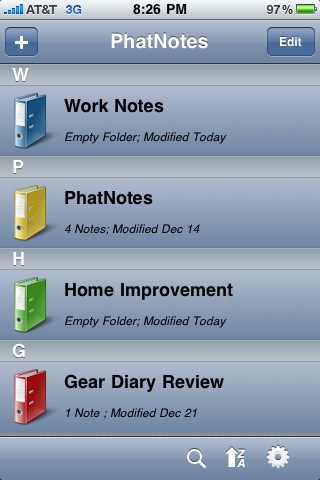
– A folder system for organizing your notes into logical groupings. You can label the folders and select from four folder colors to help distinguish them from one another.
– The ability to insert contacts from your iPhone address book and location information directly into notes. The location function uses your iPhone’s GPS radio to identify your location and then inserts your current address as text in the note.
– Notes can be emailed directly from within PhatNotes.
– PhatNotes also sports privacy controls. Notes can be made protected with 256-bit encryption password protection. Protected notes can also be hidden.
– Notes have a field for tracking the date on which the note was authored and the ability to set a priority level for each note. Notes can be filtered by category, text, color, priority, and date.
PhatNotes also supports push notifications for notes. To use push notifications, first be sure that push notifications are turned on for PhatNotes in your iPhone’s settings pane. Next, set a reminder for a note. PhatNotes will then contact a PhatWare server to set up the push notification. (In answering some of the questions we posed to PhatWare about their software, they noted that adding push notifications was actually one of the biggest efforts in creating PhatNotes because they had to develop a back-end server for the reminders.)

The companion desktop program, which is only available for Windows, has a nice feature set. Notes can be ordered and viewed several different ways. They can also be imported and exported from other programs, including Microsoft Outlook. Rich text is supported, as are attachments to notes.
What I Like: Full-featured notes application, handwriting recognition works well, very easy to group and sort notes and folders
What Needs Improvement: The fact that synchronization with the desktop must be initiated through the system tray icon is not intuitive. It would be nice to see this integrated into one of the main program menus. Also – and this is a completely personal preference, not a fault of the program – the color scheme for note colors tends to favor lighter shades or pastels. I’d like to have bolder color options.
MSRP: PhatNotes is available here in the iTunes store for $9.99. The desktop software is available from PhatWare’s website for $19.95. Registered users of PhatNotes 5.x can upgrade to the PhatNotes 5.5 Desktop for free.
