
I am a huge sucker for logic games. When I was a kid, we used to do them all the time in school, and I have very fond memories of drawing my grid, X-ing out the wrong choices, studying the clues, and cracking the puzzle. Last week I was trolling the Kindle bestsellers lists, and stumbled upon Grid Detective; it was free, it was the logic puzzles from my childhood, I had to try it!
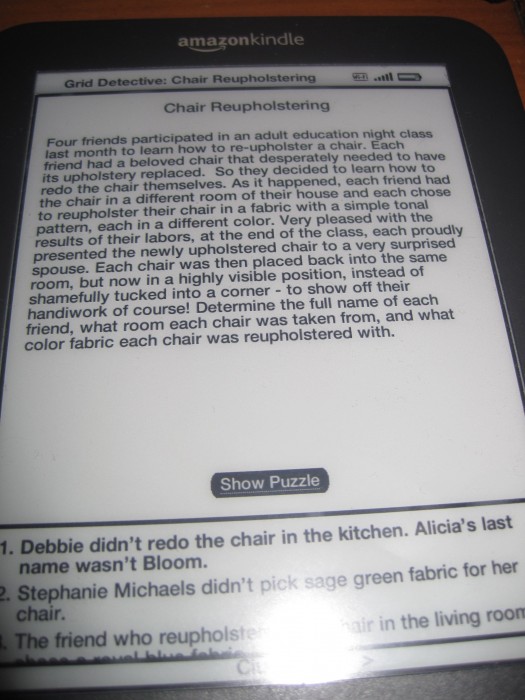
Gameplay is extremely straightforward. You start with a paragraph explaining the scenario (the puzzle I am on now involves four friends reupholstering furniture) and the game asks you to solve for several answers. In this case, you need to determine the full name of each person, along with their color choices and the eventual room placement of the reupholstered chairs. The scenario just sets up the variables you’re solving for, and none of these are classic literature.
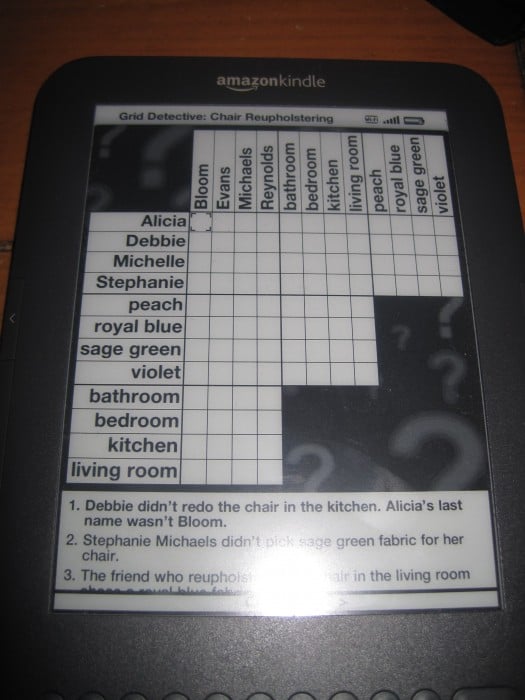
Once you read the basic setup, you’re given 6 clues. They might exclude certain options, such as “Alicia’s last name wasn’t Bloom.”, or they might offer a positive correlation, in this case that the living room chair was done with blue fabric. The game provides your grid with the various combinations, and you use the D-Pad on the Kindle to select various boxes. One press of the middle d-pad button puts an X in the spot for wrong matches, and two presses mark it with a solid circle if it’s the right answer. Three presses erase the marks. The game does give you a bit of a boost in that selecting a certain combo (like the living room/blue upholstery) automatically marks the other options as wrong. Page forward/backwards buttons let you scroll between the clues.
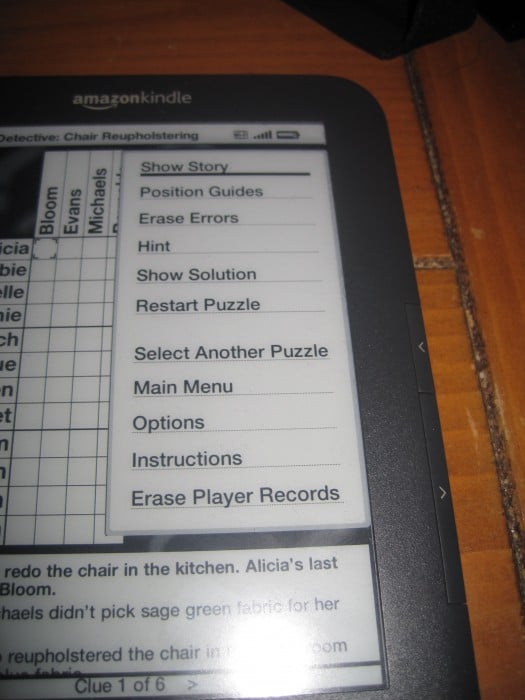
If you get really stuck, hitting Menu brings up the option to get a hint or show your errors. However, you can only get three hints per puzzle, so use them wisely. The menu also lets you wipe the board clean and start over if you’re really in the weeds, and the back button erases your last move if you just need to backtrack slightly.
I haven’t tried any other Kindle games, but I can say this one makes good use of the Kindle 3 keyboard without being cumbersome. Scrolling around takes a few extra seconds, but it’s very simple and the interface moves quickly. The menu key stacks helpful shortcuts within reach and the clues are always available along the bottom of the grid. It’s quite well designed from a use standpoint.
So far I am only halfway through the “easy” puzzles, but they are very fun. Yes, they’re simple, but each one brings a new challenge and twist. They’re perfect as a quick play option to kill a few minutes, or you can find yourself absorbed for an hour doing puzzle after puzzle. I can also see this being a great game to play with a kid, working together to understand the clues and eliminate accordingly. Logic puzzles are a great way to learn how to dissect multiple choice and standardized tests, and can really help a kid build useful learning skills.
I can’t recommend Grid Detective enough. It’s addictive, easy to play, and FUN!
MSRP: Free from Amazon
What I Like: Puzzles range from easy to hard; Interface is simple to grasp; Logic puzzles rock
What Needs Improvement: Only works on Kindle devices, not with Kindle smartphone apps

I can’t scroll through the clues in Grid Detective to save my life! I’ve tried pressing the keys (which is what the instructions say to do, but which just scrolls me through the grid); I’ve tried holding them down; I’ve tried holding each arrow key and the middle of the five-way button down simultaneously; and I’ve tried holding down the right or left arrow key, the down arrow key and the middle of the five-way key simultaneously.
Although sometimes the end clues pop up, I don’t know what I’m doing to make that happen–and I generally end up missing the fourth clue because the game jumps from the first clue to the sixth. I’ve checked the instructions a million times, but all they say to do is to press the PREV PAGE () buttons–and I’m already doing that. Nothing WORKS!
Please help me. How do I toggle back and forth between the grid and the clue list? And how do I make the clue list scroll up and down?
What Kindle are you using?
What Kindle are you using?